Minecraft version
Back to mods 
CurseForge · Minecraft mod
StreamCraft Live
StreamCraft Live brings real-time video streaming into Minecraft. Screen share & see each other face-to-face using WebRTC via LiveKit. NOTICE! Make sure you download your OS-specific version. Now available for Windows, Mac (arm64/intel), Linux and Android
Choose a version Pick your version below, then grab the matching file.
Quick answer
Which StreamCraft Live release should I use?
Latest stable file streamcraft-pc-0.38.0+mc26.3-neoforge-cf.jar
Game version 26.3
Loader NeoForge
StreamCraft Live streamcraft-pc-0.38.0+mc26.3-neoforge-cf.jar targets 26.3 with NeoForge. The project page does not say whether this file belongs on the client, dedicated server, or both. No extra mods listed for this file.
Where it goes
Is StreamCraft Live required on the client, server, or both?
The project page does not say whether this file belongs on the client, dedicated server, or both.
Client Source doesn’t say
Dedicated server Source doesn’t say
Loader for this release NeoForge
Required install it here Optional supported, not mandatory Not supported do not install here Source doesn’t say do not assume
The source does not explicitly classify this release as client-only or server-only.
What else does StreamCraft Live streamcraft-pc-0.38.0+mc26.3-neoforge-cf.jar need?
streamcraft-pc-0.38.0+mc26.3-neoforge-cf.jar. Change the file and its required mods may change too.
This file does not list any required mods. Do not add a library just because a different file uses it.
This file does not list any required or optional mods.
Before you install it
Add StreamCraft Live without breaking your instance.
Built for StreamCraft Live streamcraft-pc-0.38.0+mc26.3-neoforge-cf.jar. Pick another file and the loader, install side or required mods may change.
- 01
Stick to this file
Use streamcraft-pc-0.38.0+mc26.3-neoforge-cf.jar. It targets 26.3 with NeoForge; another release may have different loader, side or dependency requirements.
- 02
Bring the mods it needs
This file does not list any required mods. Do not add a library just because a different file uses it.
- 03
Put it on the correct side
The project page does not say whether this file belongs on the client, dedicated server, or both.
- 04
Pick the file you checked
Use the “Get this file” button beside streamcraft-pc-0.38.0+mc26.3-neoforge-cf.jar. It opens that exact file at the source.
About this project
What does StreamCraft Live add?
StreamCraft Live 🎥
Real-time webcam, screen share, and voice chat inside your Minecraft world. 🍿
Webcam feeds float above player heads with fullbright rendering (visible even at night), desktop screen shares from any OS project onto disguisable StreamCraft Blocks, proximity voice chat works the moment you join, and your stream can go out to the web for anyone to watch in a browser. Broadcasting from Windows, macOS, and Linux, on Fabric, NeoForge and Forge 1.20.1.
Free forever
Voice chat and everything you capture for yourself cost nothing, always:
- Voice chat — proximity and stream-bound voice on every server, free
- Your own camera and screen — turn them on and see yourself in the self-view and on your own StreamCraft Blocks, free
- Single player — open any world, press
', and stream to yourself: webcam self-view, desktop on StreamCraft Blocks, fully local. No account, no license, no internet connection: nothing leaves your machine
The hosted service covers exactly one thing: multi-party video (other players seeing your webcam and screen, and you seeing theirs) plus sharing your stream to the web. That's the part that runs on hosted streaming infrastructure with real bandwidth costs.
Features
- Screen Share — Share your desktop onto in-world StreamCraft Blocks (configurable size, tilt, projection distance, and horizontal offset), with automatic letterbox cropping
- Webcam — Your camera feed appears as a fullbright billboard above your player, visible to nearby players day or night. Configure webcam streams above, to the left or right, or directly on top of your player characters.
- Voice Chat — Proximity voice plus stream-bound voice that follows whoever's watching your stream.
- System Audio — Stream your game/music/app audio alongside your screen share. Native WASAPI loopback on Windows, ScreenCaptureKit on macOS 13+, PipeWire/PulseAudio on Linux. No virtual audio driver; we built everything custom for each OS.
- Cross-Platform Broadcasting — Publish from Windows, macOS (Apple Silicon or Intel), or Linux (x86_64 or ARM64). Download the JAR for your platform; all native libraries are bundled inside, nothing to install or configure
- Three Loaders — Fabric and NeoForge builds speak the same protocol, so players on either can share a server; Forge 1.20.1 is supported too
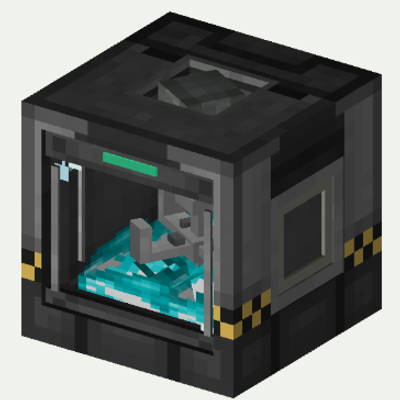
- More Screens — a wall-mounted TV (1 to 50 blocks wide), a Laptop that opens and shuts, a handheld Tablet and a Phone, all showing any camera or screen share
- StreamCraft Blocks — Disguise as 11 different vanilla blocks: Flower Pot, Cobblestone, Stone, Oak/Spruce/Dark Oak Planks, Iron Block, Bookshelf, Bricks, Stone Bricks, or Smooth Stone
- Sticky Settings — Display Block settings (size, brightness, opacity, rotation, pitch, projection, offset) persist across disconnects and chunk reloads. Configure one block to set defaults for all future blocks
- Auto-Reconnect — If a streamer disconnects and reconnects, bound Display Blocks automatically pick up the stream again
- Dynamic Illumination — Active streams emit light level 12, lighting up the surrounding area
- Proximity-based — Streams appear and disappear automatically based on distance (configurable 16–256 blocks)
- "Who can see me?" — Live viewer list in your HUD while streaming
- Bidirectional — Multiple players can have webcams on simultaneously
- Self-view preview — See your own camera feed in a HUD corner overlay
- 1080p HD quality — Full HD screen-share capture with codecs optimized per platform (VP8 screen share, H.264 camera)
- Privacy-first — "How It Works" info modal with consent gate before anything transmits
- Zero setup for players — free features need no account or signup, ever; every new server gets 5 free hours of the hosted service with no registration
Share beyond the server
Your stream doesn't have to stay in Minecraft. Boost levels (below) open these up:
- Share to Web — one click creates a link anyone can open in a browser to watch your stream live, no install needed (two viewers on any server, everyone from Level 1)
- Your own channel page — claim a permanent
streamcraft.live/u/<name>URL for your streams (Level 2) - Chat flows both ways — web viewers chat with the game, and in-game chat appears on your channel page, tagged "in-game"
- Stream to YouTube — one-click restream of your share to a YouTube live broadcast (Level 3)
- Moderation built in — remove web-chat messages from in-game or from the channel page
How It Works
Press ' (apostrophe) to open the StreamCraft menu. First-time users see a "How It Works" overview explaining privacy and features. Toggle your webcam or screen share on, and nearby players see your feed automatically. Multi-party video is routed through LiveKit Cloud (WebRTC) for sub-500ms latency.
Download the JAR built for your platform (Windows, Linux, Linux ARM64, macOS arm64, or macOS x86_64). Everything needed to broadcast (FFmpeg, OpenCV, the LiveKit FFI, and the per-OS capture bridge) is bundled inside. No runtime downloads, no separate installers. On macOS, grant Screen Recording permission once and you're done.
Try It Without Setting Up a Server
Want to test the mod end-to-end before installing it on your own server? Join The Block Survival, an official Fabric 26.3 server running StreamCraft on vanilla Minecraft. No kitchen-sink modpack, just StreamCraft.
The server is whitelisted: join the Discord (link below) and whitelist your Minecraft username from there. Then in Minecraft: Multiplayer → Direct Connection, then enter theblocksurvival.com.
Requirements
- Minecraft 1.20.1 through 26.3: Fabric builds for every version, NeoForge builds for 1.20.6 through 26.3, and a Forge build for 1.20.1
- Fabric builds also load under Quilt
- Single player works standalone; multiplayer streaming requires the mod on both client and server (same version on both recommended)
- Java 17+ (Java 21 for most versions, Java 25 for 26.x; your launcher handles this automatically)
- macOS broadcasting: macOS 11.0+ for screen share, macOS 13.0+ for system audio
- Linux broadcasting: X11 or XWayland (native Wayland support is future work)
StreamCraft Block
Place StreamCraft Blocks in the world to view screen shares. Configure size (1×1 up to 50×50), tilt angle (-90° to +90°), projection distance, and horizontal offset. Right-click to select which stream to display and choose a block appearance to blend into your builds. Active streams illuminate the area around them. All settings are saved, so your blocks look the same every time you log in. A small StreamCraft logo sits on the screen bezel so viewers of your videos know what mod it is; every block has a toggle to turn it off.
Free minutes and boosts
Each server has one shared pool of streaming minutes that everyone on it uses. It fills three ways:
- 5 free hours for every new server, the first time it starts with StreamCraft. No signup.
- Minutes players earn. When the pool runs low, Get free minutes in the menu shows how: linking your Discord account in our Discord adds 5 more hours to the server you play on.
- Boosts. Anyone on a server can boost it from the StreamCraft menu: pick a pack, pay on the web (or show a QR code to a parent or friend), and the minutes go to everyone on that server. A boost is a one-time purchase, and the server thanks you in chat.
- Server Plan. Or give a server a set of minutes every month: anyone can start a Server Plan for it on the web (18+, or a parent paying). Its minutes are used first and reset monthly, every level perk is on while it's active, and it can be cancelled any time.
Minutes are counted per participant-minute, everyone gets chat warnings as the pool runs down, and sharing comes back by itself when minutes are added. Boosts bought in the last 30 days set the server's level: Level 1 opens web sharing to everyone, Level 2 adds a channel page, Level 3 adds YouTube streaming. Levels never change what works inside the game. Voice, solo capture, and single player stay free no matter what.
A note from the creator
Hi, I'm Slash. I have a dream of being a full-time Minecraft modder, and StreamCraft is the project I'm betting on. I build it solo: every feature, every native library, every version port. When you support this project, you aren't funding a studio; you're helping one person take a real step toward doing what he loves for a living.
And honestly, I made a mod about hanging out with people in Minecraft because I want more of that myself. Come say hi on the Discord. Join me on The Block Survival and let's watch or listen to something. Minecraft is better with friends, and I'm always looking for more.
Community
- Website: https://streamcraft.live, a project of The Block Academy
- SMP: theblocksurvival.com (Fabric 26.3)
- Discord: https://discord.gg/cdsspRR5mu
Project description from CurseForge.
Pick your setup
StreamCraft Live by Minecraft version and loader
Choose the version and loader you play, then open the matching release.
Minecraft version
26.2
2 loader buildsMinecraft version
26.1.2
2 loader buildsMinecraft version
1.21.11
3 loader buildsMinecraft version
1.21.10
3 loader buildsMinecraft version
1.21.9
3 loader buildsMinecraft version
1.21.8
3 loader buildsMinecraft version
1.21.7
3 loader buildsMinecraft version
1.21.6
3 loader buildsMinecraft version
1.21.5
3 loader buildsMinecraft version
1.21.4
3 loader buildsMinecraft version
1.21.3
3 loader buildsShowing the newest 12 of 21 game versions. Older files are in the list below.
Check the dependencies, then try the file in a copied instance before changing a world you care about.
Recent files
StreamCraft Live versions and loaders
streamcraft-pc-0.38.0+mc26.3-neoforge-cf.jar
streamcraft-pc-0.38.0-mc26.3-neoforge-cf.jar
20 Nov 2026
Client Source doesn’t say Server Source doesn’t say Dependencies No extras listed Listed on Release listing
Check the 26.3 · NeoForge setup NeoForge26.3 release
streamcraft-pc-0.38.0+mc26.2-neoforge-cf.jar
streamcraft-pc-0.38.0-mc26.2-neoforge-cf.jar
20 Nov 2026
Client Source doesn’t say Server Source doesn’t say Dependencies No extras listed Listed on Release listing
Check the 26.2 · NeoForge setup NeoForge26.2 release
streamcraft-pc-0.38.0+mc26.1.2-neoforge-cf.jar
streamcraft-pc-0.38.0-mc26.1.2-neoforge-cf.jar
20 Nov 2026
Client Source doesn’t say Server Source doesn’t say Dependencies No extras listed Listed on Release listing
Check the 26.1.2 · NeoForge setup NeoForge26.1.2 release
streamcraft-pc-0.38.0+mc1.21.8-neoforge-cf.jar
streamcraft-pc-0.38.0-mc1.21.8-neoforge-cf.jar
20 Nov 2026
Client Source doesn’t say Server Source doesn’t say Dependencies No extras listed Listed on Release listing
Check the 1.21.8 · NeoForge setup 1.21.81.21.61.21.7NeoForge release
streamcraft-pc-0.38.0+mc1.21.4-neoforge-cf.jar
streamcraft-pc-0.38.0-mc1.21.4-neoforge-cf.jar
20 Nov 2026
Client Source doesn’t say Server Source doesn’t say Dependencies No extras listed Listed on Release listing
Check the 1.21.5 · NeoForge setup 1.21.51.21.4NeoForge release
streamcraft-pc-0.38.0+mc1.21.3-neoforge-cf.jar
streamcraft-pc-0.38.0-mc1.21.3-neoforge-cf.jar
20 Nov 2026
Client Source doesn’t say Server Source doesn’t say Dependencies No extras listed Listed on Release listing
Check the 1.21.3 · NeoForge setup 1.21.3NeoForge1.21.2 release
streamcraft-pc-0.38.0+mc1.21.11-neoforge-cf.jar
streamcraft-pc-0.38.0-mc1.21.11-neoforge-cf.jar
20 Nov 2026
Client Source doesn’t say Server Source doesn’t say Dependencies No extras listed Listed on Release listing
Check the 1.21.11 · NeoForge setup NeoForge1.21.11 release
streamcraft-pc-0.38.0+mc1.21.10-neoforge-cf.jar
streamcraft-pc-0.38.0-mc1.21.10-neoforge-cf.jar
20 Nov 2026
Client Source doesn’t say Server Source doesn’t say Dependencies No extras listed Listed on Release listing
Check the 1.21.10 · NeoForge setup NeoForge1.21.91.21.10 release
streamcraft-pc-0.38.0+mc1.21.1-neoforge-cf.jar
streamcraft-pc-0.38.0-mc1.21.1-neoforge-cf.jar
20 Nov 2026
Client Source doesn’t say Server Source doesn’t say Dependencies No extras listed Listed on Release listing
Check the 1.21.1 · NeoForge setup 1.211.21.1NeoForge release
streamcraft-pc-0.38.0+mc1.20.6-neoforge-cf.jar
streamcraft-pc-0.38.0-mc1.20.6-neoforge-cf.jar
20 Nov 2026
Client Source doesn’t say Server Source doesn’t say Dependencies No extras listed Listed on Release listing
Check the 1.20.6 · NeoForge setup 1.20.6NeoForge release
streamcraft-pc-0.38.0+mc26.3-cf.jar
streamcraft-pc-0.38.0-mc26.3-cf.jar
20 Nov 2026
Client Source doesn’t say Server Source doesn’t say Dependencies No extras listed Listed on Release listing
Check the 26.3 · Fabric setup Fabric26.3 release
streamcraft-pc-0.38.0+mc26.2-cf.jar
streamcraft-pc-0.38.0-mc26.2-cf.jar
20 Nov 2026
Client Source doesn’t say Server Source doesn’t say Dependencies No extras listed Listed on Release listing
Check the 26.2 · Fabric setup Fabric26.2 release
Looking for an older file? The official CurseForge project page is in Resources.
 mod
CurseForge + Modrinth · Minecraft
Create: FluidLogistics
Integrate fluid transportation with Create's logistics system
 mod
CurseForge · Minecraft
Mineral Process
Mineral Process is an addon mod designed to work with Mechanical Power (Create) and General Mechanics (Mekanism).
 mod
CurseForge · Minecraft
Mystical Agriculture Plus
An addon for Mystical Agriculture: new seeds and essences, an Infinity tier, tiered furnaces and chests, machines and compatibility with many mods.