Minecraft version
Back to mods 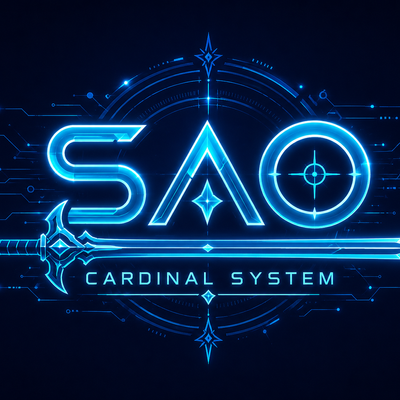
CurseForge · Minecraft mod
DASAO UI
Link Start! Enter an SAO-inspired RPG world with sword skills, immersive HUDs, progression, combat effects, and the Cardinal System.
Choose a version Pick your version below, then grab the matching file.
Quick answer
Which DASAO UI release should I use?
Latest stable file daswordartonmine-3.7.9.jar
Game version 1.20.1
Loader Forge
DASAO UI daswordartonmine-3.7.9.jar targets 1.20.1 with Forge. The project page does not say whether this file belongs on the client, dedicated server, or both. No extra mods listed for this file.
Where it goes
Is DASAO UI required on the client, server, or both?
The project page does not say whether this file belongs on the client, dedicated server, or both.
Client Source doesn’t say
Dedicated server Source doesn’t say
Loader for this release Forge
Required install it here Optional supported, not mandatory Not supported do not install here Source doesn’t say do not assume
The source does not explicitly classify this release as client-only or server-only.
What else does DASAO UI daswordartonmine-3.7.9.jar need?
daswordartonmine-3.7.9.jar. Change the file and its required mods may change too.
This file does not list any required mods. Do not add a library just because a different file uses it.
This file does not list any required or optional mods.
Before you install it
Add DASAO UI without breaking your instance.
Built for DASAO UI daswordartonmine-3.7.9.jar. Pick another file and the loader, install side or required mods may change.
- 01
Stick to this file
Use daswordartonmine-3.7.9.jar. It targets 1.20.1 with Forge; another release may have different loader, side or dependency requirements.
- 02
Bring the mods it needs
This file does not list any required mods. Do not add a library just because a different file uses it.
- 03
Put it on the correct side
The project page does not say whether this file belongs on the client, dedicated server, or both.
- 04
Pick the file you checked
Use the “Get this file” button beside daswordartonmine-3.7.9.jar. It opens that exact file at the source.
About this project
What does DASAO UI add?
📡 LATEST UPDATE — 3.7.9 — ESC MENU REBUILD & HOLO VFX 11 / 09 / 2026
- Menu Display Fix — Fixed the ESC menu and SAO panels not appearing on screen. Menus now render flat with the standard GUI pipeline instead of the 3D perspective projection.
- Anime-Style Layout — The ESC menu now follows the anime structure: character silhouette panel on the left (name, HP bar, level, XP, title), the five circular categories in the middle and the sub-menu list on the right.
- Smoother Animations — All menu animations now run on real time instead of game ticks, so they stay smooth at any frame rate. Categories rise bottom-to-top with a soft bounce, the selector arrow glides between categories, sub-entries slide in one after another and hover colors fade in.
- Animated Closing — ESC first returns to the main sub-menu, then closes the menu with a reverse animation.
- Holo VFX — A golden scan line sweeps across the screen when the menu opens, light motes drift upward behind the interface, and clicks produce ripple rings with small spark bursts.
- Greyed Log Out — The Log Out button is now greyed out and requires 3 quick clicks (within 1.5 seconds) to disconnect. Each click shakes the button, shows a red ripple and fills a ●●○ counter. The counter resets after 1.5 seconds without a click.
3.7.7 (11/09/2026) — Fixed invisible ESC menu, anime-style three-column layout, frame-rate independent animations, animated closing, holo VFX (scan line, motes, click ripples) and a greyed Log Out button that requires 3 quick clicks.
Project description from CurseForge.
Pick your setup
DASAO UI by Minecraft version and loader
Choose the version and loader you play, then open the matching release.
Check the dependencies, then try the file in a copied instance before changing a world you care about.
Recent files
DASAO UI versions and loaders
daswordartonmine-3.7.9.jar
9 Nov 2026
Client Source doesn’t say Server Source doesn’t say Dependencies No extras listed Listed on Release listing
Check the 1.20.1 · Forge setup 1.20.1Forge release
daswordartonmine-3.7.7.jar
26 Sept 2026
Client Source doesn’t say Server Source doesn’t say Dependencies No extras listed Listed on Release listing
Check the 1.20.1 · Forge setup 1.20.1Forge release
daswordartonmine-3.7.6.jar
21 Sept 2026
Client Source doesn’t say Server Source doesn’t say Dependencies No extras listed Listed on Release listing
Check the 1.20.1 · Forge setup 1.20.1Forge release
daswordartonmine-3.7.5.jar
2 Sept 2026
Client Source doesn’t say Server Source doesn’t say Dependencies No extras listed Listed on Release listing
Check the 1.20.1 · Forge setup 1.20.1Forge release
daswordartonmine-3.7.4.jar
27 Aug 2026
Client Source doesn’t say Server Source doesn’t say Dependencies No extras listed Listed on Release listing
Check the 1.20.1 · Forge setup 1.20.1Forge release
daswordartonmine-3.7.3.jar
3 Aug 2026
Client Source doesn’t say Server Source doesn’t say Dependencies No extras listed Listed on Release listing
Check the 1.20.1 · Forge setup 1.20.1Forge release
daswordartonmine-3.7.2.jar
21 Jul 2026
Client Source doesn’t say Server Source doesn’t say Dependencies No extras listed Listed on Release listing
Check the 1.20.1 · Forge setup 1.20.1Forge release
daswordartonmine-3.7.1.jar
17 Jul 2026
Client Source doesn’t say Server Source doesn’t say Dependencies No extras listed Listed on Release listing
Check the 1.20.1 · Forge setup 1.20.1Forge release
daswordartonmine-3.7.jar
13 Jul 2026
Client Source doesn’t say Server Source doesn’t say Dependencies No extras listed Listed on Release listing
Check the 1.20.1 · Forge setup 1.20.1Forge release
daswordartonmine-3.6.jar
12 Jul 2026
Client Source doesn’t say Server Source doesn’t say Dependencies No extras listed Listed on Release listing
Check the 1.20.1 · Forge setup 1.20.1Forge release
daswordartonmine-3.5.jar
14 Jun 2026
Client Source doesn’t say Server Source doesn’t say Dependencies No extras listed Listed on Release listing
Check the 1.20.1 · Forge setup 1.20.1Forge release
daswordartonmine-3.4.jar
8 Jun 2026
Client Source doesn’t say Server Source doesn’t say Dependencies No extras listed Listed on Release listing
Check the 1.20.1 · Forge setup 1.20.1Forge release
Looking for an older file? The official CurseForge project page is in Resources.
 mod
CurseForge + Modrinth · Minecraft
Polymorph+
(26.x port) Also adds some QoL features and mod compatibility to the original Polymorph mod. No more recipe conflicts!
 mod
CurseForge + Modrinth · Minecraft
Fantasy Armor (Medieval Series)
New armor sets with 3D models in medieval fantasy style.
 mod
CurseForge · Minecraft
ItsUniqueGamer's Mrcrayfish's Vehicle unofficial port
An unofficial port of Mrcrayfish's Vehicle mod for newer versions