Sodium Needed by [DRD] Dynamic Render Distance drd-mc1.21.5-fabric-1.0.3.jar
requiredMatching file found Matched file: Sodium 0.6.13 for Fabric
CurseForge · Minecraft mod
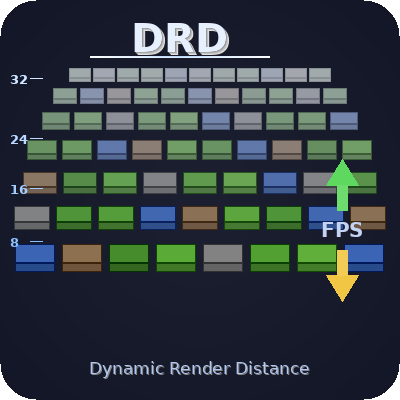
Lowers your render distance only when FPS really drop, then brings it back to your own setting. VSync-aware, flicker-free, settings in Video Settings.
Quick answer
[DRD] Dynamic Render Distance drd-mc1.21.5-fabric-1.0.3.jar targets 1.21.5 with Fabric. The project page does not say whether this file belongs on the client, dedicated server, or both. All 1 required mods have matching files.
Where it goes
The project page does not say whether this file belongs on the client, dedicated server, or both.
The source does not explicitly classify this release as client-only or server-only.
drd-mc1.21.5-fabric-1.0.3.jar. Change the file and its required mods may change too.
Install Sodium first. We found matching files for this game-version and loader setup. 3 come through another mod in the chain.
3 extra mods were pulled in by other dependencies. Indented rows show who needs each one. We only count dependency files that match this setup. A file for another loader does not fill the gap.
Before you install it
Built for [DRD] Dynamic Render Distance drd-mc1.21.5-fabric-1.0.3.jar. Pick another file and the loader, install side or required mods may change.
Use drd-mc1.21.5-fabric-1.0.3.jar. It targets 1.21.5 with Fabric; another release may have different loader, side or dependency requirements.
Install Sodium first. We found matching files for this game-version and loader setup. 3 come through another mod in the chain.
The project page does not say whether this file belongs on the client, dedicated server, or both.
Use the “Get this file” button beside drd-mc1.21.5-fabric-1.0.3.jar. It opens that exact file at the source.
About this project
One big base, a crowded village or a storm of mobs is enough to drag your FPS down. The usual fix is to lower your render distance for the whole game, or to stop and move the slider every time.
Dynamic Render Distance does it for you. When FPS drop below your target, it shortens what the game renders. When FPS come back, it brings the distance back up to your own setting. Nothing reloads, nothing flashes.
In Options > Video Settings. On Fabric, also in a Dynamic RD tab with Sodium, and in Mod Menu.
| Setting | Default | Range | What it does |
|---|---|---|---|
| Enabled | ON | Turns the mod on or off | |
| Target FPS | 60 | 30 to 240 | The FPS you want to keep |
| Tolerance | 15% | 5 to 30% | How far below the target FPS may drop (average over 5 s) before the distance is lowered |
| Min Distance | 6 | 2 to 32 | Never render less than this |
| Max Drop | 8 | 1 to 8 | Most chunks removed at once |
| DRD Messages | ON | Shows each change in the action bar |
Advanced values are in config/dynamic-render-distance.json: checkIntervalTicks (100), cooldownTicks (200) and increaseStep (1).
Used in the Legends Reborn: Medieval modpack.
Project description from CurseForge.
Pick your setup
Choose the version and loader you play, then open the matching release.
Showing the newest 12 of 30 game versions. Older files are in the list below.
Check the dependencies, then try the file in a copied instance before changing a world you care about.
Recent files
6 Nov 2026
6 Nov 2026
6 Nov 2026
6 Nov 2026
6 Nov 2026
6 Nov 2026
6 Nov 2026
6 Nov 2026
6 Nov 2026
6 Nov 2026
6 Nov 2026
6 Nov 2026
Looking for an older file? The official CurseForge project page is in Resources.
 mod
37 switchable fixes for crashes, memory leaks, server lag and slow starts in large Fabric 1.21.1 packs. No gameplay change.
 mod
An add-on for Farmer's Delight adding Cutting Boards for all wood types, which can be decorated with banners. Includes compatibility with Every Compat, Biomes O' Plenty and Oh The Biomes You'll Go.
 mod
A Minecraft Fabric mod that automatically adds comprehensive metadata to your screenshots, making them easier to organize and search.