Fabric API Needed by CMD + Delete 1.1.0+mc1.19
requiredMatching file found Matched file: [1.19] Fabric API 0.58.0+1.19

CurseForge · Minecraft mod
Fix macOS text navigation shortcuts in chat/books/signs/etc & allows custom shortcuts: get native cmd + backspace, option + delete, cmd + arrows, and more!
Quick answer
CMD + Delete 1.1.0+mc1.19 targets 1.19 with Fabric, Quilt. It must be installed on the client. Do not install it on the dedicated server. All 1 required mods have matching files.
Where it goes
It must be installed on the client. Do not install it on the dedicated server.
This file is marked client-only.
1.1.0+mc1.19 on 1.19. Every mod below is checked against that same setup.
Install Fabric API first. We found matching files for this game-version and loader setup.
We only count dependency files that match this setup. A file for another loader does not fill the gap.
Before you install it
Built for CMD + Delete 1.1.0+mc1.19 on 1.19. Pick another file and the loader, install side or required mods may change.
Use 1.1.0+mc1.19. It targets 1.19 with Fabric, Quilt; another release may have different loader, side or dependency requirements.
Install Fabric API first. We found matching files for this game-version and loader setup.
It must be installed on the client. Do not install it on the dedicated server.
Use the “Get this file” button beside 1.1.0+mc1.19. It opens that exact file at the source.
About this project
In Minecraft on macOS, pressing option + backspace deletes a single character, and pressing command + backspace deletes a word. This is completely inconsistent with the native OS, so I fixed it…
This mod also functions as a fully configurable text editing/navigation shortcut framework for Minecraft with custom mappings, JSONs and sharecodes, in-game switching, and more!
Note:
Compatibility: CMD + Delete is a multi-platform mod that supports for Minecraft Fabric/Quilt
1.14.4to the latest version, NeoForge1.21.9to26.3and the LTS1.20.5-1.21.5build natively, and Forge1.20.1via Sinytra Connector.

By default, CMD + Delete will detect if you're using macOS, and if you are, it'll set you to those shortcuts, otherwise it will set you to use Windows/Linux shortcuts.
| Action | macOS | Windows / Linux |
|---|---|---|
| Delete previous word | option + backspace |
ctrl + backspace |
| Delete next word | option + delete |
ctrl + delete |
| Delete to start of line | cmd + backspace |
N/A |
| Delete to end of line | cmd + delete |
N/A |
| Move to previous word | option + ← |
ctrl + ← |
| Move to next word | option + → |
ctrl + → |
| Move to start of line | cmd + ← |
home |
| Move to end of line | cmd + → |
end |
| Move to start of text | cmd + ↑ |
ctrl + home |
| Move to end of text | cmd + ↓ |
ctrl + end |
| Select to previous word | option + shift + ← |
ctrl + shift + ← |
| Select to next word | option + shift + → |
ctrl + shift + → |
| Select to start of line | cmd + shift + ← |
shift + home |
| Select to end of line | cmd + shift + → |
shift + end |
| Select to start of text | cmd + shift + ↑ |
ctrl + shift + home |
| Select to end of text | cmd + shift + ↓ |
ctrl + shift + end |
| Select up one line | shift + ↑ |
shift + ↑ |
| Select down one line | shift + ↓ |
shift + ↓ |
CMD + Delete also now provides these other builtin mappings:
builtin:emacs_mac the standard macOS Cocoa shortcuts for text navigation in Emacs to the best replication I can make.builtin:emacs_windows_linux the standard Windows/Linux shortcuts for text navigation in Emacs to the best replication I can make.builtin:readline the standard shortcuts for text navigation in GNU Readline to the best replication I can make.builtin:vanilla a set of mappings that functionally disables the mod and allows vanilla Minecraft behavior.| Feature | CMD + Delete | macOS Chat Fixes |
|---|---|---|
| Works in chat & most other single-line textboxes | ✓ | ✓ |
| Works in signs | ✓ | ✘ |
| Works in books | ✓ | ✘ |
| Works on any OS | ✓ | ✓ |
| Native macOS-style word-boundary detection | ✓ | ✓ |
| Custom mappings JSON support | ✓ | ✘ |
| Can use shortcuts from a different OS if wanted | ✓ | ✘ |
| Supports using Emacs and Readline shortcuts | ✓ | ✘ |
| Supports functionally disabling the mod if needed | ✓ | ✘ |
| Supports sharing custom shortcuts via sharecodes | ✓ | ✘ |
| Supports NeoForge, Fabric, and Quilt natively | ✓ | ✘ |
| Supports Minecraft versions before 26.1 | ✓ | ✘ |
| Open source | ✓ | ✓ |
| Open source license | Apache-2.0 |
LGPL-3.0-only |
| Public technical documentation | ✓ | ✘ |
Note:
The description of macOS chat fixes says it supports signs, but after conducting a source code review, I determined that it did not have a mixin to actually support signs. Note that all claims were made as of October 15th, 2026. Also, I got the idea of native OS style word boundary detection from macOS chat fixes, though I did not reuse any code.
Project description from CurseForge.
Pick your setup
Choose the version and loader you play, then open the matching release.
Showing the newest 12 of 114 game versions. Older files are in the list below.
Check the dependencies, then try the file in a copied instance before changing a world you care about.
Recent files
cmd_delete-1.1.0+mc1.19.jar
24 Jun 2026
Looking for an older file? The official CurseForge project page is in Resources.
 mod
Create easily NPCs with dialogs for your world or for your mods.
 mod
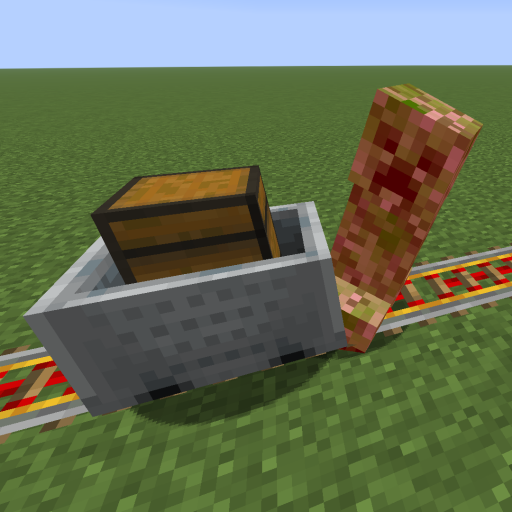
This mod increases damage to moving minecarts; the faster they move, the higher the damage, with virtually no damage limit!
 mod
A Carpet mod (fabric-carpet) extension, a collection of carpet mod style useful tools and interesting features