Create Needed by Create: Improved Display Link Experience Create: IDLX 1.5 for Minecraft 1.20.1 & Create 6.0.X
requiredMatching file found Matched file: Create 6.0.8 for mc1.20.1

CurseForge · Minecraft mod
Sprucing up the functionality of Display Links from Create mod
Quick answer
Create: Improved Display Link Experience Create: IDLX 1.5 for Minecraft 1.20.1 & Create 6.0.X targets 1.20.1 with Forge. The project page does not say whether this file belongs on the client, dedicated server, or both. All 1 required mods have matching files.
Where it goes
The project page does not say whether this file belongs on the client, dedicated server, or both.
The source does not explicitly classify this release as client-only or server-only.
Create: IDLX 1.5 for Minecraft 1.20.1 & Create 6.0.X. Change the file and its required mods may change too.
Install Create first. We found matching files for this game-version and loader setup.
We only count dependency files that match this setup. A file for another loader does not fill the gap.
Before you install it
Built for Create: Improved Display Link Experience Create: IDLX 1.5 for Minecraft 1.20.1 & Create 6.0.X. Pick another file and the loader, install side or required mods may change.
Use Create: IDLX 1.5 for Minecraft 1.20.1 & Create 6.0.X. It targets 1.20.1 with Forge; another release may have different loader, side or dependency requirements.
Install Create first. We found matching files for this game-version and loader setup.
The project page does not say whether this file belongs on the client, dedicated server, or both.
Use the “Get this file” button beside Create: IDLX 1.5 for Minecraft 1.20.1 & Create 6.0.X. It opens that exact file at the source.
About this project



Please downgrade your NeoForge to 21.1.233 if you are experiencing crashes on startup. Due to technical reasons I, as of now, sadly cannot finish and release the update that includes a fix of said issue. Apologies for the inconvenience.
The project description is not up to date at the moment. While it's going through total rework, check out the GitHub Changelog or the Modrinth Changelog for details about latest additions.
Create: Improved Display Link Experience (C: IDLX) is a little Quality-of-Life add-on for Create mod aimed at sprucing up some of Display Link features, mainly the underrated Attached Label option.
The way Create mod currently handles displaying information (aka data) with the attached label is by simply concatenating them with a space: It's a simple way, but thus a severely limiting one in terms of customization.
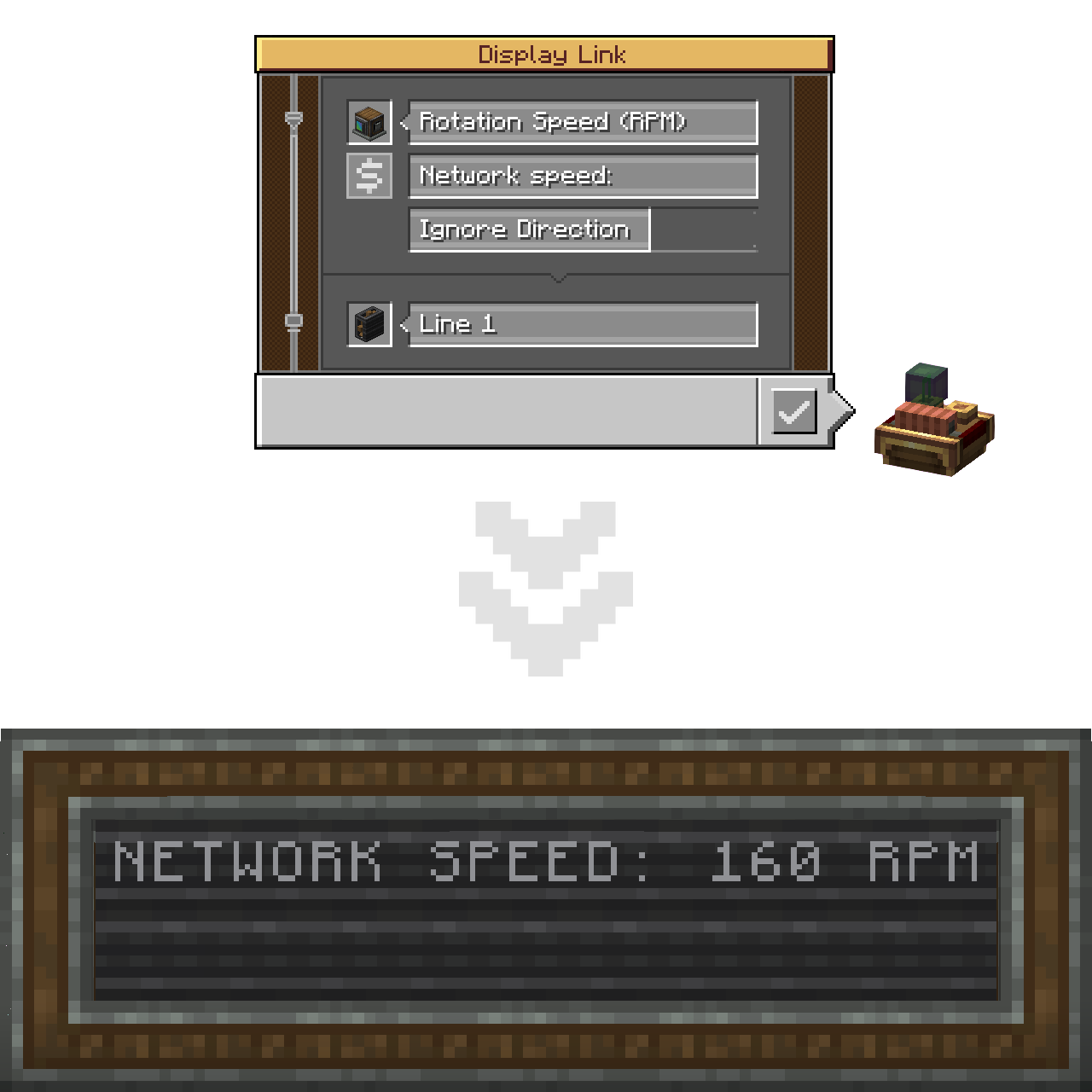
This add-on pushes the boundaries apart by introducing the $ and {} placeholders (aka specifiers). Placing one (or more) marks the place where the information string should be inserted. In short, the Attached Label can now act like a formatted string!
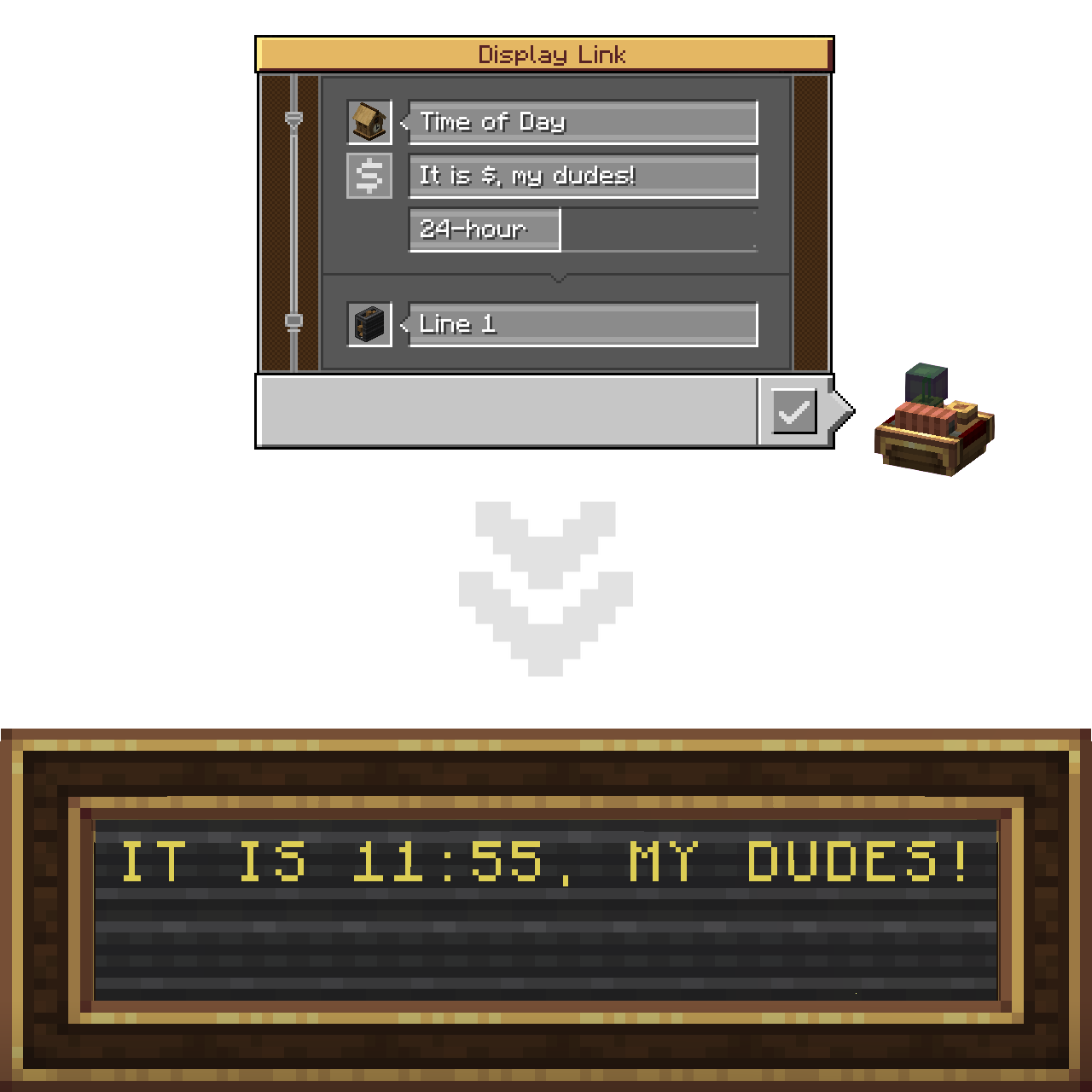
You can utilize as many placeholders as you want in one string. Mixing both types of them doesn't cause any issues as well!
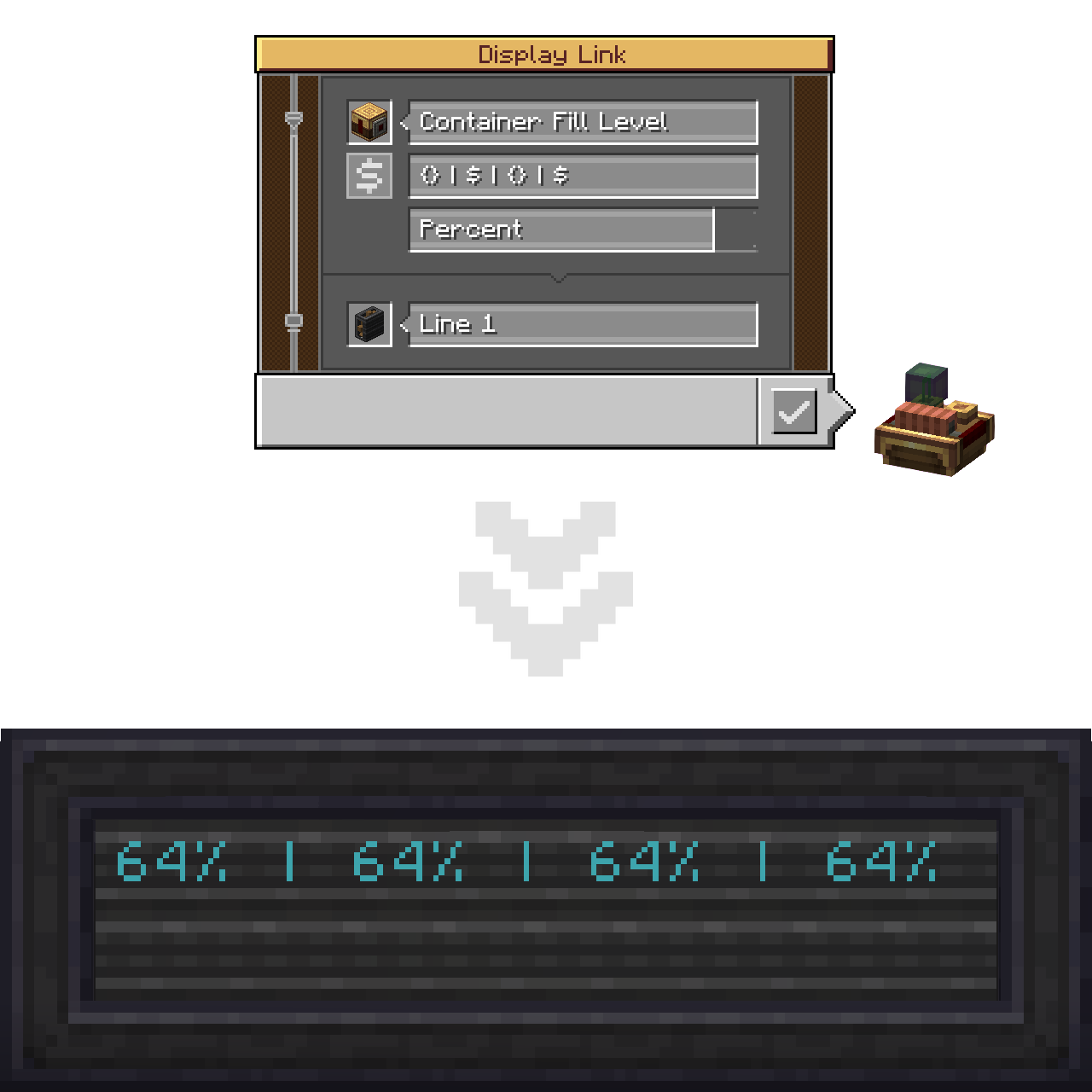
If you need to insert a $ character literally (same applies to {}), without it turning into a placeholder, use backslash-escaping on it.
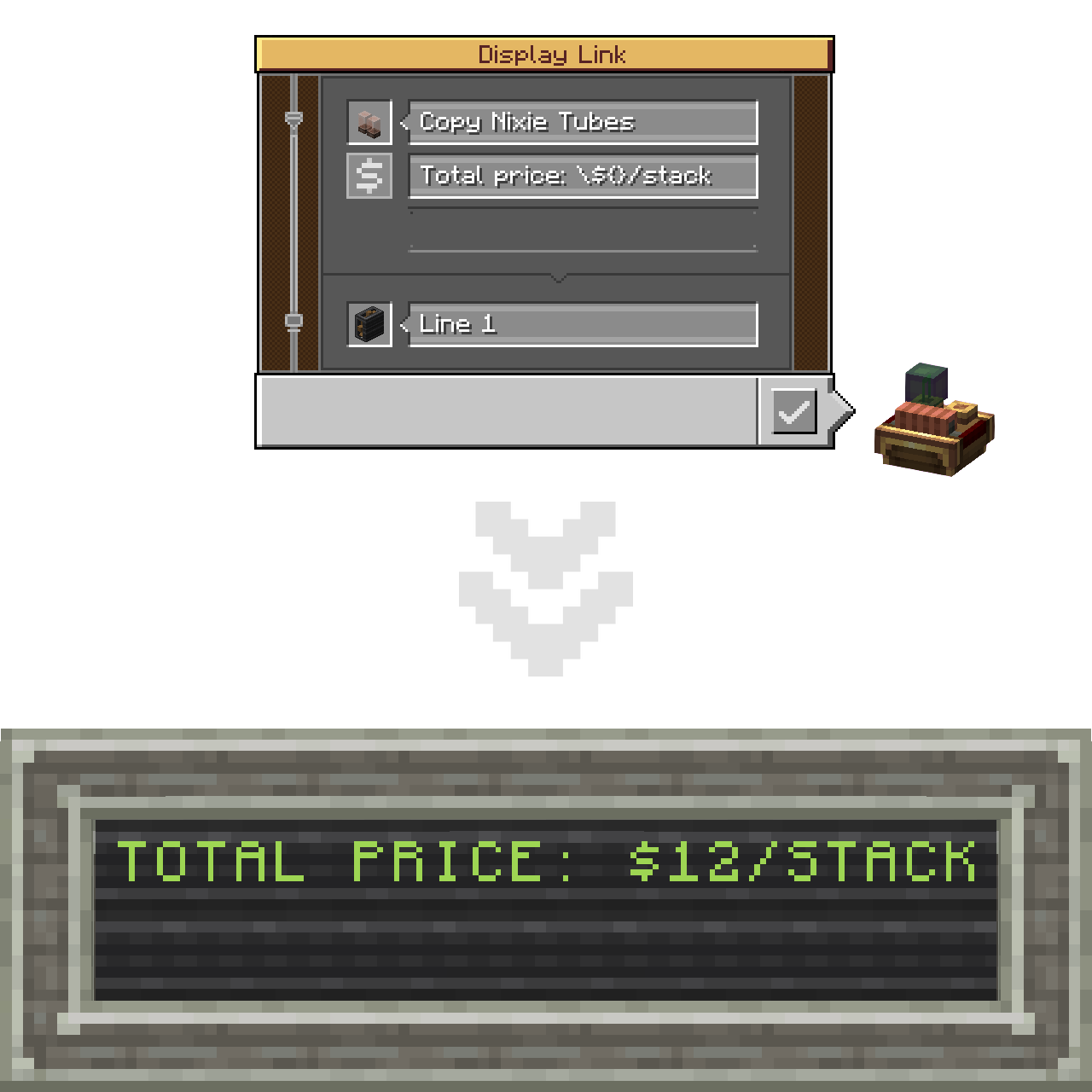
In case of no unescaped placeholders present in the label altogether, default (base Create's) concatenation will be applied.
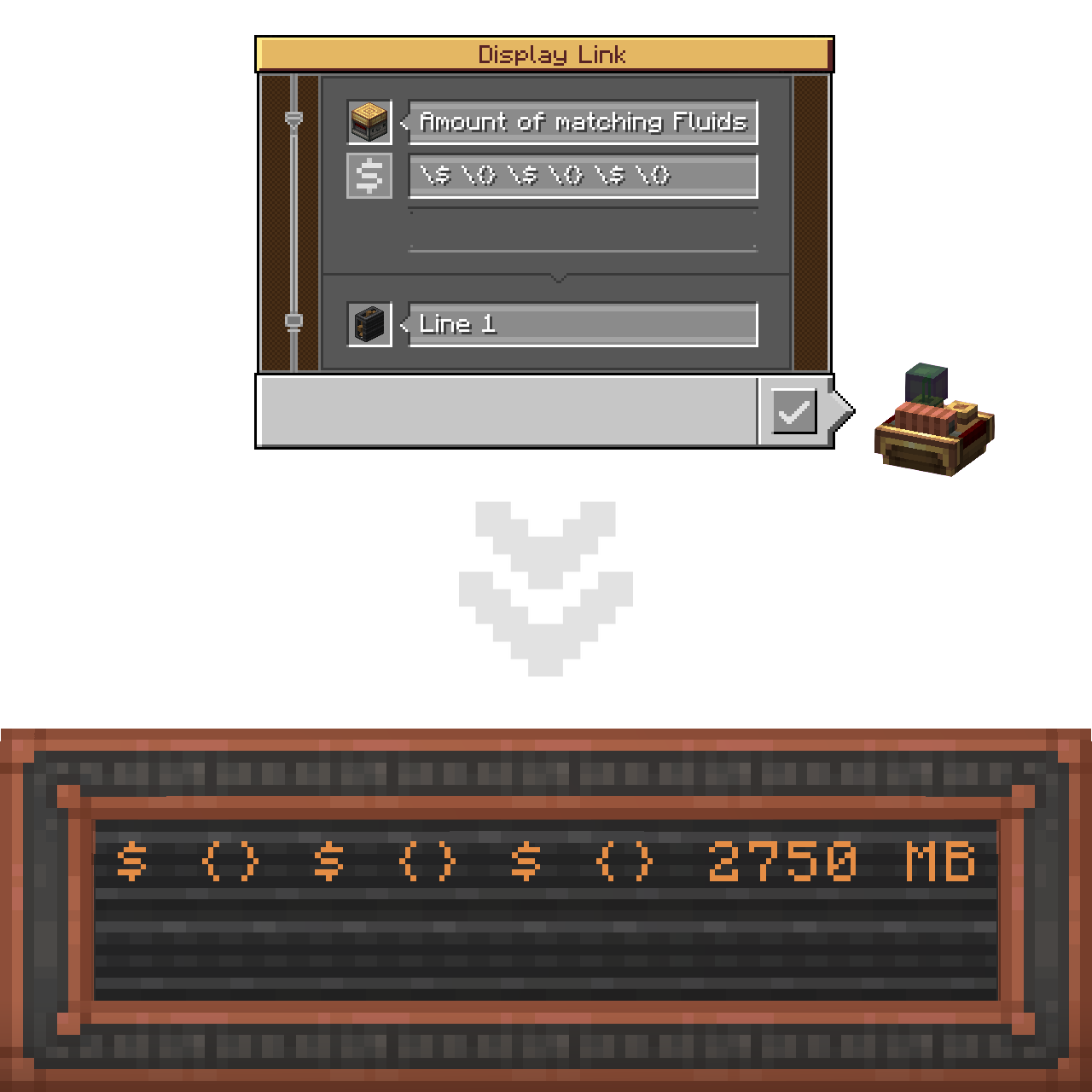
Lastly, there's a new hover-on button that displays a Placeholders Usage Guide tooltip containing all the abovementioned.
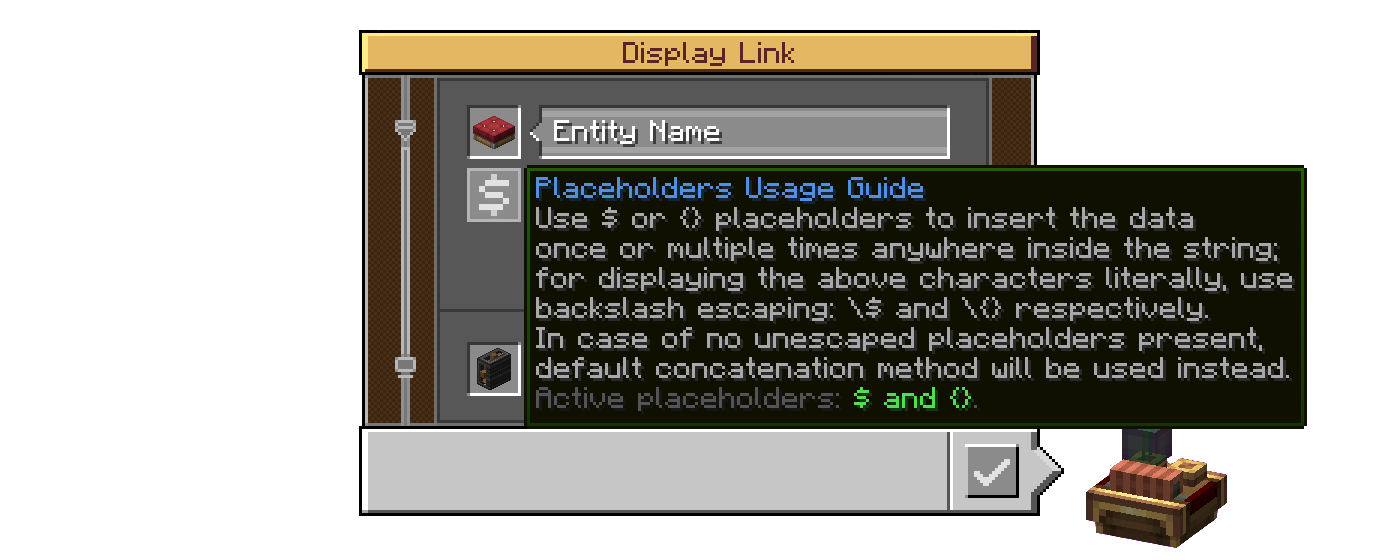
Its last string displays which placeholders are active (available to use in this world/server, which is specified by the server config of the mod).
(A .webp version if the one above doesn't play properly)
C: IDLX has a proper Create-styled config for both the client (visuals) and the server (per-world).
Enable Guide Buttons: toggling that off will hide the abovementioned hover-on button in the Display Link interface.Enable (Active Placeholders / Progress Bar Support) Tooltip: those two add their additional strings into the Placeholders Usage Guide tooltip, that change the text, reflecting the states of their respective config options in Server settings.Hide Escaping Of Disabled Placeholders: by default, when a disabled placeholder is escaped, the backslash stays visible as if placed before a regular character; enable to make it get hidden like if it did its job;Enable Crude Progress Bar Support: currently the progress bar characters are being rendered incorrectly (appear squashed together) if used with placeholders, so the support for this display format is disabled altogether by default (see Known Issues).Enable (Dollar Sign / Curly Brackets) Placeholder: with those two it is possible to limit the placeholder functionality to only one option - the Dollar Sign or the Curly Brackets respectively - or disable the feature altogether by ticking both as off (affects the last string of the Placeholders Usage Guide tooltip);Essentially C: IDLX provides a single flap display section with default formatting options, unlike Create that makes two for the label (default formatting) and the value (formatting specific to its display format) respectively. The consequence of the first method is that the progress bar characters are being rendered as literal characters (non-wide), and thus appear squashed together. Fixing that would involve rewriting the code to instead generate an array of sections. I started working on it but didn't have time to finish after running into numerous issues, and decided to postpone it for when I get more time on my hands. Currently, placeholders support for the progress bar is put behind config (off by default).
If anybody has the will to help me with this issue, I would appreciate the contribution very much.
C: IDLX is planned to be backported to Forge 1.20.1. However I currently can not say exactly when that will happen.
gg_gnom on Discord) for testing the mod (literally the only case of testing this mod I know).zh_cn).My first Minecraft mod, by the way!
Project description from CurseForge.
Pick your setup
Choose the version and loader you play, then open the matching release.
Check the dependencies, then try the file in a copied instance before changing a world you care about.
Recent files
createidlx-1.20.1-1.5.jar
28 May 2026
createidlx-1.20.1-1.4.jar
28 May 2026
createidlx-1.21.1-1.5.jar
26 May 2026
createidlx-1.21.1-1.4.jar
18 Apr 2026
createidlx-1.20.1-1.3.jar
29 Mar 2026
createidlx-1.21.1-1.3.jar
28 Mar 2026
createidlx-1.20.1-1.2.jar
25 Mar 2026
createidlx-1.21.1-1.2.jar
22 Mar 2026
createidlx-1.21.1-1.1.jar
18 Feb 2026
createidlx-1.21.1-1.0.jar
7 Feb 2026
Looking for an older file? The official CurseForge project page is in Resources.
 mod
Functional Storage drawers for what isn't an item or a fluid: Energy (2 billion FE), Mekanism chemicals and Ars Nouveau Source. Same upgrades, same Storage Controller, framed variants for all.
 mod
This is a DragonMineZ addon that scales TP gains dynamically based on your current Battle Power, keeping training useful throughout progression. The Battle Power multiplier stays at x1 below 1,000,000 BP and increases continuously above that.
 mod
baseSteam expands the basePower library to bring your world into the steam age! This is a continuation of Steam Advantage by Dr Cyano and is fully backwards compatible with Steam Advantage worlds.