Minecraft version
Back to mods 
CurseForge · Minecraft mod
Mobius
A Vanilla+ expansion featuring a mob leveling system, new ores and gear, lucky bags, and tea brewing.
Choose a version Pick your version below, then grab the matching file.
Quick answer
Which Mobius release should I use?
Latest stable file mobius-1.7.5-neoforge-1.21.8.jar
Game version 1.21.8
Loader NeoForge
mobius-1.7.5-neoforge-1.21.8.jar targets 1.21.8 with NeoForge. The project page does not say whether this file belongs on the client, dedicated server, or both. No extra mods listed for this file.
Where it goes
Is Mobius required on the client, server, or both?
The project page does not say whether this file belongs on the client, dedicated server, or both.
Client Source doesn’t say
Dedicated server Source doesn’t say
Loader for this release NeoForge
Required install it here Optional supported, not mandatory Not supported do not install here Source doesn’t say do not assume
The source does not explicitly classify this release as client-only or server-only.
What else does mobius-1.7.5-neoforge-1.21.8.jar need?
mobius-1.7.5-neoforge-1.21.8.jar. Change the file and its required mods may change too.
This file does not list any required mods. Do not add a library just because a different file uses it.
This file does not list any required or optional mods.
Before you install it
Add Mobius without breaking your instance.
Built for mobius-1.7.5-neoforge-1.21.8.jar. Pick another file and the loader, install side or required mods may change.
- 01
Stick to this file
Use mobius-1.7.5-neoforge-1.21.8.jar. It targets 1.21.8 with NeoForge; another release may have different loader, side or dependency requirements.
- 02
Bring the mods it needs
This file does not list any required mods. Do not add a library just because a different file uses it.
- 03
Put it on the correct side
The project page does not say whether this file belongs on the client, dedicated server, or both.
- 04
Pick the file you checked
Use the “Get this file” button beside mobius-1.7.5-neoforge-1.21.8.jar. It opens that exact file at the source.
About this project
What does Mobius add?
**
A Vanilla+ modification that expands the horizons of the standard survival experience. The mod introduces a mob leveling system to make combat more engaging, alongside new ores for crafting unique tools and armor. As a delightful bonus, enjoy lucky bags and the ability to brew tea.**
Mob Enhancement System
Mobs are divided into 6 difficulty tiers. The enhancement only increases the mob's HP and damage; the higher the tier, the lower the spawn chance. Additionally, every enhanced mob drops extra loot, the quality of which depends on the mob's tier (this can be disabled in the settings menu). Tier 6 mobs have a 40% chance to drop a special item. A mob's tier is indicated by the number of "💀" symbols above its head.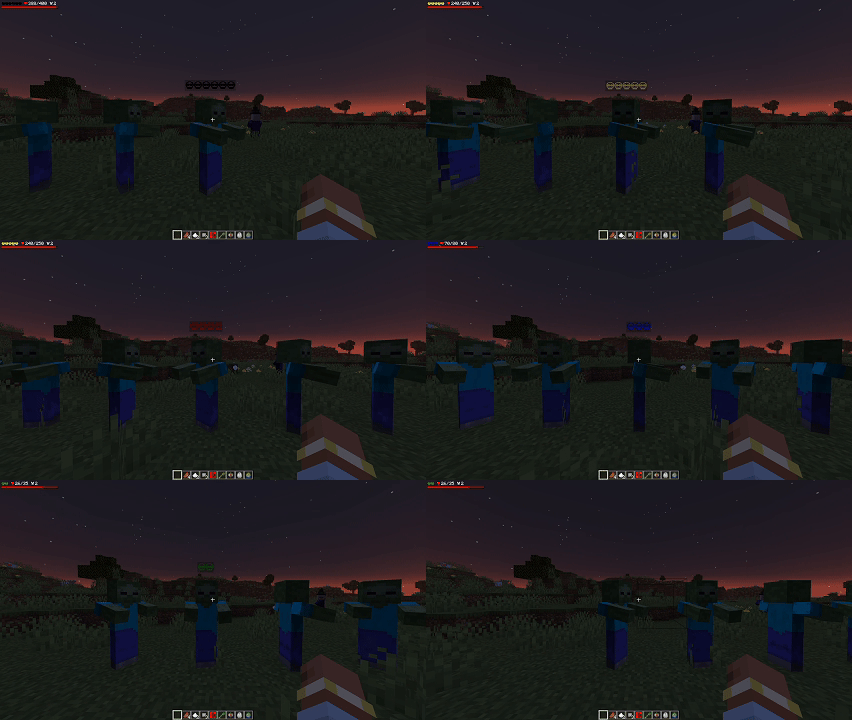
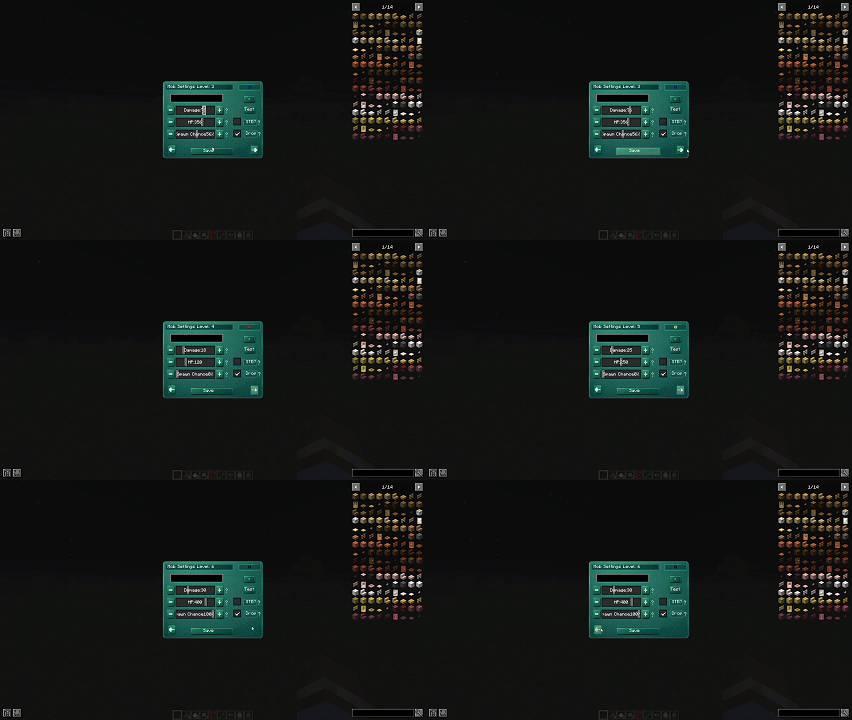
Mob Enhancement Settings Menu
Pressing the [M] key opens a menu where you can configure the HP, damage, spawn chance, and whether extra loot drops for the selected mob tier.
New Ores and Ingots
- Steel Ingot: Sits somewhere between iron and diamond. It is created in a Blast Furnace by smelting iron ingots (the process takes a long time and requires a lot of coal).
- Gilded Copper Ingot: Better than diamond tools. It is crafted by combining a large amount of copper and gold. This material is truly expensive and requires a long crafting chain.
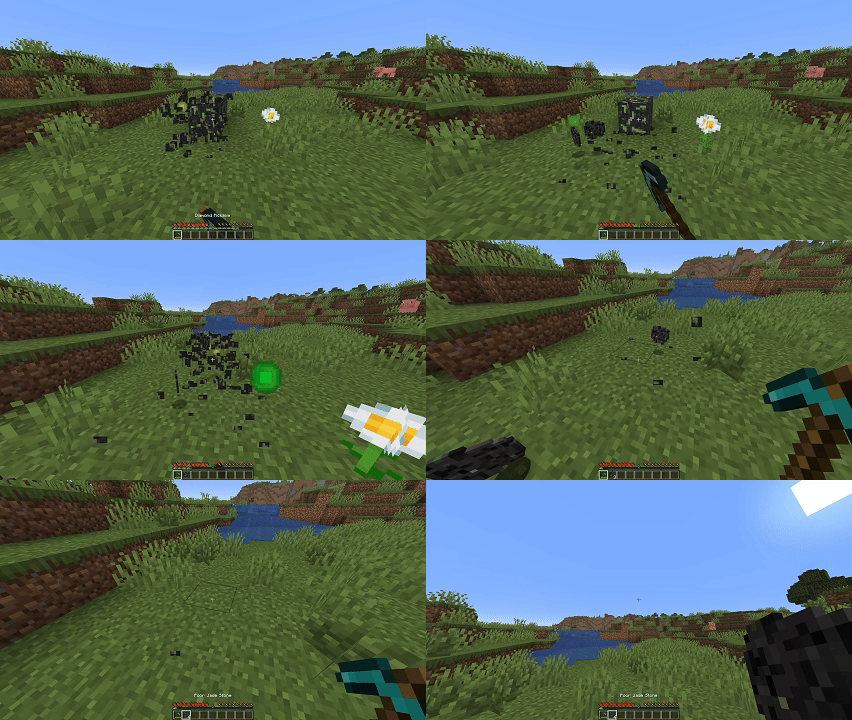
- Jade Ingot: An incredibly rare and top-tier material. It also has a complex crafting chain, but the difficulty of obtaining it is amplified by the rarity of Jade itself.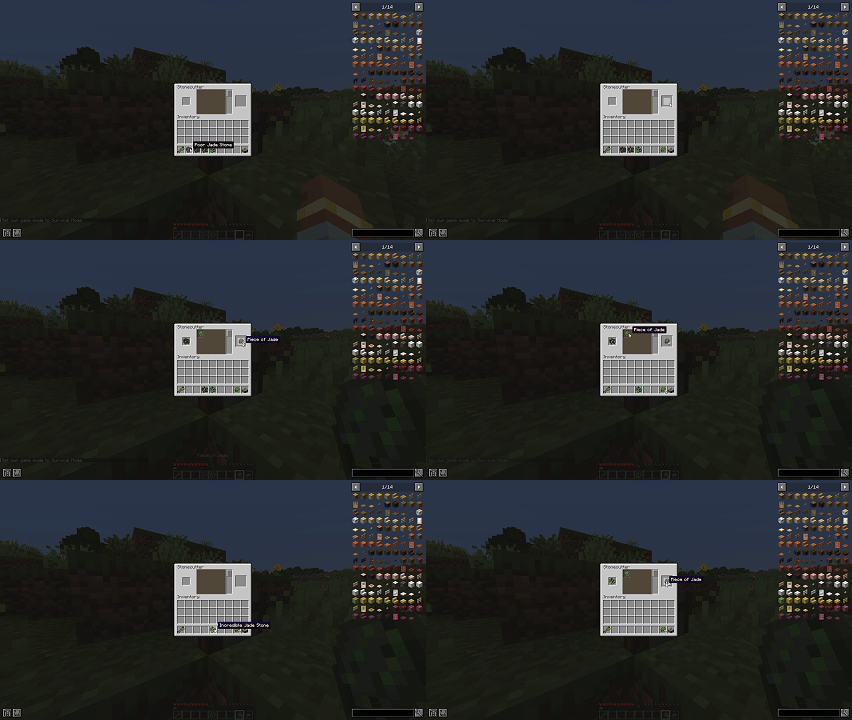
Fragment System
You have the ability to double your farming efficiency for resources like iron, gold, copper, and coal—though it requires spending more time and Blast Furnace fuel. You need to cut Raw Iron, Raw Gold, or Raw Copper on a Stonecutter into fragments. After that, you can smelt them in a Blast Furnace to get smelted fragments, which can then be combined to yield twice as many ingots compared to simply smelting the raw metals. Additionally, by cutting wood blocks into stick fragments, you can quickly and efficiently smelt charcoal.
Lucky Bag System
Enhanced mobs can drop a Bag Fragment. By using it in crafting along with a Bag (created from boiled leather), you can craft a Tier 1 Lucky Bag. This bag contains useful resources, and with a small chance, very rare ones. There are 3 tiers of bags. Each subsequent tier is crafted using 3 lower-tier bags and a Lead.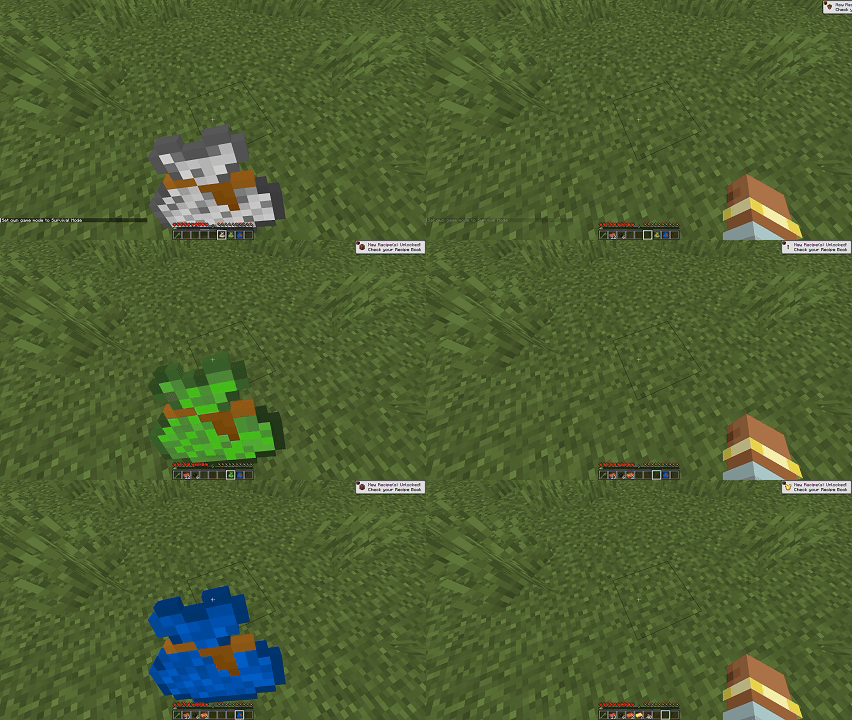
Tea Brewing System
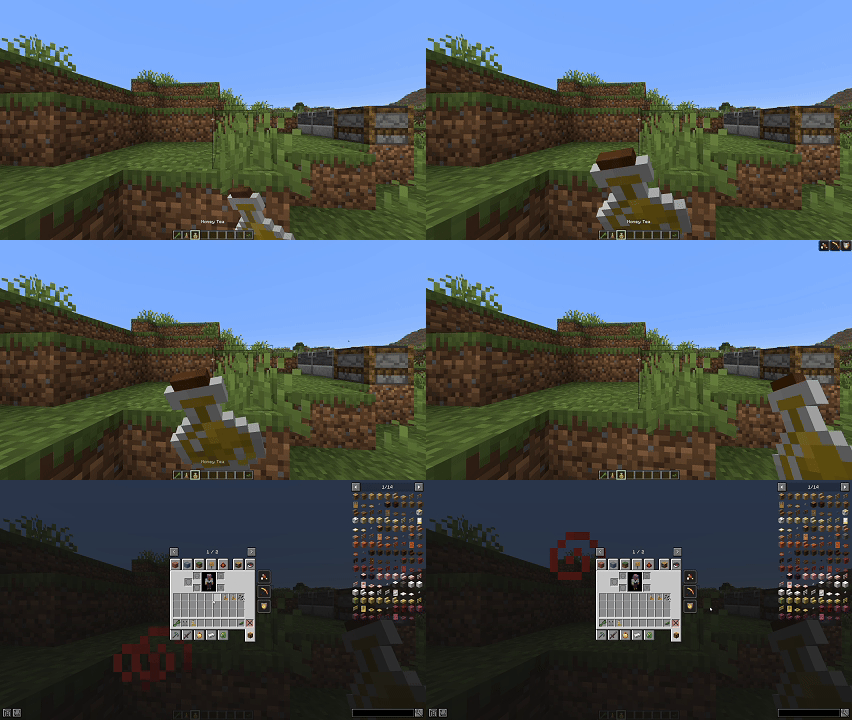
You have the option to brew several types of tea. Each provides 2 effects for 10 minutes and is suited for different tasks, such as mining trips, PvP, or increasing survivability.
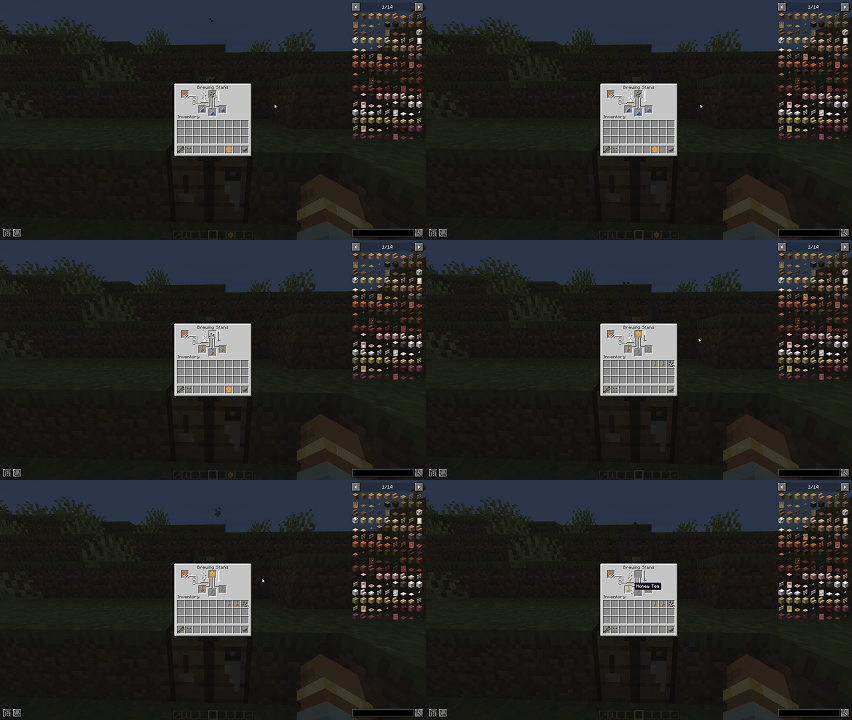
- Tea is made in a Brewing Stand using Water Bottles and tea leaves.
- Tea leaves can be gathered from tea bushes in the Jungle. You can also use special modded Tea Tongs to increase gathering efficiency.
- After gathering, you need to dry the leaves and process them into tea shreds/pieces.
- Once you've brewed regular tea, you can upgrade it by brewing it a second time. By adding Honey, a Green Tea Leaf, a Black Tea Leaf, or Sweet Berries, you will get a specific tea that provides different effects.
New Chests and Backpacks
- Trash Can Chest: Has 22 slots that can be emptied by pressing a button.
- Steel Chest: Has 71 slots.
- Gilded Copper Chest: Has 117 slots.
- Steel Backpack: Has 27 slots.
- Jade Backpack: Has 73 slots. 5 of these slots act as a trash can (with the same deletion function), and 2 slots are dedicated to an disenchantment feature, allowing you to remove enchantments from an item and gain experience.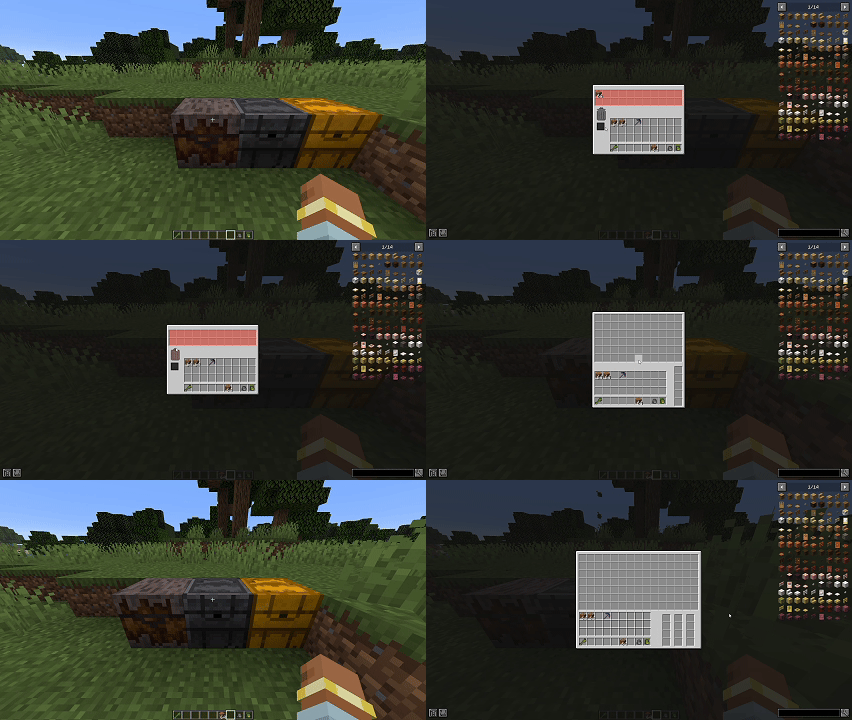
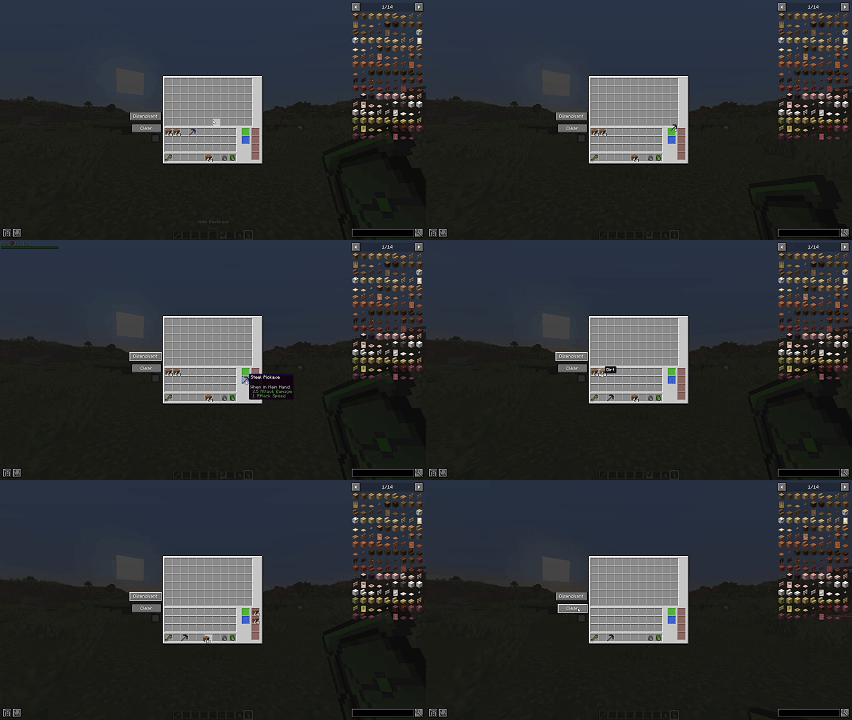
Enhanced Wolf Breeding System
You can now find and tame enhanced wolves in the world, marked with a "✦" symbol. The number of symbols indicates the mob's power level. Afterward, you can breed these wolves to get an offspring with more stars and improved stats.
Custom Balancing Recipes
The mod also adds a few custom recipes for balance:
- The ability to cook Rotten Flesh into Leather in a Smoker.
Supports languages:
English (only united kingdom) 100%
Ukrainian 100%
Belarusian 100%
Kazakh 74%
Polish 83%
Russian 100%
Project description from CurseForge.
Pick your setup
Mobius by Minecraft version and loader
Choose the version and loader you play, then open the matching release.
Check the dependencies, then try the file in a copied instance before changing a world you care about.
Recent files
Mobius versions and loaders
mobius-1.7.5-neoforge-1.21.8.jar
2 Mar 2026
Client Source doesn’t say Server Source doesn’t say Dependencies No extras listed Listed on Release listing
Check the 1.21.8 · NeoForge setup 1.21.8NeoForge release
mobius-1.7.4-neoforge-1.21.8.jar
23 Feb 2026
Client Source doesn’t say Server Source doesn’t say Dependencies No extras listed Listed on Release listing
Check the 1.21.8 · NeoForge setup 1.21.8NeoForge release
mobius-1.7.2-neoforge-1.21.8.jar
22 Feb 2026
Client Source doesn’t say Server Source doesn’t say Dependencies No extras listed Listed on Release listing
Check the 1.21.8 · NeoForge setup 1.21.8NeoForge release
mobius-1.7.1-neoforge-1.21.8.jar
21 Feb 2026
Client Source doesn’t say Server Source doesn’t say Dependencies No extras listed Listed on Release listing
Check the 1.21.8 · NeoForge setup 1.21.8NeoForge release
mobius-1.6.3.B-neoforge-1.21.8.jar
mobius-1.6.3-neoforge-1.21.8.jar
13 Feb 2026
Client Source doesn’t say Server Source doesn’t say Dependencies No extras listed Listed on Release listing
Check the 1.21.8 · NeoForge setup 1.21.8NeoForge beta
mobius-1.6.2-neoforge-1.21.8.jar
11 Feb 2026
Client Source doesn’t say Server Source doesn’t say Dependencies No extras listed Listed on Release listing
Check the 1.21.8 · NeoForge setup 1.21.8NeoForge release
mobius-1.6.1-neoforge-1.21.8.jar
11 Feb 2026
Client Source doesn’t say Server Source doesn’t say Dependencies No extras listed Listed on Release listing
Check the 1.21.8 · NeoForge setup 1.21.8NeoForge release
Looking for an older file? The official CurseForge project page is in Resources.
 mod
CurseForge + Modrinth · Minecraft
Kaleidoscope:Dimensions wine
Add dimensional wines to Kaleidoscope.
 mod
CurseForge · Minecraft
Range's Mining and Equipment and cave generation.
Changes cave generation, removes vanilla ores and replaces with new Metal based ores that spawn in veins, adds equipment for these items Armor customization system to change how equipment looks..
 mod
CurseForge · Minecraft
Lucky block X
(?????????????????) You were searching through the mod page until you found this.. cool item