Minecraft version
Back to mods 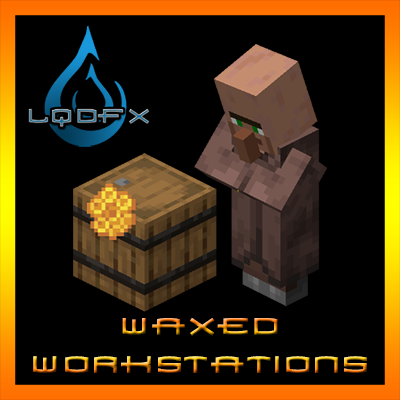
CurseForge · Minecraft mod
LqDFx's WaxedWorkstations
Ability to use Honeycomb to wax workstations preventing Villagers from claiming them.
Choose a version Pick your version below, then grab the matching file.
Quick answer
Which LqDFx's WaxedWorkstations release should I use?
Latest stable file lqdfxswaxedworkstations-26.3-1.0.1.jar
Game version 26.3
Loader NeoForge
LqDFx's WaxedWorkstations lqdfxswaxedworkstations-26.3-1.0.1.jar targets 26.3 with NeoForge. The project page does not say whether this file belongs on the client, dedicated server, or both. No extra mods listed for this file.
Where it goes
Is LqDFx's WaxedWorkstations required on the client, server, or both?
The project page does not say whether this file belongs on the client, dedicated server, or both.
Client Source doesn’t say
Dedicated server Source doesn’t say
Loader for this release NeoForge
Required install it here Optional supported, not mandatory Not supported do not install here Source doesn’t say do not assume
The source does not explicitly classify this release as client-only or server-only.
What else does LqDFx's WaxedWorkstations lqdfxswaxedworkstations-26.3-1.0.1.jar need?
lqdfxswaxedworkstations-26.3-1.0.1.jar. Change the file and its required mods may change too.
This file does not list any required mods. Do not add a library just because a different file uses it.
This file does not list any required or optional mods.
Before you install it
Add LqDFx's WaxedWorkstations without breaking your instance.
Built for LqDFx's WaxedWorkstations lqdfxswaxedworkstations-26.3-1.0.1.jar. Pick another file and the loader, install side or required mods may change.
- 01
Stick to this file
Use lqdfxswaxedworkstations-26.3-1.0.1.jar. It targets 26.3 with NeoForge; another release may have different loader, side or dependency requirements.
- 02
Bring the mods it needs
This file does not list any required mods. Do not add a library just because a different file uses it.
- 03
Put it on the correct side
The project page does not say whether this file belongs on the client, dedicated server, or both.
- 04
Pick the file you checked
Use the “Get this file” button beside lqdfxswaxedworkstations-26.3-1.0.1.jar. It opens that exact file at the source.
About this project
What does LqDFx's WaxedWorkstations add?
LqDFx's WaxedWorkstations allows players to shift-right click with Home comb on Workstation/Jobsite blocks
removing them from the POI system and keeping Villages from claiming them. This allows Workstation/Jobsite
to be used as decoration or to limit the number of Villagers with said Profession.
Shift-Right clicking with an Axe will reverse the process and Villagers will once again be able to claim
the workstation.
Works with all Vanilla Workstation/Jobsite blocks.
- Blast Furnace
- Smoker
- Cartography Table
- Brewing Stand
- Composter
- Barrel
- Fletching Table
- Cauldron
- Lectern
- Stonecutter
- Loom
- Smithing Table
- Grindstone
- Bell (Meeting)
- Bee Nest/Hive
May work with other modded Workstation/Jobsite blocks as long as they are registered in the POI.
* Blocked using this on Nether Portals, Lightning Rods, Lodestones, and Beds.
Tested on single player worlds, should work on Servers as long as the mod is loaded on the Server.
Project description from CurseForge.
Pick your setup
LqDFx's WaxedWorkstations by Minecraft version and loader
Choose the version and loader you play, then open the matching release.
Minecraft version
26.1.2
1 loader buildMinecraft version
26.1.1
1 loader buildMinecraft version
26.1
1 loader buildMinecraft version
1.21.1
1 loader buildCheck the dependencies, then try the file in a copied instance before changing a world you care about.
Recent files
LqDFx's WaxedWorkstations versions and loaders
lqdfxswaxedworkstations-26.3-1.0.1.jar
29 Nov 2026
Client Source doesn’t say Server Source doesn’t say Dependencies No extras listed Listed on Release listing
Check the 26.3 · NeoForge setup NeoForge26.3 release
lqdfxswaxedworkstations-1.26-1.0.1.jar
23 May 2026
Client Source doesn’t say Server Source doesn’t say Dependencies No extras listed Listed on Release listing
Check the 26.1.2 · NeoForge setup NeoForge26.126.1.126.1.2 release
lqdfxswaxedworkstations-1.21.1-1.0.0.jar
12 Feb 2026
Client Source doesn’t say Server Source doesn’t say Dependencies No extras listed Listed on Release listing
Check the 1.21.1 · NeoForge setup 1.21.1NeoForge release
Looking for an older file? The official CurseForge project page is in Resources.
 mod
CurseForge + Modrinth · Minecraft
Plague's Chat Timestamps
A Minecraft mod that adds customizable timestamps to chat!
 mod
Modrinth · Minecraft
LqDFx's WaxedWorkstations
Ability to use Honeycomb to wax workstations preventing Villagers from claiming them.
 mod
CurseForge · Minecraft
Forever Pathways
A Minecraft progression mod aiming to slow down progression and make the game more rewarding.