
Minecraft version
Back to mods 
CurseForge · Minecraft mod
Simple World Map
A simple minimap and world map for Minecraft. See terrain, track nearby mobs, mark waypoints, and explore caves with ore highlights. Works in all dimensions.
Choose a version Pick your version below, then grab the matching file.
Quick answer
Which Simple World Map release should I use?
Latest stable file simpleworldmap-1.0.0.jar
Game version 1.21.11
Loader Fabric
Simple World Map simpleworldmap-1.0.0.jar targets 1.21.11 with Fabric. The project page does not say whether this file belongs on the client, dedicated server, or both. No extra mods listed for this file.
Where it goes
Is Simple World Map required on the client, server, or both?
The project page does not say whether this file belongs on the client, dedicated server, or both.
Client Source doesn’t say
Dedicated server Source doesn’t say
Loader for this release Fabric
Required install it here Optional supported, not mandatory Not supported do not install here Source doesn’t say do not assume
The source does not explicitly classify this release as client-only or server-only.
What else does Simple World Map simpleworldmap-1.0.0.jar need?
simpleworldmap-1.0.0.jar. Change the file and its required mods may change too.
This file does not list any required mods. Do not add a library just because a different file uses it.
This file does not list any required or optional mods.
Before you install it
Add Simple World Map without breaking your instance.
Built for Simple World Map simpleworldmap-1.0.0.jar. Pick another file and the loader, install side or required mods may change.
- 01
Stick to this file
Use simpleworldmap-1.0.0.jar. It targets 1.21.11 with Fabric; another release may have different loader, side or dependency requirements.
- 02
Bring the mods it needs
This file does not list any required mods. Do not add a library just because a different file uses it.
- 03
Put it on the correct side
The project page does not say whether this file belongs on the client, dedicated server, or both.
- 04
Pick the file you checked
Use the “Get this file” button beside simpleworldmap-1.0.0.jar. It opens that exact file at the source.
About this project
What does Simple World Map add?
Simple World Map adds a small map to your screen while you play. It shows the terrain around you, nearby mobs, and lets you mark locations with waypoints so you don't get lost.

Minimap (HUD)
- Shows terrain, water, and blocks around you in real time
- Three shapes: circle, square, or rounded square
- Place it in any corner of your screen
- Adjust size, zoom, opacity, and rotation
- Compass directions and coordinates display
World Map
- Open a full-screen interactive map
- Pan and zoom freely to explore scanned areas
- Chunk and region grid lines
- Right-click anywhere on the map to place a waypoint
Cave Mode
- Automatically detects when you're underground
- Shows cave layout, water, and lava underground
- Highlights ores (diamond, emerald, iron, gold, etc.), spawners, and chests with distinct colors
Entity Radar
- Shows nearby mobs on the minimap with colored dots or icons
- Hostile mobs in red, passive mobs in green, players in green
- 80+ mob icons included
- Filter which mobs you want to see
Waypoints
- Create named, colored waypoints to mark important locations
- 8 icon shapes: diamond, star, flag, home, skull, circle, cross, arrow
- Waypoints appear on the minimap, world map, and in the 3D world with name and distance
- Saved per world — your singleplayer and multiplayer waypoints stay separate
Settings - Dark-themed settings screen with all options in one place - 5 render quality levels (Low to Extreme) to fit your PC - Per-mob visibility filter - All settings saved automatically
Key | Action
M Toggle minimap on/off
+ Zoom in
- Zoom out
N Change minimap shape
B Add waypoint at your position
V Toggle cave mode
, Open settings / world map
Project description from CurseForge.
Pick your setup
Simple World Map by Minecraft version and loader
Choose the version and loader you play, then open the matching release.
Check the dependencies, then try the file in a copied instance before changing a world you care about.
Recent files
Simple World Map versions and loaders
simpleworldmap-1.0.0.jar
13 Feb 2026
Client Source doesn’t say Server Source doesn’t say Dependencies No extras listed Listed on Release listing
Check the 1.21.11 · Fabric setup Fabric1.21.11 release
Looking for an older file? The official CurseForge project page is in Resources.
 mod
mod CurseForge + Modrinth · Minecraft
PolyCrosshair
An extremely customizable crosshair mod
 mod
mod CurseForge + Modrinth · Minecraft
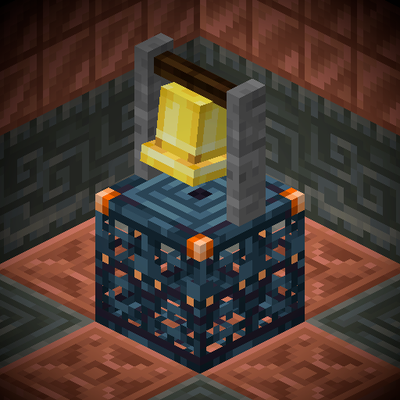
Trial Glow
Ring a bell on top of a trial spawner to make all its mobs glow!
 mod
mod CurseForge · Minecraft
Tempest Almanac - Iron's Spells 'n Spellbooks
Tempest Almanac brings magic weather to the Overworld. Seven phenomena follow the seasons. Each has its own sky, sounds and particles, dangers you can always avoid, and rewards you can only get from it.