Minecraft version
Back to mods 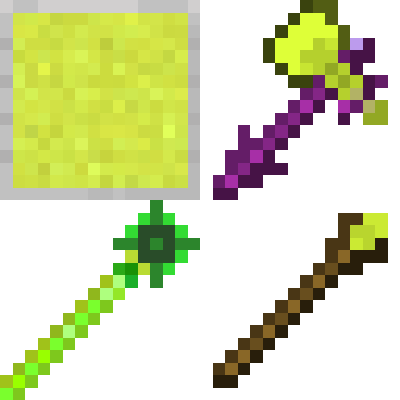
CurseForge · Minecraft mod
LightningTools
We introduce blocks that emit electrical effects, axes and arrows that discharge lightning when attacked, a staff that enables warping, and blocks that generate redstone signals when approached while holding specific items.
Choose a version Pick your version below, then grab the matching file.
Quick answer
Which LightningTools release should I use?
Latest stable file lightingmagic-1.10.0.jar
Game version 1.21.9
Loader NeoForge
LightningTools lightingmagic-1.10.0.jar targets 1.21.9 with NeoForge. The project page does not say whether this file belongs on the client, dedicated server, or both. No extra mods listed for this file.
Where it goes
Is LightningTools required on the client, server, or both?
The project page does not say whether this file belongs on the client, dedicated server, or both.
Client Source doesn’t say
Dedicated server Source doesn’t say
Loader for this release NeoForge
Required install it here Optional supported, not mandatory Not supported do not install here Source doesn’t say do not assume
The source does not explicitly classify this release as client-only or server-only.
What else does LightningTools lightingmagic-1.10.0.jar need?
lightingmagic-1.10.0.jar. Change the file and its required mods may change too.
This file does not list any required mods. Do not add a library just because a different file uses it.
This file does not list any required or optional mods.
Before you install it
Add LightningTools without breaking your instance.
Built for LightningTools lightingmagic-1.10.0.jar. Pick another file and the loader, install side or required mods may change.
- 01
Stick to this file
Use lightingmagic-1.10.0.jar. It targets 1.21.9 with NeoForge; another release may have different loader, side or dependency requirements.
- 02
Bring the mods it needs
This file does not list any required mods. Do not add a library just because a different file uses it.
- 03
Put it on the correct side
The project page does not say whether this file belongs on the client, dedicated server, or both.
- 04
Pick the file you checked
Use the “Get this file” button beside lightingmagic-1.10.0.jar. It opens that exact file at the source.
About this project
What does LightningTools add?
This mod adds a few convenient tools to Minecraft!
The theme is “Lightning.”
It introduces electrically charged-looking blocks, axes and bows that summon lightning when attacking, teleportation wands, and blocks that emit a redstone signal when you approach them with specific items.
Added Blocks
Lightning Stone
A block used as crafting material for various items. The electric spark effect running across it looks really cool!
Lightning Sensor
The first highlight of this mod.
When you approach it while holding a Lightning Rod, it emits a redstone signal.
WarpTarget Block
A block used to set coordinates for the Me Warp Rod and Mob Warp Rod.
Added Items – Foods
Lightning Apple
You gain the power of lightning — your body glows, you can see in the dark, and your mining speed increases!
Added Items – Materials
Energy Piece
The Me Warp Rod and Mob Warp Rod do not have durability. Instead, they consume this material each time they are used.
Lightning Rod
A crafting material used for many recipes.
First, obtain a Chorus Fruit — new recipes will become available.
Added Items – Tools
Lightning Axe
An axe that summons lightning when you attack an enemy! Extremely dangerous.
In Survival mode, it will probably just be used as a highly efficient axe.
(Currently, the only standard tool implemented is the axe.)
Light Wand
A wand that makes yourself or enemies glow. Very useful for locating targets.
Healing Wand
Heals yourself or others. Very powerful when used on zombies!
Resistance Wand
Grants resistance to yourself or others. A support-focused tool.
TimeStop Wand
Stops enemy movement.
I originally planned to remove this item, but left it in as-is.
It is only available in Creative mode.
Me Warp Rod
The second highlight of this mod.
If you use it on a WarpTarget Block in advance, you can later teleport to the set coordinates from another WarpTarget Block.
Mob Warp Rod
Similar to the Me Warp Rod.
After linking it to a WarpTarget Block, you can swing it at a mob to teleport that mob to the linked block.
Added Items – Weapons
Gekkou
A katana that is stronger at night and weaker during the day.
It does not fit the lightning theme, but it was created experimentally.
I just wanted to make a katana — because they’re cool.
Added Trades
New trades have been added to the Cleric villager!
The Light Wand, Healing Wand, Resistance Wand, and Gekkou can only be obtained through villager trading.
Project description from CurseForge.
Pick your setup
LightningTools by Minecraft version and loader
Choose the version and loader you play, then open the matching release.
Check the dependencies, then try the file in a copied instance before changing a world you care about.
Recent files
LightningTools versions and loaders
lightingmagic-1.10.0.jar
14 Feb 2026
Client Source doesn’t say Server Source doesn’t say Dependencies No extras listed Listed on Release listing
Check the 1.21.9 · NeoForge setup NeoForge1.21.9 release
Looking for an older file? The official CurseForge project page is in Resources.
 mod
mod CurseForge · Minecraft
Thirst Was Upgraded
Adds Thirst Was Reclaimed compatibilities and automatic drinking functionality to Traveler's Backpack.
 mod
mod CurseForge · Minecraft
BoomTNT
BoomTNT replaces boring vanilla TNT with four absolutely chaotic explosives.
 mod
mod CurseForge · Minecraft
Armor Cosmetic
Wear two sets of armor simultaneously — one for stats, one for style.