Mixin Booster - 🦀 Sp🧽nge Mixin Ultimate ⚡ Exterminator ☠️ MK2 ++ (strong effect) 🦀 Optional for No Worldgen Warning noworldgenwarning-1.0.1.jar
optionalMatching file found Matched file: mixin-booster-0.1.3+1.20.1.jar

CurseForge · Minecraft mod
silences the spammy "Creating a MIN/MAX function between two non-overlapping inputs" log warning from Minecraft's terrain generation, keeping your log files clean without affecting gameplay.
Quick answer
No Worldgen Warning noworldgenwarning-1.0.1.jar targets 1.20.1 with Forge. The project page does not say whether this file belongs on the client, dedicated server, or both. No extra mods listed for this file.
Where it goes
The project page does not say whether this file belongs on the client, dedicated server, or both.
The source does not explicitly classify this release as client-only or server-only.
noworldgenwarning-1.0.1.jar. Change the file and its required mods may change too.
This file does not list any required mods. Do not add a library just because a different file uses it.
11 extra mods were pulled in by other dependencies. Indented rows show who needs each one. We only count dependency files that match this setup. A file for another loader does not fill the gap.
Before you install it
Built for No Worldgen Warning noworldgenwarning-1.0.1.jar. Pick another file and the loader, install side or required mods may change.
Use noworldgenwarning-1.0.1.jar. It targets 1.20.1 with Forge; another release may have different loader, side or dependency requirements.
This file does not list any required mods. Do not add a library just because a different file uses it.
The project page does not say whether this file belongs on the client, dedicated server, or both.
Use the “Get this file” button beside noworldgenwarning-1.0.1.jar. It opens that exact file at the source.
About this project
While this warning may be useful for debugging, it becomes excessively verbose when using certain world generation data packs, flooding logs and making them hard to read. This mod simply disables that particular warning, keeping your log files clean without affecting world generation or gameplay in any way.
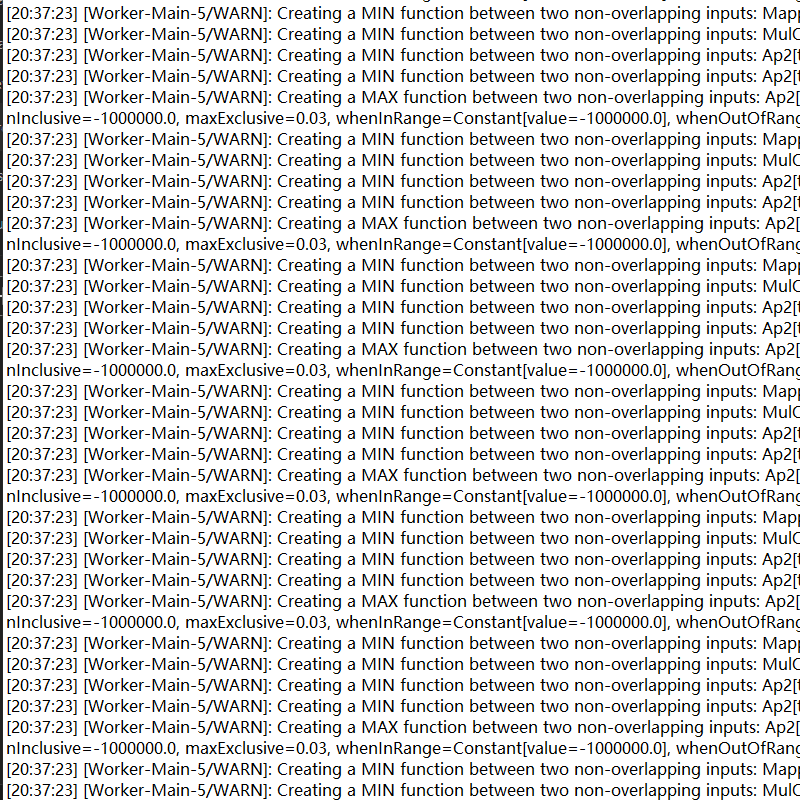
The mod uses Mixin to inject into the DensityFunctions.TwoArgumentSimpleFunction class and suppresses the warning conditionally. It is safe to add to existing worlds and requires no configuration.
mods folder.No Worldgen Warning – keep your logs clean, your mind at ease.

test in the Skillet Man Modpack
Project description from CurseForge.
Pick your setup
Choose the version and loader you play, then open the matching release.
Check the dependencies, then try the file in a copied instance before changing a world you care about.
Recent files
26 Apr 2026
noworldgenwarning-1.0.0.jar
15 Feb 2026
Looking for an older file? The official CurseForge project page is in Resources.
 mod
modTired of static textures? Alive them!
 mod
modThe vanilla fire enhancing mod. Light it up, burn it down. Realistic fire spread and burnt blocks.
 mod
modModern Fabric port of the cooking and farming mod, "Farmer's Delight"