Minecraft version
Back to mods 
CurseForge · Minecraft mod
Graffiti reworked
A creative mod that allows players to paint on any block surface with customizable colors and tools.
Choose a version Pick your version below, then grab the matching file.
Quick answer
Which Graffiti reworked release should I use?
Latest stable file graffiti-0.04.jar
Game version 1.21.1
Loader Fabric
Graffiti reworked graffiti-0.04.jar targets 1.21.1 with Fabric. The project page does not say whether this file belongs on the client, dedicated server, or both. No extra mods listed for this file.
Where it goes
Is Graffiti reworked required on the client, server, or both?
The project page does not say whether this file belongs on the client, dedicated server, or both.
Client Source doesn’t say
Dedicated server Source doesn’t say
Loader for this release Fabric
Required install it here Optional supported, not mandatory Not supported do not install here Source doesn’t say do not assume
The source does not explicitly classify this release as client-only or server-only.
What else does Graffiti reworked graffiti-0.04.jar need?
graffiti-0.04.jar. Change the file and its required mods may change too.
This file does not list any required mods. Do not add a library just because a different file uses it.
This file does not list any required or optional mods.
Before you install it
Add Graffiti reworked without breaking your instance.
Built for Graffiti reworked graffiti-0.04.jar. Pick another file and the loader, install side or required mods may change.
- 01
Stick to this file
Use graffiti-0.04.jar. It targets 1.21.1 with Fabric; another release may have different loader, side or dependency requirements.
- 02
Bring the mods it needs
This file does not list any required mods. Do not add a library just because a different file uses it.
- 03
Put it on the correct side
The project page does not say whether this file belongs on the client, dedicated server, or both.
- 04
Pick the file you checked
Use the “Get this file” button beside graffiti-0.04.jar. It opens that exact file at the source.
About this project
What does Graffiti reworked add?
🎨 Graffiti Mod
Transform the world of Minecraft into your personal canvas! The Graffiti Mod allows you to paint detailed pixel art on any block surface using a customizable spray can and a professional set of tools.
✨ Features
- Custom Spray Can: A single tool with multiple functions.
- Dynamic Colors: Choose any color using a built-in HEX/RGB color picker.
- Unique Toolset: Switch between drawing, erasing, and filling.
- Per-Item Storage: Each spray can saves its own color—carry a whole palette in your inventory!
- Multiplayer Sync: Paint with friends in real-time (requires the mod on both server and client).
- Vanilla Feel: Satisfying spray sounds (Azalea) and bell notifications for the color picker.
🛠 How to Use
1. Getting Started
To begin your artistic journey, grab a Spray Can from the Graffiti Creative Tab.
2. Opening the Editor (Right-Click)
Right-Click while holding the spray can to open the Color & Settings Menu.
- Color Picker: Click the palette to select a color or adjust the Hue/Alpha sliders.
- HEX Input: Type a specific color code (e.g.,
#FF0000for Red). - Brush Size: Change how many pixels you paint at once in the input field.
3. Selecting a Tool (Hold Ctrl + A/D)
While holding the spray can, Hold Left Control and use A or D to cycle through your tools. An animated HUD will appear at the bottom:
| Icon | Tool Name | Description |
|---|---|---|
| ✎ | Pencil | Standard drawing tool. Paints pixels on a 16x16 grid. |
| ❌ | Eraser | Removes paint from the block surface. |
| 🪣 | Fill | Flood-fills a connected area with your current color. |
| ✂ | Color Picker | Left-click existing paint to copy its exact color. |
4. Painting (Left-Click)
Simply Left-Click on any block face to apply your chosen tool. You will hear a satisfying spray sound as you work!
⌨️ Controls Summary
- Right-Click: Open Color Picker / GUI.
- Left-Click: Paint / Use active tool.
- Hold Left Ctrl + A/D: Switch between tools (Pencil, Eraser, Fill, Picker).
Project description from CurseForge.
Pick your setup
Graffiti reworked by Minecraft version and loader
Choose the version and loader you play, then open the matching release.
Check the dependencies, then try the file in a copied instance before changing a world you care about.
Recent files
Graffiti reworked versions and loaders
graffiti-0.03t.jar
25 Feb 2026
Client Source doesn’t say Server Source doesn’t say Dependencies No extras listed Listed on Release listing
Check the 1.21.1 · NeoForge setup 1.21.1NeoForge alpha
graffiti-0.04.jar
23 Feb 2026
Client Source doesn’t say Server Source doesn’t say Dependencies No extras listed Listed on Release listing
Check the 1.21.1 · Fabric setup Fabric1.21.1 release
graffiti-0.03.jar
19 Feb 2026
Client Source doesn’t say Server Source doesn’t say Dependencies No extras listed Listed on Release listing
Check the 1.21.1 · Fabric setup Fabric1.21.1 release
graffiti-0.02-neoforge.jar Has problems
graffiti-0.02-neoforge.jar
19 Feb 2026
Client Source doesn’t say Server Source doesn’t say Dependencies No extras listed Listed on Release listing
Check the 1.21.1 · NeoForge setup 1.21.1NeoForge alpha
graffiti-0.02.jar Has problems
graffiti-0.02.jar
18 Feb 2026
Client Source doesn’t say Server Source doesn’t say Dependencies No extras listed Listed on Release listing
Check the 1.21.1 · Fabric setup Fabric1.21.1 alpha
graffiti-0.01-neoforge.jar
graffiti-0.01.jar
17 Feb 2026
Client Source doesn’t say Server Source doesn’t say Dependencies No extras listed Listed on Release listing
Check the 1.21.1 · NeoForge setup 1.21.1NeoForge alpha
graffiti-0.01.jar
17 Feb 2026
Client Source doesn’t say Server Source doesn’t say Dependencies No extras listed Listed on Release listing
Check the 1.21.1 · Fabric setup Fabric1.21.1 release
Looking for an older file? The official CurseForge project page is in Resources.
 mod
CurseForge · Minecraft
Cinematic Interactions: Modded Stations
An add-on for Cinematic Interactions: work Farmer's Delight pots, Cultural Delights ovens and vats, Tide's angling table and more by hand, in the world, instead of in a GUI.
 mod
CurseForge · Minecraft
Realistic Night Vision Goggles
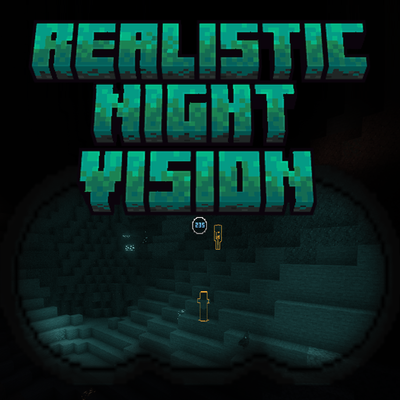
This Mod makes nights and caves properly dark and adds night vision goggles that work like real ones.
 mod
CurseForge + Modrinth · Minecraft
Fowl Play
Adding more birds to your Minecraft world!