YetAnotherConfigLib Optional for worn-path neoforge 1.6.1+26.2
optionalMatching file found Matched file: 3.9.7 for neoforge 26.2
CurseForge · Minecraft mod
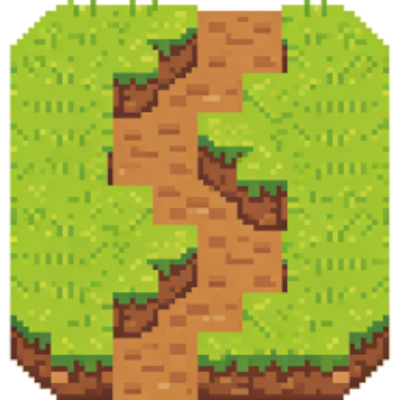
Where players walk, paths are gradually worn away.
Quick answer
worn-path neoforge 1.6.1+26.2 targets 26.2 with NeoForge. The project page does not say whether this file belongs on the client, dedicated server, or both. No extra mods listed for this file.
Where it goes
The project page does not say whether this file belongs on the client, dedicated server, or both.
The source does not explicitly classify this release as client-only or server-only.
neoforge 1.6.1+26.2. Change the file and its required mods may change too.
This file does not list any required mods. Do not add a library just because a different file uses it.
We only count dependency files that match this setup. A file for another loader does not fill the gap.
Before you install it
Built for worn-path neoforge 1.6.1+26.2. Pick another file and the loader, install side or required mods may change.
Use neoforge 1.6.1+26.2. It targets 26.2 with NeoForge; another release may have different loader, side or dependency requirements.
This file does not list any required mods. Do not add a library just because a different file uses it.
The project page does not say whether this file belongs on the client, dedicated server, or both.
Use the “Get this file” button beside neoforge 1.6.1+26.2. It opens that exact file at the source.
About this project
A server side mod. Tracks where players walk, and if they walk over the same block enough times, it will be converted to a different block.
With the default settings, grass or dirt get converted to dirt path, dirt path or coarse dirt to packed mud, packed mud to mud bricks.
Settings can be changed by editing config/worn_path.json5. This file is generated after the mod has been initialized for the first time. Comments in the file explain the settings.
If YACL is available, it can be used in the client to configure some of the settings for a single player world.
You are welcome to include this mod in your modpack.
Project description from CurseForge.
Pick your setup
Choose the version and loader you play, then open the matching release.
Check the dependencies, then try the file in a copied instance before changing a world you care about.
Recent files
worn_path-neoforge-1.6.1+26.2-dev-shadow.jar
1 Jul 2026
worn_path-fabric-1.6.1+26.2-dev-shadow.jar
1 Jul 2026
worn_path-neoforge-1.6.1+26.1.2-dev-shadow.jar
1 Jul 2026
worn_path-fabric-1.6.1+26.1.2-dev-shadow.jar
1 Jul 2026
worn_path-neoforge-1.6.1+1.21.11.jar
1 Jul 2026
worn_path-fabric-1.6.1+1.21.11.jar
1 Jul 2026
worn_path-neoforge-1.6.1+1.21.1.jar
1 Jul 2026
worn_path-fabric-1.6.1+1.21.1.jar
1 Jul 2026
worn_path-neoforge-1.6.0+26.2-dev-shadow.jar
30 Jun 2026
worn_path-fabric-1.6.0+26.2-dev-shadow.jar
30 Jun 2026
worn_path-fabric-1.5.3+26.1.2-dev-shadow.jar
19 May 2026
worn_path-neoforge-1.5.3+1.21.11.jar
17 May 2026
Looking for an older file? The official CurseForge project page is in Resources.
 mod
Every kill gives an Egg
 mod
RPG overhaul for NeoForge 1.21.1: pick a class, grow living medieval villages, fight custom bosses in dangerous dungeons, and craft animated staffs, swords and modular armor sets in many materials and colors.
 mod
A global combat change (except Ender Dragon) changing battles to a deltarune style combat, heavily inspired in Toby "Radiant" Fox game Deltarune