Minecraft version
Back to mods 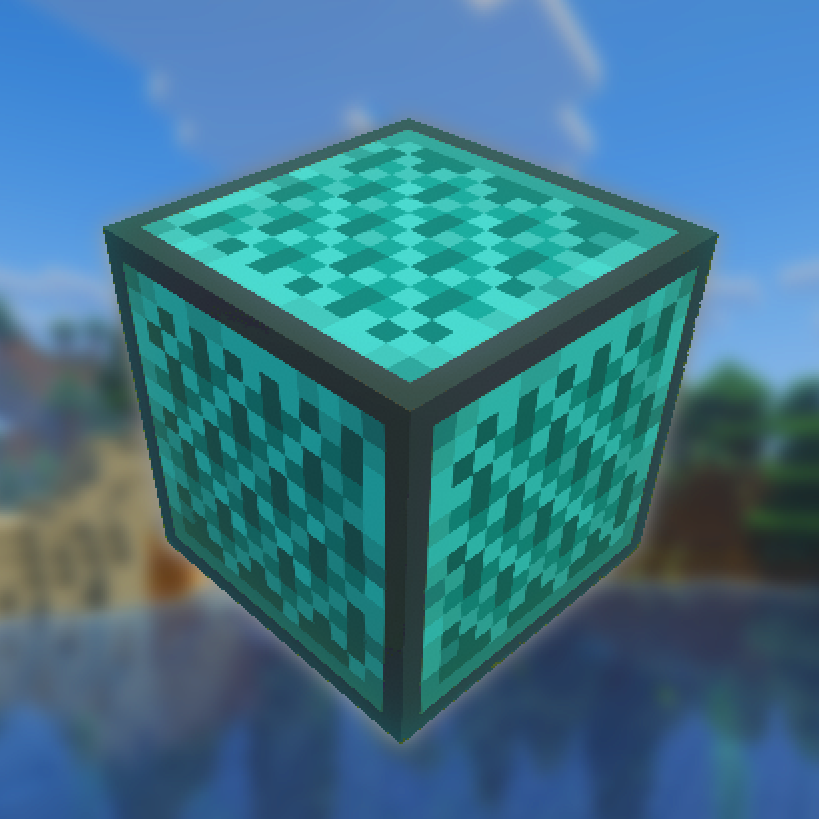
CurseForge · Minecraft mod
Better Note Blocks
Better Note Blocks adds 15 new note block colors, tons of new instruments, and quality-of-life improvements.
Choose a version Pick your version below, then grab the matching file.
Quick answer
Which Better Note Blocks release matches 1.20.1 Forge?
Best match for your filters Better Note Blocks 1.0.1
Game version 1.20.1
Loader Forge
Better Note Blocks 1.0.1 targets 1.20.1 with Forge. The project page does not say whether this file belongs on the client, dedicated server, or both. No extra mods listed for this file.
Where it goes
Is Better Note Blocks required on the client, server, or both?
The project page does not say whether this file belongs on the client, dedicated server, or both.
Client Source doesn’t say
Dedicated server Source doesn’t say
Loader for this release Forge
Required install it here Optional supported, not mandatory Not supported do not install here Source doesn’t say do not assume
The source does not explicitly classify this release as client-only or server-only.
What else does Better Note Blocks 1.0.1 need?
Better Note Blocks 1.0.1 on 1.20.1 Forge. Every mod below is checked against that same setup.
This file does not list any required mods. Do not add a library just because a different file uses it.
This file does not list any required or optional mods.
Before you install it
Add Better Note Blocks without breaking your instance.
Built for Better Note Blocks 1.0.1 on 1.20.1 Forge. Pick another file and the loader, install side or required mods may change.
- 01
Stick to this file
Use Better Note Blocks 1.0.1. It targets 1.20.1 with Forge; another release may have different loader, side or dependency requirements.
- 02
Bring the mods it needs
This file does not list any required mods. Do not add a library just because a different file uses it.
- 03
Put it on the correct side
The project page does not say whether this file belongs on the client, dedicated server, or both.
- 04
Pick the file you checked
Use the “Get this file” button beside Better Note Blocks 1.0.1. It opens that exact file at the source.
About this project
What does Better Note Blocks add?
Better Note Blocks adds 15 new note block colors, tons of new instruments, and quality-of-life improvements.
Recommended Mod
- Create: Sound of Steam: Includes a tracker bar block that can play MIDI files using redstone links.
Using this together with Better Note Blocks lets you play any MIDI file!
Instrument List:
| Block | Instrument | Range |
|---|---|---|
| Amethyst Block | Music Box | F#4 - F#6 |
| Redstone Ore | Electric Guitar | F#3 - F#5 |
| Black Stained Glass | Hi-Hat | F#3 - F#5 |
| Obsidian | Synth Stab | F#3 - F#5 |
| Deepslate | Kick Stomp | F#2 - F#4 |
| Gilded Blackstone | Orchestral Hit | F#4 - F#6 |
| Netherite Block | Metal Pipe | F#4 - F#6 |
| Sandstone Block | Brawl Kick | F#2 - F#4 |
| Raw Copper Block | Crash | F#1 - F#3 |
| Beehive | Acoustic Tom | F#1 - F#3 |
| Cauldron | Holy Choir | F#4 - F#6 |
| Composter | Wood Block | F#2 - F#4 |
| Polished Basalt | Hardstyle Kick | F#1 - F#3 |
| Diamond Block | Triangle | F#6 - F#8 |
| Reinforced Deepslate | Synth Bass | F#0 - F#2 |
| Lodestone | Timpani | F#1 - F#3 |
| Chiseled Stone Bricks | Aztek Psy Drum | F#3 - F#5 |
| Wet Sponge | Bloop Noise | F#3 - F#5 |
| Red Sand | Snare | F#3 - F#5 |
| Sea Lantern | Kalimba | F#2 - F#4 |
| Calcite | Finger Snap | F#5 - F#7 |
| Gravel | Classic Clap | F#3 - F#5 |
| Ochre Froglight | Bongo | F#2 - F#4 |
| Loom | Afro Harp | F#2 - F#4 |
| White Glazed Terracotta | Phonk Cowbell Crystal | F#4 - F#6 |
| Brewing Stand | Tambourine | F#6 - F#8 |
| Raw Gold Block | Gong | F#2 - F#4 |
| Polished Deepslate | Hard Punchy Kick | F#2 - F#4 |
Sustained Synths:
| Block | Instrument | Range |
|---|---|---|
| Red Concrete | Sawtooth Synth | F#-1 - F#9 |
| Orange Concrete | Electone Trombone | F#-1 - F#9 |
| Yellow Concrete | GB_SQR Synth | F#-1 - F#9 |
| Lime Concrete | GB_SAW Synth | F#-1 - F#9 |
| Green Concrete | Saxophone Synth | F#-1 - F#9 |
Synth information
- Synths Are capable of producing notes from F#-1 to F#9. To pitch synths up or down you need to place one of the following blocks underneath the concrete:
| Block | Range |
|---|---|
| Red Wool | F#-1 - F#1 |
| Orange Wool | F#1 - F#3 |
| Nothing (just concrete) | F#3 - F#5 |
| Green Wool | F#5 - F#7 |
| Lime Wool | F#7 - F#9 |
Project description from CurseForge.
Pick your setup
Better Note Blocks by Minecraft version and loader
Choose the version and loader you play, then open the matching release.
Check the dependencies, then try the file in a copied instance before changing a world you care about.
Recent files
Better Note Blocks versions and loaders
Better Note Blocks 1.0.1
betternoteblocks-1.0.1.jar
20 Feb 2026
Client Source doesn’t say Server Source doesn’t say Dependencies No extras listed Listed on Release listing
Check the 1.20.1 · Forge setup 1.20.1Forge release
Better Note Blocks 1.0.0
betternoteblocks-1.0.0.jar
18 Feb 2026
Client Source doesn’t say Server Source doesn’t say Dependencies No extras listed Listed on Release listing
Check the 1.20.1 · Forge setup 1.20.1Forge release
Looking for an older file? The official CurseForge project page is in Resources.
 mod
Modrinth · Minecraft
RemoveEnchantmentIncompatibility
Сombine any enchantments on one item at the enchanting table and anvil
 mod
CurseForge + Modrinth · Minecraft
Reliquary Reincarnations
Many magical items to help you in your minecraft world
 mod
CurseForge + Modrinth · Minecraft
Lettuce's Balanced Crates
Cozy upgraded storage blocks that don't break the game