Minecraft version
Back to mods 
CurseForge · Minecraft mod
ReEnchant
Re-enchant your items directly in the enchanting table without using a grindstone.
Choose a version Pick your version below, then grab the matching file.
Quick answer
Which ReEnchant release matches 26.3 Forge?
Best match for your filters reenchant-mc26.3-forge-1.0.2.jar
Game version 26.3
Loader Forge
reenchant-mc26.3-forge-1.0.2.jar targets 26.3 with Forge. The project page does not say whether this file belongs on the client, dedicated server, or both. No extra mods listed for this file.
Where it goes
Is ReEnchant required on the client, server, or both?
The project page does not say whether this file belongs on the client, dedicated server, or both.
Client Source doesn’t say
Dedicated server Source doesn’t say
Loader for this release Forge
Required install it here Optional supported, not mandatory Not supported do not install here Source doesn’t say do not assume
The source does not explicitly classify this release as client-only or server-only.
What else does reenchant-mc26.3-forge-1.0.2.jar need?
reenchant-mc26.3-forge-1.0.2.jar on 26.3 Forge. Every mod below is checked against that same setup.
This file does not list any required mods. Do not add a library just because a different file uses it.
This file does not list any required or optional mods.
Before you install it
Add ReEnchant without breaking your instance.
Built for reenchant-mc26.3-forge-1.0.2.jar on 26.3 Forge. Pick another file and the loader, install side or required mods may change.
- 01
Stick to this file
Use reenchant-mc26.3-forge-1.0.2.jar. It targets 26.3 with Forge; another release may have different loader, side or dependency requirements.
- 02
Bring the mods it needs
This file does not list any required mods. Do not add a library just because a different file uses it.
- 03
Put it on the correct side
The project page does not say whether this file belongs on the client, dedicated server, or both.
- 04
Pick the file you checked
Use the “Get this file” button beside reenchant-mc26.3-forge-1.0.2.jar. It opens that exact file at the source.
About this project
What does ReEnchant add?
ReEnchant
Place an already-enchanted item in the enchanting table and pick a new enchantment - the old one gets replaced instantly. No grindstone needed.
Features
- Re-enchant any enchantable item directly in the table
- Costs XP and lapis like a normal enchantment
- Works with modded enchantments
- Compatible with Enchant & Repair
How it works
- Place your enchanted item + lapis in the enchanting table
- Enchantment options appear like normal
- Click one - your old enchantments are replaced with new ones
Used in the Legends Reborn: Medieval modpack.
Project description from CurseForge.
Pick your setup
ReEnchant by Minecraft version and loader
Choose the version and loader you play, then open the matching release.
Minecraft version
26.2
2 loader buildsMinecraft version
26.1.2
2 loader buildsMinecraft version
26.1.1
2 loader buildsMinecraft version
26.1
2 loader buildsMinecraft version
1.21.11
2 loader buildsMinecraft version
1.21.10
2 loader buildsMinecraft version
1.21.9
2 loader buildsMinecraft version
1.21.8
2 loader buildsMinecraft version
1.21.7
2 loader buildsMinecraft version
1.21.6
2 loader buildsMinecraft version
1.21.5
2 loader buildsShowing the newest 12 of 30 game versions. Older files are in the list below.
Check the dependencies, then try the file in a copied instance before changing a world you care about.
Recent files
ReEnchant versions and loaders
reenchant-mc26.3-forge-1.0.2.jar
6 Nov 2026
Client Source doesn’t say Server Source doesn’t say Dependencies No extras listed Listed on Release listing
Check the 26.3 · Forge setup Forge26.3 release
Looking for an older file? The official CurseForge project page is in Resources.
 mod
CurseForge · Minecraft
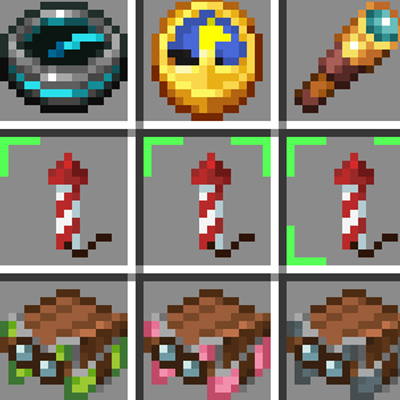
Firework Label
Firework Label shows firework details directly on your item icons. No need to hover your mouse!
 mod
CurseForge · Minecraft
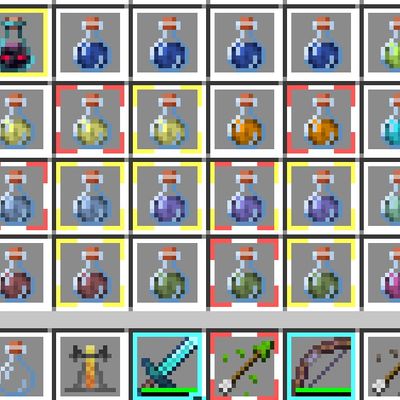
Better Item Borders
"Inspired by Item Borders by Grend_G This project expands upon the original concept by introducing functional borders—such as potion effect status and instant visual indicators—helping players read their inventory faster.."
 mod
CurseForge · Minecraft
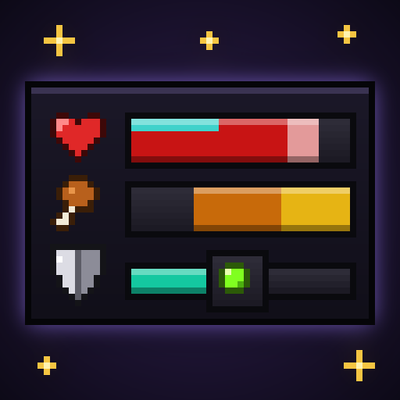
Better UX
Better User Experience, health bar, hunger bar, no more fire all over the screen, customize the HUD how ever you like and more.