Cloth API (Fabric) Needed by Compact F3 Plus 1.1.6 for Fabric 26.2
requiredNo matching file
CurseForge · Minecraft mod
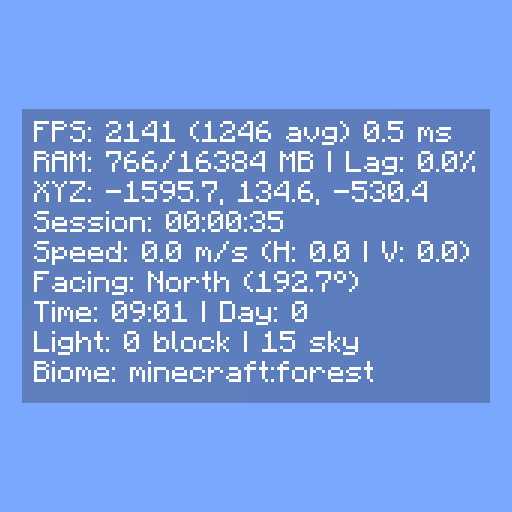
a mod that replaces the vanilla F3 with a clean, minimal hud overlay.
Quick answer
Compact F3 Plus 1.1.6 for Fabric 26.2 targets 26.2 with Fabric, Quilt. The project page does not say whether this file belongs on the client, dedicated server, or both. 1 required mod needs a matching file.
Where it goes
The project page does not say whether this file belongs on the client, dedicated server, or both.
The source does not explicitly classify this release as client-only or server-only.
1.1.6 for Fabric 26.2 on 26.2. Every mod below is checked against that same setup.
Install Cloth API (Fabric), Fabric API, Mod Menu, Cloth Config API and 3 more first, but 1 required mod has no matching file for this setup. Do not mix loader builds to force a match. 2 come through another mod in the chain.
2 extra mods were pulled in by other dependencies. Indented rows show who needs each one. We only count dependency files that match this setup. A file for another loader does not fill the gap.
Before you install it
Built for Compact F3 Plus 1.1.6 for Fabric 26.2 on 26.2. Pick another file and the loader, install side or required mods may change.
Use 1.1.6 for Fabric 26.2. It targets 26.2 with Fabric, Quilt; another release may have different loader, side or dependency requirements.
Install Cloth API (Fabric), Fabric API, Mod Menu, Cloth Config API and 3 more first, but 1 required mod has no matching file for this setup. Do not mix loader builds to force a match. 2 come through another mod in the chain.
The project page does not say whether this file belongs on the client, dedicated server, or both.
Use the “Get this file” button beside 1.1.6 for Fabric 26.2. It opens that exact file at the source.
About this project
A minimal, fully customizable HUD overlay for NeoForge and Fabric that replaces the vanilla F3 debug screen with a clean, readable interface.
F3 opens the compact HUD instead of the vanilla debug screen.F8 (rebindable in Controls).Every element can be individually toggled. The HUD can be anchored to any screen corner with adjustable X and Y offsets. Settings are saved to config/compactf3plus.json and accessible via Mod Menu (Fabric) or the NeoForge mod list.
Project description from CurseForge.
Pick your setup
Choose the version and loader you play, then open the matching release.
Showing the newest 12 of 20 game versions. Older files are in the list below.
Check the dependencies, then try the file in a copied instance before changing a world you care about.
Recent files
compactf3plus-1.1.6-fabric-26.2.x.jar
13 Aug 2026
compactf3plus-1.1.6-neoforge-26.2.x.jar
13 Aug 2026
Looking for an older file? The official CurseForge project page is in Resources.
 mod
modToggle fullbright with a keybind to see clearly in caves, at night, and in the Nether.
 mod
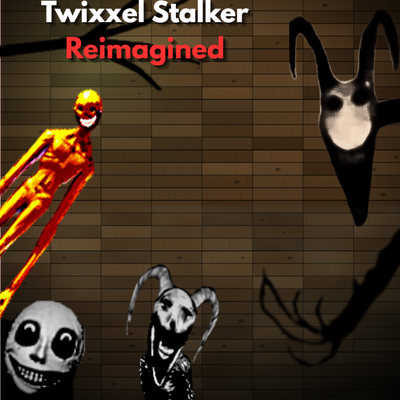
modThis is the scariest Twixxel stalker mod that adds new and improved versions of the Twixxel stalker and events (main modpack is by skyethefox).
 mod
modAdds Sonic the Hedgehog