GeckoLib Needed by Order to cook ordertocook-1.3.6-neoforge1.21.1.jar
requiredMatching file found Matched file: NeoForge 1.21.1 4.9.2
CurseForge · Minecraft mod
本模组提供了完整的餐厅经营模拟体验,包含接单、烹饪、打包、配送全流程及丰富的经济系统。This mod offers a complete restaurant management experience: order taking, cooking, packaging, delivery, and a rich economy system.
Quick answer
Order to cook ordertocook-1.3.6-neoforge1.21.1.jar targets 1.21.1 with NeoForge. The project page does not say whether this file belongs on the client, dedicated server, or both. All 2 required mods have matching files.
Where it goes
The project page does not say whether this file belongs on the client, dedicated server, or both.
The source does not explicitly classify this release as client-only or server-only.
ordertocook-1.3.6-neoforge1.21.1.jar. Change the file and its required mods may change too.
Install GeckoLib, Geckolib first. We found matching files for this game-version and loader setup.
We only count dependency files that match this setup. A file for another loader does not fill the gap.
Before you install it
Built for Order to cook ordertocook-1.3.6-neoforge1.21.1.jar. Pick another file and the loader, install side or required mods may change.
Use ordertocook-1.3.6-neoforge1.21.1.jar. It targets 1.21.1 with NeoForge; another release may have different loader, side or dependency requirements.
Install GeckoLib, Geckolib first. We found matching files for this game-version and loader setup.
The project page does not say whether this file belongs on the client, dedicated server, or both.
Use the “Get this file” button beside ordertocook-1.3.6-neoforge1.21.1.jar. It opens that exact file at the source.
About this project
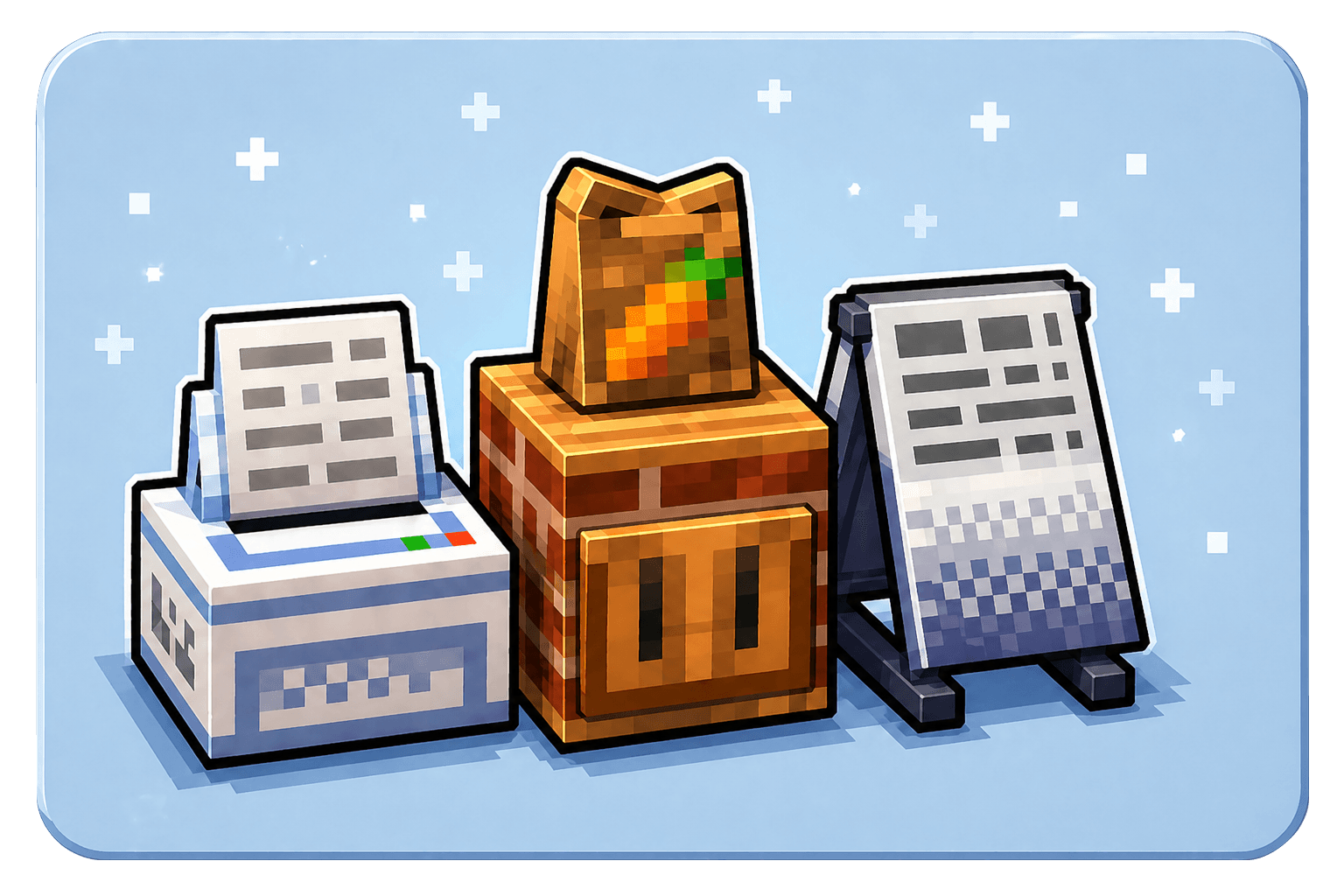
Want to run your own restaurant in Minecraft?
Order To Cook turns food from Minecraft and other cooking mods into a complete restaurant management experience.
Create your menu, accept orders, prepare meals, serve dine-in customers, deliver takeout packages, earn rewards, upgrade your kitchen, and grow your restaurant.
Core Gameplay:
Set your menu → Accept orders → Prepare the requested food → Plate or package it → Serve the customer → Earn rewards
Main Features:
A basic restaurant requires:
For dine-in service, you will also need:
First, place food on the Sign Board to create your restaurant menu. The Order Machine will then generate orders based on the dishes you offer.
Accept an order, prepare the requested food, and use the Countertop to package it for delivery or place it on a plate for dine-in service.
The Order Machine is the center of your restaurant.
It generates several kinds of orders:
You may choose which orders to accept.
Completing orders provides currency and contributes to your restaurant’s progression.
The Sign Board determines which dishes your restaurant can sell.
Place eligible food items on the Sign Board, and orders will be generated from the dishes currently listed on your menu.
A larger and more valuable menu helps support restaurant progression and better rewards.
Special or modded items that do not have normal food properties can also be added through the custom virtual nutrition configuration.
The Countertop is used to complete accepted orders.
It can:
Packaging requires supplies from a nearby Packaging Shelf. Plating requires clean plates from a nearby Plate Shelf.
Customers can visit your restaurant, sit on chairs, and order food.
Use the Countertop to place their meal on a plate. Plated dishes display different food models, and customers perform dining animations while eating.
After the meal, the customer leaves a dirty plate behind.
Stores clean plates for dine-in orders.
Right-click the shelf with clean plates to replenish its supply.
Stores dirty plates for manual washing.
Place dirty plates inside, then hold right-click with an empty hand to wash them.
Automatically washes dirty plates and stores the resulting clean plates.
Use the oTc Upgrade Box to upgrade supported blocks into advanced restaurant appliances.
Use the scooter to deliver orders to distant customers.
Delivery packages stored inside the scooter can display direction information in their tooltips.
Restaurants can progress up to Level 8.
Restaurant progression is influenced by your completed orders and the dishes offered on your menu.
Higher levels provide better reward bonuses and access to more demanding restaurant orders.
The Order Machine provides access to a server-wide restaurant leaderboard.
Players can compare restaurant statistics such as:
The leading restaurant can earn a hidden advancement.
Touhou Little Maid entities can be used as restaurant customers.
This integration is optional and can be enabled in the Order To Cook configuration.
Optional Jade support displays useful information for restaurant equipment:
The restaurant reward item can be configured to use SDM digital currency.
NeoForge players using supported Aeronautics or Sable systems may need the separate compatibility addon:
Want somewhere to spend your restaurant earnings?
Coin To Shop can be used to create shops that accept your configured currency.
A Chinese video tutorial covering the main restaurant gameplay:
【MC模组】MC种田养老党的终极答案,你的菜终于有订单要了!
This video is presented in Chinese.
Items are normally recognized through their food properties and nutritional value.
Custom virtual nutrition allows you to:
Tutorial:
How to customize virtual nutrition and menu items
You can create a resource pack to replace regular customer skins with your friends, original characters, or other custom appearances.
The resource pack can also contain multiple customer skins, allowing the game to select a random appearance for each regular customer.
Tutorial:
How to create custom and randomized customer skins
Order To Cook provides compatibility interfaces for mod developers.
Other mods can integrate with:
GeckoLib is required.
Recommended versions:
Install the GeckoLib file made for the same Minecraft version and mod loader as Order To Cook.
You may include Order To Cook in your own modpack without asking for permission.
Please use a standard modpack format or manifest that downloads the mod from its official project page.
Do not place the Order To Cook JAR directly inside a ZIP archive or redistribute the JAR as a separate download. This avoids direct secondary distribution and helps players receive the correct version from the official project page.
Project description from CurseForge.
Pick your setup
Choose the version and loader you play, then open the matching release.
Check the dependencies, then try the file in a copied instance before changing a world you care about.
Recent files
12 Aug 2026
12 Aug 2026
12 Aug 2026
12 Aug 2026
17 Jun 2026
17 Jun 2026
17 Jun 2026
17 Jun 2026
ordertocook-1.3.4-fabric1.20.1.jar
10 Jun 2026
ordertocook-1.3.3-neoforge1.21.1.jar
5 Jun 2026
ordertocook-1.3.3-forge1.20.1.jar
5 Jun 2026
ordertocook-1.3.3-fabric1.21.1.jar
5 Jun 2026
Looking for an older file? The official CurseForge project page is in Resources.