Minecraft version
Back to mods 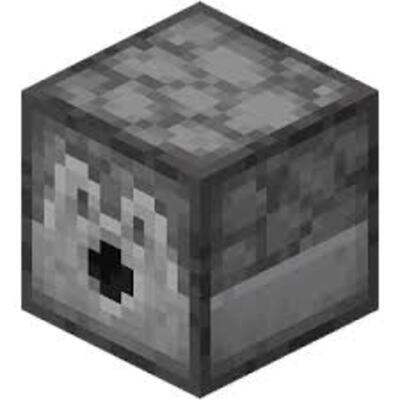
CurseForge · Minecraft mod
BlockSpeed
Block Speed Mod lets you configure how many items are processed per Redstone pulse for Droppers, Dispensers, and Autocrafters. All settings are saved per world, so each save has its own independent configuration.
Choose a version Pick your version below, then grab the matching file.
Quick answer
Which BlockSpeed release should I use?
Latest stable file blockspeedmod-1.0.0.jar
Game version 1.21, 1.21.8, 1.21.5
Loader Fabric
blockspeedmod-1.0.0.jar targets 1.21, 1.21.8, 1.21.5 with Fabric. The project page does not say whether this file belongs on the client, dedicated server, or both. No extra mods listed for this file.
Where it goes
Is BlockSpeed required on the client, server, or both?
The project page does not say whether this file belongs on the client, dedicated server, or both.
Client Source doesn’t say
Dedicated server Source doesn’t say
Loader for this release Fabric
Required install it here Optional supported, not mandatory Not supported do not install here Source doesn’t say do not assume
The source does not explicitly classify this release as client-only or server-only.
What else does blockspeedmod-1.0.0.jar need?
blockspeedmod-1.0.0.jar. Change the file and its required mods may change too.
This file does not list any required mods. Do not add a library just because a different file uses it.
This file does not list any required or optional mods.
Before you install it
Add BlockSpeed without breaking your instance.
Built for blockspeedmod-1.0.0.jar. Pick another file and the loader, install side or required mods may change.
- 01
Stick to this file
Use blockspeedmod-1.0.0.jar. It targets 1.21, 1.21.8, 1.21.5 with Fabric; another release may have different loader, side or dependency requirements.
- 02
Bring the mods it needs
This file does not list any required mods. Do not add a library just because a different file uses it.
- 03
Put it on the correct side
The project page does not say whether this file belongs on the client, dedicated server, or both.
- 04
Pick the file you checked
Use the “Get this file” button beside blockspeedmod-1.0.0.jar. It opens that exact file at the source.
About this project
What does BlockSpeed add?
<
Block Speed Mod
Control how fast your Droppers, Dispensers, and Autocrafters work — per world.
Block Speed Mod lets you configure how many items are processed per Redstone pulse for Droppers, Dispensers, and Autocrafters. All settings are saved per world, so each save has its own independent configuration.
Features
/dropperAmount <number>— Set how many items a Dropper transfers per Redstone pulse/dispenserAmount <number>— Set how many items a Dispenser fires/places per Redstone pulse/autocrafterAmount <number>— Set how many crafting operations an Autocrafter performs per Redstone pulse- Per-world config — Settings are saved inside the world folder (
<world>/blockspeedmod/config.json) and load automatically when the world is opened - Singleplayer focused — No server setup required, works out of the box in any singleplayer world
Usage
Open a world, then use any of the three commands in chat:
/dropperAmount 5
/dispenserAmount 3
/autocrafterAmount 10
Values are applied instantly and saved automatically. The minimum value is 1 (vanilla behavior).
Compatibility
- Minecraft: 1.21 – 1.21.11
- Mod Loader: Fabric
- Dependencies: Fabric API
Notes
- Values are stored in
<world save>/blockspeedmod/config.json— you can edit this file manually if needed - Setting a value to
1restores vanilla behavior for that block type - Higher values significantly increase item throughput — use with caution in automated farms
Project description from CurseForge.
Pick your setup
BlockSpeed by Minecraft version and loader
Choose the version and loader you play, then open the matching release.
Minecraft version
1.21.10
1 loader buildMinecraft version
1.21.9
1 loader buildMinecraft version
1.21.8
1 loader buildMinecraft version
1.21.7
1 loader buildMinecraft version
1.21.6
1 loader buildMinecraft version
1.21.5
1 loader buildMinecraft version
1.21.4
1 loader buildMinecraft version
1.21.3
1 loader buildMinecraft version
1.21.2
1 loader buildMinecraft version
1.21.1
1 loader buildMinecraft version
1.21
1 loader buildCheck the dependencies, then try the file in a copied instance before changing a world you care about.
Recent files
BlockSpeed versions and loaders
blockspeedmod-1.0.0.jar
28 Feb 2026
Client Source doesn’t say Server Source doesn’t say Dependencies No extras listed Listed on Release listing
Check the 1.21.11 · Fabric setup 1.21Fabric1.21.81.21.5 release
Looking for an older file? The official CurseForge project page is in Resources.
 mod
CurseForge + Modrinth · Minecraft
Simple Music Control
Reduced delay between music tracks, next track keybind, now playing widget and more
 mod
GitHub · Minecraft
modpacks-ch-github-test
Disposable public fixture for testing the Modpacks.ch GitHub catalogue flow
 mod
CurseForge · Minecraft
PrimeAPI
Communication API for Client<-->Pixelmon Prime Server