Minecraft version
Back to mods 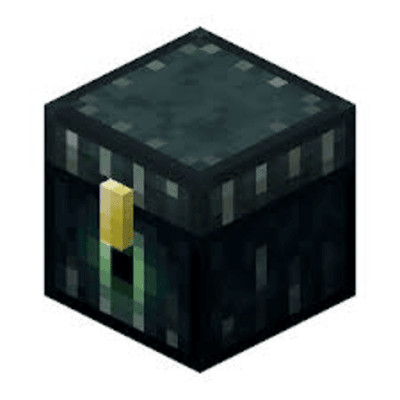
CurseForge · Minecraft mod
CCTracker
Collection chest tracking mod made for SaiCoPvP
Choose a version Pick your version below, then grab the matching file.
Quick answer
Which CCTracker release matches 1.8.9 Forge?
Best match for your filters CCTracker-1.0
Game version 1.8.9
Loader Forge
CCTracker-1.0 targets 1.8.9 with Forge. The project page does not say whether this file belongs on the client, dedicated server, or both. No extra mods listed for this file.
Where it goes
Is CCTracker required on the client, server, or both?
The project page does not say whether this file belongs on the client, dedicated server, or both.
Client Source doesn’t say
Dedicated server Source doesn’t say
Loader for this release Forge
Required install it here Optional supported, not mandatory Not supported do not install here Source doesn’t say do not assume
The source does not explicitly classify this release as client-only or server-only.
What else does CCTracker-1.0 need?
CCTracker-1.0 on 1.8.9 Forge. Every mod below is checked against that same setup.
This file does not list any required mods. Do not add a library just because a different file uses it.
This file does not list any required or optional mods.
Before you install it
Add CCTracker without breaking your instance.
Built for CCTracker-1.0 on 1.8.9 Forge. Pick another file and the loader, install side or required mods may change.
- 01
Stick to this file
Use CCTracker-1.0. It targets 1.8.9 with Forge; another release may have different loader, side or dependency requirements.
- 02
Bring the mods it needs
This file does not list any required mods. Do not add a library just because a different file uses it.
- 03
Put it on the correct side
The project page does not say whether this file belongs on the client, dedicated server, or both.
- 04
Pick the file you checked
Use the “Get this file” button beside CCTracker-1.0. It opens that exact file at the source.
About this project
What does CCTracker add?
A Minecraft Forge mod for Minecraft 1.8.9 that tracks and displays collection chest data on-screen. Perfect for SkyBlock and similar gamemodes where Ender Chests display item counts in their titles. (Specifically made for SaiCoPvP)
Features
Ender Chest Highlights
Color-coded outlines around Ender Chests based on fill percentage:
Red - Below 50% filled
Orange - 50-80% filled
Green - Above 80% filled
- Highlights only chests within 64 blocks for performance.
- Highlights persist across sessions using saved data.
On-Screen Display
Message bar centered on-screen showing chest data (e.g. [1,234 / 1,500] - 82.3% filled).
- Appears when you look at a tracked chest or after opening one.
- Automatically hides after a few seconds when not looking at a chest.
Left-Click Data Collection
- Left-click an Ender Chest to silently read its data without opening the GUI.
- Prevents accidental mining - Left-clicks are intercepted to read data instead of breaking the block.
- Works even when the chest GUI is blocked or would normally open.
Data Persistence
- Chest data is saved to
config/cctracker/chest_data.json. - Data is stored per dimension and persists across restarts.
- Stored counts support K, M, and B suffixes (e.g. 1.5M, 2K).
Commands
| Command | Description |
|---|---|
/togglecc |
Toggle all CCTracker features on/off. When **off**, Ender Chests can be mined normally. |
/clearcc |
Clear all stored chest data and remove highlights. |
Requirements
- Minecraft 1.8.9
- Minecraft Forge (1.8.9-11.15.1.2318 or compatible)
Installation
- Install Minecraft Forge for 1.8.9.
- Download the CCTracker
.jarfile. - Place the
.jarin yourmodsfolder. - Launch the game.
Data Format
CCTracker parses chest titles in the format [current / max] (e.g. Cobblestone [1,234/1,500]). The mod extracts the count and percentage for display and highlighting.
Project description from CurseForge.
Pick your setup
CCTracker by Minecraft version and loader
Choose the version and loader you play, then open the matching release.
Check the dependencies, then try the file in a copied instance before changing a world you care about.
Recent files
CCTracker versions and loaders
CCTracker-1.0
cctracker-1.0.jar
1 Mar 2026
Client Source doesn’t say Server Source doesn’t say Dependencies No extras listed Listed on Release listing
Check the 1.8.9 · Forge setup Forge1.8.9 release
Looking for an older file? The official CurseForge project page is in Resources.
 mod
CurseForge · Minecraft
TONI's Base Defense
Reinforce any block so nobody else can break it, then guard your base with turrets, a force field dome and nasty traps that never hurt you or your friends.
 mod
Modrinth · Minecraft
HyBedWars
Minecraft mod for Hypixel adding BedWars QoL features like resource display, height limit and more!
 mod
CurseForge · Minecraft
Mob Battle Mod (Forge/NeoForge)
Creative utensils in creating mob battles