Minecraft version
Back to mods 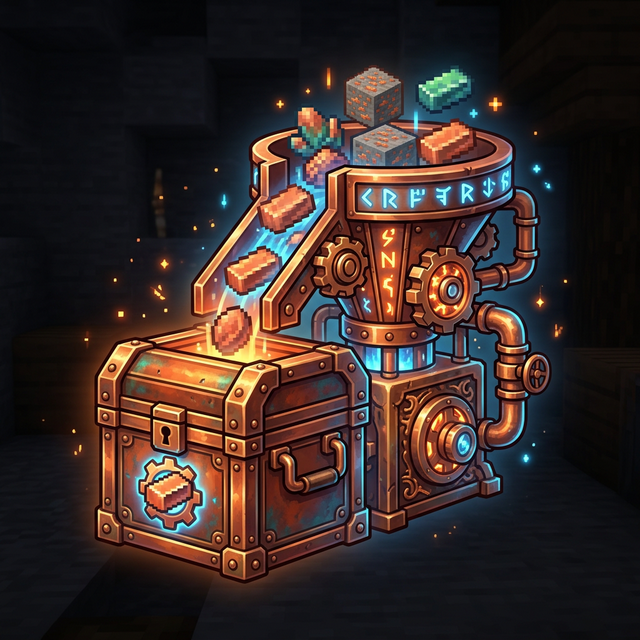
CurseForge · Minecraft mod
Copper Sorter
"Wirelessly sort items instantly with zero TPS lag! Copper Sorter adds magical steampunk chests and panels to route your inventory across dimensions without physical pipes. Features fast O(1) routing and smart chunk-loading
Choose a version Pick your version below, then grab the matching file.
Quick answer
Which Copper Sorter release should I use?
Latest stable file Copper Sorter 1.21.1 fabric
Game version 1.21.1
Loader Fabric
Copper Sorter 1.21.1 fabric targets 1.21.1 with Fabric. The project page does not say whether this file belongs on the client, dedicated server, or both. No extra mods listed for this file.
Where it goes
Is Copper Sorter required on the client, server, or both?
The project page does not say whether this file belongs on the client, dedicated server, or both.
Client Source doesn’t say
Dedicated server Source doesn’t say
Loader for this release Fabric
Required install it here Optional supported, not mandatory Not supported do not install here Source doesn’t say do not assume
The source does not explicitly classify this release as client-only or server-only.
What else does Copper Sorter 1.21.1 fabric need?
Copper Sorter 1.21.1 fabric. Change the file and its required mods may change too.
This file does not list any required mods. Do not add a library just because a different file uses it.
This file does not list any required or optional mods.
Before you install it
Add Copper Sorter without breaking your instance.
Built for Copper Sorter 1.21.1 fabric. Pick another file and the loader, install side or required mods may change.
- 01
Stick to this file
Use Copper Sorter 1.21.1 fabric. It targets 1.21.1 with Fabric; another release may have different loader, side or dependency requirements.
- 02
Bring the mods it needs
This file does not list any required mods. Do not add a library just because a different file uses it.
- 03
Put it on the correct side
The project page does not say whether this file belongs on the client, dedicated server, or both.
- 04
Pick the file you checked
Use the “Get this file” button beside Copper Sorter 1.21.1 fabric. It opens that exact file at the source.
About this project
What does Copper Sorter add?
Copper Sorter
Copper Sorter is a magical item sorter mod for Minecraft. It allows you to wirelessly sort items from a main chest to multiple destination chests across your world instantly, without the hassle of building massive, laggy physical pipes or hoppers!
Built with extreme optimization in mind, Copper Sorter uses a fast network system and silent chunk-loading to ensure zero server lag, even if your sorting system has thousands of destination chests spread across different dimensions!
🌟 How it works
The mod adds 3 simple things to sort your items:
- The Master Controller: You place it on top of a chest (which becomes your "Master Chest" — this can be a single or a double chest!). When you put items inside this Master Chest, the controller will automatically suck them out and teleport them to the right destination. You can have as many Master Controllers as you want on different chests across your world!
- The Sorter Panels: You stick these panels on the front of your destination chests. If you Right-Click a panel with an item (like Cobblestone), it sets the filter. A floating hologram of the item will appear. Now, every Cobblestone put in the Master Chest will instantly teleport to this specific panel's chest!
- The Engineer's Wrench: A tool used to manage your network. If you want to remove an item filter from a panel, just hit the panel with the Wrench to clear it safely.
⚙️ Features
- Wireless Item Sorting: Connect a single drop-off Master Chest to an infinite number of Sorter Panels effortlessly. No physical connection required!
- Server Performance First: Forget laggy hoppers. The sorting system calculates destinations instantly without constantly scanning the world.
- Cross-Dimensional Sorting: Items can be sent to chests located in unloaded chunks or even in the Nether/End. The mod handles brief chunk-loading seamlessly and automatically.
- Single Global Network: There is no need to configure frequencies or channels. The entire mod operates on one single, unified global network for extreme simplicity.
- One item = One destination: To keep the global network functioning perfectly, each unique item can only be assigned to a single Sorter Panel across your entire world. An item cannot be assigned to multiple panels.
🚀 Getting Started
- Craft a Master Controller and place it on your main chest.
- Place your destination chests and attach a Sorter Panel to each one.
- Right-click the panels with the items you want to sort.
- Dump your loot into the Master Chest and watch it magically organize!
💬 Feedback & Suggestions
I hope you enjoy using Copper Sorter! If you have any ideas, suggestions, or want to request modifications to the mod, you are more than welcome to join our Discord server! 👉 Join the community here: https://discord.gg/ABazQsB7Dr
Feedback and proposals are always highly appreciated!
📜 License & Permissions
Modpack Creators: You are completely free and welcome to include this mod in any CurseForge or Modrinth modpack (please use the official download link).
This mod is published under the All Rights Reserved license. All code, custom models, and textures are the intellectual property of the author. You may not redistribute, modify, or reuse assets from this mod without explicit permission.
Project description from CurseForge.
Pick your setup
Copper Sorter by Minecraft version and loader
Choose the version and loader you play, then open the matching release.
Check the dependencies, then try the file in a copied instance before changing a world you care about.
Recent files
Copper Sorter versions and loaders
Copper Sorter 1.21.1 fabric
Copper_sorter_1.21.1_fabric.jar
1 Mar 2026
Client Source doesn’t say Server Source doesn’t say Dependencies No extras listed Listed on Release listing
Check the 1.21.1 · Fabric setup Fabric1.21.1 release
Looking for an older file? The official CurseForge project page is in Resources.
 mod
CurseForge + Modrinth · Minecraft
VO: Creative Fly Speed
Allows players to adjust their flight speed in Creative and Spectator modes with dynamic mouse-scroll tuning, sprint momentum, and anti-rubberbanding.
 mod
CurseForge + Modrinth · Minecraft
VO: Bed Chat Hider
Bed Chat Hider is a client-only Fabric mod that adds a simple "Hide Chat" / "Show Chat" toggle button next to the "Leave Bed" button while sleeping.
 mod
CurseForge + Modrinth · Minecraft
VO: Better Dogs
Enhances vanilla wolves with unique personalities (Aggressive, Pacifist, Normal), smarter AI, safety behaviors, and combat improvements.