Architectury API Needed by Create: Energy Cannons createenergycannons-fabric-0.1.jar
requiredMatching file found Matched file: [Fabric 1.20.2] v10.1.20

CurseForge · Minecraft mod
Adds various energy weapons to Create: Big Cannons such as lasers, railguns, coilguns
Quick answer
Create: Energy Cannons createenergycannons-fabric-0.1.jar targets 1.20.2, 1.20.5, 1.20.1 with Fabric. The project page does not say whether this file belongs on the client, dedicated server, or both. 1 required mod needs a matching file.
Where it goes
The project page does not say whether this file belongs on the client, dedicated server, or both.
The source does not explicitly classify this release as client-only or server-only.
createenergycannons-fabric-0.1.jar on Fabric. Every mod below is checked against that same setup.
Install Architectury API, Create Fabric, Create Big Cannons, Fabric API and 2 more first, but 1 required mod has no matching file for this setup. Do not mix loader builds to force a match. 3 come through another mod in the chain.
3 extra mods were pulled in by other dependencies. Indented rows show who needs each one. We only count dependency files that match this setup. A file for another loader does not fill the gap.
Before you install it
Built for Create: Energy Cannons createenergycannons-fabric-0.1.jar on Fabric. Pick another file and the loader, install side or required mods may change.
Use createenergycannons-fabric-0.1.jar. It targets 1.20.2, 1.20.5, 1.20.1 with Fabric; another release may have different loader, side or dependency requirements.
Install Architectury API, Create Fabric, Create Big Cannons, Fabric API and 2 more first, but 1 required mod has no matching file for this setup. Do not mix loader builds to force a match. 3 come through another mod in the chain.
The project page does not say whether this file belongs on the client, dedicated server, or both.
Use the “Get this file” button beside createenergycannons-fabric-0.1.jar. It opens that exact file at the source.
About this project
Requires Create and Big Cannons and any FE energy mod of your choosing
Join the community for exclusive news and support:
https://discord.gg/create-arsenal-1044367456417882202
https://ko-fi.com/arsenalistsofcreate
Welcome to Create Energy Cannons, a mod offering a variety of tools and blocks for destroying things with energy
The added elements of tech are designed to leave as many design choices to the player as possible. With Create Energy Cannons, the game isn't played inside a bunch of UIs, it challenges you to setup contraptions of animated components working together in many possible arrangements, and a wide variety of techniques and features ensuring tactical depth and immersion.
The mechanics are inspired by real life directed energy weapon technology, but simplified to the extent any player can utilize them… and so development would go faster.
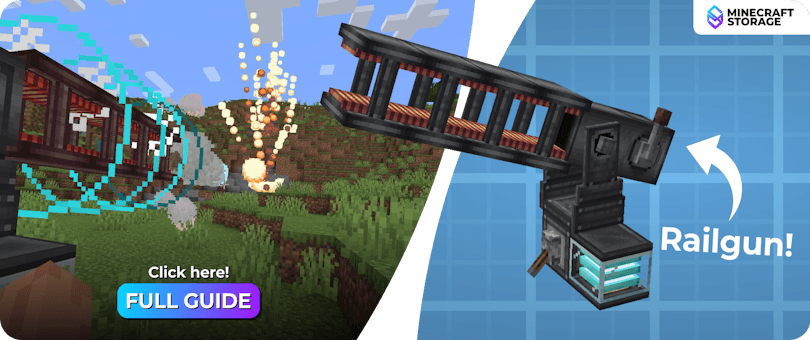
Project description from CurseForge.
Pick your setup
Choose the version and loader you play, then open the matching release.
Check the dependencies, then try the file in a copied instance before changing a world you care about.
Recent files
2 Mar 2026
Looking for an older file? The official CurseForge project page is in Resources.
 mod
The gods are gone. Their forges are not. Its anvil still works. And somewhere inside it, scattered across pedestals and a forgotten chest, lie the fragments of divine weapons that were broken on purpose.
 mod
Disenchant items and split books with an anvil drop, Obsidian or Crying Obsidian required as floor block.
 mod
Fix severe server lag and freezes caused by Bullvore spawning in The Conjunction of the Spheres (TCOTS).