Minecraft version
Back to mods 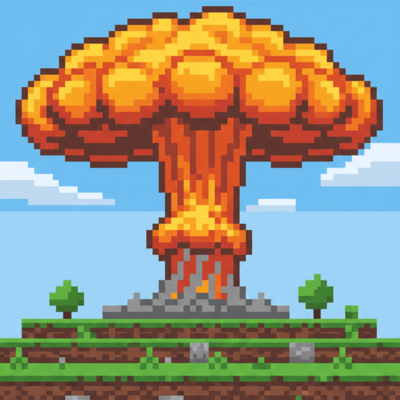
CurseForge · Minecraft mod
CGRocket
A mod that adds various missiles, a satellite surveillance system and other various mechanics.
Choose a version Pick your version below, then grab the matching file.
Quick answer
Which CGRocket release matches 1.19.2 Forge?
Best match for your filters CGRocket-1.19.2-forge-1.10.3.jar
Game version 1.19.2
Loader Forge
CGRocket-1.19.2-forge-1.10.3.jar targets 1.19.2 with Forge. The project page does not say whether this file belongs on the client, dedicated server, or both. No extra mods listed for this file.
Where it goes
Is CGRocket required on the client, server, or both?
The project page does not say whether this file belongs on the client, dedicated server, or both.
Client Source doesn’t say
Dedicated server Source doesn’t say
Loader for this release Forge
Required install it here Optional supported, not mandatory Not supported do not install here Source doesn’t say do not assume
The source does not explicitly classify this release as client-only or server-only.
What else does CGRocket-1.19.2-forge-1.10.3.jar need?
CGRocket-1.19.2-forge-1.10.3.jar on 1.19.2 Forge. Every mod below is checked against that same setup.
This file does not list any required mods. Do not add a library just because a different file uses it.
This file does not list any required or optional mods.
Before you install it
Add CGRocket without breaking your instance.
Built for CGRocket-1.19.2-forge-1.10.3.jar on 1.19.2 Forge. Pick another file and the loader, install side or required mods may change.
- 01
Stick to this file
Use CGRocket-1.19.2-forge-1.10.3.jar. It targets 1.19.2 with Forge; another release may have different loader, side or dependency requirements.
- 02
Bring the mods it needs
This file does not list any required mods. Do not add a library just because a different file uses it.
- 03
Put it on the correct side
The project page does not say whether this file belongs on the client, dedicated server, or both.
- 04
Pick the file you checked
Use the “Get this file” button beside CGRocket-1.19.2-forge-1.10.3.jar. It opens that exact file at the source.
About this project
What does CGRocket add?
Make sure to use JEI.
At the moment, the mod adds two types of missiles: Orbital and Ground-based.
1. Orbital Missile (SS-X-31)
To launch an orbital missile, you will need:
1.Laptop
2.Launchpad
3.Nuclear Tablet bound to you (press right-click)
4.The "SS-X-31" item
Instructions: Place the SS-X-31 missile and your bound Nuclear Tablet into their respective slots in the Launchpad. Activate the pad with a redstone signal to send the missile into orbit. Next, use the Laptop to set the target coordinates and press "Launch". The missile will strike the target immediately.
You can send several missiles into orbit first and launch them all later. The missile counter will not reset until all orbital missiles have been fired at their targets.
2. Ground-based Missile (Tomahawk, Sculk Rocket, M612(Napalm))
To launch a ground-based missile, you will need:
- Laptop
- Launchpad
- Nuclear Tablet bound to you (press right-click)
- Tomahawk missile item
Instructions: Place the Tomahawk missile and your bound Nuclear Tablet directly into the Launchpad slots. Open your Laptop, select the "Tomahawk" missile type, set the coordinates, and press "Launch" to fire(Also, after the missile disappears from the sky, it will begin to fall to the ground after 3 seconds). Unlike orbital missiles, these do not require a separate orbiting phase.
Missile defense system
To activate it, you need to use a nuclear tablet to right click on a radar station block and place it in the launchpad along with a Patriot missile.
If the radar station detects an incoming missile within 100 blocks, it will send a Patriot missile to intercept it (the Patriot missile must be within 100 blocks of the radar station).
Radar will launch up to four Patriots to intercept missile.
Satellite Surveillance System
You can launch an Orbital Observation Satellite via a carrier rocket to unlock satellite surveillance and targeting features on your Nuclear Laptop. (Don’t forget to have your Nuclear Tablet linked to you) To select target coordinates simply click the desired location on the map the coordinates will be entered automaticall leaving you only to launch the missile. If you open a location with ungenerated chunks the map may take a moment to load.
Satellite surveillance can be jammed using a Jammer Block. Jammer is activated by a redstone signal.
General Info:
*Crafting missiles requires a significant amount of redstone, so it is recommended to have mods that help you mine resources faster.
The mod features a simple quarry that is activated by a lever. After mining a certain number of blocks, the quarry will run out of power. To recharge it you need to click it with a 3x Compressed Redstone Block. While the quarry has its own internal storage it’s best to place an external container on top to collect the loot. If the quarry's internal storage becomes full it will stop working.
*There is also a command "/rocket x z" available, which launches a strike without requiring any rockets to be in orbit or crafted(requires administrator rights on the server).
The Fabric version of the mod requires the latest version of the Fabric API.
Project description from CurseForge.
Pick your setup
CGRocket by Minecraft version and loader
Choose the version and loader you play, then open the matching release.
Check the dependencies, then try the file in a copied instance before changing a world you care about.
Recent files
CGRocket versions and loaders
CGRocket-1.19.2-forge-1.10.3.jar
2 Nov 2026
Client Source doesn’t say Server Source doesn’t say Dependencies No extras listed Listed on Release listing
Check the 1.19.2 · Forge setup Forge1.19.2 release
CGRocket-1.19.2-forge-1.10.2.jar
24 Oct 2026
Client Source doesn’t say Server Source doesn’t say Dependencies No extras listed Listed on Release listing
Check the 1.19.2 · Forge setup Forge1.19.2 release
CGRocket-1.19.2-forge-1.10.1.jar
12 Jul 2026
Client Source doesn’t say Server Source doesn’t say Dependencies No extras listed Listed on Release listing
Check the 1.19.2 · Forge setup Forge1.19.2 release
CGRocket-1.19.2-forge-1.10.jar
11 Jul 2026
Client Source doesn’t say Server Source doesn’t say Dependencies No extras listed Listed on Release listing
Check the 1.19.2 · Forge setup Forge1.19.2 release
CGRocket-1.19.2-forge-1.9.2.jar
9 May 2026
Client Source doesn’t say Server Source doesn’t say Dependencies No extras listed Listed on Release listing
Check the 1.19.2 · Forge setup Forge1.19.2 release
CGRocket-1.19.2-forge-1.9.1.jar
6 May 2026
Client Source doesn’t say Server Source doesn’t say Dependencies No extras listed Listed on Release listing
Check the 1.19.2 · Forge setup Forge1.19.2 release
CGRocket-1.19.2-forge-1.9.jar
2 May 2026
Client Source doesn’t say Server Source doesn’t say Dependencies No extras listed Listed on Release listing
Check the 1.19.2 · Forge setup Forge1.19.2 release
CGRocket-1.19.2-Forge-1.8.jar
18 Apr 2026
Client Source doesn’t say Server Source doesn’t say Dependencies No extras listed Listed on Release listing
Check the 1.19.2 · Forge setup Forge1.19.2 release
cgrocket-1.7.jar
31 Mar 2026
Client Source doesn’t say Server Source doesn’t say Dependencies No extras listed Listed on Release listing
Check the 1.19.2 · Forge setup Forge1.19.2 release
cgrocket-1.6.1.jar
29 Mar 2026
Client Source doesn’t say Server Source doesn’t say Dependencies No extras listed Listed on Release listing
Check the 1.19.2 · Forge setup Forge1.19.2 release
cgrocket-1.6.jar
21 Mar 2026
Client Source doesn’t say Server Source doesn’t say Dependencies No extras listed Listed on Release listing
Check the 1.19.2 · Forge setup Forge1.19.2 release
cgrocket-1.5.1.jar
17 Mar 2026
Client Source doesn’t say Server Source doesn’t say Dependencies No extras listed Listed on Release listing
Check the 1.19.2 · Forge setup Forge1.19.2 release
Looking for an older file? The official CurseForge project page is in Resources.