Minecraft version
Back to mods 
CurseForge · Minecraft mod
X-SHIELD (anti-cheat)
Modpack anti-cheat (requires client & server). Detects X-Ray packs, hack clients & cheat mods using deep structure analysis, hashes & API lookups. Includes an interactive Discord bot, server-side ore tracker, auto-bans & live alerts.
Choose a version Pick your version below, then grab the matching file.
Quick answer
Which X-SHIELD (anti-cheat) release should I use?
Latest stable file X-Shield V3.1
Game version 1.21.1
Loader NeoForge
X-SHIELD (anti-cheat) X-Shield V3.1 targets 1.21.1 with NeoForge. The project page does not say whether this file belongs on the client, dedicated server, or both. No extra mods listed for this file.
Where it goes
Is X-SHIELD (anti-cheat) required on the client, server, or both?
The project page does not say whether this file belongs on the client, dedicated server, or both.
Client Source doesn’t say
Dedicated server Source doesn’t say
Loader for this release NeoForge
Required install it here Optional supported, not mandatory Not supported do not install here Source doesn’t say do not assume
The source does not explicitly classify this release as client-only or server-only.
What else does X-SHIELD (anti-cheat) X-Shield V3.1 need?
X-Shield V3.1. Change the file and its required mods may change too.
This file does not list any required mods. Do not add a library just because a different file uses it.
This file does not list any required or optional mods.
Before you install it
Add X-SHIELD (anti-cheat) without breaking your instance.
Built for X-SHIELD (anti-cheat) X-Shield V3.1. Pick another file and the loader, install side or required mods may change.
- 01
Stick to this file
Use X-Shield V3.1. It targets 1.21.1 with NeoForge; another release may have different loader, side or dependency requirements.
- 02
Bring the mods it needs
This file does not list any required mods. Do not add a library just because a different file uses it.
- 03
Put it on the correct side
The project page does not say whether this file belongs on the client, dedicated server, or both.
- 04
Pick the file you checked
Use the “Get this file” button beside X-Shield V3.1. It opens that exact file at the source.
About this project
What does X-SHIELD (anti-cheat) add?
Originally created for the Werewolves vs Vampires modpack, X-SHIELD is a server administration utility for NeoForge 1.21.1. Anyone can include it in their own modpack if they need a relatively reliable anti-cheat to help detect and monitor unauthorized client modifications and resource packs.
Detection is based on what a file is and what it does — not on what it is called. Renaming xray.zip to textures.zip won't help them bypass the checks, and neither will repacking a cheat jar.
Architecture

Detection
- File hashing — Every mod, resource pack, and shader pack is fingerprinted with SHA-256, SHA-1, and the CurseForge fingerprint. We never trust the reported file name on its own.
- X-ray pack analysis — Resource packs are inspected for the actual techniques real x-ray packs use: blockstate redirection, hollow-shell block models, forced full brightness, retargeted ore models, core shaders inside a resource pack, and transparent filler textures. This catches packs that no blacklist has ever seen, whatever they are named.
- Structural jar analysis — Mod jars are read as archives (never executed, no class is ever loaded) and judged by how they are built and what they patch: mixin targets, access wideners, services, the package tree, class names and render hooks. It recognises x-ray and ESP mods, fly and speed cheats, and jars that try to spoof X-SHIELD itself. Measured against a real 283-mod production modpack: 0 false positives, even in the worst case where no mod is known to any platform.
- Repacked variants — Every jar gets a fingerprint over its structure, which survives a repack while the file hash does not. Once a file is caught by your blacklist, a repacked copy with the same structure is recognised as well. The index learns from the work you already do.
- Reputation lookup — File hashes are checked against Modrinth and CurseForge. Known public releases stay quiet, so your server doesn't drown in false alarms when players install standard mods.
- Platform screening — Being a known release is not the same as being allowed. The project title reported by the platform is also screened, and unlike a local file name, players cannot edit that title.
- Hash and project blacklists — Block an exact file, or block a whole project by its Modrinth slug or CurseForge mod ID to make sure every version is covered.
- Your modpack is the filter — Once enough players have joined, files that most of them share are recognised as your modpack. They are no longer judged by their structure, and private modpack mods that no platform knows are no longer repeated in every alert. What matters is what a single player added on top.
- Cheats can't hide in the crowd — Anything that looks like x-ray — a pack at the x-ray threshold, a cheat keyword in a mod's name, a blacklisted hash — can never become part of that modpack baseline. A cheat does not become invisible just because many players run it.
- Strict mode (optional, off by default) — Turns the question around: instead of asking whether a file is a known cheat, it asks whether the file belongs on your server at all. Anything outside your server's own mods, the modpack baseline and your whitelist is reported. This works against cheats nobody has ever seen.
- Mining behaviour analysis — The one check that trusts nothing the client says. A player's ore rate is compared against all players in standard deviations, and most of those ores must also have been fully enclosed in stone — so cave explorers stay quiet. It works whether the cheat is a file or not a file at all.
- Unpacked files — Unpacked resource packs and shader packs are scanned, not just the
.zipfiles inresourcepacks/. - Integrity challenges — The server periodically challenges the client, and every challenge is different: a full rescan, a resource pack rescan, or a random slice of a file the client itself reported. A stored or pre-computed clean answer no longer works, and file samples are cross-checked between players who have the same file. If a player installs the mod only to get past the login, they are reported.
Evidence scoring
Findings are weighted rather than treated as equally serious. A hash match is proof; a keyword in a file name is worth almost nothing. Weak signals are capped and can never trigger an automatic action on their own — an automatic kick additionally requires at least one proof-level signal. You can configure every threshold.
The newer checks — structural analysis, repacked variants, mining statistics and file samples — are deliberately treated as analysis, not proof. They raise an alert and bring a moderator to look, but they never ban anyone automatically. A self-built performance mod can look like an x-ray to a structural analysis, and a lucky streak can look like one to a statistic. A human decides those.
Moderation
- Interactive in-game alerts for operators with [Spectate], [Shame], [Kick], [ModList], [Ores], and [Whitelist] buttons.
- Discord bot integration — You get one alert per player, which updates in place instead of spamming the channel, complete with paginated findings and buttons for Kick, Ban, False Positive, and Close Log. A simple webhook mode is available as an alternative.
- False positives, entry by entry — When an alert lists several files, a selection menu lets you allow exactly the ones you mean — several at once, or one after another. Everything else in the alert stays flagged, the menu shows only what is still open, and a Revert button takes it all back.
- ALT alerts — Second accounts get their own alert, separate from the cheat alert, because a second account is not a cheat and shouldn't look like one. By default it is only sent when one of the linked accounts is banned — the case that actually needs a moderator: a banned player coming back on another account. Links are recorded either way and can always be looked up with
/clientaudit alts <player>. - Self-lifting bans — The ban remembers which files caused it. The player removes them, rejoins, and the ban lifts itself. No ticket, no admin needed. Timed and permanent modes are also available.
- Persistent ore logging — Ore mining is recorded to CSV with timestamp, session, dimension, and coordinates. It survives restarts and tracks every player by default, so the history exists before anyone is flagged.
/clientaudit mining [player]shows the statistics behind the mining analysis, raw numbers included. - Per-player audit logs — Found in
logs/X-Shield PlayerLogs/, containing the full file list of every session. - Alt account correlation (optional) — Compares the part of a player's file set that is not the shared modpack, so players running the plain modpack produce no signal.
- Account linking (optional, off by default) — Links accounts to the installation they are played from. See the dedicated section below.
Account linking — optional, and off by default
A new account costs a few euros and a VPN changes the IP. Server operators can optionally have X-SHIELD link accounts to the installation they are played from, so a banned player returning on a second account shows up as what it is.
How it works. The server sends a random value (a salt) with every heartbeat. The client combines it with a few stable traits and sends back one SHA-256 hash — not the traits. The server checks that hash against what the same account reported before, on every heartbeat, not just at join.
What the client reads, and nothing else: the addresses of physical network adapters, the number of CPU cores, total system memory rounded to whole GiB, and the CPU architecture. No serial numbers, no registry access, no native library, no look at running processes or installed software, nothing outside the game folder. With the option off — the default — the server sends no salt and the client reads none of it.
The value is different on every server. Each server has its own salt, so the same computer produces a completely unrelated value everywhere it goes. Two operators cannot trade lists and follow a player around.
A different value is not proof of anything. A new network card, a laptop dock, a second PC or a fresh install all produce a new value, so an account may hold several. Only an implausible number of them is reported. Nothing here ever bans anyone on its own — siblings, flatmates and LAN parties share computers, and a match is a hint for a human.
Deletion. /clientaudit token forget <player> deletes one account's values. /clientaudit token forgetall deletes everything and rotates the server salt, which makes every value ever stored impossible to reproduce — even from a backup.
Performance
- Nothing heavy runs on the server tick. Hashing, archive reading, statistics and web requests happen on a small, bounded worker pool.
- Rescans are nearly free. Unchanged files are never read again. Measured on a real 283-mod pack: about one second for the very first scan, cache hits after that.
- Heartbeats stay tiny. If nothing changed, the client sends a fingerprint of its file list instead of the list itself — a few dozen bytes.
- Effort follows suspicion. Quiet players are challenged less often, conspicuous ones more, and challenges are spread out so a restart doesn't make every client scan at once.
Configuration
Everything is toggleable in config/xshield-server.toml: individual detection methods, evidence thresholds, automatic actions, ban behaviour, heartbeat intervals, API rate limits, ore tracking, mining analysis, strict mode, alt detection, account linking, Discord settings, and all messages.
The whitelist accepts mod IDs and file names, so resource packs can be whitelisted too — fullbright.zip or just fullbright. Never set up a Discord bot before? The [discord] section of the config links to a step-by-step guide and notes where it differs for X-SHIELD.
Requirements
X-SHIELD must be installed on both the client and the server. Players without the mod cannot join.
Updating from 2.0.0: the network protocol changed, so a 2.0.0 client cannot connect to a 2.1.0 server and the other way round. Update the server and all clients together. Your existing config is kept; new options are added with working defaults on first start.
Data disclosure
From the client, the mod sends the server a list of the mods, resource packs and shader packs in the game folder — file name, size and hashes — so the server can audit them. It sends no file contents. When the server takes a file sample, it may only name a hash the client itself reported, never a path, so this cannot be turned into a way to read other files from a player's disk.
When the reputation lookup is enabled, the server sends file hashes to api.modrinth.com and api.curseforge.com to identify public releases. We do not send player names, UUIDs, or file contents to those services. Results are cached and rate limited, and you can disable both lookups if you prefer.
If you enable the optional account linking, the client additionally sends one salted SHA-256 hash as described above. With it off, which is the default, nothing about the computer is read or sent. A value like this identifies a machine and in practice a person, so in the EU it is personal data under the GDPR even though it is hashed — if you switch it on, say so in your server rules and privacy policy, and honour deletion requests with the commands above.
If you configure a Discord bot or webhook, the server sends alerts containing player names, UUIDs, and the names of flagged files to the channel you configure. The mod writes only inside the game directory and never transmits its configuration to clients.
Note
X-SHIELD is a first-line detection and administration tool. Like any client-side audit, it depends on data reported by the client, meaning it remains reliable only as long as nobody with Java knowledge intentionally cracks the mod to send fake data. The same applies to account linking: a modified client can report any value it likes. Therefore, it is not a 100% substitute for server-side anti-cheat and is intended to be used alongside it — the mining analysis is the one part that doesn't rely on the client at all. The strongest signals — hash matches, blocked projects, and demonstrable x-ray behaviour in a pack — are treated as proof; everything else is a hint. We encourage operators to review flagged players before taking action.
Project description from CurseForge.
Pick your setup
X-SHIELD (anti-cheat) by Minecraft version and loader
Choose the version and loader you play, then open the matching release.
Check the dependencies, then try the file in a copied instance before changing a world you care about.
Recent files
X-SHIELD (anti-cheat) versions and loaders
X-Shield V3.1
client_audit-2.1.0.jar
12 Sept 2026
Client Source doesn’t say Server Source doesn’t say Dependencies No extras listed Listed on Release listing
Check the 1.21.1 · NeoForge setup 1.21.1NeoForge release
X-Shield V3.0
client_audit-2.0.0.jar
1 Sept 2026
Client Source doesn’t say Server Source doesn’t say Dependencies No extras listed Listed on Release listing
Check the 1.21.1 · NeoForge setup 1.21.1NeoForge release
X-Shield V2.1 — Hotfix
client_audit-1.jar
20 Mar 2026
Client Source doesn’t say Server Source doesn’t say Dependencies No extras listed Listed on Release listing
Check the 1.21.1 · NeoForge setup 1.21.1NeoForge release
X-SHIELD V1
client_audit-1.jar
15 Mar 2026
Client Source doesn’t say Server Source doesn’t say Dependencies No extras listed Listed on Release listing
Check the 1.21.1 · NeoForge setup 1.21.1NeoForge release
Looking for an older file? The official CurseForge project page is in Resources.
 mod
CurseForge · Minecraft
Triage (Health System)
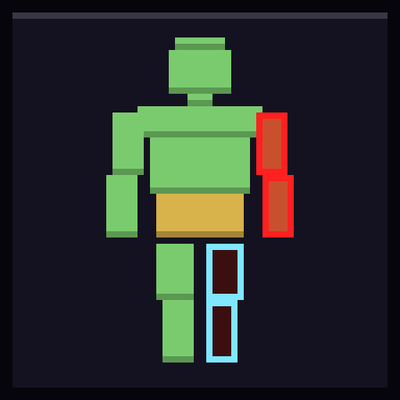
Seven body parts, each with its own health, instead of one health bar.
 mod
CurseForge · Minecraft
Return Crystals
A mod that adds easy base teleportation and encourages the use of it with a new material.
 mod
CurseForge · Minecraft
Touhou Little Maid: Fairy Comprehensive Expansion
A comprehensive Fairy Maid expansion: equipment GUI, skins, combat skills, AI chat, affection and evolution. Maids are 50% smaller, and once tamed they'll ask for food, bring flowers, steal food to show off, dance, and respond to what you say.