Minecraft version
Back to mods 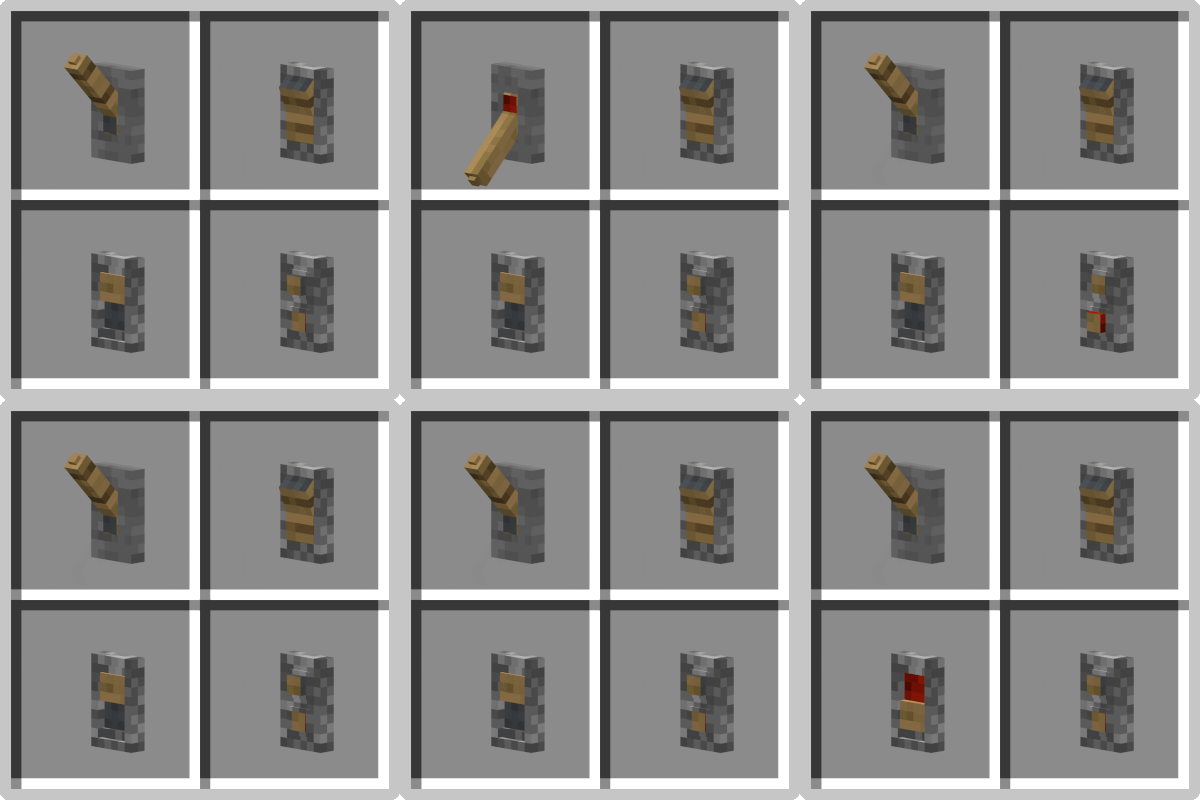
CurseForge · Minecraft mod
Just Some Switches
Adds a few alternatives to the vanilla lever with customizable textures.
Choose a version Pick your version below, then grab the matching file.
Quick answer
Which Just Some Switches release should I use?
Latest stable file Just Some Switches 1.12-Forge-1.20.1
Game version 1.20.1
Loader Forge
Just Some Switches 1.12-Forge-1.20.1 targets 1.20.1 with Forge. The project page does not say whether this file belongs on the client, dedicated server, or both. No extra mods listed for this file.
Where it goes
Is Just Some Switches required on the client, server, or both?
The project page does not say whether this file belongs on the client, dedicated server, or both.
Client Source doesn’t say
Dedicated server Source doesn’t say
Loader for this release Forge
Required install it here Optional supported, not mandatory Not supported do not install here Source doesn’t say do not assume
The source does not explicitly classify this release as client-only or server-only.
What else does Just Some Switches 1.12-Forge-1.20.1 need?
Just Some Switches 1.12-Forge-1.20.1. Change the file and its required mods may change too.
This file does not list any required mods. Do not add a library just because a different file uses it.
This file does not list any required or optional mods.
Before you install it
Add Just Some Switches without breaking your instance.
Built for Just Some Switches 1.12-Forge-1.20.1. Pick another file and the loader, install side or required mods may change.
- 01
Stick to this file
Use Just Some Switches 1.12-Forge-1.20.1. It targets 1.20.1 with Forge; another release may have different loader, side or dependency requirements.
- 02
Bring the mods it needs
This file does not list any required mods. Do not add a library just because a different file uses it.
- 03
Put it on the correct side
The project page does not say whether this file belongs on the client, dedicated server, or both.
- 04
Pick the file you checked
Use the “Get this file” button beside Just Some Switches 1.12-Forge-1.20.1. It opens that exact file at the source.
About this project
What does Just Some Switches add?
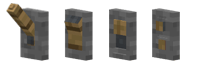
Just Some Switches adds 4 new switch models to Minecraft that function just like the vanilla redstone lever, in two tiers: Basic (fixed appearance) and Switches (fully customizable textures). Unpowered and powered indicators are built into the model - no particles.
New Model Styles
- Lever - Classic light switch/lever style
- Rocker - Rocker switch style
- Slide - Slide switch style with indicator blending modes
- Buttons - Two button switch style (toggles on/off like a lever, does not auto-depress like a vanilla button)
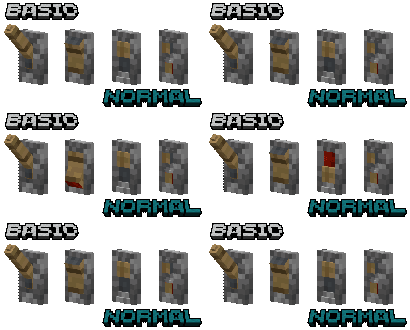
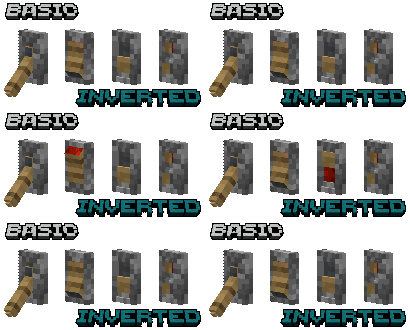
Basic Blocks
- Includes normal and inverted variants of each style
Switches Blocks
- Can be placed in any orientation on a block face (wall, ceiling, or floor) with a ghost preview showing placement before confirming
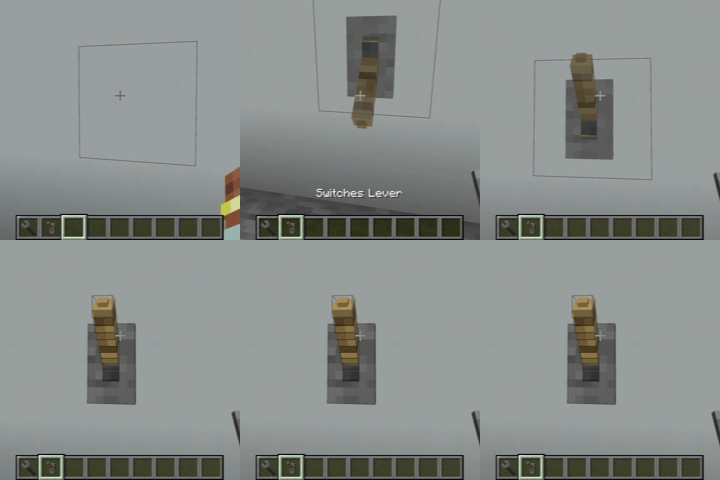
- All switch types support waterlogging
- Hold Shift and Right Click with the Switches Wrench on any Switch (does not work on Basic) to open the Texture Customization GUI
Texture Customization GUI
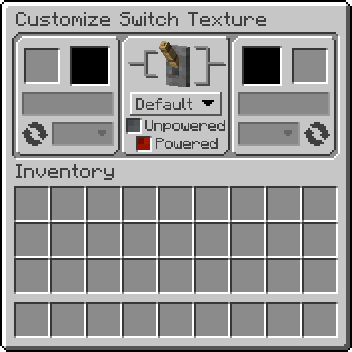
- Place almost any solid block into the Base(right) or Toggle(left) texture slot
- Dropdown menu under each texture slot allows the choice of which face of the inserted block to use
- Dropdown menu next to the round arrow graphic changes the rotation of the texture
- Power indicator dropdown menu under the 3d preview allows the choice of which texture shows when powered/unpowered (Default, Alt, or None)
- Real-time texture and 3D preview (Note: that textures with a tint/overlay may not render correctly in the previews)
- 95%+ vanilla block compatibility + compatibility with many modded solid blocks (including blocks with tinting and overlays)
Switches Wrench
| Action | Keys | Target |
|---|---|---|
| Open Texture GUI | Shift + Right-Click | On a Switches block |
| Copy settings | Shift + Alt + C + Right-Click | On a Switches block |
| Paste settings | Shift + Alt + Right-Click | On a Switches block |
| Clear settings | Shift + Right-Click | In the air |
| Instant-break | Left-Click | On any of the mod's blocks |
Crafting
- Basic blocks are crafted from a vanilla lever + stick
- Switches blocks are crafted from a basic switch + dye + terracotta + stick + stone
- Normal and inverted variants convert freely via shapeless crafting
- All recipes are browsable in JEI
Block Filtering (for Modpack Creators)
The mod automatically accepts most solid, full-cube blocks as texture sources. For finer control, two block tags let you override this:
justsomeswitches:switches_allowed— Blocks in this tag bypass all checks and are always acceptedjustsomeswitches:switches_blocked— Blocks in this tag are always rejected (takes priority over allowed)
To customize, create a datapack with the tag file at: data/justsomeswitches/tags/blocks/switches_allowed.json or switches_blocked.json
Tag references from other mods must use "required": false to avoid errors if that mod isn't installed.
Config Options
Client (justsomeswitches-client.toml)
showSwitchesPreview- Show ghost preview during placement (default:true)
Common (justsomeswitches-common.toml)
tightHitboxesBasic- Use tight-fitting hitboxes for Basic switch blocks (default:false)tightHitboxesSwitches- Use tight-fitting hitboxes for Switches blocks (default:true)
Server (justsomeswitches-server.toml)
allowBlockEntities- Allow blocks with BlockEntities as texture sources (default:false) - may cause crashes with certain modded blocksdisableWrenchInstantBreak -Disable wrench instant breaking (default:false) - useful for multiplayer servers
FAQ
- What blocks work as texture sources?
- Almost any solid, full-cube block - including glazed terracotta, waxed copper, and animated textures.
- Can I use this mod in my modpack?
- Yes, this mod is MIT licensed. Feel free to include it.
License: MIT
Project description from CurseForge.
Pick your setup
Just Some Switches by Minecraft version and loader
Choose the version and loader you play, then open the matching release.
Minecraft version
1.20.4
1 loader buildMinecraft version
1.20.1
1 loader buildCheck the dependencies, then try the file in a copied instance before changing a world you care about.
Recent files
Just Some Switches versions and loaders
Just Some Switches 1.12-Forge-1.20.1
justsomeswitches-1.12-forge-1.20.1.jar
5 May 2026
Client Source doesn’t say Server Source doesn’t say Dependencies No extras listed Listed on Release listing
Check the 1.20.1 · Forge setup 1.20.1Forge release
Just Some Switches 1.12-NeoForge-1.20.4
justsomeswitches-1.12-neoforge-1.20.4.jar
5 May 2026
Client Source doesn’t say Server Source doesn’t say Dependencies No extras listed Listed on Release listing
Check the 1.20.4 · NeoForge setup 1.20.4NeoForge release
Just Some Switches 1.12-NeoForge-1.21.1
justsomeswitches-1.12-neoforge-1.21.1.jar
5 May 2026
Client Source doesn’t say Server Source doesn’t say Dependencies No extras listed Listed on Release listing
Check the 1.21.1 · NeoForge setup 1.21.1NeoForge release
Just Some Switches 1.10 - NeoForge 1.21.1
justsomeswitches-1.10-neoforge-1.21.1.jar
15 Mar 2026
Client Source doesn’t say Server Source doesn’t say Dependencies No extras listed Listed on Release listing
Check the 1.21.1 · NeoForge setup 1.21.1NeoForge release
Just Some Switches 1.10 - NeoForge 1.20.4
justsomeswitches-1.10-neoforge-1.20.4.jar
14 Mar 2026
Client Source doesn’t say Server Source doesn’t say Dependencies No extras listed Listed on Release listing
Check the 1.20.4 · NeoForge setup 1.20.4NeoForge release
Just Some Switches 1.10 - Forge 1.20.1
justsomeswitches-1.10-forge-1.20.1.jar
13 Mar 2026
Client Source doesn’t say Server Source doesn’t say Dependencies No extras listed Listed on Release listing
Check the 1.20.1 · Forge setup 1.20.1Forge release
Looking for an older file? The official CurseForge project page is in Resources.
 mod
CurseForge + Modrinth · Minecraft
Refield
A mutliloader 1.21 port of Field: breathes some new wind into the Banner system, adding new patterns, features, and removing limits. Let your creativity fly!
 mod
CurseForge · Minecraft
TerraTree - Terralith Woods, Palms & Biome Trees
Terralith addon: swaps Terralith's vanilla-block trees for 20+ new woods (logs, planks, doors, boats, signs, leaves with fixed colours) without touching terrain.
 mod
CurseForge + Modrinth · Minecraft
VanillaHUD
A mod that modifies various vanilla HUD elements, such as the bossbar, action bar, sidebar / scoreboard, hotbar, title / subtitle, and more. By Polyfrost, best with OneClient.