Minecraft version
Back to mods 
CurseForge · Minecraft mod
Prism Menu
A sleek, animated mod menu for Fabric. Browse, search, configure, and favorite your mods with a premium dark UI.
Choose a version Pick your version below, then grab the matching file.
Quick answer
Which Prism Menu release should I use?
Latest stable file prism-menu-3_0
Game version 1.21.2-Snapshot, 1.21, 1.21.6-snapshot
Loader Fabric
Prism Menu prism-menu-3_0 targets 1.21.2-Snapshot, 1.21, 1.21.6-snapshot with Fabric. The project page does not say whether this file belongs on the client, dedicated server, or both. No extra mods listed for this file.
Where it goes
Is Prism Menu required on the client, server, or both?
The project page does not say whether this file belongs on the client, dedicated server, or both.
Client Source doesn’t say
Dedicated server Source doesn’t say
Loader for this release Fabric
Required install it here Optional supported, not mandatory Not supported do not install here Source doesn’t say do not assume
The source does not explicitly classify this release as client-only or server-only.
What else does Prism Menu prism-menu-3_0 need?
prism-menu-3_0. Change the file and its required mods may change too.
This file does not list any required mods. Do not add a library just because a different file uses it.
This file does not list any required or optional mods.
Before you install it
Add Prism Menu without breaking your instance.
Built for Prism Menu prism-menu-3_0. Pick another file and the loader, install side or required mods may change.
- 01
Stick to this file
Use prism-menu-3_0. It targets 1.21.2-Snapshot, 1.21, 1.21.6-snapshot with Fabric; another release may have different loader, side or dependency requirements.
- 02
Bring the mods it needs
This file does not list any required mods. Do not add a library just because a different file uses it.
- 03
Put it on the correct side
The project page does not say whether this file belongs on the client, dedicated server, or both.
- 04
Pick the file you checked
Use the “Get this file” button beside prism-menu-3_0. It opens that exact file at the source.
About this project
What does Prism Menu add?
Prism Menu
A premium, fully animated mod menu for Fabric — built for Minecraft 1.21.
Prism Menu replaces the default Fabric mod list with a clean, dark-themed interface featuring smooth animations, powerful search, category filtering, and a full config screen for every mod that supports it.
Features
- Animated UI — Smooth easing animations throughout the entire interface
- Search Bar — Instantly filter mods by name as you type
- Sort Options — Sort A→Z, Z→A, by version, or favorites first
- Category Tabs — Browse All, Client, Library, API, or Recent mods
- Favorites — Star your most-used mods for quick access
- Config Integration — Open any mod's config screen directly from the list
- Side Panel — View mod ID, version, authors, description, and homepage
- Background Blur — Optional blur effect behind the menu
- Theme Support — Multiple color themes to match your setup
- Keybind — Open the menu at any time with a configurable key
Requirements
Minecraft: 1.21.x Fabric Loader: 0.15.11 or higher Fabric API: Any version Java: 21 or higher
Configuration
Press the Settings button inside the menu to access animation toggles, animation speed, background blur, and color themes.
Part of Prism Studios
Prism Menu is part of the PrismSuite — a collection of premium client-side Fabric mods focused on performance, PvP utility, and visual polish.
Client-side only. No server installation required.
Project description from CurseForge.
Pick your setup
Prism Menu by Minecraft version and loader
Choose the version and loader you play, then open the matching release.
Minecraft version
1.21.11
1 loader buildMinecraft version
1.21.10
1 loader buildMinecraft version
1.21.9-snapshot
1 loader buildMinecraft version
1.21.9
1 loader buildMinecraft version
1.21.8
1 loader buildMinecraft version
1.21.7
1 loader buildMinecraft version
1.21.6-snapshot
1 loader buildMinecraft version
1.21.6
1 loader buildMinecraft version
1.21.5-Snapshot
1 loader buildMinecraft version
1.21.5
1 loader buildMinecraft version
1.21.4-Snapshot
1 loader buildShowing the newest 12 of 20 game versions. Older files are in the list below.
Check the dependencies, then try the file in a copied instance before changing a world you care about.
Recent files
Prism Menu versions and loaders
prism-menu-3_0
prism-menu-3.0.jar
3 Apr 2026
Client Source doesn’t say Server Source doesn’t say Dependencies No extras listed Listed on Release listing
Check the 1.21.11-snapshot · Fabric setup 1.21.2-Snapshot1.211.21.6-snapshot1.21.1-Snapshot release
prism-modmenu-1.0.jar
prism-modmenu-1.0.0.jar
8 Mar 2026
Client Source doesn’t say Server Source doesn’t say Dependencies No extras listed Listed on Release listing
Check the 1.21 · Fabric setup 1.21Fabric release
Looking for an older file? The official CurseForge project page is in Resources.
 mod
mod CurseForge · Minecraft
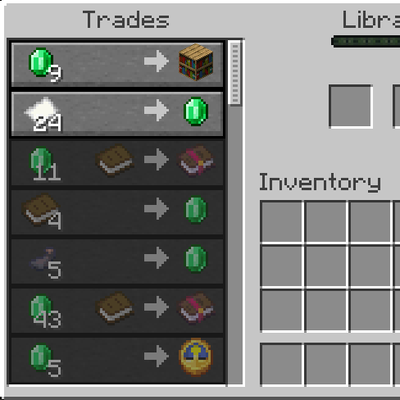
Villager Trade Peek
See every locked villager trade up to Master level, greyed out right in the trading screen. No more guessing.
 mod
mod CurseForge · Minecraft
SwordRealm
A xianxia-themed sword-riding flight mod. Slay monsters to open the Sword Realm, attune your sword with a Sword Heart, ride your blade through the sky, and summon an orbiting blade to guard you.
 mod
mod CurseForge · Minecraft
Item Upgrader - My CS2 Cases
Mini-games and one big goal: to reach the End.