Quick answer
Which Verritas-Auto Torch release matches 26.1?
Best match for your filters Auto Torch Enhanced-mc26.2-mc26.2-2.2.14.jar
Game version 26.1, 26.1.1, 26.1.2
Loader Fabric
Verritas-Auto Torch Auto Torch Enhanced-mc26.2-mc26.2-2.2.14.jar targets 26.1, 26.1.1, 26.1.2 with Fabric. The project page does not say whether this file belongs on the client, dedicated server, or both. All 1 required mods have matching files.
Where it goes
Is Verritas-Auto Torch required on the client, server, or both?
The project page does not say whether this file belongs on the client, dedicated server, or both.
Client Source doesn’t say
Dedicated server Source doesn’t say
Loader for this release Fabric
Required install it here Optional supported, not mandatory Not supported do not install here Source doesn’t say do not assume
The source does not explicitly classify this release as client-only or server-only.
What else does Verritas-Auto Torch Auto Torch Enhanced-mc26.2-mc26.2-2.2.14.jar need?
Auto Torch Enhanced-mc26.2-mc26.2-2.2.14.jar on 26.1. Every mod below is checked against that same setup.
Install Fabric API first. We found matching files for this game-version and loader setup. 1 comes through another mod in the chain.
2 listed on this file 1 pulled in by one of those mods
Mod Menu Optional for Verritas-Auto Torch Auto Torch Enhanced-mc26.2-mc26.2-2.2.14.jar optionalMatching file found Matched file: v18.0.2 for 26.1
Fabric API Needed by Verritas-Auto Torch Auto Torch Enhanced-mc26.2-mc26.2-2.2.14.jar requiredMatching file found Matched file: [26.1.2] Fabric API 0.155.3+26.1.2
Matching file found Matched file: placeholder-api-3.0.0+26.1.jar
1
extra mod was pulled in by another dependency.
Indented rows show who needs each one. We only count dependency files that match this setup. A file for another loader does not fill the gap.
Before you install it
Add Verritas-Auto Torch without breaking your instance.
Built for Verritas-Auto Torch Auto Torch Enhanced-mc26.2-mc26.2-2.2.14.jar on 26.1. Pick another file and the loader, install side or required mods may change.
- 01
Stick to this file
Use Auto Torch Enhanced-mc26.2-mc26.2-2.2.14.jar. It targets 26.1, 26.1.1, 26.1.2 with Fabric; another release may have different loader, side or dependency requirements.
- 02
Bring the mods it needs
Install Fabric API first. We found matching files for this game-version and loader setup. 1 comes through another mod in the chain.
- 03
Put it on the correct side
The project page does not say whether this file belongs on the client, dedicated server, or both.
- 04
Pick the file you checked
Use the “Get this file” button beside Auto Torch Enhanced-mc26.2-mc26.2-2.2.14.jar. It opens that exact file at the source.
About this project
What does Verritas-Auto Torch add?
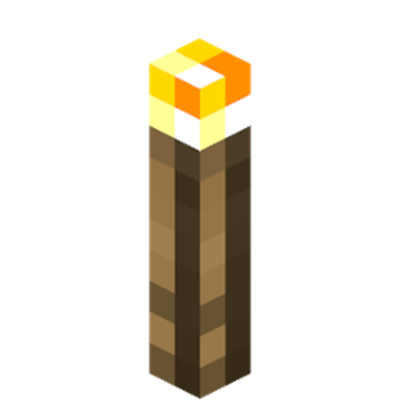
Auto Torch Enhanced (Fabric Client Mod)
This is a heavily improved and modernized fork of the original AutoTorch by necessary129.
Fabric API and ModMenu are required for this mod to function.
🌟 What's new in this Enhanced version?
The original mod was great, but it lacked compatibility with modern server anti-cheats and required torches to be specifically in the offhand. This version fixes all of that!
- Hotbar Support: You no longer need torches in your offhand! The mod will automatically find torches in your hotbar, switch to them in a millisecond, place the torch, and switch back to your weapon.
- Server-Friendly / Anti-Cheat Bypass:
- Added a randomized "Humanized Delay" between torch placements.
- Added an artificial hand-swing animation to prevent
NoSwing kicks.
- Added a Line-of-Sight (FOV) check so you don't place torches behind your back (prevents
Scaffold/KillAura flags).
- Smart Placement: Raycasting prevents placing torches through walls.
- Smart Pauses: The mod will intelligently pause placing torches if you are Sneaking, Sprinting, or holding a weapon (Swords, Axes, Bows, Tridents), preventing accidental placements during combat or precision movement.
- Darkness ESP (Optional): Render a small flame particle in the center of dark blocks around you where mobs can spawn, allowing you to easily identify unlit areas.
- Adjustable Radius: Scan for dark spots horizontally and vertically before you even step on them!
- Block Blacklist & Whitelist: Prevent ruining your builds! Look at any block in-game and press a key to blacklist it so torches are never placed there. Alternatively, toggle the list in the options to act as a Whitelist.
- Anti-Torch Zones (WorldEdit Style): Use an empty hand to left/right click and define 3D exclusion zones. These are saved in your config and can be viewed/deleted via ModMenu. Perfect for big builds!
- Advanced Configuration: Fully customizable cooldowns, update ticks, and random variances directly from the ModMenu screen.
⚙️ Usage
- Simply have torches in your offhand OR anywhere in your first 9 hotbar slots.
- Press Left Alt (default) to toggle the mod on or off.
- Press B (default) while looking at a block in the world to add or remove it from the Blacklist.
- Press Z (default) to toggle the Anti-Torch Zone Selector. With an empty hand, Left Click sets Pos1 and Right Click sets Pos2. Press Shift+Z to clear all zones.
- Go to the ModMenu configuration screen to adjust the radiuses, light levels, server-friendly options, and advanced delay settings.
📜 Credits & License
- Original concept and base code by noteness (necessary129).
- Updated to Minecraft 26.2, completely rewritten logic, and anti-cheat modules by [VeritasShield].
- Licensed under GNU LGPL-3.0.
Project description from CurseForge.
Pick your setup
Verritas-Auto Torch by Minecraft version and loader
Choose the version and loader you play, then open the matching release.
Minecraft version
26.2
1
loader build Minecraft version
26.1.2
1
loader build Minecraft version
26.1.1
1
loader build Minecraft version
26.1
1
loader build Minecraft version
1.21.11
1
loader build Minecraft version
1.21.10
1
loader build Check the dependencies, then try the file in a copied instance before changing a world you care about.
Recent files
Verritas-Auto Torch versions and loaders
autotorch-enhanced-mc26.2-mc26.2-2.2.14.jar
17 Jul 2026
Client Source doesn’t say Server Source doesn’t say Dependencies 1 required · matched Listed on Release listing
Check the 26.1 · Fabric setup → Fabric26.126.1.126.1.2 release
autotorch-enhanced-mc26.2-mc26.2-2.2.13.jar
17 Jul 2026
Client Source doesn’t say Server Source doesn’t say Dependencies 1 required · 1 unchecked Listed on Release listing
Check the 26.1 · Fabric setup → Fabric26.126.1.126.1.2 release
autotorch-enhanced-mc26.2-mc26.2-2.2.5.jar
14 Jul 2026
Client Source doesn’t say Server Source doesn’t say Dependencies 2 required · 2 unchecked Listed on Release listing
Check the 26.1 · Fabric setup → Fabric26.126.1.126.1.2 release
autotorch-enhanced-mc26.2-mc26.2-2.2.2.jar
13 Jul 2026
Client Source doesn’t say Server Source doesn’t say Dependencies 2 required · 2 unchecked Listed on Release listing
Check the 26.1 · Fabric setup → Fabric26.126.1.126.1.2 release
 mod
 mod
 mod