Minecraft version
Back to mods 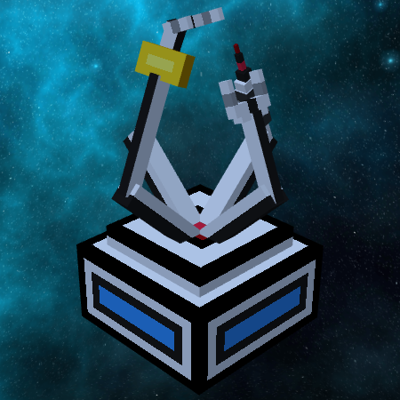
CurseForge · Minecraft mod
Starexplorer
Starexplorer (released for Minecraft 1.20.1) is a Minecraft Mod centered around Futuristic Technology and inspired by the Create Mod.
Choose a version Pick your version below, then grab the matching file.
Quick answer
Which Starexplorer release should I use?
Latest stable file Starexplorer-1.20.1-1.0.0.jar
Game version 1.20.1
Loader Forge
Starexplorer-1.20.1-1.0.0.jar targets 1.20.1 with Forge. The project page does not say whether this file belongs on the client, dedicated server, or both. No extra mods listed for this file.
Where it goes
Is Starexplorer required on the client, server, or both?
The project page does not say whether this file belongs on the client, dedicated server, or both.
Client Source doesn’t say
Dedicated server Source doesn’t say
Loader for this release Forge
Required install it here Optional supported, not mandatory Not supported do not install here Source doesn’t say do not assume
The source does not explicitly classify this release as client-only or server-only.
What else does Starexplorer-1.20.1-1.0.0.jar need?
Starexplorer-1.20.1-1.0.0.jar. Change the file and its required mods may change too.
This file does not list any required mods. Do not add a library just because a different file uses it.
This file does not list any required or optional mods.
Before you install it
Add Starexplorer without breaking your instance.
Built for Starexplorer-1.20.1-1.0.0.jar. Pick another file and the loader, install side or required mods may change.
- 01
Stick to this file
Use Starexplorer-1.20.1-1.0.0.jar. It targets 1.20.1 with Forge; another release may have different loader, side or dependency requirements.
- 02
Bring the mods it needs
This file does not list any required mods. Do not add a library just because a different file uses it.
- 03
Put it on the correct side
The project page does not say whether this file belongs on the client, dedicated server, or both.
- 04
Pick the file you checked
Use the “Get this file” button beside Starexplorer-1.20.1-1.0.0.jar. It opens that exact file at the source.
About this project
What does Starexplorer add?
// === DESCRIPTION === //
Starexplorer (released for Minecraft 1.20.1) is a Minecraft Mod centered around Futuristic Technology and heavily inspired by the Create Mod.
It was made as a fun passion project developed by a single French person (oh no), being myself. So I only made the localization available in English and French, as of the 1.0.0 release, sorry for all the non-english speakers that are reading this on a translator :'(
The only other person involved in the creation process was the composer for the original music tracks of Starexplorer, available as ambience or records you may find on your journey :)
This project actually dates back a really long time ago (years!) and kept growing and growing until it reached its current size, which might justify some of the inconstancies or rather questionnable things 8 years old me decided to put inside. I am not going to talk about the chicken milk for this exact reason. (btw I have a friend who will DEFINITELY recognize themselves when reading this, and this is way too funny to not leave it here)
If you want to report a bug, please do! I however do not want to force myself into checking the messages constantly, since I cannot tell you for sure that it will be patched in a given amount of days, as I don't really want this to create responsibilities. However, I'll be more than happy to fix those bugs if I want to + have time to do so, I just won't rush since this isn't a full-time job ;)
Starexplorer was made by the software named MCreator (currently owned by Pylo as of writing this, and I am in no way associated with them).
I also used third-party softwares like Blockbench for the 3D models.
Starexplorer has been tested to work correctly with a few of my favorite mods, including the Create Mod, and has custom coded interactions for Patchouli (handbook mod / library by Vazkii), but also VS-Clockworks with objects like the Holographic Holder usable as a lift for vehicles. (please note that I couldn't get Teleporters to work properly, sorry :'[)
My current mod list (so tested to work with my current setup) is right here :
-> caelus-forge-3.1.0+1.20.jar
-> canary-mc1.20.1-0.3.3.jar
-> create_power_loader-2.0.0-mc1.20.1.jar
-> create-1.20.1-6.0.4.jar
-> curios-forge-5.4.7+1.20.1.jar
-> elytraslot-forge-6.3.0+1.20.1.jar
-> embeddium-0.3.30+mc1.20.1.jar
-> jei-1.20.1-forge-15.20.0.105.jar
-> Patchouli-1.20.1-84-FORGE.jar
-> Starexplorer-mc1.20.1-1.0.0.jar
But if there are not any conflicts with other mods, they should work just fine.
The mod should be completely dependency-less and work alone, but that it is not exactly the playthrough that I would recommend. (but you can do whatever you want ;})
Finally, let's talk quickly about Multiplayer. I really wanted it to work, but it was a bit late into the project and this wasn't a thing that 8 years old me considered, so I ended up not implementing it until just two or three patches before the release. As such, features like the vehicles and global progression were NOT made with a multiplayer progression in mind. I did test it however by playing a full playthrough of the mod with a friend (the one that made the music), and it worked great! But it's just not really as fun to share a [SPOILER] with a single Landing Platform and interior in that context.
So, overall I hope that you'll enjoy what has essentially been a thing that I've been working on for half a decade (it sounds cool when putting it like this but we both now that I didn't actually work full-time on modding lol)
Enjoy!
// === INSTALLATION === //
Like any other mod, drop it in your <.minecraft/mods> folder, and it should automatically work.
To access the custom handbook (almost required for descriptions of objects), you must also add in the <.minecraft> folder (create or add into) "patchouli_books" as this is handled as a modpack addition instead of a normal mod book. Simply add the folder (if I remember to add it to the curseforge depo) called "handbook" containing "book.json" and another folder called "en_us" to the main folder. Then, install the correct version of Patchouli, and it should startup correctly.
Project description from CurseForge.
Pick your setup
Starexplorer by Minecraft version and loader
Choose the version and loader you play, then open the matching release.
Minecraft version
1.20.1
1 loader buildCheck the dependencies, then try the file in a copied instance before changing a world you care about.
Recent files
Starexplorer versions and loaders
Starexplorer-mc1.21.1-1.1.0.jar
22 Apr 2026
Client Source doesn’t say Server Source doesn’t say Dependencies No extras listed Listed on Release listing
Check the 1.21.1 · NeoForge setup 1.21.1NeoForge beta
patchouli_books_convert_to_zip.jar
10 Mar 2026
Client Source doesn’t say Server Source doesn’t say Dependencies No extras listed Listed on Release listing
Check the 1.20.1 · Forge setup 1.20.1Forge beta
Starexplorer-1.20.1-1.0.0.jar
Starexplorer [1.20.1].jar
10 Mar 2026
Client Source doesn’t say Server Source doesn’t say Dependencies No extras listed Listed on Release listing
Check the 1.20.1 · Forge setup 1.20.1Forge release
Looking for an older file? The official CurseForge project page is in Resources.