Minecraft version
Back to mods 
CurseForge · Minecraft mod
Glyph
Automatically creates a resource pack that changes the font in Minecraft
Choose a version Pick your version below, then grab the matching file.
Quick answer
Which Glyph release should I use?
Latest stable file 1.0.3 Forge 1.21.11
Game version 1.21.11
Loader Forge
Glyph 1.0.3 Forge 1.21.11 targets 1.21.11 with Forge. The project page does not say whether this file belongs on the client, dedicated server, or both. No extra mods listed for this file.
Where it goes
Is Glyph required on the client, server, or both?
The project page does not say whether this file belongs on the client, dedicated server, or both.
Client Source doesn’t say
Dedicated server Source doesn’t say
Loader for this release Forge
Required install it here Optional supported, not mandatory Not supported do not install here Source doesn’t say do not assume
The source does not explicitly classify this release as client-only or server-only.
What else does Glyph 1.0.3 Forge 1.21.11 need?
1.0.3 Forge 1.21.11. Change the file and its required mods may change too.
This file does not list any required mods. Do not add a library just because a different file uses it.
This file does not list any required or optional mods.
Before you install it
Add Glyph without breaking your instance.
Built for Glyph 1.0.3 Forge 1.21.11. Pick another file and the loader, install side or required mods may change.
- 01
Stick to this file
Use 1.0.3 Forge 1.21.11. It targets 1.21.11 with Forge; another release may have different loader, side or dependency requirements.
- 02
Bring the mods it needs
This file does not list any required mods. Do not add a library just because a different file uses it.
- 03
Put it on the correct side
The project page does not say whether this file belongs on the client, dedicated server, or both.
- 04
Pick the file you checked
Use the “Get this file” button beside 1.0.3 Forge 1.21.11. It opens that exact file at the source.
About this project
What does Glyph add?
The Glyph mod is a Minecraft custom font generator that changes fonts using a resource pack.
Convert TTF to Minecraft resource pack automatically.
Minecraft custom font generator that converts TTF to resource pack automatically.
Easily create a Minecraft custom font without manually editing font JSON files.

Glyph automatically generates a resource pack that changes fonts in Minecraft, and when you select your desired font, it automatically modifies default.json. Use the latest version immediately by using the resource pack.
You can import a ttf file.
How to use Glyph mod:
If you have uploaded a ttf font, go to Settings, then Resource Packs,
and apply the glyph_fonts resource pack.
Why use Glyph?
Supports TTF to Minecraft resource pack conversion for custom fonts.
No manual resource pack creation or JSON editing required for Minecraft custom fonts.
Glyph can use a resource pack to import fonts from older versions into the latest version.
As mentioned earlier, This mod is lightweight because it simply creates a resource pack to add fonts and changes fonts by modifying default.json, so unless there is a mod that overhauls font rendering, the chance of conflicts with other mods is low.
Project description from CurseForge.
Pick your setup
Glyph by Minecraft version and loader
Choose the version and loader you play, then open the matching release.
Minecraft version
26.1.1
4 loader buildsMinecraft version
26.1
4 loader buildsMinecraft version
1.21.11
4 loader buildsCheck the dependencies, then try the file in a copied instance before changing a world you care about.
Recent files
Glyph versions and loaders
1.0.3 Forge 1.21.11
glyph-1.0.3+forge-1.21.11.jar
14 Apr 2026
Client Source doesn’t say Server Source doesn’t say Dependencies No extras listed Listed on Release listing
Check the 1.21.11 · Forge setup Forge1.21.11 release
1.0.3 NeoForge 1.21.11
glyph-1.0.3+neoforge-1.21.11.jar
14 Apr 2026
Client Source doesn’t say Server Source doesn’t say Dependencies No extras listed Listed on Release listing
Check the 1.21.11 · NeoForge setup NeoForge1.21.11 release
1.0.3 Fabric, Quilt 1.21.11
glyph-1.0.3+fabric-1.21.11.jar
14 Apr 2026
Client Source doesn’t say Server Source doesn’t say Dependencies No extras listed Listed on Release listing
Check the 1.21.11 · Fabric setup FabricQuilt1.21.11 release
1.0.3 NeoForge 26.1.2
glyph-1.0.3+neoforge-26.1.2.jar
13 Apr 2026
Client Source doesn’t say Server Source doesn’t say Dependencies No extras listed Listed on Release listing
Check the 26.1.2 · NeoForge setup NeoForge26.1.2 release
1.0.3 Forge 26.1.2
glyph-1.0.3+forge-26.1.2.jar
13 Apr 2026
Client Source doesn’t say Server Source doesn’t say Dependencies No extras listed Listed on Release listing
Check the 26.1.2 · Forge setup Forge26.1.2 release
1.0.3 Fabric 26.1.2
glyph-1.0.3+fabric-26.1.2.jar
13 Apr 2026
Client Source doesn’t say Server Source doesn’t say Dependencies No extras listed Listed on Release listing
Check the 26.1.2 · Fabric setup Fabric26.1.2 release
1.0.2 Forge 26.1.2
glyph-1.0.2+forge-26.1.2.jar
10 Apr 2026
Client Source doesn’t say Server Source doesn’t say Dependencies No extras listed Listed on Release listing
Check the 26.1.2 · Forge setup Forge26.1.2 release
1.0.2 NeoForge 26.1.2
glyph-1.0.2+neoforge-26.1.2.jar
10 Apr 2026
Client Source doesn’t say Server Source doesn’t say Dependencies No extras listed Listed on Release listing
Check the 26.1.2 · NeoForge setup NeoForge26.1.2 release
1.0.2 Fabric, Quilt 26.1.2
glyph-1.0.2+fabric-26.1.2.jar
9 Apr 2026
Client Source doesn’t say Server Source doesn’t say Dependencies No extras listed Listed on Release listing
Check the 26.1.2 · Fabric setup FabricQuilt26.1.2 release
1.0.2 Forge 26.1.1
glyph-1.0.2+forge-26.1.1.jar
2 Apr 2026
Client Source doesn’t say Server Source doesn’t say Dependencies No extras listed Listed on Release listing
Check the 26.1.1 · Forge setup Forge26.1.1 release
1.0.2 NeoForge 26.1.1
glyph-1.0.2+neoforge-26.1.1.jar
2 Apr 2026
Client Source doesn’t say Server Source doesn’t say Dependencies No extras listed Listed on Release listing
Check the 26.1.1 · NeoForge setup NeoForge26.1.1 release
1.0.2 Fabric 26.1.1
glyph-1.0.2+fabric-26.1.1.jar
1 Apr 2026
Client Source doesn’t say Server Source doesn’t say Dependencies No extras listed Listed on Release listing
Check the 26.1.1 · Fabric setup FabricQuilt26.1.1 release
Looking for an older file? The official CurseForge project page is in Resources.
 mod
CurseForge + Modrinth · Minecraft
Armored Arms
A small client mod that adds first-person rendering of armour on the hand
 mod
CurseForge · Minecraft
JUJUTSU: REBORN
an action-packed Jujutsu Kaisen Minecraft mod featuring enhanced combat, cinematic cursed techniques and Domain Expansions, powerful cursed spirits and bosses, immersive quests, and an RPG progression system with dungeons, XP, leveling, and loot.
 mod
CurseForge · Minecraft
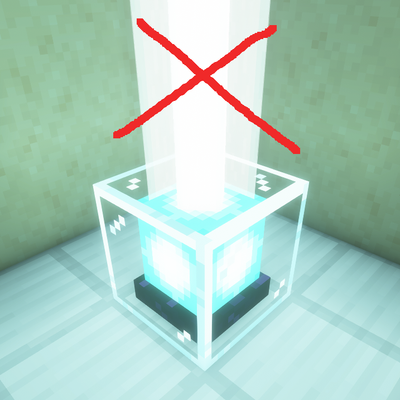
Beam Remover
Removes beacon beams of your choice, compatible with beams from many mods.