Mod Menu Optional for Auto Greeting auto-greeting-1.2.1.jar
optionalMatching file found Matched file: v21.0.1 for 26.3
CurseForge · Minecraft mod
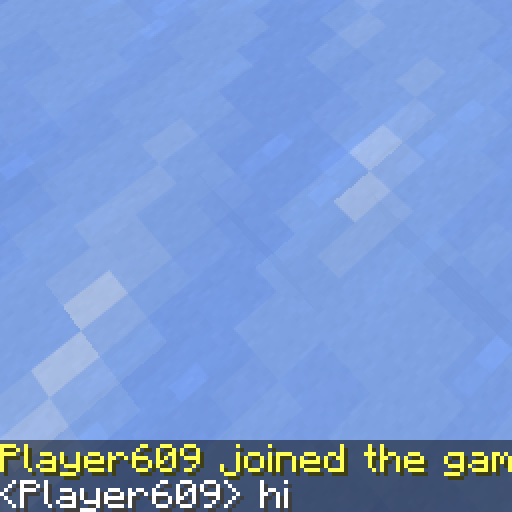
Automatically sends greeting messages based on configured conditions.
Quick answer
Auto Greeting auto-greeting-1.2.1.jar targets 26.3 with Fabric. The project page does not say whether this file belongs on the client, dedicated server, or both. No extra mods listed for this file.
Where it goes
The project page does not say whether this file belongs on the client, dedicated server, or both.
The source does not explicitly classify this release as client-only or server-only.
auto-greeting-1.2.1.jar. Change the file and its required mods may change too.
This file does not list any required mods. Do not add a library just because a different file uses it.
2 extra mods were pulled in by other dependencies. Indented rows show who needs each one. We only count dependency files that match this setup. A file for another loader does not fill the gap.
Before you install it
Built for Auto Greeting auto-greeting-1.2.1.jar. Pick another file and the loader, install side or required mods may change.
Use auto-greeting-1.2.1.jar. It targets 26.3 with Fabric; another release may have different loader, side or dependency requirements.
This file does not list any required mods. Do not add a library just because a different file uses it.
The project page does not say whether this file belongs on the client, dedicated server, or both.
Use the “Get this file” button beside auto-greeting-1.2.1.jar. It opens that exact file at the source.
About this project
A client-side Fabric mod that automatically sends preset greeting messages when you or other players join a server.
/autogreet self .../autogreet other ...Notes:
[a|b] means a or bFor example:
/autogreet [other|self] status
means either:
/autogreet other status
or
/autogreet self status
Controls whether auto greeting is enabled or disabled.
/autogreet [self|other] status
/autogreet [self|other] status enable
/autogreet [self|other] status disable
/autogreet [self|other] status toggle
Controls the messages sent by the mod.
Placeholders are supported.
/autogreet [self|other] message add <message>
/autogreet [self|other] message add <message> <index>
/autogreet [self|other] message remove
/autogreet [self|other] message remove <index>
/autogreet [self|other] message remove all
/autogreet [self|other] message list
self| Placeholder | Description | |:-:|:-:| | @player | Player name | | @UUID | UUID | | @X | X coordinate (up to 3 decimals) | | @Y | Y coordinate (up to 3 decimals) | | @Z | Z coordinate (up to 3 decimals) | | @health | Current health | | @level | Current experience level |
other| Placeholder | Description | |:-:|:-:| | @player | Player name | | @UUID | Player UUID |
/autogreet other [whitelist|blacklist] list
/autogreet other [whitelist|blacklist] clear confirm

/autogreet other [whitelist|blacklist] [match|except] list

/autogreet other [whitelist|blacklist] [match|except] [equal|contain|startWith|endWith] add <pattern>
/autogreet other [whitelist|blacklist] [match|except] [equal|contain|startWith|endWith] remove
/autogreet other [whitelist|blacklist] [match|except] [equal|contain|startWith|endWith] remove <index>
/autogreet other [whitelist|blacklist] [match|except] [equal|contain|startWith|endWith] remove all
/autogreet other [whitelist|blacklist] [match|except] [equal|contain|startWith|endWith] list
/autogreet self message add Hello, I'm @player at (@X, @Y, @Z)
/autogreet self message add HP: @health | Level: @level

/autogreet other message add Welcome @player!
/autogreet other message add Hello @player (@UUID)
If a message starts with /, it is executed as a command.
If a message does not start with /, it is sent as a normal chat message.
other greetings support:
match rulesexcept rulesequalcontainstartWithendWithThese rules determine whether the name of a joining player should trigger greeting logic.
index is optional and 1-basedadd <message> <index> inserts before the existing item at that positionindex is omitted or outside the valid range, the message is appendedremove <index> removes the specified itemremove without an index removes the last itemremove all clears the message listclear confirm clears the entire blacklist or whitelist rule setMIT
Project description from CurseForge.
Pick your setup
Choose the version and loader you play, then open the matching release.
Check the dependencies, then try the file in a copied instance before changing a world you care about.
Recent files
24 Sept 2026
21 Sept 2026
20 Jul 2026
8 Jun 2026
2 Jun 2026
1 Jun 2026
17 Mar 2026
17 Mar 2026
17 Mar 2026
17 Mar 2026
17 Mar 2026
17 Mar 2026
Looking for an older file? The official CurseForge project page is in Resources.
 mod
Popups when your furnace, smoker, blast furnace or brewing stand is done. Stop running back to check!
 mod
Adds 3072 tropical fish heads, one for every variant, to Jodek's Mob Heads
 mod
Adds coin loot to Minecraft