Minecraft version
Back to mods 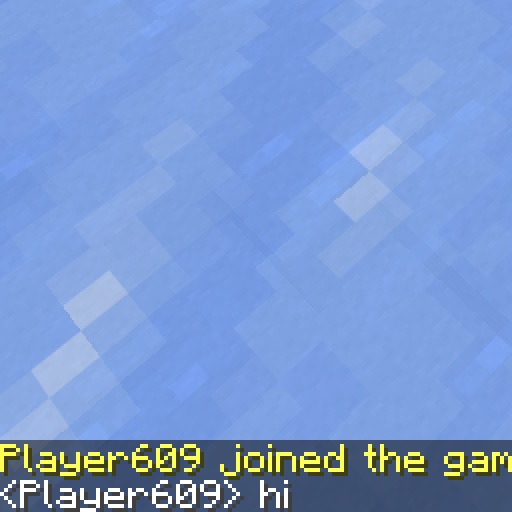
CurseForge · Minecraft mod
Auto Greeting - Server
Automatically sends greeting messages to players based on configured conditions.
Choose a version Pick your version below, then grab the matching file.
Quick answer
Which Auto Greeting - Server release should I use?
Latest stable file auto-greeting-server-1.2.0.jar
Game version 26.3
Loader Fabric
Auto Greeting - Server auto-greeting-server-1.2.0.jar targets 26.3 with Fabric. The project page does not say whether this file belongs on the client, dedicated server, or both. No extra mods listed for this file.
Where it goes
Is Auto Greeting - Server required on the client, server, or both?
The project page does not say whether this file belongs on the client, dedicated server, or both.
Client Source doesn’t say
Dedicated server Source doesn’t say
Loader for this release Fabric
Required install it here Optional supported, not mandatory Not supported do not install here Source doesn’t say do not assume
The source does not explicitly classify this release as client-only or server-only.
What else does Auto Greeting - Server auto-greeting-server-1.2.0.jar need?
auto-greeting-server-1.2.0.jar. Change the file and its required mods may change too.
This file does not list any required mods. Do not add a library just because a different file uses it.
This file does not list any required or optional mods.
Before you install it
Add Auto Greeting - Server without breaking your instance.
Built for Auto Greeting - Server auto-greeting-server-1.2.0.jar. Pick another file and the loader, install side or required mods may change.
- 01
Stick to this file
Use auto-greeting-server-1.2.0.jar. It targets 26.3 with Fabric; another release may have different loader, side or dependency requirements.
- 02
Bring the mods it needs
This file does not list any required mods. Do not add a library just because a different file uses it.
- 03
Put it on the correct side
The project page does not say whether this file belongs on the client, dedicated server, or both.
- 04
Pick the file you checked
Use the “Get this file” button beside auto-greeting-server-1.2.0.jar. It opens that exact file at the source.
About this project
What does Auto Greeting - Server add?
Languages
Auto Greeting - Server
A server-side Fabric mod that automatically sends preset greeting messages when a player joins the server.
The mod supports both plain chat messages as well as commands.
Features
- Supports multiple messages
- Supports plain chat messages as well as commands
- Supports blacklist / whitelist rules for player names
- Supports placeholders
- Automatically sends preset messages when a player joins the server
Command Overview
/servergreet ...
Notes:
[a|b]meansaorb
For example:
/servergreet [whitelist|blacklist] list
means either:
/servergreet whitelist list
or
/servergreet blacklist list
Server-Side Commands
Status
Controls whether auto greeting is enabled or disabled.
/servergreet status
/servergreet status enable
/servergreet status disable
/servergreet status toggle
Message
Controls the messages sent by the mod.
Placeholders are supported.
/servergreet message add <message>
/servergreet message add <message> <index>
/servergreet message remove
/servergreet message remove <index>
/servergreet message remove all
/servergreet message list
Placeholders
| Placeholder | Description | |:-:|:-:| | @player | Player name | | @UUID | UUID | | @X | X coordinate (up to 3 decimals) | | @Y | Y coordinate (up to 3 decimals) | | @Z | Z coordinate (up to 3 decimals) | | @health | Current health | | @level | Current experience level |
Blacklist / Whitelist
/servergreet [whitelist|blacklist] list
/servergreet [whitelist|blacklist] clear confirm

/servergreet [whitelist|blacklist] [match|except] list

/servergreet [whitelist|blacklist] [match|except] [equal|contain|startWith|endWith] add <pattern>
/servergreet [whitelist|blacklist] [match|except] [equal|contain|startWith|endWith] remove
/servergreet [whitelist|blacklist] [match|except] [equal|contain|startWith|endWith] remove <index>
/servergreet [whitelist|blacklist] [match|except] [equal|contain|startWith|endWith] remove all
/servergreet [whitelist|blacklist] [match|except] [equal|contain|startWith|endWith] list
Examples
/servergreet message add Welcome @player!
/servergreet message add Player @player joined at (@X, @Y, @Z)
/servergreet message add HP=@health Level=@level
Message Behavior
If a message starts with /, it is executed as a command.
If a message does not start with /, it is sent as a normal chat message.
Filtering
- blacklist
- whitelist
matchrulesexceptrulesequalcontainstartWithendWith
These rules determine whether the name of a joining player should trigger greeting logic.
Filtering behavior
- If a player matches the blacklist, they are ignored
- If a player matches the blacklist but also matches blacklist except, they are allowed again
- If the whitelist is not empty, only players matching the whitelist are allowed
- If a player matches the whitelist but also matches whitelist except, they are ignored
Notes
indexis optional and 1-basedadd <message> <index>inserts before the existing item at that position- If
indexis omitted or outside the valid range, the message is appended remove <index>removes the specified itemremovewithout an index removes the last itemremove allclears the message listclear confirmclears the entire blacklist or whitelist rule set- Numeric values are formatted with up to 3 decimal places, and trailing zeros are removed
Supported Versions
- Minecraft 26.3
- Fabric Loader 0.19.5+
- Fabric API 0.160.5+
- Java 25
License
MIT
Project description from CurseForge.
Pick your setup
Auto Greeting - Server by Minecraft version and loader
Choose the version and loader you play, then open the matching release.
Minecraft version
26.1.2
1 loader buildMinecraft version
1.21.11
1 loader buildCheck the dependencies, then try the file in a copied instance before changing a world you care about.
Recent files
Auto Greeting - Server versions and loaders
auto-greeting-server-1.2.0.jar
21 Sept 2026
Client Source doesn’t say Server Source doesn’t say Dependencies No extras listed Listed on Release listing
Check the 26.3 · Fabric setup Fabric26.3 release
auto-greeting-server-1.1.1.jar
20 Jul 2026
Client Source doesn’t say Server Source doesn’t say Dependencies No extras listed Listed on Release listing
Check the 26.1.2 · Fabric setup Fabric26.1.2 release
auto-greeting-server-1.1.0.jar
1 Jun 2026
Client Source doesn’t say Server Source doesn’t say Dependencies No extras listed Listed on Release listing
Check the 26.1.2 · Fabric setup Fabric26.1.2 release
auto-greeting-server-1.0.1.jar
17 Mar 2026
Client Source doesn’t say Server Source doesn’t say Dependencies No extras listed Listed on Release listing
Check the 1.21.11 · Fabric setup Fabric1.21.11 release
auto-greeting-server-1.0.0.jar
17 Mar 2026
Client Source doesn’t say Server Source doesn’t say Dependencies No extras listed Listed on Release listing
Check the 1.21.11 · Fabric setup Fabric1.21.11 release
Looking for an older file? The official CurseForge project page is in Resources.
 mod
CurseForge + Modrinth · Minecraft
Jodek's Mob Heads
Mobs can drop their head when killed by a player, easy drop rate config, drop messages, advancement collection and more
 mod
CurseForge · Minecraft
No Trade Cycling, Just Pick
Stop rerolling villagers. Press Pick trade and select any 2 trades its profession can offer (max-level enchanted books included). Fast trade and saves time.
 mod
CurseForge · Minecraft
VFrameGen
Frame generation, upscaling (FSR 1 / temporal) and anti-aliasing for Minecraft 26.3 on Vulkan and OpenGL. Works with Sodium, Iris shaders and Distant Horizons.