Minecraft version
Back to mods 
CurseForge · Minecraft mod
The Rift Between Us
Constrained, Deliberate, Social Fast Travel via Portals!
Choose a version Pick your version below, then grab the matching file.
Quick answer
Which The Rift Between Us release should I use?
Latest stable file rifts-1.2.0.jar
Game version 1.21, 1.21.1
Loader Fabric
The Rift Between Us rifts-1.2.0.jar targets 1.21, 1.21.1 with Fabric. The project page does not say whether this file belongs on the client, dedicated server, or both. No extra mods listed for this file.
Where it goes
Is The Rift Between Us required on the client, server, or both?
The project page does not say whether this file belongs on the client, dedicated server, or both.
Client Source doesn’t say
Dedicated server Source doesn’t say
Loader for this release Fabric
Required install it here Optional supported, not mandatory Not supported do not install here Source doesn’t say do not assume
The source does not explicitly classify this release as client-only or server-only.
What else does The Rift Between Us rifts-1.2.0.jar need?
rifts-1.2.0.jar. Change the file and its required mods may change too.
This file does not list any required mods. Do not add a library just because a different file uses it.
This file does not list any required or optional mods.
Before you install it
Add The Rift Between Us without breaking your instance.
Built for The Rift Between Us rifts-1.2.0.jar. Pick another file and the loader, install side or required mods may change.
- 01
Stick to this file
Use rifts-1.2.0.jar. It targets 1.21, 1.21.1 with Fabric; another release may have different loader, side or dependency requirements.
- 02
Bring the mods it needs
This file does not list any required mods. Do not add a library just because a different file uses it.
- 03
Put it on the correct side
The project page does not say whether this file belongs on the client, dedicated server, or both.
- 04
Pick the file you checked
Use the “Get this file” button beside rifts-1.2.0.jar. It opens that exact file at the source.
About this project
What does The Rift Between Us add?
Core Mechanic
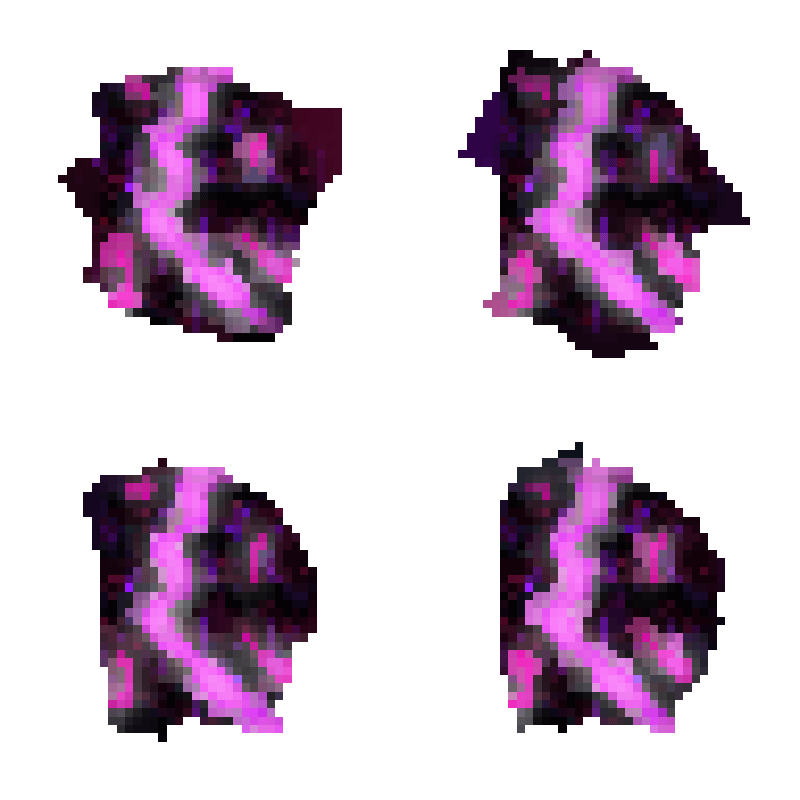
A home-portal system inspired by Path of Exile / Diablo. Each player maintains up to two rifts simultaneously: a Home Rift anchored at a chosen location, and an Adventure Rift left behind when they return home. Rifts persist across logouts and server restarts, and survive death.
Commands & Keybind
/rift — Context-sensitive portal action
Behaves identically to the keybind. Determines what to do based on your current situation (see Context Actions below).
Keybind — key.categories.rifts → key.rifts.rift (unbound by default)
Same behavior as /rift. Sends the rift action to the server on press.
Context Actions
Both the command and keybind evaluate conditions in priority order:
| Condition | Action | Message shown |
|---|---|---|
| Within 6 blocks of own Home Rift + Adventure Rift exists | Channel 4s → teleport to Adventure Rift (destroys it) | "Proceeding through your Rift..." |
| Within 6 blocks of another online player's Home Rift + they have an Adventure Rift | Channel 4s → teleport to that player's Adventure Rift (without destroying it) | "Proceeding through [Name]'s Rift..." |
| Have a Home Rift, not within 6 blocks of it | Channel 4s → teleport to Home Rift (leaves Adventure Rift at current position) | "Returning to your Home Rift..." |
| No Home Rift | Channel 4s → creates Home Rift at current position and facing | "Creating Home Rift..." |
Channeling rules:
- Moving more than ~0.1 blocks during the 4-second channel cancels it ("Rift channeling interrupted.")
- Already channeling blocks a new action from starting
- The message is refreshed every tick, keeping it visible on the action bar throughout
Erase by Crouching
Crouching within 4 blocks of one of your own rifts (same dimension) for 4 seconds without moving erases it.
| Rift | Message during channel | Message on completion |
|---|---|---|
| Home Rift | "Erasing Home Rift..." | "Home Rift erased." |
| Adventure Rift | "Erasing Adventure Rift..." | "Adventure Rift erased." |
- If both rifts are within 4 blocks, the closer one is erased
- Moving or standing back up cancels it ("Rift channeling interrupted.")
- Cannot start erase channeling while already channeling a portal action
Restrictions
- Nearby rift use — to proceed through another player's rift, you must be within 6 blocks of their Home Rift, they must be online, and they must have an active Adventure Rift
- Teleport fallback — if you use the return-home action with no Home Rift set, it falls back to your bed spawn point, or the world spawn if none exists
Companion Teleportation
When any rift teleportation occurs (all three variants):
- Your mount (if riding one) teleports with you and you are automatically re-mounted at the destination
- Tamed animals you own (anything implementing
Tameable) within 12 blocks of your current position teleport to the destination as well - Pets already counted as the mount are not teleported twice
Multiplayer Sync
- Rift creation and removal broadcast a packet to all connected players in real time
- On join: the connecting player receives a single bulk packet with all current rifts; their own rifts are simultaneously announced to everyone else
- Client only renders rifts in the current dimension — rifts in other dimensions are hidden
- Client rift state is cleared on disconnect to prevent stale data when joining a different server
Visuals
- Rifts render as animated billboards (always face the camera), centered 1.5 blocks above the rift's block position
- 4-frame sprite animation cycling every 4 ticks
- Fully bright — unaffected by world lighting
- Only rendered in the correct dimension
Project description from CurseForge.
Pick your setup
The Rift Between Us by Minecraft version and loader
Choose the version and loader you play, then open the matching release.
Minecraft version
1.21
1 loader buildCheck the dependencies, then try the file in a copied instance before changing a world you care about.
Recent files
The Rift Between Us versions and loaders
rifts-1.2.0.jar
16 Oct 2026
Client Source doesn’t say Server Source doesn’t say Dependencies No extras listed Listed on Release listing
Check the 1.21.1 · Fabric setup 1.21Fabric1.21.1 release
rifts-1.1.0.jar
31 Mar 2026
Client Source doesn’t say Server Source doesn’t say Dependencies No extras listed Listed on Release listing
Check the 1.21.1 · Fabric setup 1.21Fabric1.21.1 release
rifts-1.0.2.jar
23 Mar 2026
Client Source doesn’t say Server Source doesn’t say Dependencies No extras listed Listed on Release listing
Check the 1.21.1 · Fabric setup 1.21Fabric1.21.1 release
rifts-1.0.1.jar
19 Mar 2026
Client Source doesn’t say Server Source doesn’t say Dependencies No extras listed Listed on Release listing
Check the 1.21.1 · Fabric setup 1.21Fabric1.21.1 release
rifts-1.0.0.jar
19 Mar 2026
Client Source doesn’t say Server Source doesn’t say Dependencies No extras listed Listed on Release listing
Check the 1.21.1 · Fabric setup 1.21Fabric1.21.1 release
Looking for an older file? The official CurseForge project page is in Resources.
 mod
CurseForge · Minecraft
Fennix Lift & Ride
Carry players and storage blocks, switch between hand and head carrying, and give Hippogryphs two separate seats.
 mod
CurseForge · Minecraft
Beastmasters
Pillagers show up riding war bears and gators. Kill the rider and you can tame the beast.
 mod
CurseForge · Minecraft
Monstrous World: Play as Almost Any Monster!
Get infected by a mysterious darkness and play as almost any type of Halloween monster, and survive in a spooky world filled with other monsters and hunters