
Minecraft version
Back to mods 
CurseForge · Minecraft mod
ATMOSPHERICS
Change fog, sky, clouds, and stars per biome in real time
Choose a version Pick your version below, then grab the matching file.
Quick answer
Which ATMOSPHERICS release matches Forge?
Best match for your filters atmospherics-2.6.8.1-mc-1.20.1.jar
Game version 1.20.1
Loader Forge
atmospherics-2.6.8.1-mc-1.20.1.jar targets 1.20.1 with Forge. The project page does not say whether this file belongs on the client, dedicated server, or both. No extra mods listed for this file.
Where it goes
Is ATMOSPHERICS required on the client, server, or both?
The project page does not say whether this file belongs on the client, dedicated server, or both.
Client Source doesn’t say
Dedicated server Source doesn’t say
Loader for this release Forge
Required install it here Optional supported, not mandatory Not supported do not install here Source doesn’t say do not assume
The source does not explicitly classify this release as client-only or server-only.
What else does atmospherics-2.6.8.1-mc-1.20.1.jar need?
atmospherics-2.6.8.1-mc-1.20.1.jar on Forge. Every mod below is checked against that same setup.
This file does not list any required mods. Do not add a library just because a different file uses it.
This file does not list any required or optional mods.
Before you install it
Add ATMOSPHERICS without breaking your instance.
Built for atmospherics-2.6.8.1-mc-1.20.1.jar on Forge. Pick another file and the loader, install side or required mods may change.
- 01
Stick to this file
Use atmospherics-2.6.8.1-mc-1.20.1.jar. It targets 1.20.1 with Forge; another release may have different loader, side or dependency requirements.
- 02
Bring the mods it needs
This file does not list any required mods. Do not add a library just because a different file uses it.
- 03
Put it on the correct side
The project page does not say whether this file belongs on the client, dedicated server, or both.
- 04
Pick the file you checked
Use the “Get this file” button beside atmospherics-2.6.8.1-mc-1.20.1.jar. It opens that exact file at the source.
About this project
What does ATMOSPHERICS add?


📋Features
Disable Improved Transparency in the Sodium settings
📁All presets are saved in a folder -minecraft/config/ambientfog
compatible with "ModMenu" (but not recommended for use, as there is a hotkey "B" for convenience)
- ✨Real-time per-biome customization for fog, sky, clouds, and haze
- 🔄Smooth transitions between biomes
- ☄️Falling comets customization
- 🌙Separate day and night atmosphere settings
- ⭐Star customization
- ☁️Story Mode Clouds
- ⚙️Dedicated settings menu for Story Mode Clouds
- ☁️Solid clouds without shading
- 🧭User-friendly menu with real-time viewing
- 📊Live info panel
- 📚Preset library
- ✏️Settings copy editor
- 🌌Biome teleport menu for easier setup
- 🎨Create your own resource pack with a preset
- 📁Preset import and export


 **⚙️(The current hotkey is **"B", but you can change it in the game settings)
✨OWN CUSTOM ATMOSPHERICS PRESET
Also, you can create your own resource pack with a custom Atmospherics preset!
📁 How to create a preset:
assets\atmospherics\preset\your_preset.json
🖼️ How to add a preview:
assets\atmospherics\preset\your_preset.png
(.jpg and .jpeg formats are also supported)
⚠️ Important: the preview file name must exactly match the preset name!
⚠️ The name of preset should be without a space! (🚫
Vibrant fog.json- ✅Vibrantfog.json)📚 Your preset will automatically show up in the Preset Library within the menu.
📢 You can also publish your RP-preset on Modrinth or CurseForge!
(Don’t forget to add this mod as a required dependency when uploading your RP-preset)






Project description from CurseForge.
Pick your setup
ATMOSPHERICS by Minecraft version and loader
Choose the version and loader you play, then open the matching release.
Minecraft version
26.2
1 loader buildMinecraft version
26.1.2
1 loader buildMinecraft version
26.1.1
1 loader buildMinecraft version
26.1
1 loader buildMinecraft version
1.21.11
1 loader buildMinecraft version
1.21.1
1 loader buildMinecraft version
1.20.1
2 loader buildsCheck the dependencies, then try the file in a copied instance before changing a world you care about.
Recent files
ATMOSPHERICS versions and loaders
atmospherics-2.6.8.1-mc-1.20.1.jar
11 Nov 2026
Client Source doesn’t say Server Source doesn’t say Dependencies No extras listed Listed on Release listing
Check the 1.20.1 · Forge setup 1.20.1Forge release
atmospherics-2.6.8-mc-forge-1.20.1.jar
24 Oct 2026
Client Source doesn’t say Server Source doesn’t say Dependencies No extras listed Listed on Release listing
Check the 1.20.1 · Forge setup 1.20.1Forge release
Looking for an older file? The official CurseForge project page is in Resources.
 mod
CurseForge · Minecraft
Vine & Barrel
A cozy brewing mod: beer, wine, mead and cider. Grow, brew, age in barrels and tap drinks for your friends.
 mod
CurseForge · Minecraft
Footsteps Trail
Never get lost again! Fading footstep markers help you retrace your path through caves, forests, and beyond.
 mod
CurseForge · Minecraft
LeafDrift
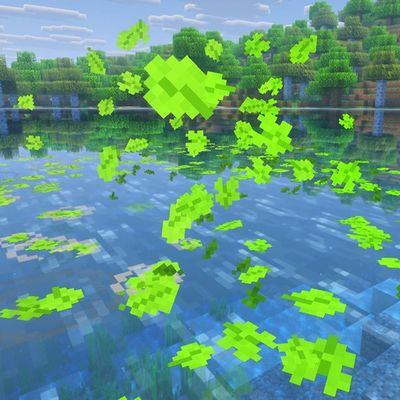
Leaves drift down from the trees, settle on the ground, float on the water and react to you