Minecraft version
Back to mods 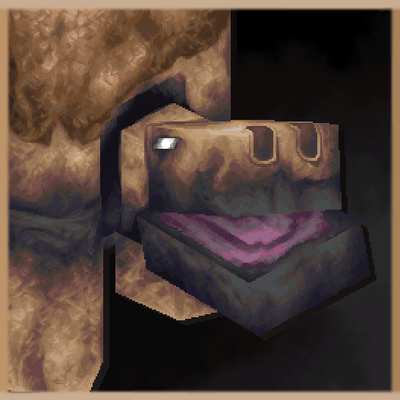
CurseForge · Minecraft mod
Gritshell
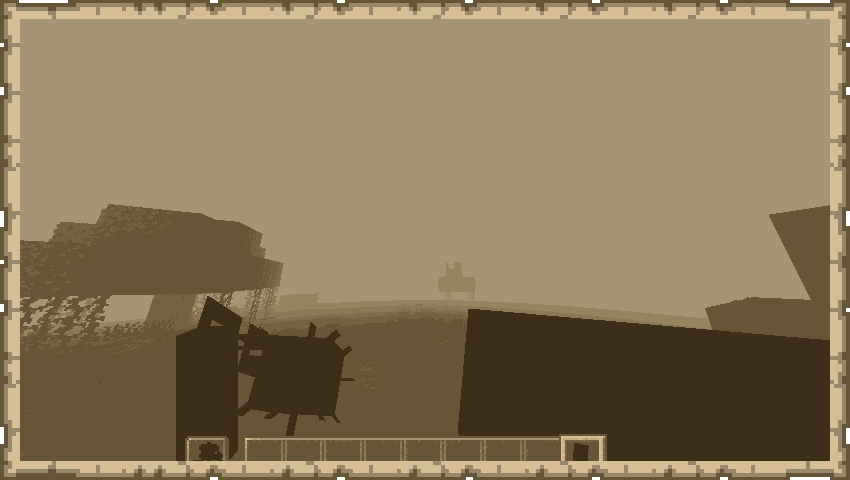
Gritshell is a new mini-boss that adds some variety to the world.
Choose a version Pick your version below, then grab the matching file.
Quick answer
Which Gritshell release should I use?
Latest stable file dirtymonster-1.20.1-1.2-Release-Forge.jar
Game version 1.20.1
Loader Forge
Gritshell dirtymonster-1.20.1-1.2-Release-Forge.jar targets 1.20.1 with Forge. The project page does not say whether this file belongs on the client, dedicated server, or both. No extra mods listed for this file.
Where it goes
Is Gritshell required on the client, server, or both?
The project page does not say whether this file belongs on the client, dedicated server, or both.
Client Source doesn’t say
Dedicated server Source doesn’t say
Loader for this release Forge
Required install it here Optional supported, not mandatory Not supported do not install here Source doesn’t say do not assume
The source does not explicitly classify this release as client-only or server-only.
What else does Gritshell dirtymonster-1.20.1-1.2-Release-Forge.jar need?
dirtymonster-1.20.1-1.2-Release-Forge.jar. Change the file and its required mods may change too.
This file does not list any required mods. Do not add a library just because a different file uses it.
This file does not list any required or optional mods.
Before you install it
Add Gritshell without breaking your instance.
Built for Gritshell dirtymonster-1.20.1-1.2-Release-Forge.jar. Pick another file and the loader, install side or required mods may change.
- 01
Stick to this file
Use dirtymonster-1.20.1-1.2-Release-Forge.jar. It targets 1.20.1 with Forge; another release may have different loader, side or dependency requirements.
- 02
Bring the mods it needs
This file does not list any required mods. Do not add a library just because a different file uses it.
- 03
Put it on the correct side
The project page does not say whether this file belongs on the client, dedicated server, or both.
- 04
Pick the file you checked
Use the “Get this file” button beside dirtymonster-1.20.1-1.2-Release-Forge.jar. It opens that exact file at the source.
About this project
What does Gritshell add?
Gritshell is a new miniboss that will give the player new challenges in their game!
Required library:
SkullLib
Description of the mob:

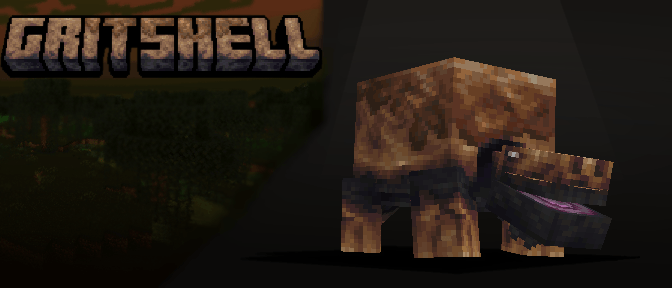

Found in swamps, this mob stays hidden and asleep under the mud. It will awaken and attack any player who ventures too close.

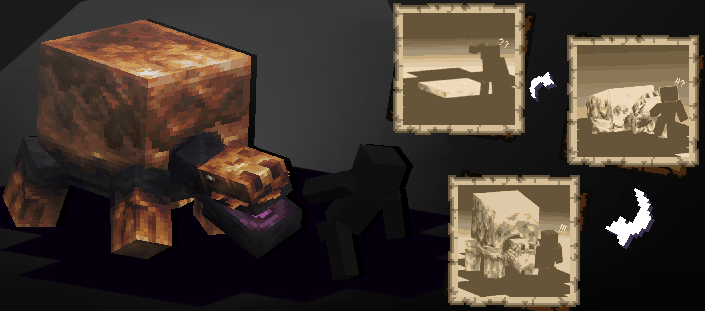
 If you consistently hit the Gritshell's shell during the fight, it will eventually break. This forces the mob into a second phase with a different move set.

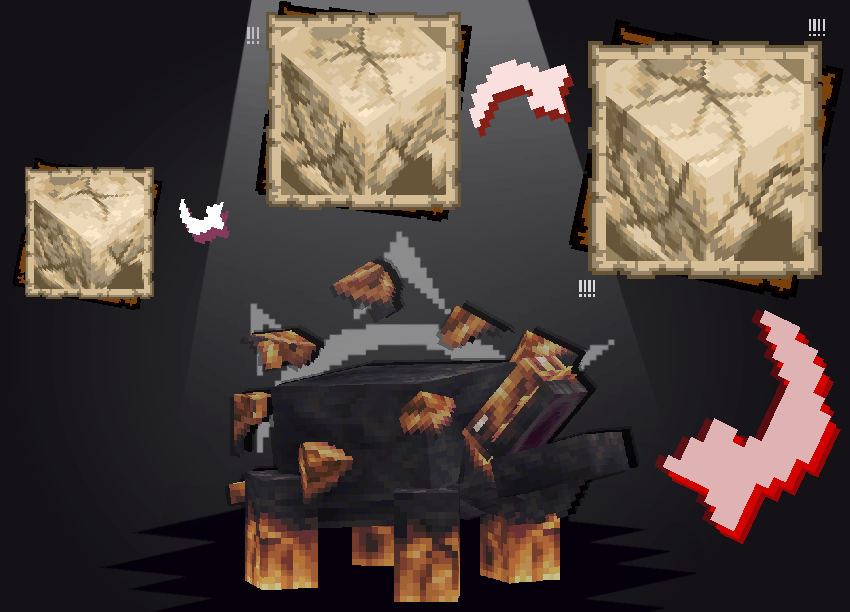

You can discover the exact details of its mechanics in-game. This will make your first encounter much more exciting! And now, let’s move on to the items from the mod!

Description of items from the mod:

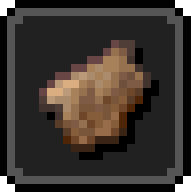
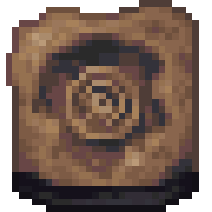
Killing a Gritshell or breaking its shell drops 6 to 7 shell shards.

The Morning star is a new weapon that interacts with shields.
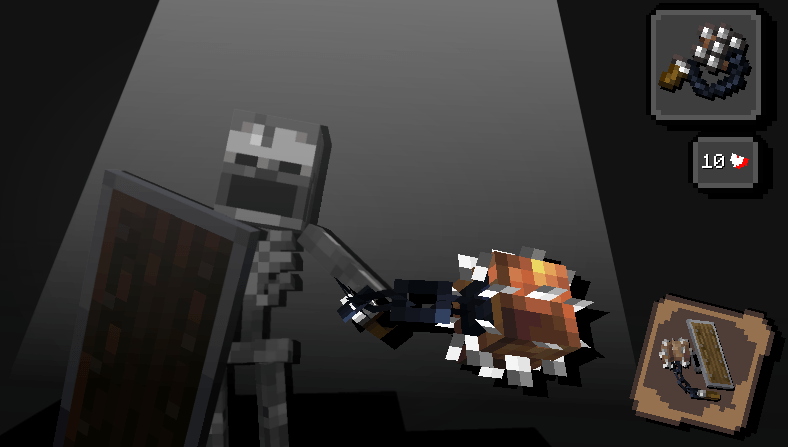

Although it is slow, if the player uses a shield before striking, the Morning star damage will increase.
Also, the Morning star partially ignores shield.

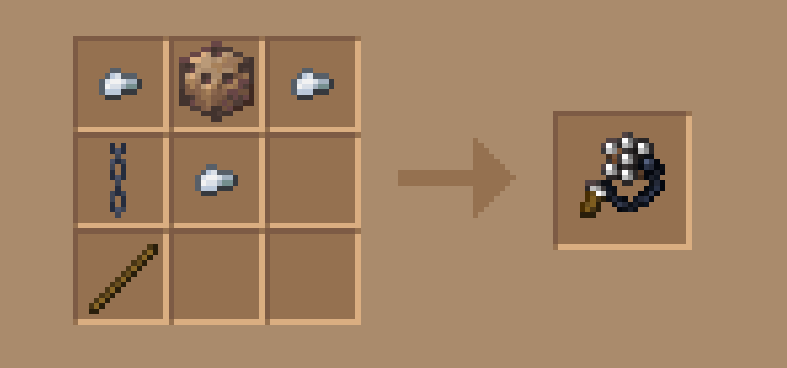
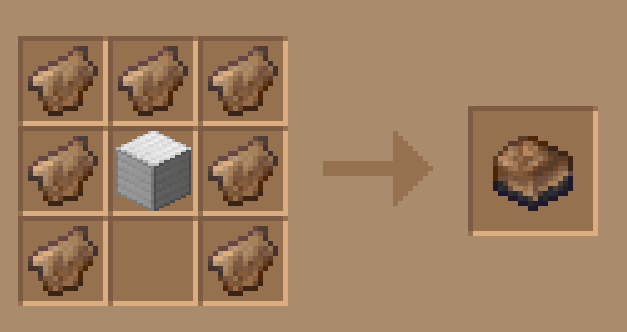
The Morning star is crafted from a core, a few iron nuggets, a chain, and a stick.

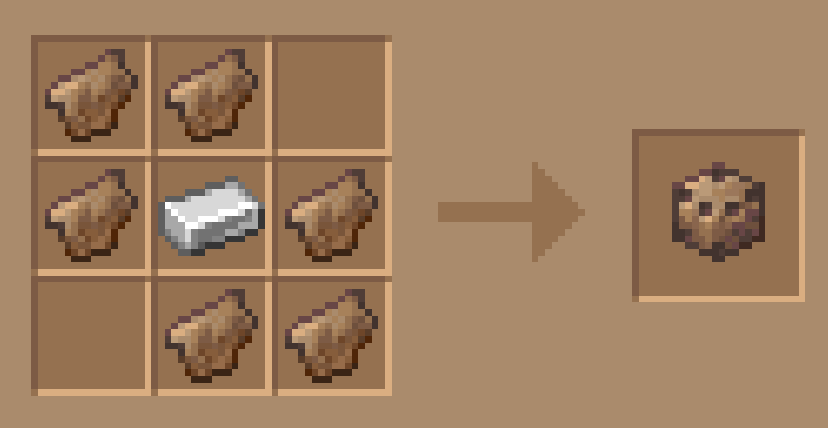
The core is crafted from 6 shell shards and 1 iron ingot.

Important note!
To hit a shield with a morning star, the weapon needs to have the Scaring enchantment.
The cooldown after the hit depends on the enchantment level.
The Shell is a new piece of armor.
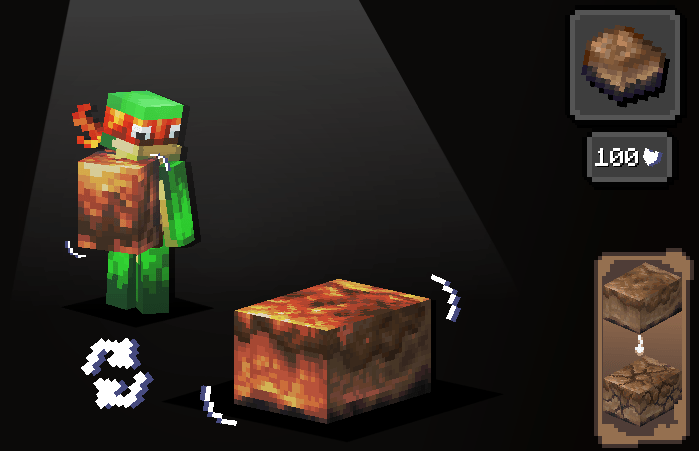

Its unique feature is that the player can hide inside it to take no damage.
However, it only has 100 durability. Also, while inside the Shell, the player cannot see
Any healing received while inside the Shell will be less effective than without it.

It is crafted from 7 shards and 1 iron block.

Thank you for visiting our mod page!
If you would like to support us or stay updated on our future projects, here are the links:

Special thanks to Kerdo for the sounds for the mod!
Project description from CurseForge.
Pick your setup
Gritshell by Minecraft version and loader
Choose the version and loader you play, then open the matching release.
Check the dependencies, then try the file in a copied instance before changing a world you care about.
Recent files
Gritshell versions and loaders
dirtymonster-1.20.1-1.2-Release-Forge.jar
18 Aug 2026
Client Source doesn’t say Server Source doesn’t say Dependencies No extras listed Listed on Release listing
Check the 1.20.1 · Forge setup 1.20.1Forge release
DirtyMonster-1.20.1-1.1-Release-Forge.jar
dirtymonster-1.20.1-1.1-Release-Forge.jar
26 Jul 2026
Client Source doesn’t say Server Source doesn’t say Dependencies No extras listed Listed on Release listing
Check the 1.20.1 · Forge setup 1.20.1Forge release
DirtyMonster-1.20.1-1.0-Release-Forge.jar
dirtymonster-1.20.1-1.0-Release-Forge (3).jar
15 Jul 2026
Client Source doesn’t say Server Source doesn’t say Dependencies No extras listed Listed on Release listing
Check the 1.20.1 · Forge setup 1.20.1Forge release
Looking for an older file? The official CurseForge project page is in Resources.
 mod
mod CurseForge · Minecraft
Anyutopia - Villagers living in your base.
Villagers who work, eat, sleep, and unwind at the tavern like Tektopia.(WIP)
 mod
mod Modrinth · Minecraft
HeightBoxLib
Hitbox related Library that gets the entity's height!
 mod
mod CurseForge · Minecraft
Legacy Aspects
Minecraft More Features