Minecraft version
Back to mods 
CurseForge · Minecraft mod
AutoRoadBuild
A tool for rapid road construction has been added.
Choose a version Pick your version below, then grab the matching file.
Quick answer
Which AutoRoadBuild release should I use?
Latest stable file autoroadbuild-1.0.0-release.jar
Game version 1.20.1
Loader Forge, NeoForge
autoroadbuild-1.0.0-release.jar targets 1.20.1 with Forge, NeoForge. The project page does not say whether this file belongs on the client, dedicated server, or both. No extra mods listed for this file.
Where it goes
Is AutoRoadBuild required on the client, server, or both?
The project page does not say whether this file belongs on the client, dedicated server, or both.
Client Source doesn’t say
Dedicated server Source doesn’t say
Loader for this release Forge, NeoForge
Required install it here Optional supported, not mandatory Not supported do not install here Source doesn’t say do not assume
The source does not explicitly classify this release as client-only or server-only.
What else does autoroadbuild-1.0.0-release.jar need?
autoroadbuild-1.0.0-release.jar. Change the file and its required mods may change too.
This file does not list any required mods. Do not add a library just because a different file uses it.
This file does not list any required or optional mods.
Before you install it
Add AutoRoadBuild without breaking your instance.
Built for autoroadbuild-1.0.0-release.jar. Pick another file and the loader, install side or required mods may change.
- 01
Stick to this file
Use autoroadbuild-1.0.0-release.jar. It targets 1.20.1 with Forge, NeoForge; another release may have different loader, side or dependency requirements.
- 02
Bring the mods it needs
This file does not list any required mods. Do not add a library just because a different file uses it.
- 03
Put it on the correct side
The project page does not say whether this file belongs on the client, dedicated server, or both.
- 04
Pick the file you checked
Use the “Get this file” button beside autoroadbuild-1.0.0-release.jar. It opens that exact file at the source.
About this project
What does AutoRoadBuild add?
Tired of placing blocks one by one for your infrastructure? This mod introduces a powerful utility tool designed to automate the tedious process of road construction, allowing you to build massive highways in seconds.
1. Item Information
Item Name: Road Builder
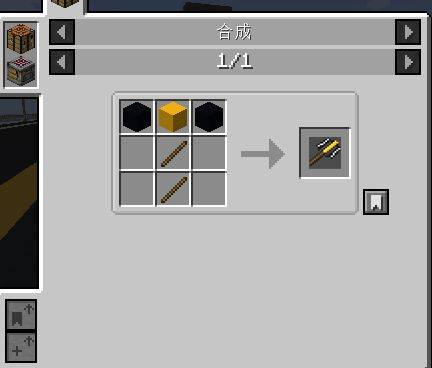
Crafting: Can be crafted using basic materials.
Purpose: A portable construction tool for rapid deployment of roads and bridges.

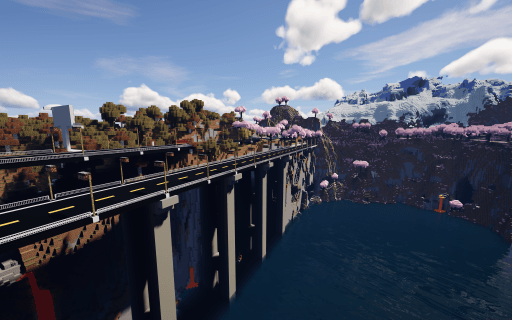
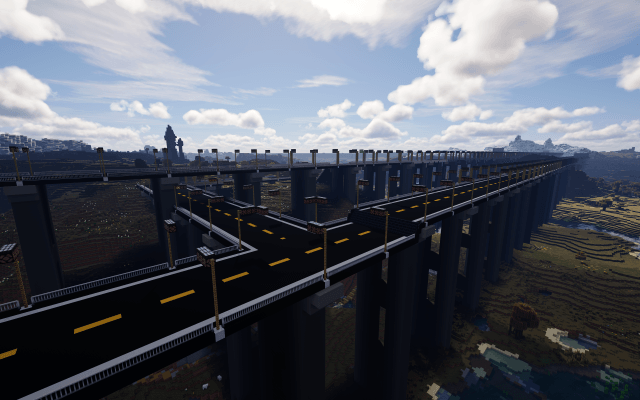
2. Controls & Basic Usage
Right-Click: Instantly builds a road section including lamps, railings, and piers based on your settings.
Shift + Right-Click: Opens the Configuration GUI to customize your build parameters.
Specifications: * Width: Fixed at 19 blocks.
Length: Customizable from 1 to 100 blocks.
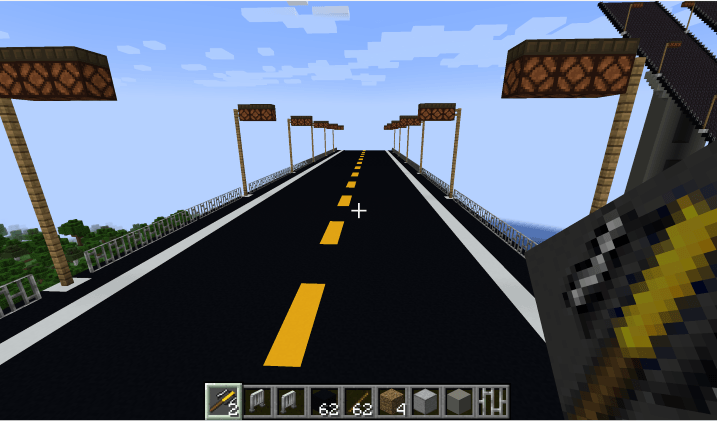
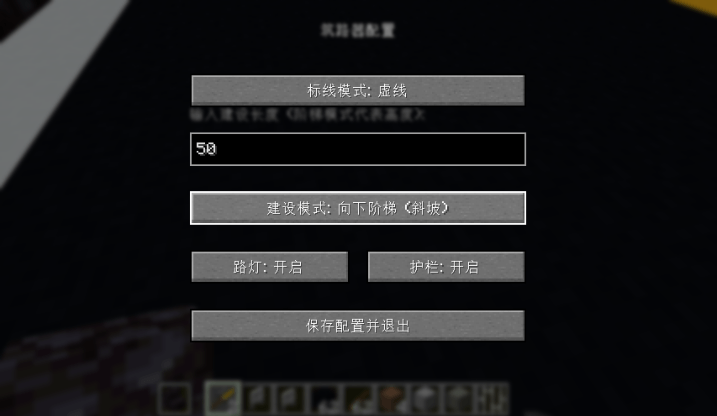
3. Key Features & Customization
Road Markings: Choose between Solid or Dashed center lines.
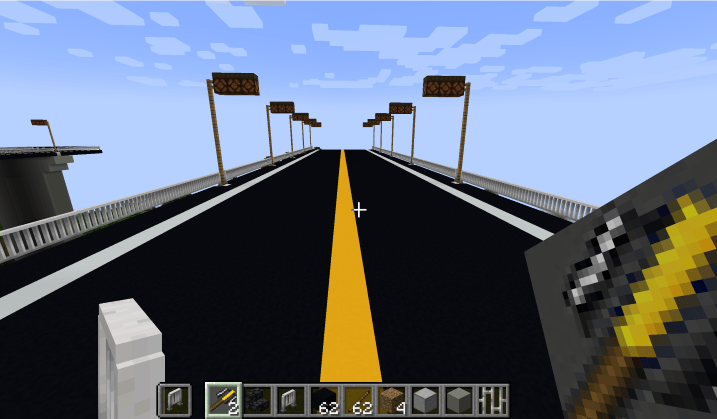
Construction Modes: Supports Normal Road, Upward Stairs, and Downward Stairs.
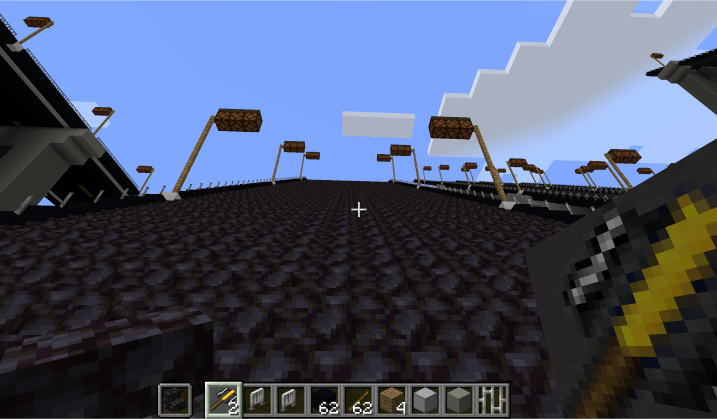
Dynamic Materials:
Stairs: The material is determined by the item held in your off-hand (Defaults to Blackstone Stairs).
Railings: Also determined by the item in your off-hand.
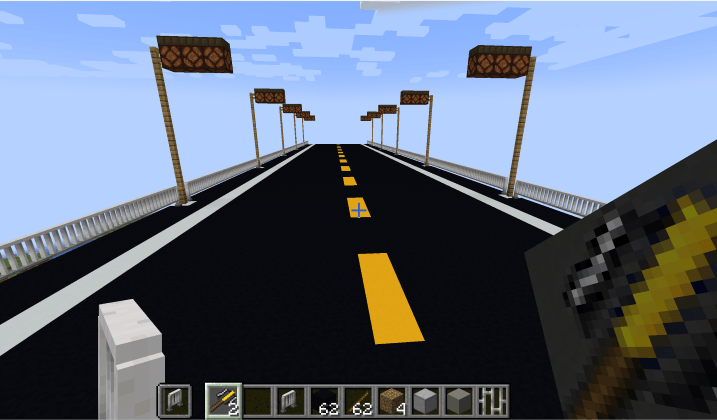
Automated Infrastructure:
Toggleable Streetlights and Railings.
Streetlight Spacing: Automatically placed every 16 blocks.
Bridge Piers: Automatically placed every 30 blocks.
4. Important Notes
Experimental Feature: The "Stairs" mode is currently experimental. Please use it with caution as the generation logic may behave unexpectedly on complex terrain.
Survival Balance: While a crafting recipe exists, the resource cost is still being balanced for survival gameplay. Therefore, crafting is not recommended for serious survival playthroughs at this time.
Project description from CurseForge.
Pick your setup
AutoRoadBuild by Minecraft version and loader
Choose the version and loader you play, then open the matching release.
Minecraft version
1.20.1
2 loader buildsCheck the dependencies, then try the file in a copied instance before changing a world you care about.
Recent files
AutoRoadBuild versions and loaders
autoroadbuild-1.0.0-release.jar
1 Apr 2026
Client Source doesn’t say Server Source doesn’t say Dependencies No extras listed Listed on Release listing
Check the 1.20.1 · Forge setup 1.20.1ForgeNeoForge release
autoroadbuild-1.0.0-release.jar
25 Mar 2026
Client Source doesn’t say Server Source doesn’t say Dependencies No extras listed Listed on Release listing
Check the 1.21.1 · NeoForge setup 1.21.1NeoForge release
autoroadbuild-0.7.2.jar
24 Mar 2026
Client Source doesn’t say Server Source doesn’t say Dependencies No extras listed Listed on Release listing
Check the 1.20.1 · Forge setup 1.20.1ForgeNeoForge release
Looking for an older file? The official CurseForge project page is in Resources.
 mod
mod CurseForge · Minecraft
Epic Fight - Auto Combat
This Minecraft mod automatically switches on Epic Fight combat mode for weapons and back to vanilla mode for tools and other items..
 mod
mod CurseForge · Minecraft
Ouvinte.jar
A horror mod that adds the Listener, a creature that stalks and hunts you, along with strange events and a nightmarish dimension to explore.
 mod
mod CurseForge · Minecraft
Fast Recipe Search
Significantly speed up recipe search.