AzureLib Needed by Luxury Decor 2.3.0
requiredMatching file found Matched file: azurelib-neo-1.21.1-3.1.18.jar
CurseForge · Minecraft mod
Decorations to give your builds a luxurious feel.
Quick answer
Luxury Decor 2.3.0 targets 1.21.1 with NeoForge. The project page does not say whether this file belongs on the client, dedicated server, or both. All 2 required mods have matching files.
Where it goes
The project page does not say whether this file belongs on the client, dedicated server, or both.
The source does not explicitly classify this release as client-only or server-only.
Luxury Decor 2.3.0. Change the file and its required mods may change too.
Install AzureLib, Fusion (Connected Textures) first. We found matching files for this game-version and loader setup.
We only count dependency files that match this setup. A file for another loader does not fill the gap.
Before you install it
Built for Luxury Decor 2.3.0. Pick another file and the loader, install side or required mods may change.
Use Luxury Decor 2.3.0. It targets 1.21.1 with NeoForge; another release may have different loader, side or dependency requirements.
Install AzureLib, Fusion (Connected Textures) first. We found matching files for this game-version and loader setup.
The project page does not say whether this file belongs on the client, dedicated server, or both.
Use the “Get this file” button beside Luxury Decor 2.3.0. It opens that exact file at the source.
About this project

This mod aims to add Luxury Decor
This is a mod that aims to add blocks for making and decorating your very own luxury builds.
Connected textures are available for all glass variants
Currently this mod is in an early stage of development, we plan on releasing more content regularly and finishing this mod by the end of summer 2027.
List of current features:
-Golden, Silver and Bronze blocks
-Golden, Silver and Bronze trims
-Golden, Silver and Bronze moquettes
-Luxury glass with connected textures
-Animated sliding doors
-Bar Stools
-Privacy glass that can be turned opaque with a click or redstone signal
-3 new wood types
-Light pillar blocks for the mod's wood types
-Arches, Panels, Ledges, Steps and Vertical Slabs for most vanilla stone types
-Vanilla Wood Stair recipes have been edited to give the correct number of blocks
List of planned features:
-Couches
-Gramophone that can play music discs
-More options for metal blocks
-Chairs
-Tables and table cloths
-Functional Plates
-Cocktails
-Wooden arches and vertical slabs
-More wood types
-Columns for other stone types
Main coder and designer: Theelementicfury
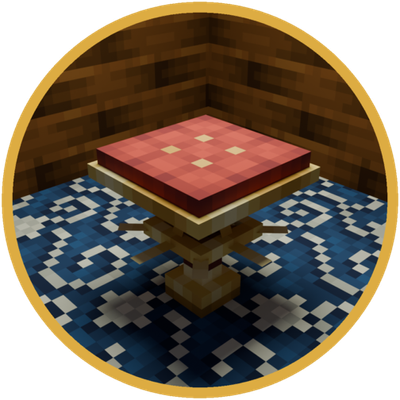
Mod image was made in blender by Jajkoczlowiek
Main designer and playtester: OmegaX3000
For bug reports and suggestions make sure to join our discord: https://discord.gg/H2kcrsrcE7
Project description from CurseForge.
Pick your setup
Choose the version and loader you play, then open the matching release.
Check the dependencies, then try the file in a copied instance before changing a world you care about.
Recent files
luxury_decor-2.3.0.jar
12 Sept 2026
luxury_decor-2.2.6.jar
27 Aug 2026
luxury_decor-2.2.5.jar
27 Aug 2026
luxury_decor-2.2.4.jar
27 Aug 2026
luxury_decor-2.2.3.jar
12 Aug 2026
luxury_decor-2.2.2.jar
12 Aug 2026
luxury_decor-2.2.1.jar
12 Aug 2026
luxury_decor-2.2.0.jar
3 Aug 2026
luxury_decor-2.1.1.jar
3 Aug 2026
luxury_decor-2.1.0.jar
3 Aug 2026
luxury_decor-2.0.1.jar
3 Aug 2026
luxury_decor-2.0.jar
3 Aug 2026
Looking for an older file? The official CurseForge project page is in Resources.