Back to mods
Seigniorage project artwork

CurseForge · Minecraft mod

Seigniorage

Create your own coins and bills to build player-driven economies.

Choose a version Pick your version below, then grab the matching file.

Quick answer

Which Seigniorage release should I use?

Updated 7 months ago
Latest stable file seigniorage-1.2.1.jar
Game version 1.21.1
Loader NeoForge

seigniorage-1.2.1.jar targets 1.21.1 with NeoForge. The project page does not say whether this file belongs on the client, dedicated server, or both. All 1 required mods have matching files.

Where it goes

Is Seigniorage required on the client, server, or both?

The project page does not say whether this file belongs on the client, dedicated server, or both.

Client Source doesn’t say
Dedicated server Source doesn’t say
Loader for this release NeoForge
Required install it here Optional supported, not mandatory Not supported do not install here Source doesn’t say do not assume

The source does not explicitly classify this release as client-only or server-only.

What else does seigniorage-1.2.1.jar need?

seigniorage-1.2.1.jar. Change the file and its required mods may change too.

All 1 required mods have matching files

Install GeckoLib first. We found matching files for this game-version and loader setup.

GeckoLib Needed by seigniorage-1.2.1.jar
required
Matching file found Matched file: NeoForge 1.21.1 4.9.4

We only count dependency files that match this setup. A file for another loader does not fill the gap.

Before you install it

Add Seigniorage without breaking your instance.

Built for seigniorage-1.2.1.jar. Pick another file and the loader, install side or required mods may change.

  1. 01

    Stick to this file

    Use seigniorage-1.2.1.jar. It targets 1.21.1 with NeoForge; another release may have different loader, side or dependency requirements.

  2. 02

    Bring the mods it needs

    Install GeckoLib first. We found matching files for this game-version and loader setup.

  3. 03

    Put it on the correct side

    The project page does not say whether this file belongs on the client, dedicated server, or both.

  4. 04

    Pick the file you checked

    Use the “Get this file” button beside seigniorage-1.2.1.jar. It opens that exact file at the source.

About this project

What does Seigniorage add?

Create your own currencies, design denominations, mint coins and print bills, then use them in player-driven trade systems.

Summary

Seigniorage gives servers the tools for all players to run custom economies built on player determined value.
Features

  • Create custom currencies with unique name, 3-letter code, unit name, and 4x4 symbol.
  • Design denomination sets as coins and bills with customizable appearance.
  • Create issuance orders from the Currency Desk and process them into real money items.
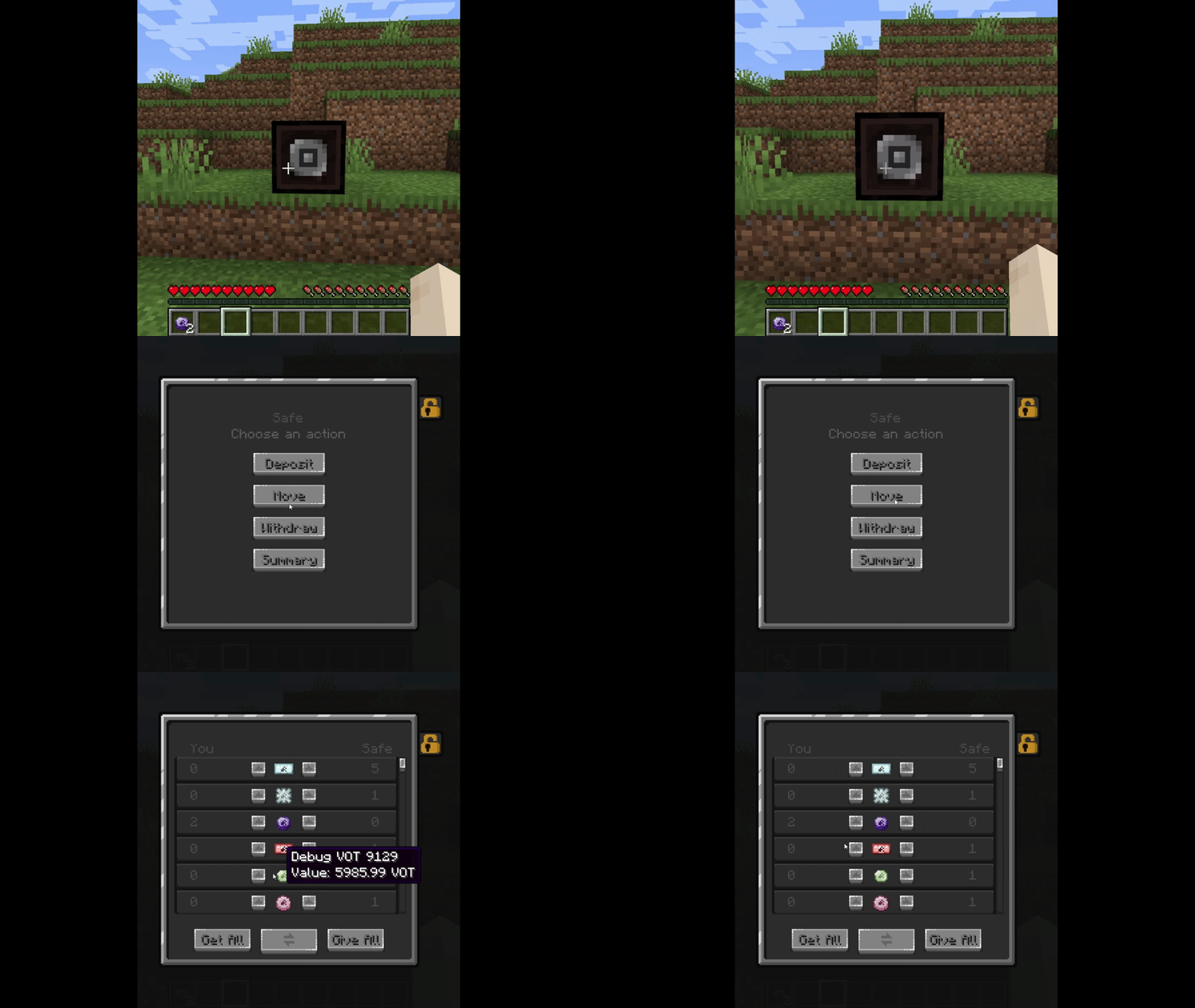
  • Use Wallets, Safes, and Netherite Safes to store and transport physical money.
  • Handle player transactions through Voucher + Cash Register payment flows.
  • Track economy data such as total issued and decommissioned value.
Opening a Netherite Safe

How To Create A Currency

  1. Place and open a Currency Desk.
  2. Create a new currency by filling:
    • Name
    • Code (3 letters, e.g. USD)
    • Unit name
    • 4x4 symbol

How To Create Coins And Bills

  1. In Currency Desk → Denominations, click Create Denomination
  2. Fill name, value and personalize the palette, then click Create
  3. Go to Currency Desk → Denominations and click Create Issuance Orders.
  4. Fill denomination(s) amount and number of copies.
  5. Make sure you have enough materials for each copy.
  6. Process orders in a Coin Minter for coins and Bill Printer for bills,
  7. Collect your issued money and circulate it in trade.

How To Use Voucher Payments (Cash Register)

  1. Create a Voucher Book and right-click to open the voucher writer.
  2. Fill at least Amount and Currency Code, then confirm to create a Voucher.
  3. Be sure to lock your Cash Register (merchant side).
  4. Hold an unpaid voucher you issued and right-click the locked register to set payment mode.
  5. The customer validates payment options (exact/lower/upper).
  6. If exact exists: customer pays directly. Otherwise: customer offers lower/upper and merchant accepts.
  7. On execution, money moves from customer to register (with change when required), and the voucher is marked as paid.

Why Use Seigniorage?

If you want official server currencies, faction currencies, roleplay economies, and player-created currencies, Seigniorage is the mod for you.

Planned Content

  • More utility commands for servers (e.g. give players issued coins/bills)
  • Player-managed banks
  • Bank accounts
  • Digital balances
  • Credit lines
  • Credit and debit cards
  • ATMs
  • POS machines

Acknowledgements

Special thanks to glionox on itch.io for public assets used and adapted in parts of this mod.


any feedback in the comments is welcome.

Project description from CurseForge.

Pick your setup

Seigniorage by Minecraft version and loader

Choose the version and loader you play, then open the matching release.

1 available setups

Check the dependencies, then try the file in a copied instance before changing a world you care about.

Recent files

Seigniorage versions and loaders

4 of 4 releases match

Looking for an older file? The official CurseForge project page is in Resources.