Minecraft version
Back to mods 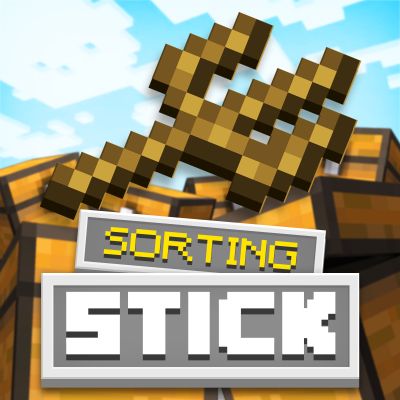
CurseForge · Minecraft mod
Sorting Stick
Adds the Sorting Stick, a single use item that sorts all inventories in a radius (configurable)
Choose a version Pick your version below, then grab the matching file.
Quick answer
Which Sorting Stick release matches 1.21.1 NeoForge?
Best match for your filters sortingstick-neoforge-0.0.8.jar
Game version 1.21.1
Loader NeoForge
Sorting Stick sortingstick-neoforge-0.0.8.jar targets 1.21.1 with NeoForge. The project page does not say whether this file belongs on the client, dedicated server, or both. No extra mods listed for this file.
Where it goes
Is Sorting Stick required on the client, server, or both?
The project page does not say whether this file belongs on the client, dedicated server, or both.
Client Source doesn’t say
Dedicated server Source doesn’t say
Loader for this release NeoForge
Required install it here Optional supported, not mandatory Not supported do not install here Source doesn’t say do not assume
The source does not explicitly classify this release as client-only or server-only.
What else does Sorting Stick sortingstick-neoforge-0.0.8.jar need?
sortingstick-neoforge-0.0.8.jar on 1.21.1 NeoForge. Every mod below is checked against that same setup.
This file does not list any required mods. Do not add a library just because a different file uses it.
This file does not list any required or optional mods.
Before you install it
Add Sorting Stick without breaking your instance.
Built for Sorting Stick sortingstick-neoforge-0.0.8.jar on 1.21.1 NeoForge. Pick another file and the loader, install side or required mods may change.
- 01
Stick to this file
Use sortingstick-neoforge-0.0.8.jar. It targets 1.21.1 with NeoForge; another release may have different loader, side or dependency requirements.
- 02
Bring the mods it needs
This file does not list any required mods. Do not add a library just because a different file uses it.
- 03
Put it on the correct side
The project page does not say whether this file belongs on the client, dedicated server, or both.
- 04
Pick the file you checked
Use the “Get this file” button beside sortingstick-neoforge-0.0.8.jar. It opens that exact file at the source.
About this project
What does Sorting Stick add?
Have you ever had this thing where you start a new fresh Minecraft world then then you gather items and you put them in chests and all is good and you collect more items and you put them in chests as well and then you wanna find those items from those chests and you're like... "Not this chest, not this chest, not this chest"... This mod aims to sorta help with that.
Uhh what?
The Sorting Stick is an item that organizes all your chests in a radius, it will try to merge and move stacks toward whichever chest already holds the most of that item type. Keeping your storage grouped and tidy.
But How?
- Craft a Sorting Stick (I've made the recipe extremely easy, as it's meant to be a single use early game item)
- Go next to your messy inventory
- Right-Click the air with a Sorting Stick
Everything that has an inventory?
Great question thanks for asking, there is a tag based system that modpack makers can use to control which blocks get sorted. By default it runs in blacklist mode - just add a block to the blacklist.json file and it will be ignored. If you'd rather only allow specific blocks, switch to whitelist mode in the config and add your blocks to whitelist.json instead.
Project Logo by: RunicTitan
Project description from CurseForge.
Pick your setup
Sorting Stick by Minecraft version and loader
Choose the version and loader you play, then open the matching release.
Check the dependencies, then try the file in a copied instance before changing a world you care about.
Recent files
Sorting Stick versions and loaders
sortingstick-neoforge-0.0.8.jar
6 May 2026
Client Source doesn’t say Server Source doesn’t say Dependencies No extras listed Listed on Release listing
Check the 1.21.1 · NeoForge setup 1.21.1NeoForge release
sortingstick-neoforge-0.0.7.jar
28 Apr 2026
Client Source doesn’t say Server Source doesn’t say Dependencies No extras listed Listed on Release listing
Check the 1.21.1 · NeoForge setup 1.21.1NeoForge release
sortingstick-neoforge-0.0.6.jar
5 Apr 2026
Client Source doesn’t say Server Source doesn’t say Dependencies No extras listed Listed on Release listing
Check the 1.21.1 · NeoForge setup 1.21.1NeoForge release
sortingstick-neoforge-0.0.5.jar
4 Apr 2026
Client Source doesn’t say Server Source doesn’t say Dependencies No extras listed Listed on Release listing
Check the 1.21.1 · NeoForge setup 1.21.1NeoForge release
sortingstick-neoforge-0.0.4.jar
3 Apr 2026
Client Source doesn’t say Server Source doesn’t say Dependencies No extras listed Listed on Release listing
Check the 1.21.1 · NeoForge setup 1.21.1NeoForge release
sortingstick-neoforge-0.0.3.jar
2 Apr 2026
Client Source doesn’t say Server Source doesn’t say Dependencies No extras listed Listed on Release listing
Check the 1.21.1 · NeoForge setup 1.21.1NeoForge release
sortingstick-neoforge-0.0.2.jar
2 Apr 2026
Client Source doesn’t say Server Source doesn’t say Dependencies No extras listed Listed on Release listing
Check the 1.21.1 · NeoForge setup 1.21.1NeoForge release
sortingstick-neoforge-0.0.1.jar
1 Apr 2026
Client Source doesn’t say Server Source doesn’t say Dependencies No extras listed Listed on Release listing
Check the 1.21.1 · NeoForge setup 1.21.1NeoForge release
Looking for an older file? The official CurseForge project page is in Resources.
 mod
CurseForge + Modrinth · Minecraft
Retouch Brush
A Minecraft mod that lets you cycle through paintings using the brush!
 mod
CurseForge · Minecraft
Chalk Unofficial Fork
Chalk allows you to draw marks for easier navigation in caves or structures, or as decoration
 mod
CurseForge · Minecraft
Dinnerware
Immersive dinnerware mod: place, display and eat!