Minecraft version
Back to mods 
CurseForge · Minecraft mod
Factions Rise
Mod that brings factions, and a simple currency system to Minecraft.
Choose a version Pick your version below, then grab the matching file.
Quick answer
Which Factions Rise release should I use?
Latest stable file odyssey_factions_rise-1.0.3-neoforge-1.21.1.jar
Game version 1.21.1
Loader NeoForge
Factions Rise odyssey_factions_rise-1.0.3-neoforge-1.21.1.jar targets 1.21.1 with NeoForge. The project page does not say whether this file belongs on the client, dedicated server, or both. No extra mods listed for this file.
Where it goes
Is Factions Rise required on the client, server, or both?
The project page does not say whether this file belongs on the client, dedicated server, or both.
Client Source doesn’t say
Dedicated server Source doesn’t say
Loader for this release NeoForge
Required install it here Optional supported, not mandatory Not supported do not install here Source doesn’t say do not assume
The source does not explicitly classify this release as client-only or server-only.
What else does Factions Rise odyssey_factions_rise-1.0.3-neoforge-1.21.1.jar need?
odyssey_factions_rise-1.0.3-neoforge-1.21.1.jar. Change the file and its required mods may change too.
This file does not list any required mods. Do not add a library just because a different file uses it.
This file does not list any required or optional mods.
Before you install it
Add Factions Rise without breaking your instance.
Built for Factions Rise odyssey_factions_rise-1.0.3-neoforge-1.21.1.jar. Pick another file and the loader, install side or required mods may change.
- 01
Stick to this file
Use odyssey_factions_rise-1.0.3-neoforge-1.21.1.jar. It targets 1.21.1 with NeoForge; another release may have different loader, side or dependency requirements.
- 02
Bring the mods it needs
This file does not list any required mods. Do not add a library just because a different file uses it.
- 03
Put it on the correct side
The project page does not say whether this file belongs on the client, dedicated server, or both.
- 04
Pick the file you checked
Use the “Get this file” button beside odyssey_factions_rise-1.0.3-neoforge-1.21.1.jar. It opens that exact file at the source.
About this project
What does Factions Rise add?
W elcome to O dyssey: Factions rise

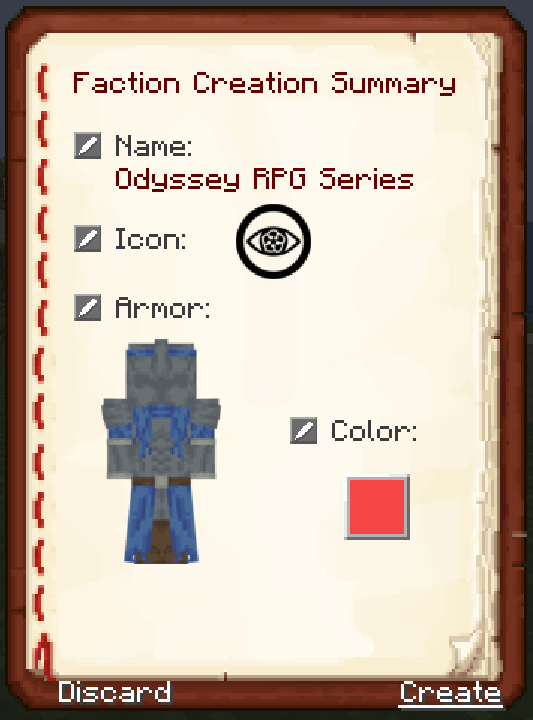
This mod bring factions and a simple Diamond based system to Minecraft. The moment you log in you will see a book on your screen, in the bottom right corner. This is the start of your journey. From this screen you will have the ability to either join an excisting faction or to create your own. Start out choosing a name for your faction. Next move into picking a image to represent your faction. Choose from over 60 different option. Next you can choose from 10 different armor styles and 10 different colors, for a total of 100 options of a custom armor, only YOUR faction can have. Finalize your faction and start building your empire!!
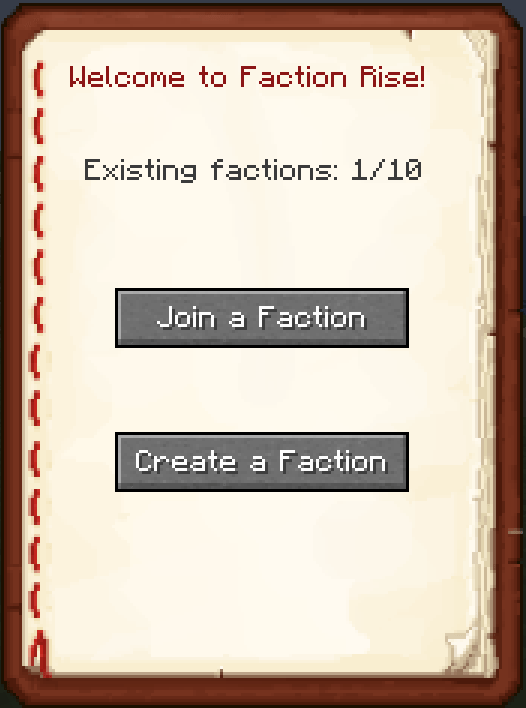
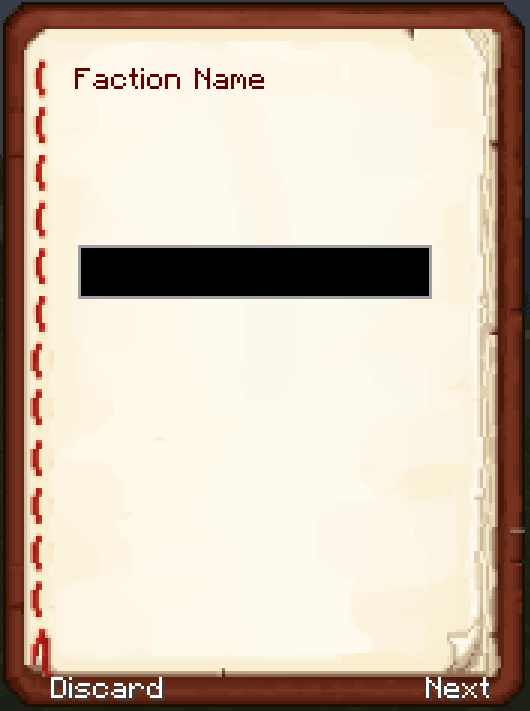
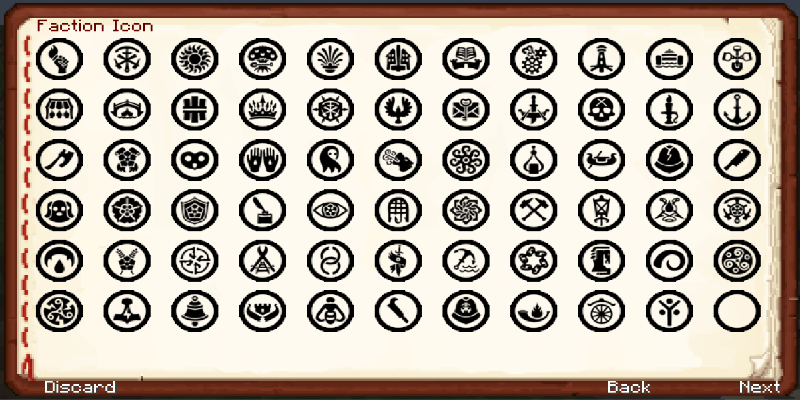
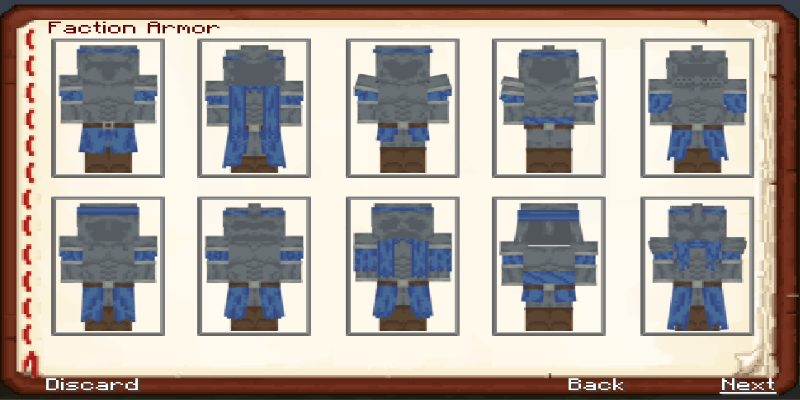
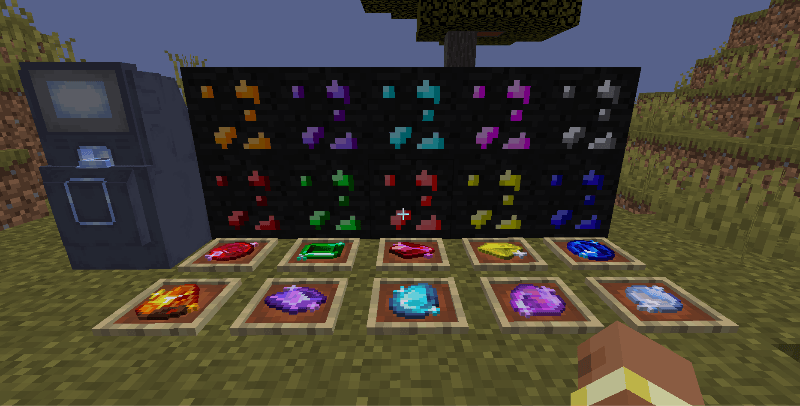
New updated blocks, and ores.
The factions comes with a host of other features and commands:
/faction join --> opens the joinable factions list
/faction leave --> opens the confirming gui to leave the faction
/faction delete --> opens the confirming gui to delete the faction
/faction create --> opens the gui to create a new faction
/faction set [player] Chief --> the chief can select a player to become the new chief, the old chief becomes an officer if the faction has no officer otherwise he becomes a member
/faction set [player] Officer --> the chief can select a player to become the new Officer, il there already was an officer, the old officer becomes a member
/faction set [player] Member --> turns an Officer in a Member
/faction kick [player] true --> kicks a player from the faction and bans them
/faction kick [player] false --> kicks a player from the faction but doesn't ban them
/faction unban [player] --> unbans banned player
/faction revolt --> when the chief is offline for too much, the members can start a revolt. This activate the "vote mode" needs 50% + 1 players of that faction to be online
/faction vote [player] --> during revolt, votes the player to become the new chief. An overlay will display how many voted and will ask the players in the faction to vote. Once all the online players vote, the new chief is elected. If two players get the same vote, the player with the most xp wins (if they both have the same amount, the mod decides randomly)
/faction attribute set [name of attribute (e.g. generic.max_health)] --> the chief can set the faction's attribute
/faction attribute delete --> the chief can delete the faction's attribute effect
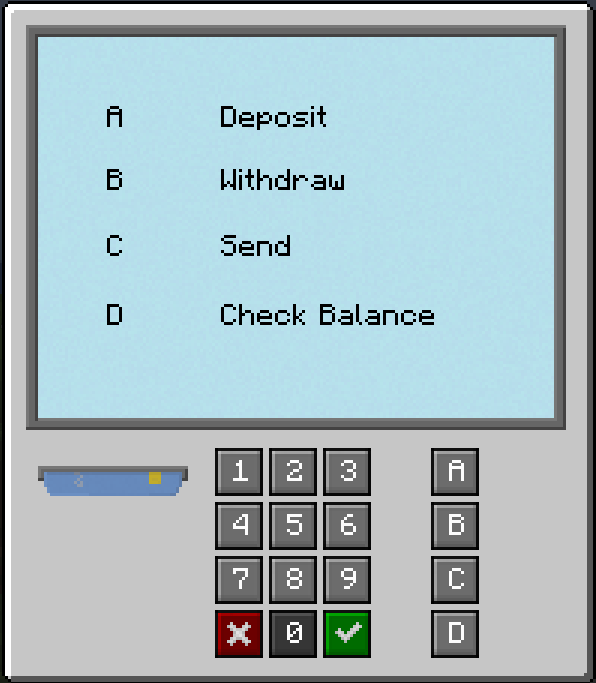
Next, we have the currency side of the mod. The currency is a Diamond based system, although the vanilla diamonds play no part in this. This mod adds 10 new Diamond ores to the game. Each of them range from a value of 1-10. As the value of the diamond incrases the rarity of the ore it is. Each player will be able to set prices for item and send, recieve, withdrawl and deposit.
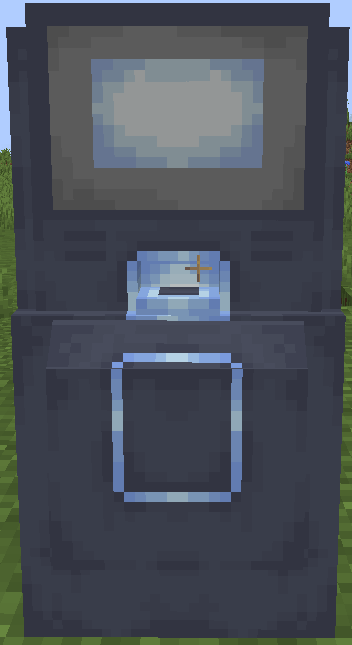
To do those you will need one of the two new blocks, The Atm and the Portable card Reader.
Big Shoutout to GiMer03 for putting in so much leg work and time to help me get this mod off the ground.
Also big shout out to KiwiBon for creating the armors. Without those this would not have been possible.
Any issues please report them to https://discord.gg/fJsA88Ksw4 in the appopriate channel.
Project description from CurseForge.
Pick your setup
Factions Rise by Minecraft version and loader
Choose the version and loader you play, then open the matching release.
Check the dependencies, then try the file in a copied instance before changing a world you care about.
Recent files
Factions Rise versions and loaders
odyssey_factions_rise-1.0.3-neoforge-1.21.1.jar
5 Aug 2026
Client Source doesn’t say Server Source doesn’t say Dependencies No extras listed Listed on Release listing
Check the 1.21.1 · NeoForge setup 1.21.1NeoForge release
odyssey_factions_rise-1.0.2-neoforge-1.21.1.jar
1 May 2026
Client Source doesn’t say Server Source doesn’t say Dependencies No extras listed Listed on Release listing
Check the 1.21.1 · NeoForge setup 1.21.1NeoForge release
odyssey_factions_rise-1.0.1-neoforge-1.21.1.jar
18 Apr 2026
Client Source doesn’t say Server Source doesn’t say Dependencies No extras listed Listed on Release listing
Check the 1.21.1 · NeoForge setup 1.21.1NeoForge release
Looking for an older file? The official CurseForge project page is in Resources.