ExploLib Needed by Explosive Utils explosive_utils-7.0.0-fabric-26.1.2.jar
requiredMatching file found Matched file: explolib-1.0-fabric-26.1.2.jar

CurseForge · Minecraft mod
A fantastic mod featuring explosive elements for Minecraft.
Quick answer
Explosive Utils explosive_utils-7.0.0-fabric-26.1.2.jar targets 26.1.2 with Fabric. The project page does not say whether this file belongs on the client, dedicated server, or both. All 2 required mods have matching files.
Where it goes
The project page does not say whether this file belongs on the client, dedicated server, or both.
The source does not explicitly classify this release as client-only or server-only.
explosive_utils-7.0.0-fabric-26.1.2.jar on 26.1.2. Every mod below is checked against that same setup.
Install ExploLib, T0PK4_lib first. We found matching files for this game-version and loader setup.
We only count dependency files that match this setup. A file for another loader does not fill the gap.
Before you install it
Built for Explosive Utils explosive_utils-7.0.0-fabric-26.1.2.jar on 26.1.2. Pick another file and the loader, install side or required mods may change.
Use explosive_utils-7.0.0-fabric-26.1.2.jar. It targets 26.1.2 with Fabric; another release may have different loader, side or dependency requirements.
Install ExploLib, T0PK4_lib first. We found matching files for this game-version and loader setup.
The project page does not say whether this file belongs on the client, dedicated server, or both.
Use the “Get this file” button beside explosive_utils-7.0.0-fabric-26.1.2.jar. It opens that exact file at the source.
About this project
Why 1.17.1 is not supported in v7 - Read log
C:\Users\modde\MCreatorWorkspaces\explosive_utils\src\main\java\mod\explosiveutils\net\init\ExplosiveUtilsModBiomes.java:20: error: cannot find symbol public static final RegistryObject<Biome> MELTEDDELTA = REGISTRY.register("melteddelta", MelteddeltaBiome::createBiome);
^
symbol: variable MelteddeltaBiome
location: class ExplosiveUtilsModBiomes
C:\Users\modde\MCreatorWorkspaces\explosive_utils\src\main\java\mod\explosiveutils\net\init\ExplosiveUtilsModBiomes.java:24: error: cannot find symbol MelteddeltaBiome.init();
^
symbol: variable MelteddeltaBiome
location: class ExplosiveUtilsModBiomes
2 errors
Note: Do not use iris/sodium with this mod because they take a strict approach to features that lag the game, potentially causing crashes within the first few minutes. If you need a graphics control mod, use Embeddium.
Join WhatsApp Community: Click
Join Reddit Community: Click
Project description from CurseForge.
Pick your setup
Choose the version and loader you play, then open the matching release.
Check the dependencies, then try the file in a copied instance before changing a world you care about.
Recent files
30 Aug 2026
30 Aug 2026
Looking for an older file? The official CurseForge project page is in Resources.
 mod
modThis mod is a remake of Old Mod TofuCraft made by tsuteto. add soybean As a new all-purpose food!
 mod
modBrowser-based web panel for full server and player management. Modular features: Land claims, RPG skills & abilities, chat filter, anti-grief, custom dimension, edit mods and do backups. Optional integrations: Votifier, Discord, BlueMap, Simple Voice Chat.
 mod
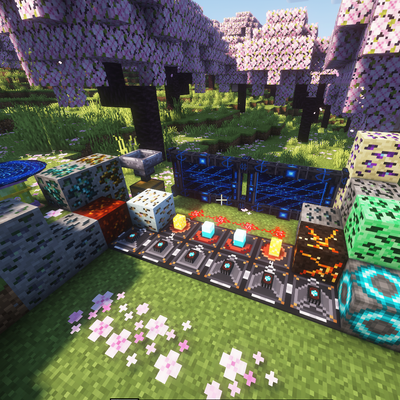
modAdds cool items like wireless redstone, logic gates, magic staffs, tools and more.. beyond normal ores mod with just armours and weapons.