Minecraft version
Back to mods 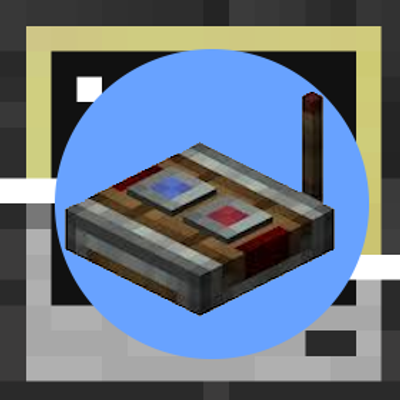
CurseForge · Minecraft mod
CC: Redstone Link Bridge
This mod creates a bridge between Create Redstone Links and CC:Tweaked computers.
Choose a version Pick your version below, then grab the matching file.
Quick answer
Which CC: Redstone Link Bridge release should I use?
Latest stable file ccredstonelinkbridge-neoforge-1.1.0.jar
Game version 1.21.1
Loader NeoForge
CC: Redstone Link Bridge ccredstonelinkbridge-neoforge-1.1.0.jar targets 1.21.1 with NeoForge. The project page does not say whether this file belongs on the client, dedicated server, or both. No extra mods listed for this file.
Where it goes
Is CC: Redstone Link Bridge required on the client, server, or both?
The project page does not say whether this file belongs on the client, dedicated server, or both.
Client Source doesn’t say
Dedicated server Source doesn’t say
Loader for this release NeoForge
Required install it here Optional supported, not mandatory Not supported do not install here Source doesn’t say do not assume
The source does not explicitly classify this release as client-only or server-only.
What else does CC: Redstone Link Bridge ccredstonelinkbridge-neoforge-1.1.0.jar need?
ccredstonelinkbridge-neoforge-1.1.0.jar. Change the file and its required mods may change too.
This file does not list any required mods. Do not add a library just because a different file uses it.
This file does not list any required or optional mods.
Before you install it
Add CC: Redstone Link Bridge without breaking your instance.
Built for CC: Redstone Link Bridge ccredstonelinkbridge-neoforge-1.1.0.jar. Pick another file and the loader, install side or required mods may change.
- 01
Stick to this file
Use ccredstonelinkbridge-neoforge-1.1.0.jar. It targets 1.21.1 with NeoForge; another release may have different loader, side or dependency requirements.
- 02
Bring the mods it needs
This file does not list any required mods. Do not add a library just because a different file uses it.
- 03
Put it on the correct side
The project page does not say whether this file belongs on the client, dedicated server, or both.
- 04
Pick the file you checked
Use the “Get this file” button beside ccredstonelinkbridge-neoforge-1.1.0.jar. It opens that exact file at the source.
About this project
What does CC: Redstone Link Bridge add?
CC Redstone Link Bridge
NeoForge mod for Minecraft 1.21.1.
Note: This description always refers to the latest version of the mod only. Older versions may have fewer functions or behave differently.
This mod connects Create Redstone Link networks with CC:Tweaked computers. It adds a single block, the CC Redstone Link Bridge, which can be placed in the world and then used as a ComputerCraft peripheral.
This mod requires both Create and CC:Tweaked.
What the Mod Does
The bridge acts as a small adapter between two systems:
- Create provides the Redstone Link network.
- CC:Tweaked provides Lua control from computers.
With the bridge block in the world, a connected computer can:
- read the current signal strength of any Redstone Link frequency pair
- send a signal strength to any Redstone Link frequency pair
- list all frequency pairs the bridge is currently sending on
- stop all signals sent by the bridge at once
How It Works
The block itself is a Create-compatible linkable block entity. It stores one or more target frequency pairs as item IDs and can interact with the Create Redstone Link network.
When the peripheral is used from Lua:
getLinkSignal(freq1, freq2)looks up the current strength for that frequency pair.sendLinkSignal(freq1, freq2, strength)registers or updates that frequency pair on the bridge block and transmits the chosen strength.getActive()returns every frequency pair the bridge is currently transmitting on (strength greater than 0).clearAll()removes all frequency pairs from the bridge, so it stops transmitting completely.
Calling sendLinkSignal with different frequency pairs lets one bridge block keep multiple outputs active at the same time.
The frequency values are item IDs written as strings. For example, minecraft:iron_ingot and minecraft:oak_sapling form one valid pair.
Requirements
- Minecraft
1.21.1 - NeoForge
21.1.226or newer - Create
6.0.10or compatible for1.21.1 - CC:Tweaked
1.117.1or compatible - Java
21
Crafting Recipe

The recipe is a 3x3 shaped craft with Redstone Links in all four corners, a Wireless Modem in the center, and Cobblestone in the bottom-middle slot. The three remaining middle-edge slots (top-middle, middle-left, and middle-right) are filled with Create transmitters.
Lua API
Peripheral type:
redstone_link_bridge
Methods:
| Method | Returns | Description |
|---|---|---|
getLinkSignal(freq1, freq2) |
number |
Current signal strength (0-15) of the frequency pair. |
sendLinkSignal(freq1, freq2, strength) |
- | Transmits strength (clamped to 0-15) on the frequency pair. |
getActive() |
table |
List of all pairs the bridge is transmitting on with strength > 0. Each entry looks like { freq1 = "minecraft:diamond", freq2 = "minecraft:redstone", strength = 7 }. Pairs set to strength 0 are not included. Returns {} if nothing is being transmitted. |
clearAll() |
- | Removes all pairs from the bridge and stops all of its signals. Receivers that were only powered by this bridge drop to 0. Afterwards getActive() returns {}. |
Frequency Values
freq1 and freq2 must be item IDs as strings.
Examples:
"minecraft:iron_ingot""minecraft:oak_sapling""minecraft:redstone"
Use an empty string ("") for an empty frequency slot. This matches Create Redstone Links whose frequency slot has no item in it. It works for both getLinkSignal and sendLinkSignal, and it is kept when the world is saved and loaded again. For example, bridge.sendLinkSignal("", "", 15) powers fresh Redstone Links that have no frequency items set.
An item ID that does not exist (for example a typo like "minecraft:diamnod") raises a Lua error. It is not treated as an empty frequency.
Example
local bridge = peripheral.find("redstone_link_bridge")
assert(bridge, "No redstone_link_bridge found")

-- Read an existing frequency pair
local current = bridge.getLinkSignal("minecraft:diamond", "minecraft:redstone")
print("Current signal:", current)

-- Register or update one or more output channels on the same bridge block
bridge.sendLinkSignal("minecraft:diamond", "minecraft:redstone", 7)
bridge.sendLinkSignal("minecraft:iron_ingot", "minecraft:oak_sapling", 12)
bridge.sendLinkSignal("", "", 15) -- empty frequency slots

-- List everything the bridge is currently transmitting
for _, channel in ipairs(bridge.getActive()) do
    print(channel.freq1, channel.freq2, channel.strength)
end

-- Stop all signals from this bridge
bridge.clearAll()
Project description from CurseForge.
Pick your setup
CC: Redstone Link Bridge by Minecraft version and loader
Choose the version and loader you play, then open the matching release.
Minecraft version
1.20.1
1 loader buildCheck the dependencies, then try the file in a copied instance before changing a world you care about.
Recent files
CC: Redstone Link Bridge versions and loaders
ccredstonelinkbridge-neoforge-1.1.0.jar
12 Nov 2026
Client Source doesn’t say Server Source doesn’t say Dependencies No extras listed Listed on Release listing
Check the 1.21.1 · NeoForge setup 1.21.1NeoForge release
ccredstonelinkbridge-neoforge-1.0.3.jar
20 Apr 2026
Client Source doesn’t say Server Source doesn’t say Dependencies No extras listed Listed on Release listing
Check the 1.21.1 · NeoForge setup 1.21.1NeoForge release
ccredstonelinkbridge-neoforge-1.0.2.jar
18 Apr 2026
Client Source doesn’t say Server Source doesn’t say Dependencies No extras listed Listed on Release listing
Check the 1.21.1 · NeoForge setup 1.21.1NeoForge release
ccredstonelinkbridge-forge-1.0.2.jar
18 Apr 2026
Client Source doesn’t say Server Source doesn’t say Dependencies No extras listed Listed on Release listing
Check the 1.20.1 · Forge setup 1.20.1Forge release
ccredstonelinkbridge-FORGE-1.0.1.jar
6 Apr 2026
Client Source doesn’t say Server Source doesn’t say Dependencies No extras listed Listed on Release listing
Check the 1.20.1 · Forge setup 1.20.1Forge release
ccredstonelinkbridge-1.0.0.jar
6 Apr 2026
Client Source doesn’t say Server Source doesn’t say Dependencies No extras listed Listed on Release listing
Check the 1.20.1 · Forge setup 1.20.1Forge release
Looking for an older file? The official CurseForge project page is in Resources.
 mod
CurseForge + Modrinth · Minecraft
Anvil Enchantment Ordering Guide
This mod adds an in-game enchantment merge optimizer to the vanilla Anvil GUI.
 mod
CurseForge · Minecraft
Unium
A powerful performance mod that accelerates world loading and chunk generation
 mod
CurseForge · Minecraft
Forestry Oddities
A Forestry‘s Addon that add things which I wanted