







Minecraft version
Back to mods 
CurseForge · Minecraft mod
Arcadia Games
A server-side minigames mod featuring
Choose a version Pick your version below, then grab the matching file.
Quick answer
Which Arcadia Games release matches 26.1.2?
Best match for your filters Arcadia Games 1.4.0 (NeoForge 26.1.2)
Game version 26.1.2
Loader NeoForge
Arcadia Games 1.4.0 (NeoForge 26.1.2) targets 26.1.2 with NeoForge. The project page does not say whether this file belongs on the client, dedicated server, or both. No extra mods listed for this file.
Where it goes
Is Arcadia Games required on the client, server, or both?
The project page does not say whether this file belongs on the client, dedicated server, or both.
Client Source doesn’t say
Dedicated server Source doesn’t say
Loader for this release NeoForge
Required install it here Optional supported, not mandatory Not supported do not install here Source doesn’t say do not assume
The source does not explicitly classify this release as client-only or server-only.
What else does Arcadia Games 1.4.0 (NeoForge 26.1.2) need?
Arcadia Games 1.4.0 (NeoForge 26.1.2) on 26.1.2. Every mod below is checked against that same setup.
This file does not list any required mods. Do not add a library just because a different file uses it.
This file does not list any required or optional mods.
Before you install it
Add Arcadia Games without breaking your instance.
Built for Arcadia Games 1.4.0 (NeoForge 26.1.2) on 26.1.2. Pick another file and the loader, install side or required mods may change.
- 01
Stick to this file
Use Arcadia Games 1.4.0 (NeoForge 26.1.2). It targets 26.1.2 with NeoForge; another release may have different loader, side or dependency requirements.
- 02
Bring the mods it needs
This file does not list any required mods. Do not add a library just because a different file uses it.
- 03
Put it on the correct side
The project page does not say whether this file belongs on the client, dedicated server, or both.
- 04
Pick the file you checked
Use the “Get this file” button beside Arcadia Games 1.4.0 (NeoForge 26.1.2). It opens that exact file at the source.
About this project
What does Arcadia Games add?








Arcadia Games runs 42 competitive minigames on your Forge or NeoForge server or in your singleplayer worlds: announced in chat, joined in one click, scored on a leaderboard. On a server, players install nothing.
Click [JOIN], play, climb the leaderboard.
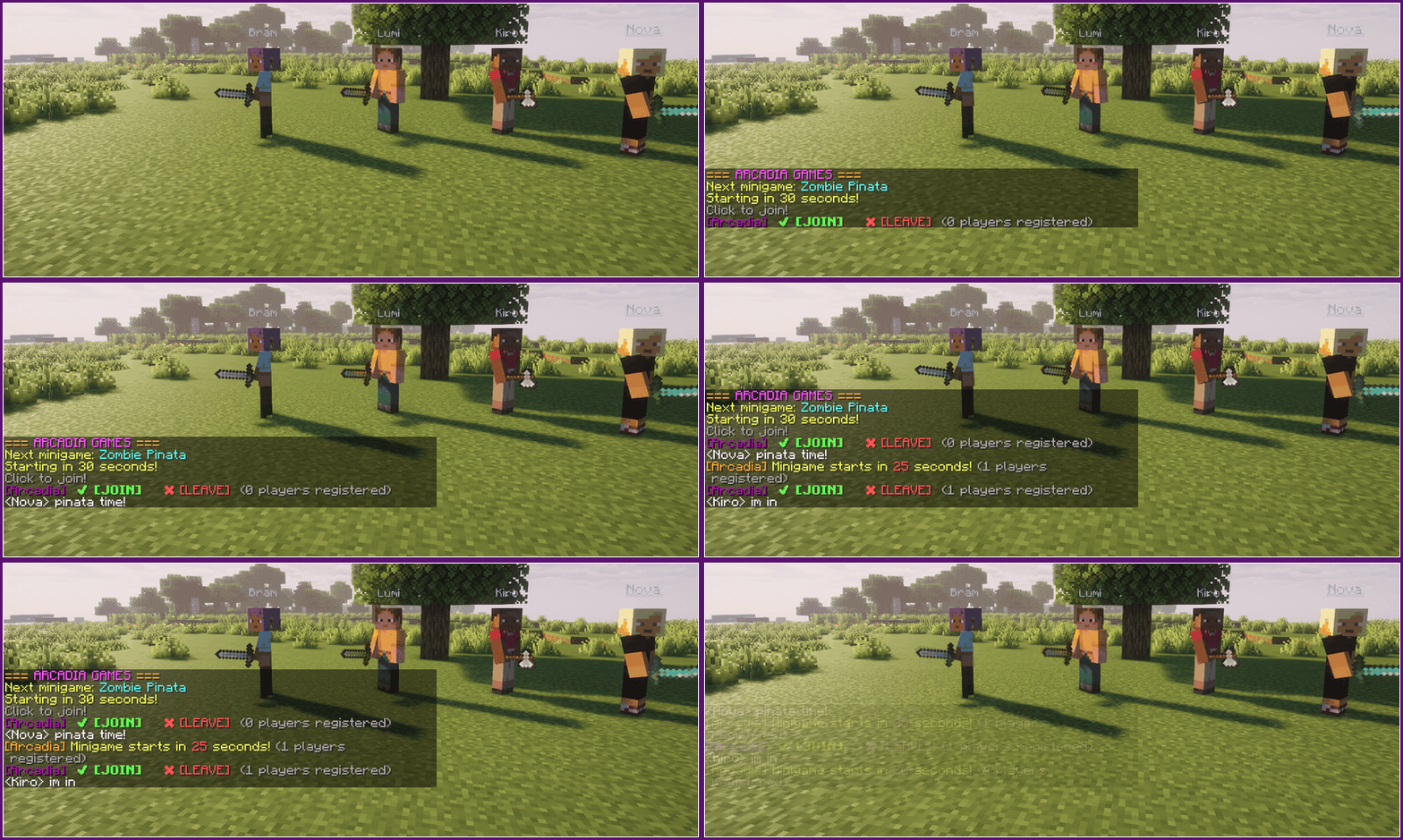
 Announced in chat: a random game every 4 hours, or one started by an admin.
 One-click join: [JOIN] and [LEAVE] buttons during a 30 second countdown.
 Podium and leaderboard: the top 3 earn 3, 2 and 1 points, kept with the world (
/arcadia_games top).
 Rewards: items, commands, XP or bonus points for each podium place, in
rewards.json.
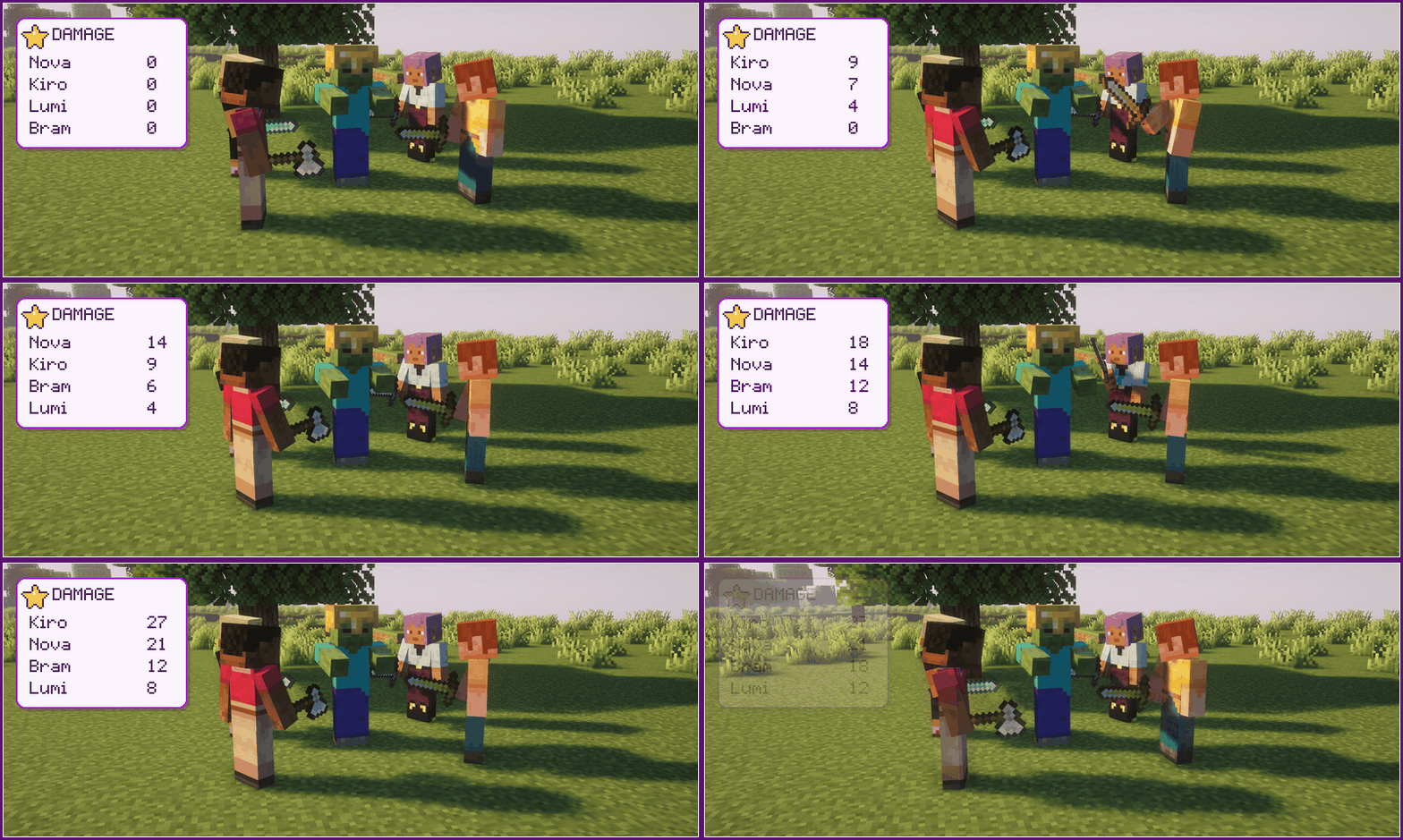
 Action: Zombie Pinata, snowball fight, infection, hot potato, king of the hill, PvP arena.
 Exploration: race to a position, biome hunt, treasure hunt, highest point, photo safari, hot and cold.
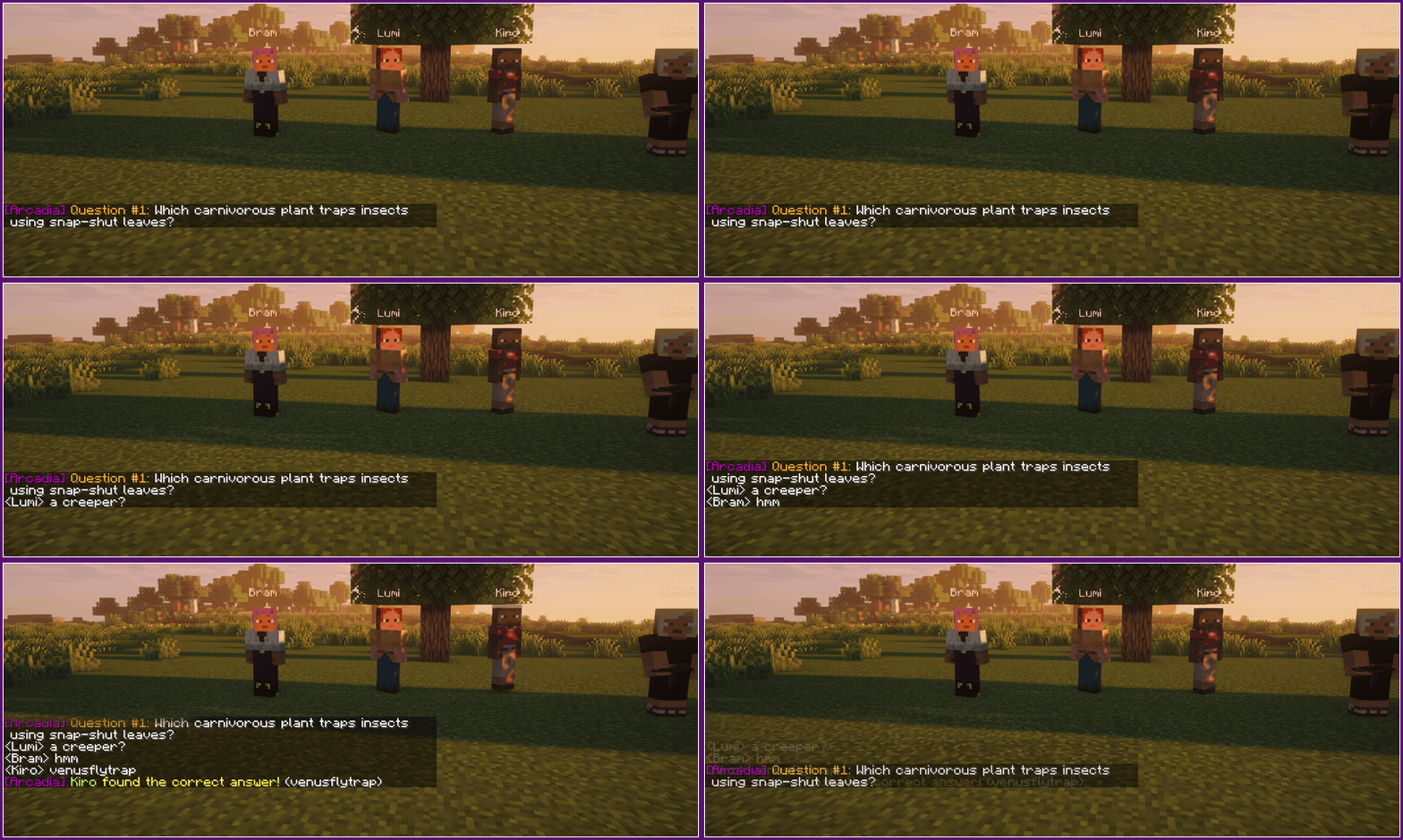
 In chat: a quiz of 410 sourced questions, true or false, mob sounds, memory, mental math, bingo.
 Survival skills: mining, lumberjack, farming, fishing, crafting race, block placing, swim marathon.
 Server, client or both: on a server, players join with an unmodified client; on a client, you play alone.
 Your rules: switch each game on or off in
config.json or by command, tune durations and points.
 Arenas: spawn points for arena games, positions restored afterwards, teleports blocked during play.
Quiet chat: game messages go to the players of the game; /arcadia_games optout silences the announcements.
Light on the server: no chunk generated for a game, saves off the main thread, an empty game stops.
1. Install Forge 47.1+ for Minecraft 1.20.1, NeoForge 21.1.172+ for 1.21.1 or NeoForge 26.1.2.73+ for 26.1.2 on the server, or on your client to play alone.
2. Put the jar of your version in the mods folder and start the server or the game once.
3. On a server the default language is French: switch with /arcadia_games admin lang en. Alone, the texts follow your game.
4. Try a game right away: /arcadia_games admin start random.
A bug or an idea? Ask on Discord.

Arcadia Games lance 42 mini-jeux compétitifs sur votre serveur Forge ou NeoForge ou dans vos mondes solo : annoncés dans le chat, rejoints en un clic, notés dans un classement. Sur un serveur, les joueurs n'installent rien.
Cliquez sur [JOIN], jouez, grimpez au classement.
Annoncé dans le chat : un jeu au hasard toutes les 4 heures, ou lancé par un admin.
Un clic pour jouer : boutons [JOIN] et [LEAVE] pendant 30 secondes.
Podium et classement : le top 3 gagne 3, 2 et 1 points, gardés avec le monde (/arcadia_games top).
Récompenses : objets, commandes, XP ou points bonus par place du podium, dans rewards.json.
Action : Zombie Piñata, boules de neige, infection, patate chaude, roi de la colline, arène PvP.
Exploration : course vers un point, chasse aux biomes, au trésor, point culminant, safari photo, chaud ou froid.
Dans le chat : quiz de 410 questions sourcées, vrai ou faux, cris de mobs, mémoire, calcul mental, bingo.
Survie : minage, bûcheron, agriculture, pêche, course au craft, pose de blocs, marathon de nage.
Serveur, client ou les deux : sur un serveur, rien à installer pour les joueurs ; sur un client, en solo.
Vos règles : activez chaque jeu dans config.json ou par commande, réglez durées, points et fréquence.
Arènes : points d'apparition des arènes, positions rendues ensuite, téléportations bloquées pendant le jeu.
Chat tranquille : les messages d'un jeu vont à ses joueurs ; /arcadia_games optout coupe les annonces.
Léger pour le serveur : aucun chunk généré pour un jeu, sauvegardes hors du fil principal, un jeu vide s'arrête.
1. Installez Forge 47.1+ pour Minecraft 1.20.1, NeoForge 21.1.172+ pour 1.21.1 ou NeoForge 26.1.2.73+ pour 26.1.2 sur le serveur, ou sur votre client pour jouer seul.
2. Placez le jar de votre version dans le dossier mods et démarrez le serveur ou le jeu une fois.
3. Sur un serveur, la langue par défaut est le français ; changez-la avec /arcadia_games admin lang en. En solo, les textes suivent votre jeu.
4. Testez tout de suite : /arcadia_games admin start random.
Un bug ou une idée ? Demandez sur Discord.
Official Hosting Partner / Hébergeur Partenaire Officiel
Host your Arcadia server with WabbaNode.
Hébergez votre serveur Arcadia chez WabbaNode.


Play Arcadia V2 / Jouez à Arcadia V2
The modpack and server these minigames were made for.
Le modpack et le serveur pour lesquels ces mini-jeux ont été créés.
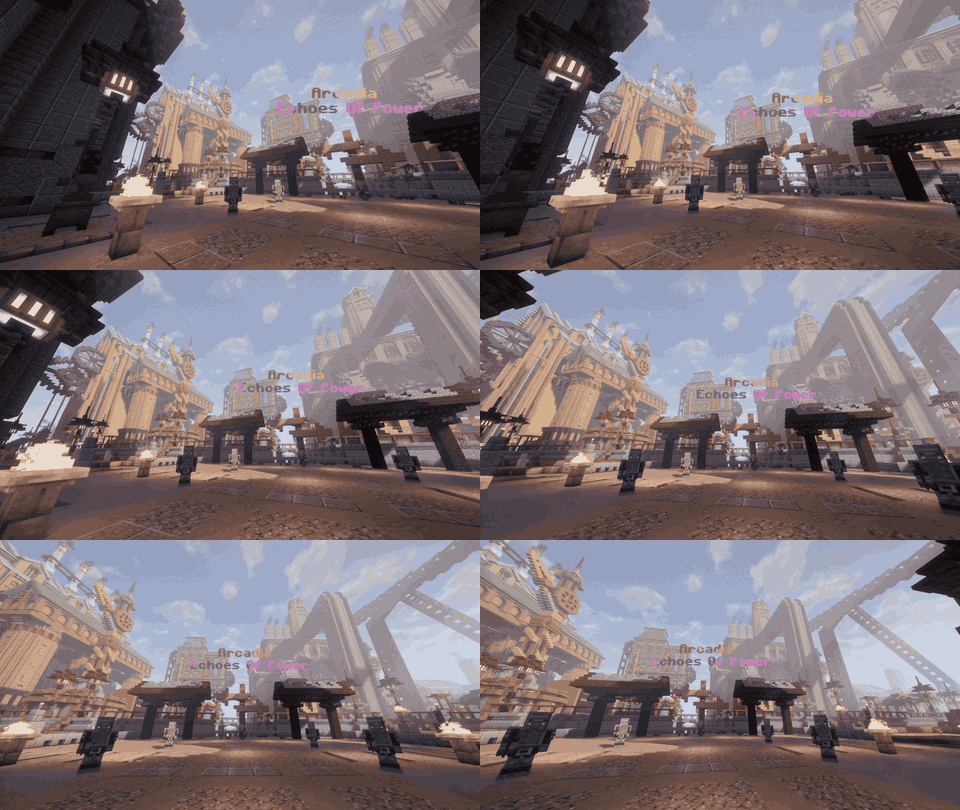


Support the Project / Soutenir le Projet
Your support keeps Arcadia running.
Votre soutien fait vivre Arcadia.
Author / Auteur: vyrriox | License / Licence: All Rights Reserved
Project description from CurseForge.
Pick your setup
Arcadia Games by Minecraft version and loader
Choose the version and loader you play, then open the matching release.
Minecraft version
1.21.1
1 loader buildMinecraft version
1.20.1
1 loader buildCheck the dependencies, then try the file in a copied instance before changing a world you care about.
Recent files
Arcadia Games versions and loaders
Arcadia Games 1.4.0 (NeoForge 26.1.2)
arcadia-games-neoforge-26.1.2-1.4.0.jar
7 Nov 2026
Client Source doesn’t say Server Source doesn’t say Dependencies No extras listed Listed on Release listing
Check the 26.1.2 · NeoForge setup NeoForge26.1.2 release
Looking for an older file? The official CurseForge project page is in Resources.
 mod
CurseForge + Modrinth · Minecraft
Better Creeper Consent
Make creepers ask for permission before blowing up everything around you!
 mod
CurseForge · Minecraft
Golem Artifice
Compat for Modular Golems and Irons Artifice allowing Humanoid Golems to use guns
 mod
CurseForge · Minecraft
Keep But Penalty
Keep inventory on death while applying configurable experience, equipment durability, and vanilla respawn-debuff penalties.