Minecraft version
Back to mods 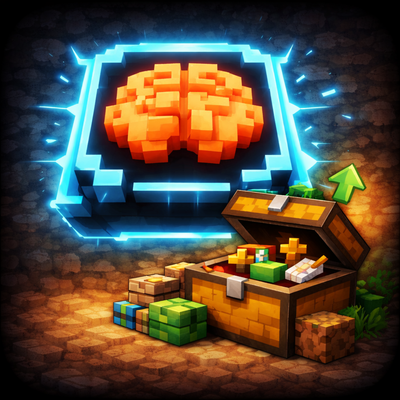
CurseForge · Minecraft mod
SlotMind
SlotMind is a client-side mod for intent-based inventory management. Tag slots, lock layouts, refill hotbar stacks, replace tools, sort around reserved slots, and use chest roles for restock, junk, and dump workflows.
Choose a version Pick your version below, then grab the matching file.
Quick answer
Which SlotMind release matches 26.1.2?
Best match for your filters slotmind-1.0.10+mc26.1.2-fabric.jar
Game version 26.1.2
Loader Fabric
slotmind-1.0.10+mc26.1.2-fabric.jar targets 26.1.2 with Fabric. The project page does not say whether this file belongs on the client, dedicated server, or both. No extra mods listed for this file.
Where it goes
Is SlotMind required on the client, server, or both?
The project page does not say whether this file belongs on the client, dedicated server, or both.
Client Source doesn’t say
Dedicated server Source doesn’t say
Loader for this release Fabric
Required install it here Optional supported, not mandatory Not supported do not install here Source doesn’t say do not assume
The source does not explicitly classify this release as client-only or server-only.
What else does slotmind-1.0.10+mc26.1.2-fabric.jar need?
slotmind-1.0.10+mc26.1.2-fabric.jar on 26.1.2. Every mod below is checked against that same setup.
This file does not list any required mods. Do not add a library just because a different file uses it.
This file does not list any required or optional mods.
Before you install it
Add SlotMind without breaking your instance.
Built for slotmind-1.0.10+mc26.1.2-fabric.jar on 26.1.2. Pick another file and the loader, install side or required mods may change.
- 01
Stick to this file
Use slotmind-1.0.10+mc26.1.2-fabric.jar. It targets 26.1.2 with Fabric; another release may have different loader, side or dependency requirements.
- 02
Bring the mods it needs
This file does not list any required mods. Do not add a library just because a different file uses it.
- 03
Put it on the correct side
The project page does not say whether this file belongs on the client, dedicated server, or both.
- 04
Pick the file you checked
Use the “Get this file” button beside slotmind-1.0.10+mc26.1.2-fabric.jar. It opens that exact file at the source.
About this project
What does SlotMind add?
SlotMind
Your inventory, but organized on Purpose.
SlotMind is a client-side Fabric and NeoForge mod for players who want inventory rules, cleaner sorting, tool-aware hotbar behavior, and chest workflows without turning Minecraft into a full automation mod.
Instead of treating every slot like temporary storage, SlotMind lets you assign intent to player slots and chest slots, then automates normal inventory actions around those rules.
Open settings from Mod Menu or with /slotmind config
What SlotMind does
- Tag player inventory slots and chest slots
- Open a context menu directly on the hovered slot
- Lock important slots and preserve your layout during sorting
- Keep refillable stacks topped off
- Switch to the right tool for mining and keep a weapon selected when combat starts
- Replace tagged tools and weapons
- Sort around reserved slots instead of fighting them
- Mark chests for
General,Restock,Dump, orJunkworkflows - Show a readable slot overlay while you manage inventory
Core Features
Slot Intent
- Tool and weapon categories with subtype support
- Food, block, utility, memory, junk, refillable, and locked slot behaviors
- In-place context menu for tagging and slot actions
- Visible slot markers, including a top-right
Rindicator for refillable slots
Inventory Automation
- Auto-refill for tagged stacks
- Background hotbar refill support from your own inventory
- Auto tool switching for targeted blocks, combat weapon preference, and optional switch-back after mining
- Break protection with a configurable durability warning threshold
- Tool and weapon replacement
- Intent-aware sorting that fills tagged destinations first and compacts matching stacks
- Sorting targets the inventory area your mouse is currently hovering
- Sorting runs at one click per tick by default, with optional
Quick Sort
Storage Workflows
- Chest role button inside chest and ender chest screens
- Restock chests refill matching player slots
- Junk chests accept marked junk items
- Dump chests move only untagged inventory items
- Chest sorting respects tagged and locked chest slots
- Chest slot tagging persists across double chests
- Vanilla ender chests share one per-player SlotMind profile
Controls
Modifierdefaults toLeft CtrlSort Keydefaults toMiddle ClickToggle Tool Switch Keydefaults toHLeft Ctrl + Right Click: open the SlotMind menuLeft Ctrl + Scroll: cycle slot rolesLeft Ctrl + Middle Click: clear a ruleMiddle Clickor the brain button: run your default sortH: toggle auto tool switching
All SlotMind keys can be changed in Minecraft's keybind menu.
Commands
/slotmind config: open the settings screen withoutMod Menu/slotmind controls: show the control reference in chat/slotmind features: show the feature summary in chat/slotmind status: show current toggles and keybinds in chat
Client-Side Scope
SlotMind is client-side and uses ordinary inventory interactions.
It does:
- automate valid inventory clicks the client could already perform
- refill hotbar stacks from your own inventory even when no inventory screen is open
- run chest workflows only while the relevant container screen is open
It does not:
- create server-side automation
- interact with unopened remote containers
- bypass anti-cheat or custom server inventory rules
Requirements
- Fabric Loader
- Fabric API
- Minecraft
26.1.x - Java 25
Mod Menu is optional.
Support
Project description from CurseForge.
Pick your setup
SlotMind by Minecraft version and loader
Choose the version and loader you play, then open the matching release.
Minecraft version
26.2
2 loader buildsMinecraft version
26.1.2
2 loader buildsMinecraft version
26.1.1
2 loader buildsMinecraft version
26.1
1 loader buildCheck the dependencies, then try the file in a copied instance before changing a world you care about.
Recent files
SlotMind versions and loaders
slotmind-1.0.10+mc26.1.2-fabric.jar
25 Oct 2026
Client Source doesn’t say Server Source doesn’t say Dependencies No extras listed Listed on Release listing
Check the 26.1.2 · Fabric setup Fabric26.1.2 release
slotmind-1.0.10+mc26.1.2-neoforge.jar
25 Oct 2026
Client Source doesn’t say Server Source doesn’t say Dependencies No extras listed Listed on Release listing
Check the 26.1.2 · NeoForge setup NeoForge26.1.2 release
slotmind-1.0.7.jar
13 Apr 2026
Client Source doesn’t say Server Source doesn’t say Dependencies No extras listed Listed on Release listing
Check the 26.1.2 · Fabric setup Fabric26.1.126.1.2 release
slotmind-1.0.6.jar
12 Apr 2026
Client Source doesn’t say Server Source doesn’t say Dependencies No extras listed Listed on Release listing
Check the 26.1.2 · Fabric setup Fabric26.1.126.1.2 release
slotmind-1.0.5.jar
12 Apr 2026
Client Source doesn’t say Server Source doesn’t say Dependencies No extras listed Listed on Release listing
Check the 26.1.2 · Fabric setup Fabric26.1.126.1.2 release
slotmind-1.0.4.jar
12 Apr 2026
Client Source doesn’t say Server Source doesn’t say Dependencies No extras listed Listed on Release listing
Check the 26.1.2 · Fabric setup Fabric26.1.126.1.2 release
slotmind-1.0.3.jar
12 Apr 2026
Client Source doesn’t say Server Source doesn’t say Dependencies No extras listed Listed on Release listing
Check the 26.1.2 · Fabric setup Fabric26.1.126.1.2 release
slotmind-1.0.2.jar
11 Apr 2026
Client Source doesn’t say Server Source doesn’t say Dependencies No extras listed Listed on Release listing
Check the 26.1.2 · Fabric setup Fabric26.1.126.1.2 release
slotmind-1.0.1.jar
11 Apr 2026
Client Source doesn’t say Server Source doesn’t say Dependencies No extras listed Listed on Release listing
Check the 26.1.2 · Fabric setup Fabric26.1.126.1.2 release
Looking for an older file? The official CurseForge project page is in Resources.
 mod
mod CurseForge · Minecraft
TOMC-Trim Effectively
Unique effects for trim smithing — each pattern or material carries its own way.
 mod
mod CurseForge + Modrinth · Minecraft
End-Parasitize and Convert All
This is an infection mod with magical elements.
 mod
mod CurseForge · Minecraft
The Bumblezone (NeoForge/Forge)
An unBEElievable dimension full of bees to BEEfriend!