Minecraft version
Back to mods 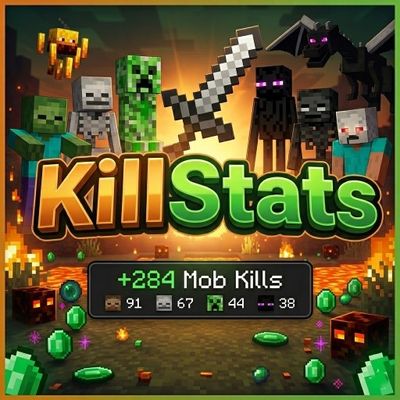
CurseForge · Minecraft mod
KillStats
Tracks your entity kills during gameplay sessions and displays live statistics via a configurable in-game HUD overlay.
Choose a version Pick your version below, then grab the matching file.
Quick answer
Which KillStats release matches 26.1?
Best match for your filters killstats-mc26.1.2-1.0.0 (1).jar
Game version 26.1, 26.1.1, 26.1.2
Loader Fabric
killstats-mc26.1.2-1.0.0 (1).jar targets 26.1, 26.1.1, 26.1.2 with Fabric. The project page does not say whether this file belongs on the client, dedicated server, or both. No extra mods listed for this file.
Where it goes
Is KillStats required on the client, server, or both?
The project page does not say whether this file belongs on the client, dedicated server, or both.
Client Source doesn’t say
Dedicated server Source doesn’t say
Loader for this release Fabric
Required install it here Optional supported, not mandatory Not supported do not install here Source doesn’t say do not assume
The source does not explicitly classify this release as client-only or server-only.
What else does killstats-mc26.1.2-1.0.0 (1).jar need?
killstats-mc26.1.2-1.0.0 (1).jar on 26.1. Every mod below is checked against that same setup.
This file does not list any required mods. Do not add a library just because a different file uses it.
This file does not list any required or optional mods.
Before you install it
Add KillStats without breaking your instance.
Built for killstats-mc26.1.2-1.0.0 (1).jar on 26.1. Pick another file and the loader, install side or required mods may change.
- 01
Stick to this file
Use killstats-mc26.1.2-1.0.0 (1).jar. It targets 26.1, 26.1.1, 26.1.2 with Fabric; another release may have different loader, side or dependency requirements.
- 02
Bring the mods it needs
This file does not list any required mods. Do not add a library just because a different file uses it.
- 03
Put it on the correct side
The project page does not say whether this file belongs on the client, dedicated server, or both.
- 04
Pick the file you checked
Use the “Get this file” button beside killstats-mc26.1.2-1.0.0 (1).jar. It opens that exact file at the source.
About this project
What does KillStats add?
KillStats
Track every kill, estimate your loot, and dominate the battlefield!
This lightweight client-side Fabric mod tracks your entity kills during gameplay sessions and displays live statistics via a configurable in-game HUD overlay.
Features
Kill Tracking
- Per-mob breakdown - See exactly how many of each mob type you've killed
- Multiple kill methods - Tracks melee, projectile, and splash potion kills
- 40+ mob types - Covers hostile, passive, nether, end mobs, and bosses
HUD Display
- Full mode - Detailed per-mob breakdown with drop icons and kill counts
- Compact mode - Minimal single-line display for less screen clutter
- Configurable position - Place the HUD in any corner of the screen
- Adjustable opacity and scale - Fine-tune the look to your preference
- Smart visibility - Show only when holding weapons, or keep always visible
Session Management
- Session timer - Track how long you've been hunting with start/pause/resume
- Auto-pause - Timer pauses automatically when opening menus
- Session summary - Detailed breakdown in chat when leaving a world or resetting
- Persistent sessions - Optionally save session data across world exits
Milestones & Alerts
- Kill milestones - Chat notifications every X total kills (configurable)
- Per-mob milestones - Notifications every 50 kills of the same mob type
- Boss kill effects - Gold flash and sound when defeating bosses
- Sound alerts - Optional audio feedback on milestones
Customization
Configure everything in-game via ModMenu:
HUD Settings
- HUD position (top-left, top-right, bottom-left, bottom-right)
- Always visible toggle
- Background opacity (0-100%)
- HUD scale (0.5x-2.0x)
Keybinds (Controls > KillStats)
K- Start/Pause/Resume timerL- Reset sessionJ- Toggle compact mode
Session Settings
- Show session summary on exit
- Auto-pause timer in menus
- Persistent session storage
Milestones
- Milestone sound toggle
- Milestone interval (0 = disabled)
Requirements
- Minecraft: 26.1+
- Fabric Loader: 0.18.4 or higher
- Fabric API: Required
- Java: 25 or higher
- ModMenu + YACL: Optional (for in-game config screen)
Perfect For
- Grinders - Track your mob farm efficiency with kill counts and drop value estimates
- Speedrunners - Monitor kills and session time in a clean overlay
- Adventurers - See your combat stats at a glance while exploring
- Everyone - Anyone who wants to know their kill stats in Minecraft!
Links
- Issues & Bugs: GitHub Issues
- Source Code: GitHub Repository
License
This mod is open-source and licensed under the MIT License.
Made with love by DennisTheGamer
Project description from CurseForge.
Pick your setup
KillStats by Minecraft version and loader
Choose the version and loader you play, then open the matching release.
Minecraft version
26.2
1 loader buildMinecraft version
26.1.2
1 loader buildMinecraft version
26.1.1
1 loader buildMinecraft version
26.1
1 loader buildCheck the dependencies, then try the file in a copied instance before changing a world you care about.
Recent files
KillStats versions and loaders
killstats-mc26.1.2-1.0.0 (1).jar
16 Apr 2026
Client Source doesn’t say Server Source doesn’t say Dependencies No extras listed Listed on Release listing
Check the 26.1 · Fabric setup Fabric26.126.1.126.1.2 release
Looking for an older file? The official CurseForge project page is in Resources.
 mod
CurseForge + Modrinth · Minecraft
[VSE]Visual Set Edit
This mod lets you edit custom set effects through a visual GUI with intuitive operations.
 mod
CurseForge + Modrinth · Minecraft
Modest Meals
A vanilla enhancing mod that aims to expand the food system with dynamic meals, while also adding stamina.
 mod
CurseForge · Minecraft
Beyond Dimensions
Beyond Dimensions is a mod that provides storage solutions. It introduces a virtual storage system obtainable in the late-game of vanilla game