Minecraft version
Back to mods 
CurseForge · Minecraft mod
Tubes.
One block. Every transfer. Items, fluids, energy.
Choose a version Pick your version below, then grab the matching file.
Quick answer
Which Tubes. release should I use?
Latest stable file [NEOFORGE][26.3] Tubes 1
Game version 26.3
Loader NeoForge
Tubes. [NEOFORGE][26.3] Tubes 1 targets 26.3 with NeoForge. The project page does not say whether this file belongs on the client, dedicated server, or both. No extra mods listed for this file.
Where it goes
Is Tubes. required on the client, server, or both?
The project page does not say whether this file belongs on the client, dedicated server, or both.
Client Source doesn’t say
Dedicated server Source doesn’t say
Loader for this release NeoForge
Required install it here Optional supported, not mandatory Not supported do not install here Source doesn’t say do not assume
The source does not explicitly classify this release as client-only or server-only.
What else does Tubes. [NEOFORGE][26.3] Tubes 1 need?
[NEOFORGE][26.3] Tubes 1. Change the file and its required mods may change too.
This file does not list any required mods. Do not add a library just because a different file uses it.
This file does not list any required or optional mods.
Before you install it
Add Tubes. without breaking your instance.
Built for Tubes. [NEOFORGE][26.3] Tubes 1. Pick another file and the loader, install side or required mods may change.
- 01
Stick to this file
Use [NEOFORGE][26.3] Tubes 1. It targets 26.3 with NeoForge; another release may have different loader, side or dependency requirements.
- 02
Bring the mods it needs
This file does not list any required mods. Do not add a library just because a different file uses it.
- 03
Put it on the correct side
The project page does not say whether this file belongs on the client, dedicated server, or both.
- 04
Pick the file you checked
Use the “Get this file” button beside [NEOFORGE][26.3] Tubes 1. It opens that exact file at the source.
About this project
What does Tubes. add?
Tubes
One block. Every transfer.
Tired of filling your inventory with five different pipe types just to move stuff around? Tubes fixes that. One block handles items, fluids, and energy. Place it, configure it, done.
What Makes Tubes Different?
🔧 One Block Does It All
No item pipes, fluid pipes, energy conduits. Just Tubes. Place them down and connect anything to anything.
🧩 Modular Design
Snap modules onto your tubes to unlock item, fluid, or energy transfer. Mix and match to build exactly the system you need.
⚙️ Configure Every Side
Each face of a tube can be set to Extract, Insert, Both, or Disabled. Full control, no guesswork.
🚀 Built for Performance
No per-block ticking. No lag spirals. Centralized, batched transfers with cached network graphs. Your server will thank you.
⬆️ Upgrades
Speed, filtering, and more. Start simple, scale up as you need.
🏗️ Vanilla Crafter Integration
Feed items into and out of the vanilla Crafter block for fully automated crafting lines. No extra mods required, just Tubes and a Crafter.
Getting Started
- Place Tubes to connect your inventories, tanks, or energy blocks.
- Attach modules to enable the transfers you want.
- Configure each side through the GUI.
- Relax. The network handles the rest.
Project description from CurseForge.
Pick your setup
Tubes. by Minecraft version and loader
Choose the version and loader you play, then open the matching release.
Minecraft version
26.1.2
1 loader buildCheck the dependencies, then try the file in a copied instance before changing a world you care about.
Recent files
Tubes. versions and loaders
[NEOFORGE][26.3] Tubes 1
tubes-26.3.0.1-alpha.jar
19 Sept 2026
Client Source doesn’t say Server Source doesn’t say Dependencies No extras listed Listed on Release listing
Check the 26.3 · NeoForge setup NeoForge26.3 release
[NEOFORGE][26.1.2] Tubes 4
tubes-26.1.2.4-alpha.jar
24 Apr 2026
Client Source doesn’t say Server Source doesn’t say Dependencies No extras listed Listed on Release listing
Check the 26.1.2 · NeoForge setup NeoForge26.1.2 release
tubes-26.1.2.3-alpha.jar
17 Apr 2026
Client Source doesn’t say Server Source doesn’t say Dependencies No extras listed Listed on Release listing
Check the 26.1.2 · NeoForge setup NeoForge26.1.2 release
Looking for an older file? The official CurseForge project page is in Resources.
 mod
mod CurseForge · Minecraft
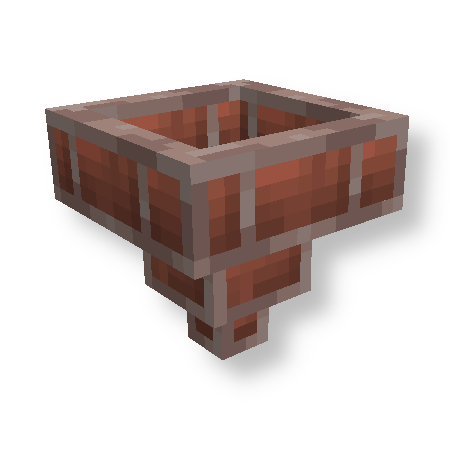
Brick Hopper
Adds a Brick Hopper to the game. (Forge, NeoForge, Fabric, Quilt)
 mod
mod CurseForge + Modrinth · Minecraft
The Lead Age
A vanilla+ expansion that introduces lead ore, customizable leaded glass & more. Includes compatibility with Create & Farmer's Delight!
 mod
mod CurseForge + Modrinth · Minecraft
Nemo's Enchantments
Add more enchantments to Minecraft!