PhoenixWiki Needed by Phoenix's Archives phoenix_archive_neoforge-0.3.3.jar
requiredMatching file found Matched file: phoenix-wik-neoforge-1.4.jar

CurseForge · Minecraft mod
A mod focused on cleanly organized lore with support for custom conditions, quests, and gregtech modern.
Quick answer
Phoenix's Archives phoenix_archive_neoforge-0.3.3.jar targets 1.21.1 with NeoForge. The project page does not say whether this file belongs on the client, dedicated server, or both. All 1 required mods have matching files.
Where it goes
The project page does not say whether this file belongs on the client, dedicated server, or both.
The source does not explicitly classify this release as client-only or server-only.
phoenix_archive_neoforge-0.3.3.jar. Change the file and its required mods may change too.
Install PhoenixWiki first. We found matching files for this game-version and loader setup.
We only count dependency files that match this setup. A file for another loader does not fill the gap.
Before you install it
Built for Phoenix's Archives phoenix_archive_neoforge-0.3.3.jar. Pick another file and the loader, install side or required mods may change.
Use phoenix_archive_neoforge-0.3.3.jar. It targets 1.21.1 with NeoForge; another release may have different loader, side or dependency requirements.
Install PhoenixWiki first. We found matching files for this game-version and loader setup.
The project page does not say whether this file belongs on the client, dedicated server, or both.
Use the “Get this file” button beside phoenix_archive_neoforge-0.3.3.jar. It opens that exact file at the source.
About this project
Have you ever wanted to have lore at the touch of your hand without it being locked behind a questbook?
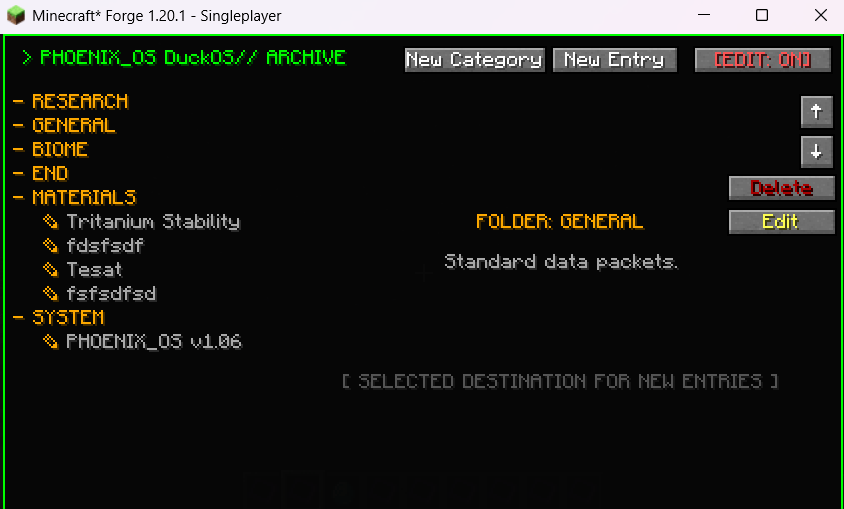
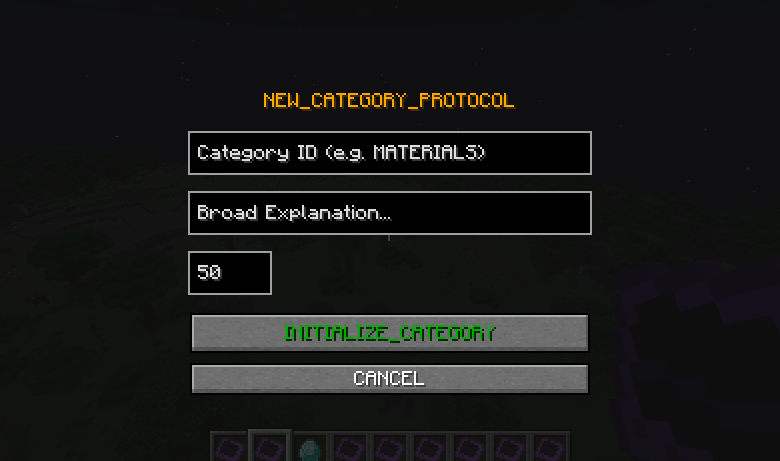
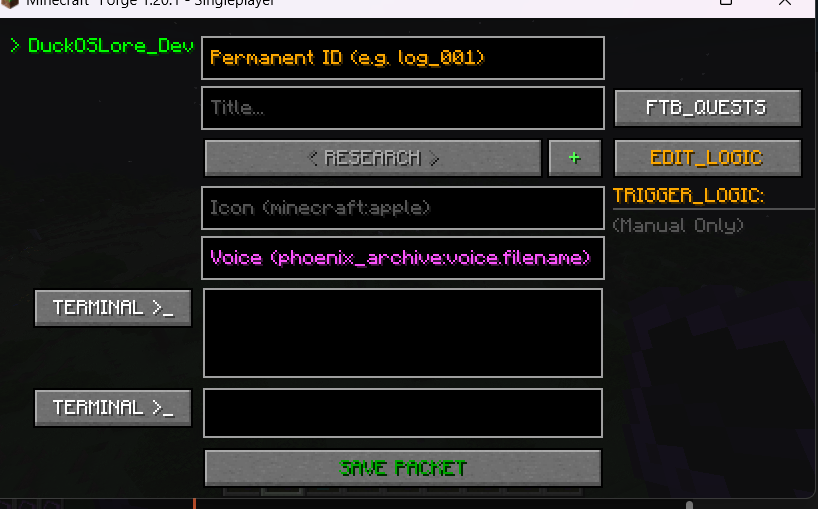
With Phoenix's Archives you can define jsons for lore entries/categories or do it all through the in-game gui.
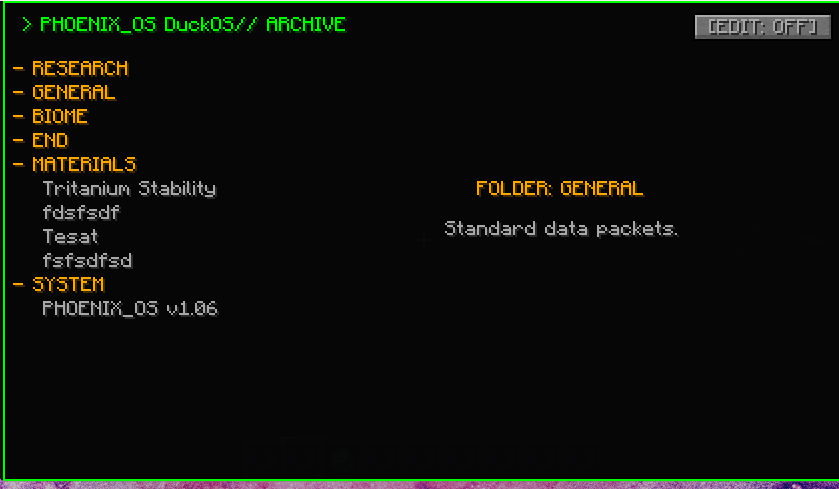
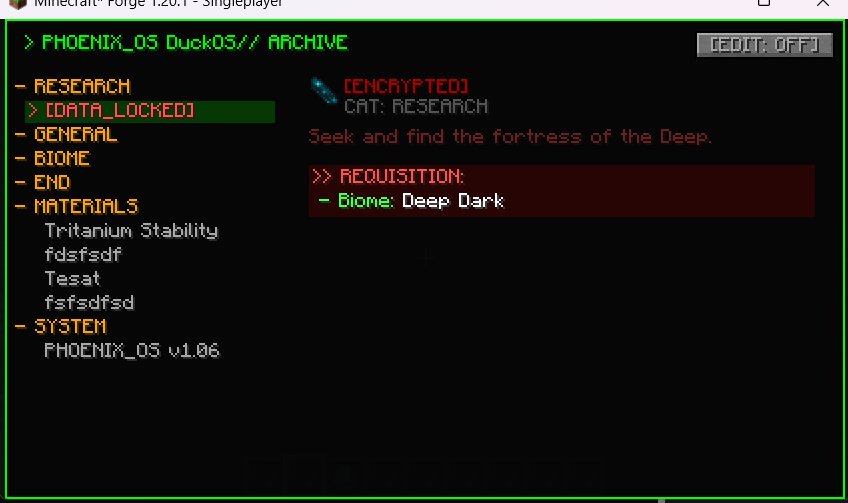
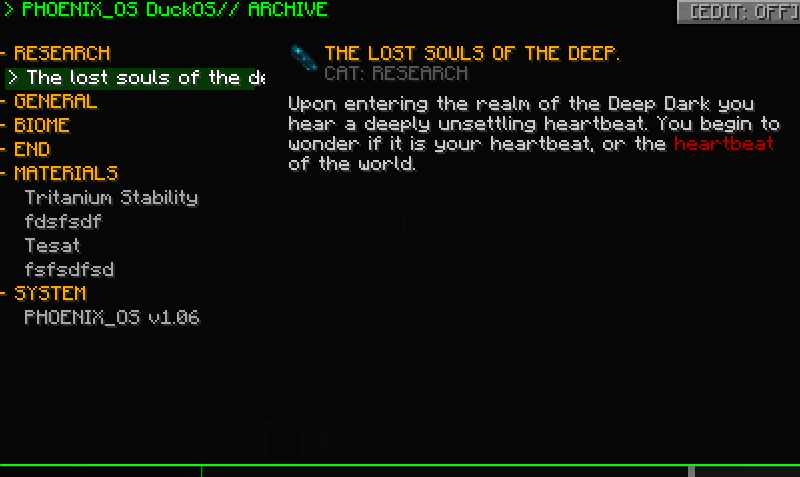
You can choose to have Lore Entries locked behind a conditon such as: A FTBQuest, obtaining an item, entering a biome, and much more!
With GregTech Modern and FTB Quests being optional mods, you can choose to run this mod without them.
Below is an example of a locked quest and an unlocked one
By default there are no entries included, thou if you would like some example ones you can check out the github where some are stored.
You can open the editor screen by clicking edit mode (can only be seen if you have permissions) and clicking new entry or category.
I started this project as a mod for Phoenix Forge Technologies and thought I could expand it to be of some use to many people.
I hope you enjoy the mod! Also feel free to suggest any other mod compats you feel would be good.
Project description from CurseForge.
Pick your setup
Choose the version and loader you play, then open the matching release.
Check the dependencies, then try the file in a copied instance before changing a world you care about.
Recent files
15 Nov 2026
15 Nov 2026
5 Nov 2026
5 Nov 2026
31 Oct 2026
31 Oct 2026
22 Oct 2026
22 Oct 2026
1 Oct 2026
phoenix_archive-0.2.0.jar
23 Sept 2026
28 Jun 2026
28 Jun 2026
Looking for an older file? The official CurseForge project page is in Resources.
 mod
This mod is an addon for AnvilCraft, with main content including production-friendly machines
 mod
A full RPG for Minecraft: 8 classes with talent webs, 96 abilities, levels 1–50, 8 epic bosses with Nightmare mode, Horde Rifts, 4 rival factions with mounts and pets, gear rarity, refining and set bonuses.
 mod
CBC: Firepower Components is a small Create Big Cannons addon that adds compact cannon mounts and practical ammunition-handling blocks for tighter, easier-to-automate artillery builds.