Minecraft version
Back to mods 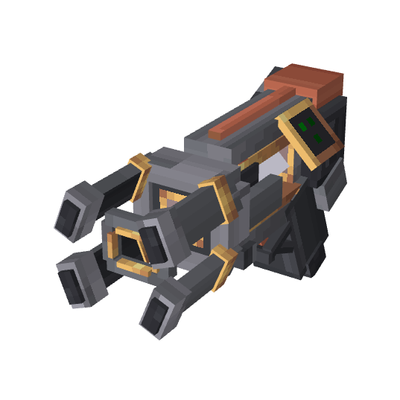
CurseForge · Minecraft mod
create aeronautics:toolgun
A Create Aeronautics tool expansion that adds a toolgun-style blueprint system and magnetic field guns for saving, printing, deleting, and manipulating physical craft.
Choose a version Pick your version below, then grab the matching file.
Quick answer
Which create aeronautics:toolgun release should I use?
Latest stable file create_aeronautics_toolgun-0.3.6.jar
Game version 1.21.1
Loader NeoForge
create aeronautics:toolgun create_aeronautics_toolgun-0.3.6.jar targets 1.21.1 with NeoForge. The project page does not say whether this file belongs on the client, dedicated server, or both. No extra mods listed for this file.
Where it goes
Is create aeronautics:toolgun required on the client, server, or both?
The project page does not say whether this file belongs on the client, dedicated server, or both.
Client Source doesn’t say
Dedicated server Source doesn’t say
Loader for this release NeoForge
Required install it here Optional supported, not mandatory Not supported do not install here Source doesn’t say do not assume
The source does not explicitly classify this release as client-only or server-only.
What else does create aeronautics:toolgun create_aeronautics_toolgun-0.3.6.jar need?
create_aeronautics_toolgun-0.3.6.jar. Change the file and its required mods may change too.
This file does not list any required mods. Do not add a library just because a different file uses it.
This file does not list any required or optional mods.
Before you install it
Add create aeronautics:toolgun without breaking your instance.
Built for create aeronautics:toolgun create_aeronautics_toolgun-0.3.6.jar. Pick another file and the loader, install side or required mods may change.
- 01
Stick to this file
Use create_aeronautics_toolgun-0.3.6.jar. It targets 1.21.1 with NeoForge; another release may have different loader, side or dependency requirements.
- 02
Bring the mods it needs
This file does not list any required mods. Do not add a library just because a different file uses it.
- 03
Put it on the correct side
The project page does not say whether this file belongs on the client, dedicated server, or both.
- 04
Pick the file you checked
Use the “Get this file” button beside create_aeronautics_toolgun-0.3.6.jar. It opens that exact file at the source.
About this project
What does create aeronautics:toolgun add?
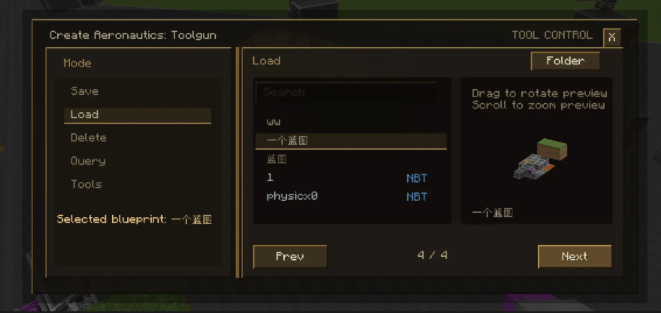
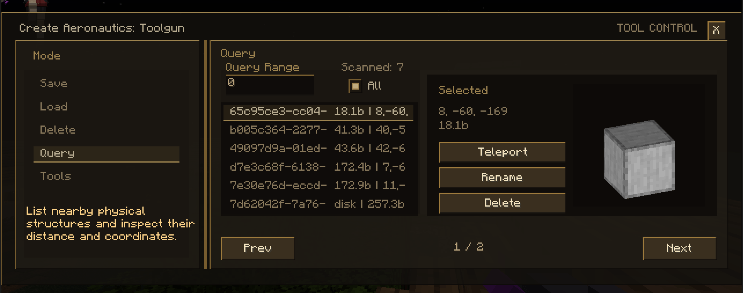
Create Aeronautics: Toolgun is an expansion mod aimed at bringing a VMod-like engineering workflow into the Create Aeronautics vehicle environment, while being specifically adapted and extended around Aeronautics physical structures.
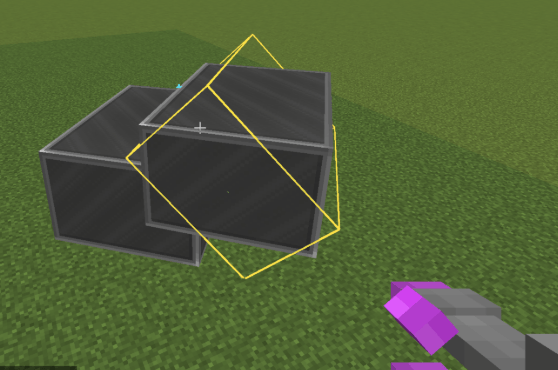
At present, the mod provides multiple tools for vehicle construction, debugging, manipulation, and a variety of practical diagnostic functions. Its core purpose is to support the saving, printing, deletion, and drag-control of Aeronautics physical structures, including structures with child physical substructures, dynamic structures, and container contents. It also adds welding and vehicle container features as usable items and mechanics.
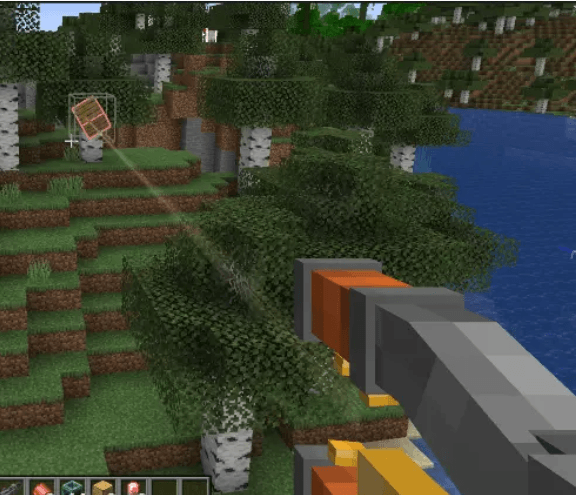
For survival balance, the survival magnetic gun respects the balance of Aeronautics itself. It uses durability consumption to limit excessive use, avoiding a situation where players ignore normal physical handling methods such as grab handles just because they have a gravity-gun-like tool. Unlike conventional drag guns that hard-limit multi-structure dragging through mass checks, this mod instead limits the force applied to the target. As a result, large structures can still be dragged, but they may sometimes barely move at all.
Blueprint saving support is broad and designed for convenient, stable, and fast printing. Compatibility support is also included for the Synaxis and cable-control addons. Multi-structure saving and welded structure printing are fully supported, with strong performance overall.
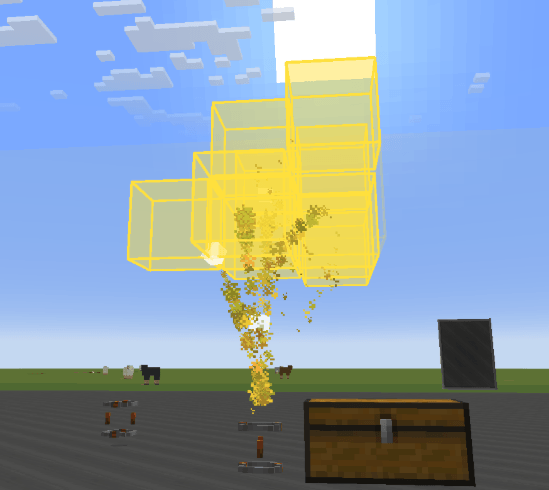
Blueprints are stored in two locations:
Client local: game directory/enxv_aeronautics_structures/
Server side: server directory/enxv_aeronautics_server_structures/player UUID/
扩展模组,目标是在航空学载具环境中提供类似 vmod 工具枪的工程操作体验,并围绕航空学的物理结构进行适配与扩展。
目前模组已经提供多种面向载具建造、调试与操作的工具功能,以及很多实用的调试功能,重点服务于包含子物理结构、动态结构、容器内容物的航空学物理结构的保存、打印、删除与拖拽控制;并新增焊接,载具容器等使用物品和功能
本模组面向生存模式的磁力枪尊重了航空学本身的平衡系统,有耐久度损耗来限制肆意使用(避免出现有了引力枪就不使用比如把手这种抓握物理体的方式) 生存模式的磁力枪并不像常规拖拽枪,用质量检测来强行限制拖拽多结构,相反的,我们采用限制施加的力来控制玩家移动大型结构(可以拖拽大结构,但可能出现纹丝不动的情况)
蓝图保存支持:基本全部支持方便稳定快速打印,附属控制学/线缆模组也兼容支持,完全支持多结构和焊接,旋转,平移,打印,性能表现很好;支持生存模式打印
蓝图会保存到两个目录:
客户端本地:游戏目录/enxv_aeronautics_structures/
服务器端:服务器目录/enxv_aeronautics_server_structures/玩家UUID/
Project description from CurseForge.
Pick your setup
create aeronautics:toolgun by Minecraft version and loader
Choose the version and loader you play, then open the matching release.
Check the dependencies, then try the file in a copied instance before changing a world you care about.
Recent files
create aeronautics:toolgun versions and loaders
create_aeronautics_toolgun-0.3.6.jar
21 Aug 2026
Client Source doesn’t say Server Source doesn’t say Dependencies No extras listed Listed on Release listing
Check the 1.21.1 · NeoForge setup 1.21.1NeoForge release
create_aeronautics_toolgun-0.3.5.jar
15 Aug 2026
Client Source doesn’t say Server Source doesn’t say Dependencies No extras listed Listed on Release listing
Check the 1.21.1 · NeoForge setup 1.21.1NeoForge release
create_aeronautics_toolgun-0.3.4.jar
6 Aug 2026
Client Source doesn’t say Server Source doesn’t say Dependencies No extras listed Listed on Release listing
Check the 1.21.1 · NeoForge setup 1.21.1NeoForge release
create_aeronautics_toolgun-0.3.2.jar
19 Jul 2026
Client Source doesn’t say Server Source doesn’t say Dependencies No extras listed Listed on Release listing
Check the 1.21.1 · NeoForge setup 1.21.1NeoForge release
create_aeronautics_toolgun-0.2.3.jar
8 Jul 2026
Client Source doesn’t say Server Source doesn’t say Dependencies No extras listed Listed on Release listing
Check the 1.21.1 · NeoForge setup 1.21.1NeoForge release
create_aeronautics_toolgun-0.2.2.jar
13 Jun 2026
Client Source doesn’t say Server Source doesn’t say Dependencies No extras listed Listed on Release listing
Check the 1.21.1 · NeoForge setup 1.21.1NeoForge release
create_aeronautics_toolgun-0.2.0.jar
29 May 2026
Client Source doesn’t say Server Source doesn’t say Dependencies No extras listed Listed on Release listing
Check the 1.21.1 · NeoForge setup 1.21.1NeoForge release
0.1.9
create_aeronautics_toolgun-0.1.9.jar
25 May 2026
Client Optional Server Optional Dependencies No extras listed Listed on Release listing
Check the 1.21.1 · NeoForge setup 1.21.1NeoForge release
create_aeronautics_toolgun-0.1.8.jar
19 May 2026
Client Source doesn’t say Server Source doesn’t say Dependencies No extras listed Listed on Release listing
Check the 1.21.1 · NeoForge setup 1.21.1NeoForge release
create_aeronautics_toolgun-0.1.6.jar
14 May 2026
Client Source doesn’t say Server Source doesn’t say Dependencies No extras listed Listed on Release listing
Check the 1.21.1 · NeoForge setup 1.21.1NeoForge release
create_aeronautics_toolgun-0.1.5.jar
11 May 2026
Client Source doesn’t say Server Source doesn’t say Dependencies No extras listed Listed on Release listing
Check the 1.21.1 · NeoForge setup 1.21.1NeoForge release
create_aeronautics_toolgun-0.1.4.jar
10 May 2026
Client Source doesn’t say Server Source doesn’t say Dependencies No extras listed Listed on Release listing
Check the 1.21.1 · NeoForge setup 1.21.1NeoForge release
Looking for an older file? The official CurseForge project page is in Resources.
 mod
mod CurseForge + Modrinth · Minecraft
Neo Vitae
Spill blood for power. Altars that consume life, sigils that bend the world, custom demons in an endless dungeon, sentient armor that drinks souls, a shield that pays your damage in essentia. Datapack-driven from the ground up.
 mod
mod CurseForge · Minecraft
CombatEventFix
A mod that fixes BetterCombat's and EpicFight's compatibility issues with Forge's event system.
 mod
mod CurseForge · Minecraft
Create Big Cannons: Ballistic Computer
This mod greatly facilitates the use of cannons.