Minecraft version
Back to mods 
CurseForge · Minecraft mod
Custom Bossbars
Custom Bossbars is a lightweight Forge client/server mod that lets datapacks and commands create custom Minecraft-style bossbars with fully configurable colors, audience, direction, and render mode.
Choose a version Pick your version below, then grab the matching file.
Quick answer
Which Custom Bossbars release matches 1.20.1 Forge?
Best match for your filters CustomBossbars-ProyectSolo-1.0.0.jar
Game version 1.20.1
Loader Forge
Custom Bossbars CustomBossbars-ProyectSolo-1.0.0.jar targets 1.20.1 with Forge. The project page does not say whether this file belongs on the client, dedicated server, or both. No extra mods listed for this file.
Where it goes
Is Custom Bossbars required on the client, server, or both?
The project page does not say whether this file belongs on the client, dedicated server, or both.
Client Source doesn’t say
Dedicated server Source doesn’t say
Loader for this release Forge
Required install it here Optional supported, not mandatory Not supported do not install here Source doesn’t say do not assume
The source does not explicitly classify this release as client-only or server-only.
What else does Custom Bossbars CustomBossbars-ProyectSolo-1.0.0.jar need?
CustomBossbars-ProyectSolo-1.0.0.jar on 1.20.1 Forge. Every mod below is checked against that same setup.
This file does not list any required mods. Do not add a library just because a different file uses it.
This file does not list any required or optional mods.
Before you install it
Add Custom Bossbars without breaking your instance.
Built for Custom Bossbars CustomBossbars-ProyectSolo-1.0.0.jar on 1.20.1 Forge. Pick another file and the loader, install side or required mods may change.
- 01
Stick to this file
Use CustomBossbars-ProyectSolo-1.0.0.jar. It targets 1.20.1 with Forge; another release may have different loader, side or dependency requirements.
- 02
Bring the mods it needs
This file does not list any required mods. Do not add a library just because a different file uses it.
- 03
Put it on the correct side
The project page does not say whether this file belongs on the client, dedicated server, or both.
- 04
Pick the file you checked
Use the “Get this file” button beside CustomBossbars-ProyectSolo-1.0.0.jar. It opens that exact file at the source.
About this project
What does Custom Bossbars add?
Short Description
Datapack-driven custom bossbars for Forge 1.20.1, with single and dual-sided modes, configurable colors, direction, scoreboards, and player targeting.
CurseForge Description
Configurable Bossbar HUD is a lightweight Forge client/server mod that gives datapacks and server commands a flexible custom bossbar system.
It does not add gameplay logic by itself. Instead, it lets map makers, event hosts, minigame creators, and server owners create custom HUD bars and control them entirely from commands or datapack functions.
Use it for timers, capture zones, faction control, boss phases, progress meters, contested objectives, roleplay events, or any system where a clean visual progress bar helps players understand what is happening.
Basic Commands
Create a bar:
psbossbar add mypack:timer {"text":"Event Timer"}
Set a value:
psbossbar set mypack:timer max 300
psbossbar set mypack:timer value 150
Show it to everyone:
psbossbar set mypack:timer global true
Show it only to selected players:
psbossbar set mypack:timer players @a[team=red]
Use a scoreboard as the progress source:
scoreboard objectives add event_timer dummy
scoreboard players set time event_timer 300

psbossbar set mypack:timer max 300
psbossbar set mypack:timer value_score time event_timer
Create a dual-sided capture bar:
psbossbar add mypack:zone_a {"text":"Zone A"}
psbossbar set mypack:zone_a mode dual
psbossbar set mypack:zone_a max 100
psbossbar set mypack:zone_a value_score cap_a capture
psbossbar set mypack:zone_a marks 5
Show it near a location:
execute positioned 100 ~ 200 run psbossbar set mypack:zone_a players @a[distance=..80]
Invert direction:
psbossbar set mypack:zone_a inverted true
Set colors with decimal RGB values:
psbossbar set mypack:zone_a left_color 9433087
psbossbar set mypack:zone_a right_color 16727622
psbossbar set mypack:zone_a clash_color 16777215
Also you can test the mod using this datapack:
https://www.curseforge.com/minecraft/data-packs/custom-bossbars-toolkit
Requirements
- Minecraft Forge 1.20.1
- Must be installed on both the server and each client
- A datapack, command block setup, or server command logic is needed to control the bars
This mod is best used as a visual HUD tool for creators who already have, or want to build, their own gameplay logic.
You may use this mod in modpacks, servers, videos, and datapacks. Credit is appreciated.
License: MIT
Project description from CurseForge.
Pick your setup
Custom Bossbars by Minecraft version and loader
Choose the version and loader you play, then open the matching release.
Check the dependencies, then try the file in a copied instance before changing a world you care about.
Recent files
Custom Bossbars versions and loaders
CustomBossbars-ProyectSolo-1.0.0.jar
22 Apr 2026
Client Source doesn’t say Server Source doesn’t say Dependencies No extras listed Listed on Release listing
Check the 1.20.1 · Forge setup 1.20.1Forge release
Looking for an older file? The official CurseForge project page is in Resources.
 mod
CurseForge · Minecraft
Croptopia Delight
This part of an extensive mod adds the integration of Croptopia recipes with Farmer's Delight and their addons.
 mod
CurseForge · Minecraft
Custom Sandwiches
Turn any food into custom sandwiches with ingredient-based hunger, saturation, and effects.
 mod
CurseForge · Minecraft
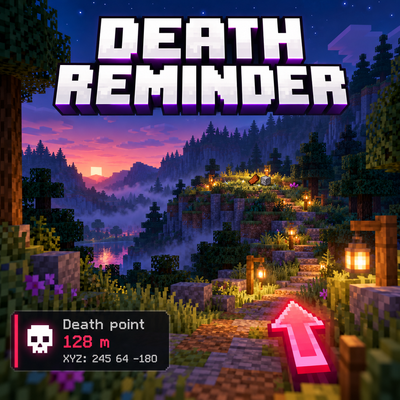
Death Reminder
Saves your last death location and guides you back with a compact HUD, directional arrow, and live distance. Client-side mod with persistent markers for each world or server.