Sable Needed by Create: Aeroworks 1.5.0+mc1.21.1
requiredMatching file found Matched file: Sable NeoForge 2.0.6 for mc1.21.1
CurseForge · Minecraft mod
A collection of addons for Create Aeronautics with blocks such as the gyroscope, joystick, and more!
Quick answer
Create: Aeroworks 1.5.0+mc1.21.1 targets 1.21.1 with NeoForge. The project page does not say whether this file belongs on the client, dedicated server, or both. All 2 required mods have matching files.
Where it goes
The project page does not say whether this file belongs on the client, dedicated server, or both.
The source does not explicitly classify this release as client-only or server-only.
1.5.0+mc1.21.1. Change the file and its required mods may change too.
Install Sable, Create first. We found matching files for this game-version and loader setup. 1 comes through another mod in the chain.
1 extra mod was pulled in by another dependency. Indented rows show who needs each one. We only count dependency files that match this setup. A file for another loader does not fill the gap.
Before you install it
Built for Create: Aeroworks 1.5.0+mc1.21.1. Pick another file and the loader, install side or required mods may change.
Use 1.5.0+mc1.21.1. It targets 1.21.1 with NeoForge; another release may have different loader, side or dependency requirements.
Install Sable, Create first. We found matching files for this game-version and loader setup. 1 comes through another mod in the chain.
The project page does not say whether this file belongs on the client, dedicated server, or both.
Use the “Get this file” button beside 1.5.0+mc1.21.1. It opens that exact file at the source.
About this project
An addon for Create: Aeronautics that adds a suite of various blocks for your airships.
Available blocks:
Planned blocks:
The Gyroscope is a spinning flywheel that stabilizes your ship upwards. Mount one anywhere on your contraption and supply it with rotational energy. The gyroscope stabilization scales with input RPM. Multiple gyroscopes can be used to stabilize larger ships!
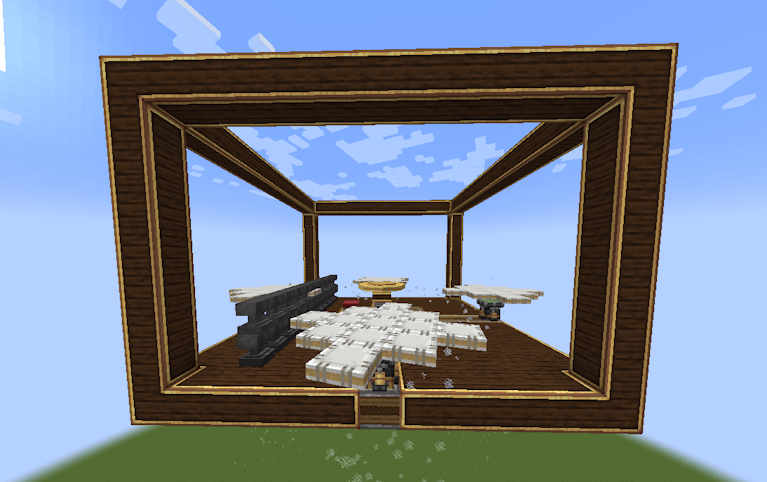
A tooltip is provided to provide insight to the gyroscopic stabilization.
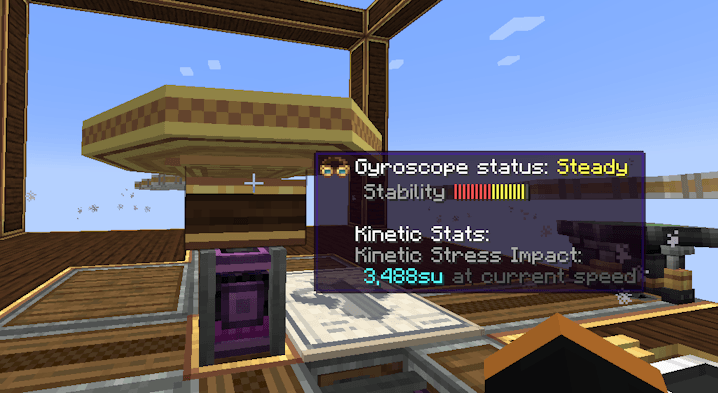
Explanation of Gyroscope status:
Applying an analog redstone signal to the side of a gyroscope reduces the corrective forces applied by the gyroscope along that axis. The axis is fully unlocked at max redstone strength:
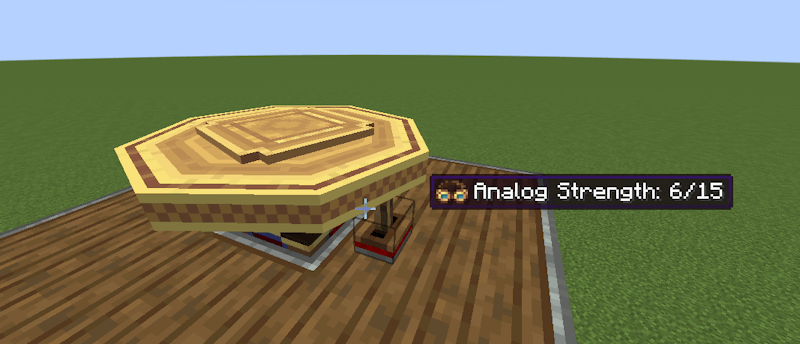
The tooltip is updated to reflect the current corrective force as "stiffness":
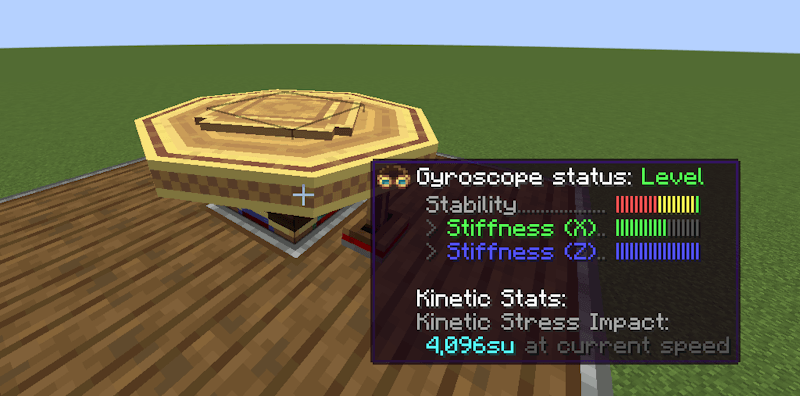
This allows you to roll and pitch your ship but then bring the ship back to level when you're done maneuvering.
The Joystick allows you to control your ship along 2 axes. A redstone signal (0-15) is output per direction the stick is tilted towards. For simplicity, the joystick outputs the redstone signal on configurable redstone link frequencies. An extra button is provided for extra controllability.
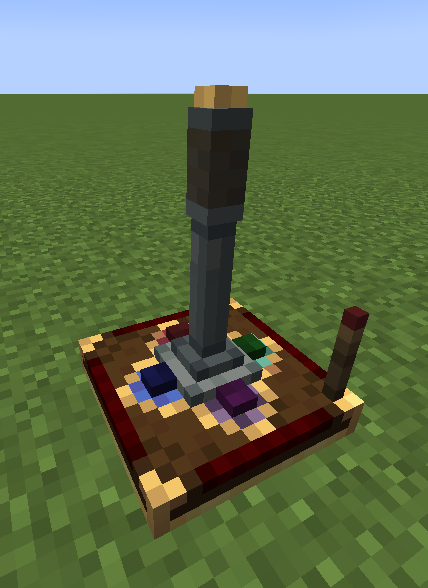
A redstone input can be provided to lock the orientation of the joystick:
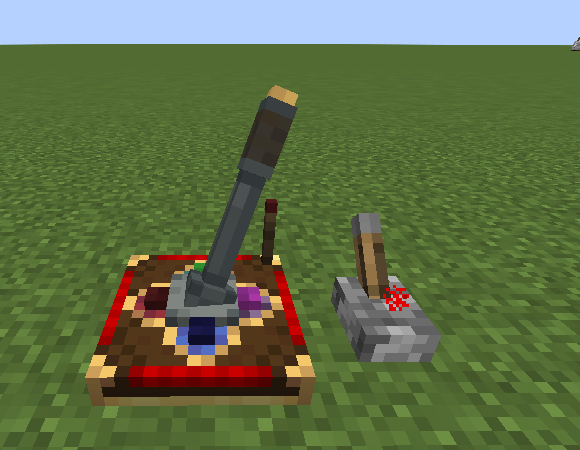
An on-screen HUD displays the current Joystick output when being controlled:
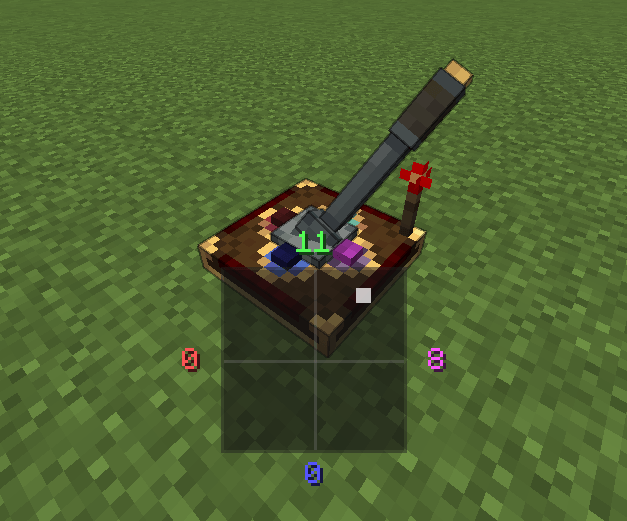
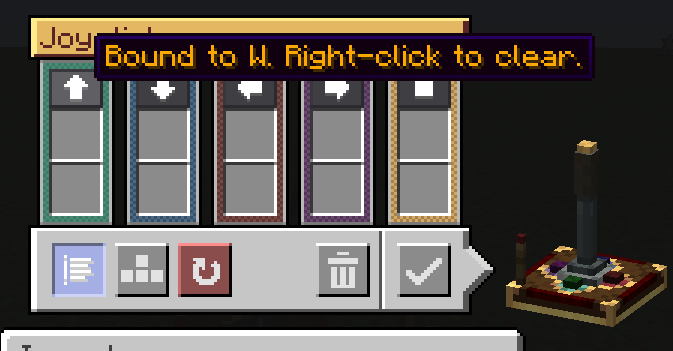
A configurable UI is provided for configuring the redstone link frequencies:
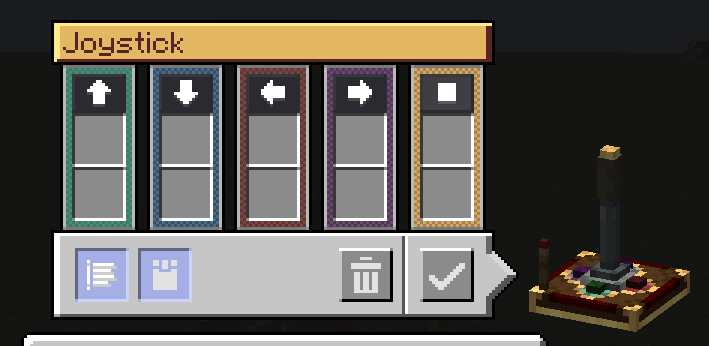
Keyboard mode is also available with a toggleable snapback mode:
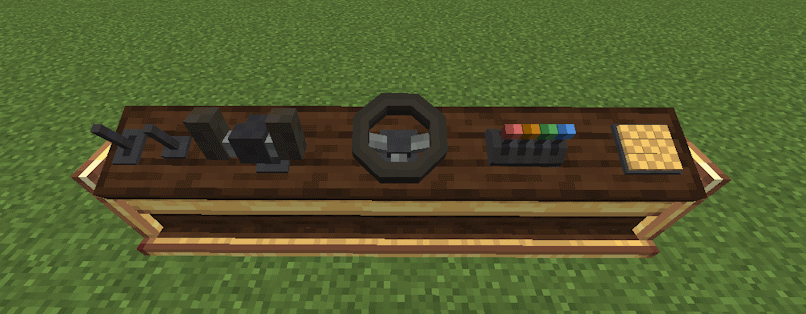
The console desk allows you to mix and match control modules to create the perfect cockpit or helm for your ship.
Current supported control modules:
Project description from CurseForge.
Pick your setup
Choose the version and loader you play, then open the matching release.
Check the dependencies, then try the file in a copied instance before changing a world you care about.
Recent files
aeroworks-1.5.0.jar
27 Aug 2026
aeroworks-1.4.2.jar
7 Aug 2026
aeroworks-1.4.1.jar
2 Aug 2026
aeroworks-1.4.0.jar
1 Aug 2026
aeroworks-1.3.0.jar
10 Jul 2026
aeroworks-1.2.11.jar
2 Jun 2026
aeroworks-1.2.10.jar
30 May 2026
aeroworks-1.2.9.jar
11 May 2026
aeroworks-1.2.8.jar
6 May 2026
1 May 2026
30 Apr 2026
30 Apr 2026
Looking for an older file? The official CurseForge project page is in Resources.
 mod
modGive Dynamic Trees a touch of realism, and trade instant logs for real chopping: swing by swing.
 mod
modGive your maid more unique features~
 mod
modAn add-on for Flowing Fluids that turns rain into real water that fills hollows and evaporates
