Architectury API Needed by Random Crafts v.1.7.1 NeoForge 26.3
requiredMatching file found Matched file: [NeoForge 26.3] v22.0.5

CurseForge · Minecraft mod
Randomizes crafting recipes. Can you survive the chaos?
Quick answer
Random Crafts v.1.7.1 NeoForge 26.3 targets 26.3 with NeoForge. The project page does not say whether this file belongs on the client, dedicated server, or both. All 1 required mods have matching files.
Where it goes
The project page does not say whether this file belongs on the client, dedicated server, or both.
The source does not explicitly classify this release as client-only or server-only.
v.1.7.1 NeoForge 26.3 on 26.3. Every mod below is checked against that same setup.
Install Architectury API first. We found matching files for this game-version and loader setup.
We only count dependency files that match this setup. A file for another loader does not fill the gap.
Before you install it
Built for Random Crafts v.1.7.1 NeoForge 26.3 on 26.3. Pick another file and the loader, install side or required mods may change.
Use v.1.7.1 NeoForge 26.3. It targets 26.3 with NeoForge; another release may have different loader, side or dependency requirements.
Install Architectury API first. We found matching files for this game-version and loader setup.
The project page does not say whether this file belongs on the client, dedicated server, or both.
Use the “Get this file” button beside v.1.7.1 NeoForge 26.3. It opens that exact file at the source.
About this project
When you create a new world, this mod generates a datapack with randomized crafting recipes and automatically applies it.
The randomization isn’t completely chaotic — it’s slightly controlled to keep the game balanced (you can configure this).
The random seed is also tied to the world seed, so every world gets its own unique crafting chaos.
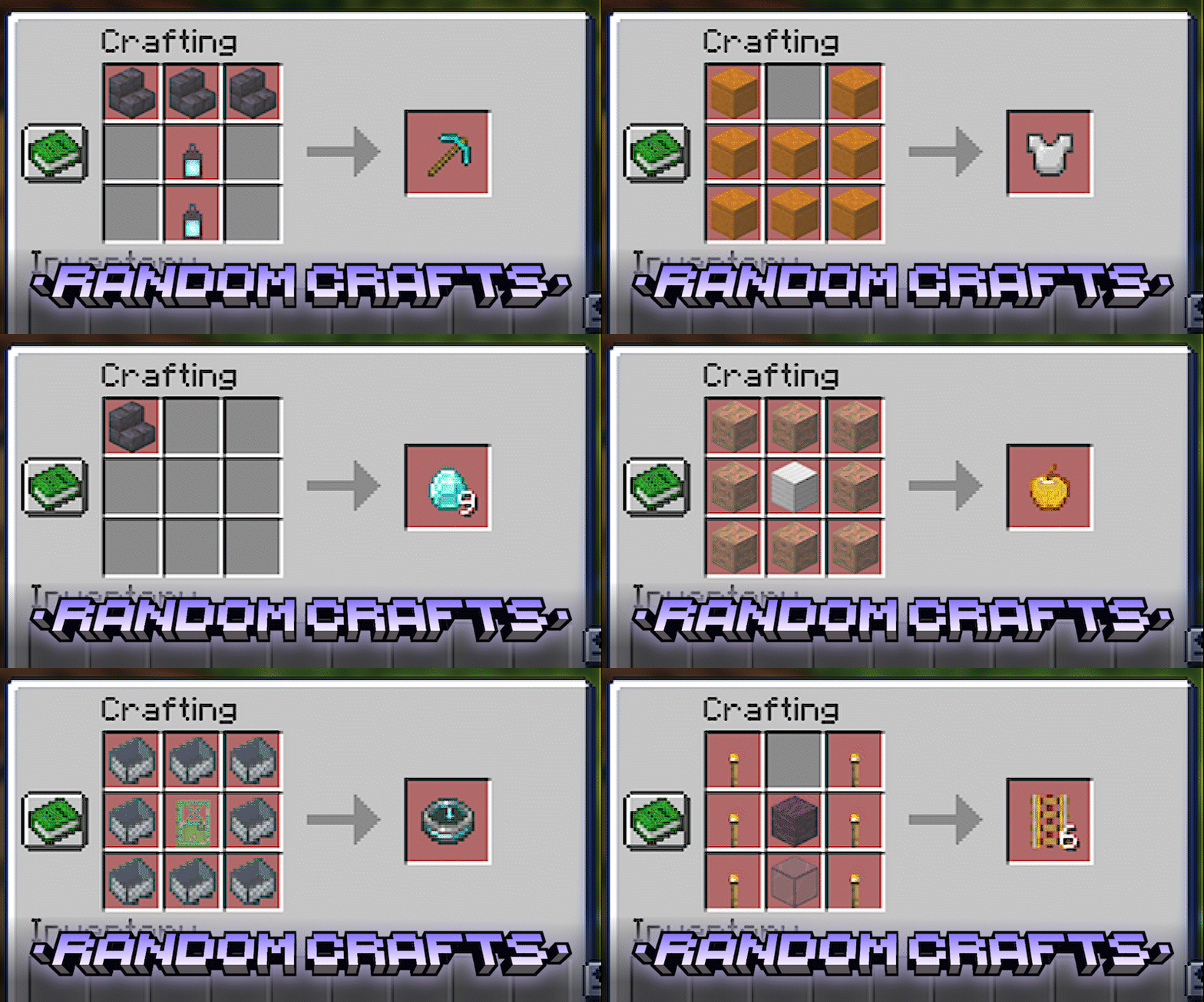
Compatible with other mods!
Randomized crafts may significantly change progression.
Mod Requirements:
This mod is required on the server, but completely optional for clients. Since it generates a standard datapack, players can join your world without having the mod installed!
When creating a new world, enable “ [RC] Randomize Crafting” in the Game Rules section. You can also manage other settings for generating recipes there. Once the world loads, the mod will generate and apply the randomized recipes automatically.
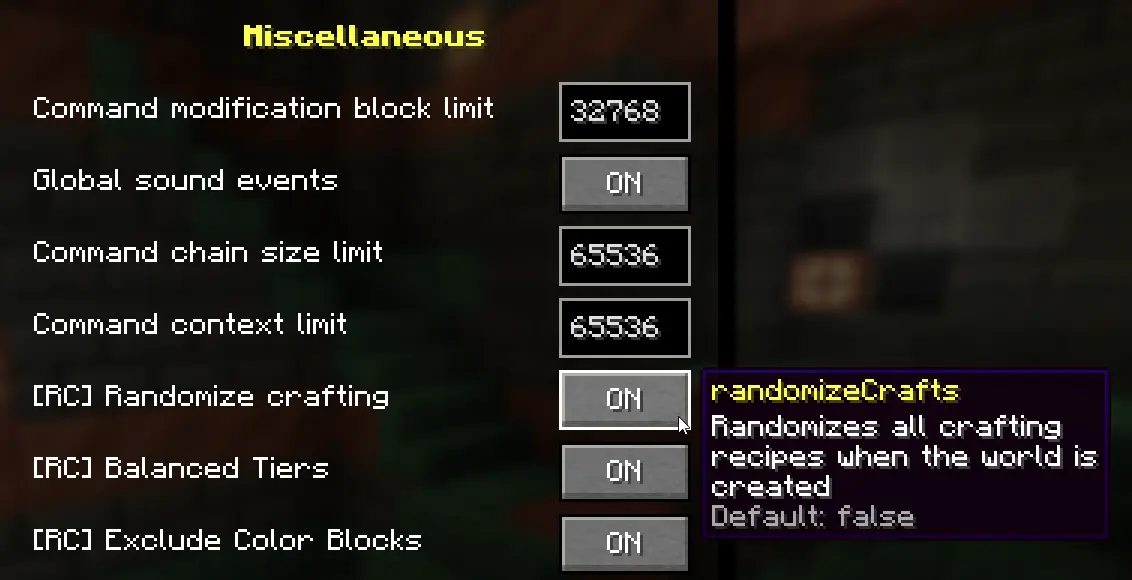
Pro Tip: You can also change any of these rules during the game using the /gamerule command. For the changes to take effect, you need to regenerate the recipes by running: /rc generate
At the start of the game, only the crafting table recipe is unlocked.
How you unlock further recipes depends on the [RC] Dynamic Recipe Discovery gamerule (v1.6.0+):
/rc generate [seed] — Generates a new set of crafts. You can specify a custom seed or leave it blank to use the world's seed./rc clear — Disables randomization and restores all original vanilla recipes instantly./rc seed — Shows the current randomization seed used in your world.The easiest way is to use the /rc clear command. Alternatively, manually delete the randomcrafts datapack from your world's datapacks folder and use the /reload command.
Project description from CurseForge.
Pick your setup
Choose the version and loader you play, then open the matching release.
Check the dependencies, then try the file in a copied instance before changing a world you care about.
Recent files
random_crafts-neoforge-1.7.1-26.3.jar
14 Nov 2026
random_crafts-fabric-1.7.1-26.3.jar
14 Nov 2026
Looking for an older file? The official CurseForge project page is in Resources.
 mod
Create easily NPCs with dialogs for your world or for your mods.
 mod
Kaf's Valentine Special adds a bunch of special cookies to Minecraft, made originally to celebrate Valentine's day.
 mod
Provides the core functionallity for the Easy NPC mod.