Minecraft version
Back to mods 
CurseForge · Minecraft mod
Server Storage Item Frame
a server side useful custom item frame for your storage management
Choose a version Pick your version below, then grab the matching file.
Quick answer
Which Server Storage Item Frame release should I use?
Latest stable file storageitemframe-26.1.1-1.0.1.jar
Game version 26.1.1
Loader Fabric
Server Storage Item Frame storageitemframe-26.1.1-1.0.1.jar targets 26.1.1 with Fabric. The project page does not say whether this file belongs on the client, dedicated server, or both. No extra mods listed for this file.
Where it goes
Is Server Storage Item Frame required on the client, server, or both?
The project page does not say whether this file belongs on the client, dedicated server, or both.
Client Source doesn’t say
Dedicated server Source doesn’t say
Loader for this release Fabric
Required install it here Optional supported, not mandatory Not supported do not install here Source doesn’t say do not assume
The source does not explicitly classify this release as client-only or server-only.
What else does Server Storage Item Frame storageitemframe-26.1.1-1.0.1.jar need?
storageitemframe-26.1.1-1.0.1.jar. Change the file and its required mods may change too.
This file does not list any required mods. Do not add a library just because a different file uses it.
This file does not list any required or optional mods.
Before you install it
Add Server Storage Item Frame without breaking your instance.
Built for Server Storage Item Frame storageitemframe-26.1.1-1.0.1.jar. Pick another file and the loader, install side or required mods may change.
- 01
Stick to this file
Use storageitemframe-26.1.1-1.0.1.jar. It targets 26.1.1 with Fabric; another release may have different loader, side or dependency requirements.
- 02
Bring the mods it needs
This file does not list any required mods. Do not add a library just because a different file uses it.
- 03
Put it on the correct side
The project page does not say whether this file belongs on the client, dedicated server, or both.
- 04
Pick the file you checked
Use the “Get this file” button beside storageitemframe-26.1.1-1.0.1.jar. It opens that exact file at the source.
About this project
What does Server Storage Item Frame add?
📦 Server Storage Item Frame
100% Server-Side • No Client Required
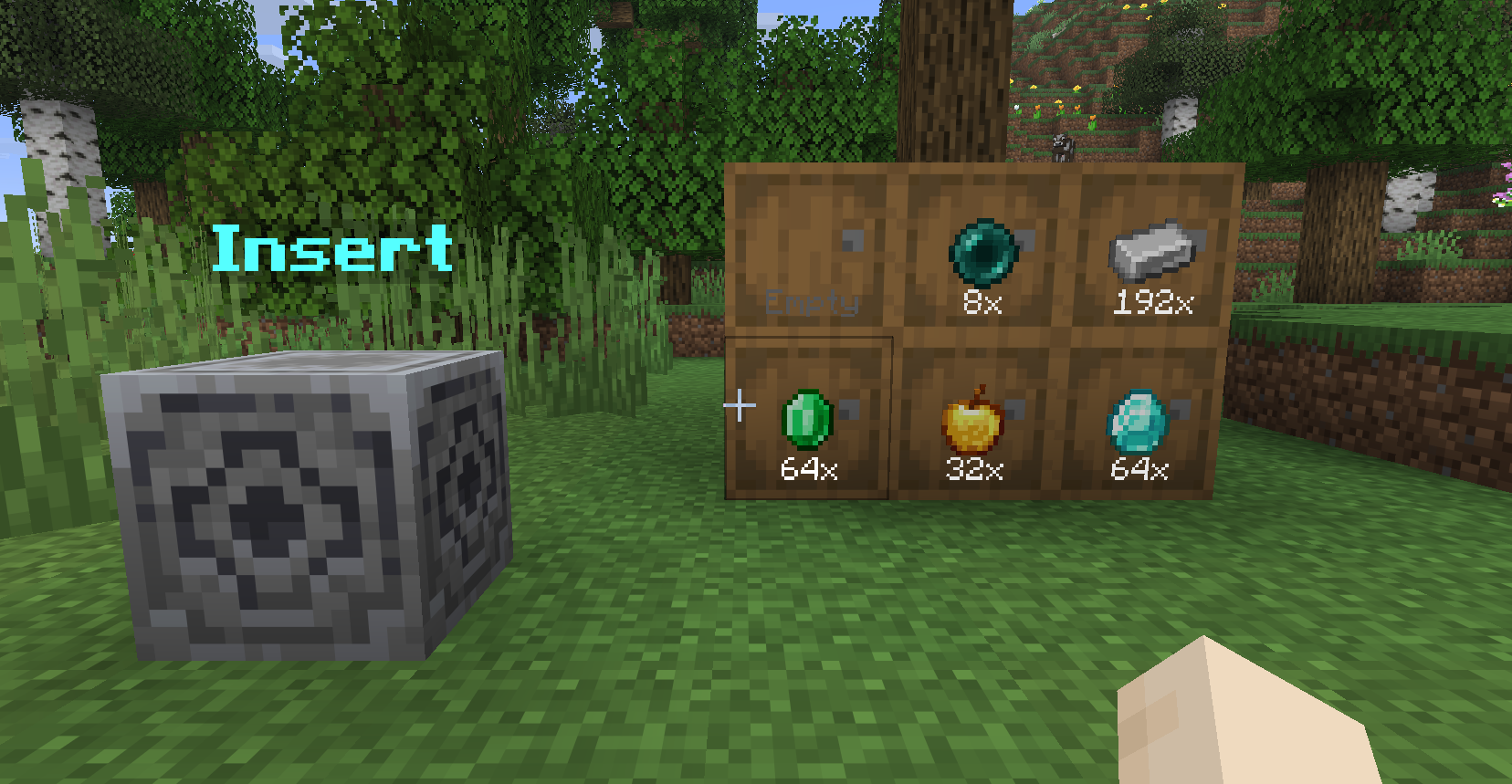
✨ Overview
Server Storage Item Frame enhances storage management without requiring any client-side installation.
Turn your storage system into a clean, visual, and interactive network using invisible item frames and a centralized deposit hub—perfect for multiplayer servers that want functionality without forcing mods on players.
🛠 Features
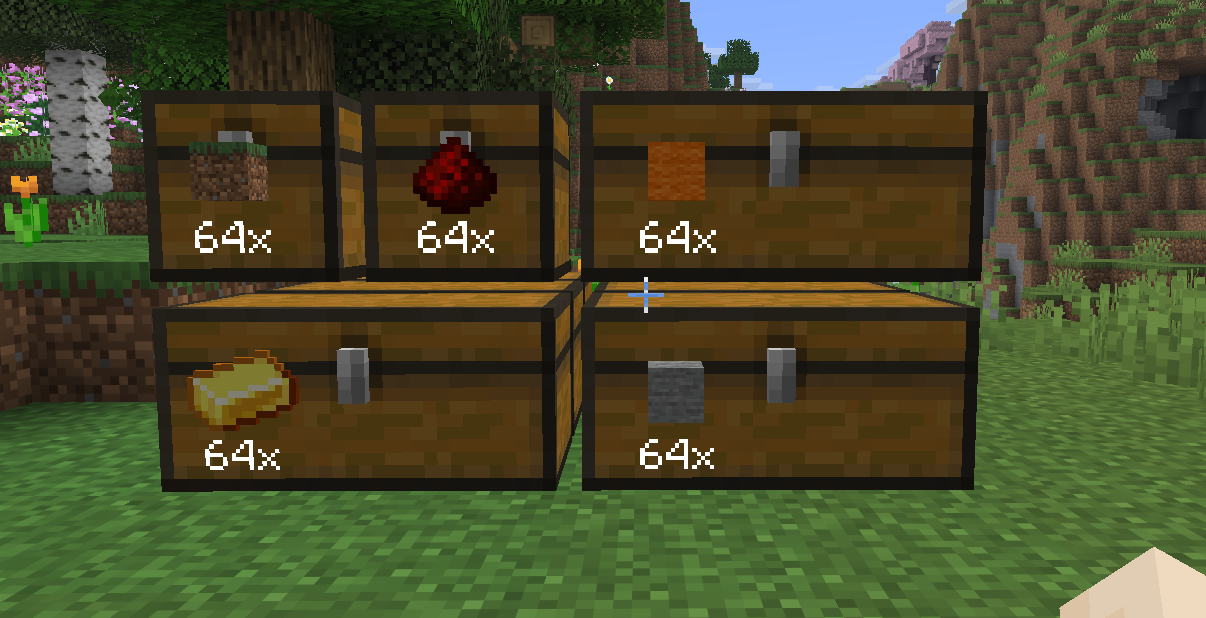
🖼 Storage Item Frames
Transform any container into a smart visual storage slot.
Invisible Frames
Only the item and its quantity are visible for a clean look.Live Item Count
Automatically displays the total amount across all connected containers.Smart Chain Detection
Scans up to 5 blocks deep behind the frame
✔ Supports double chests
✔ Works with complex storage wallsQuick Interactions
- Right-Click: Withdraw 1 item
- Sneak + Right-Click: Withdraw a full stack
- Left-Click: Deposit held item
- Sneak + Left-Click: Deposit full stack
🧭 Storage Hub
A centralized deposit block (based on the Lodestone).
Instant Sorting
Punch the hub with an item to automatically send it to the correct storage.Smart Matching
Finds the appropriate Storage Item Frame and container chain.Visual Feedback
Item transfer is shown with particle trails from the hub to the destination.
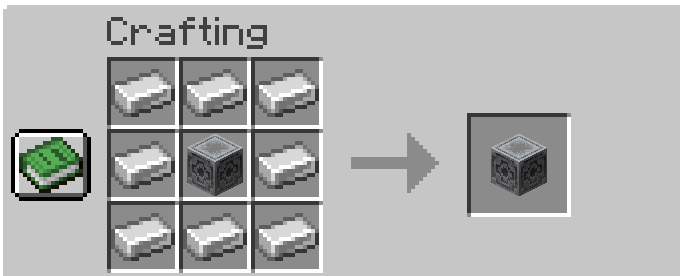
🔨 Crafting Recipes
Storage Item Frame

Storage Hub
❓ FAQ
Why Server-Side Only?
Most storage mods require both client and server installation.
This mod is designed to work entirely on the server, so players can join without installing anything.
Why No Custom Textures?
To stay fully server-side, the mod reuses vanilla Minecraft assets—no resource packs needed.
Will There Be Updates?
Possibly! This is currently a side project, but improvements and new features may come over time.
💡 Why Use This Mod?
- ✔ No client installation required
- ✔ Clean and minimal visual storage system
- ✔ Perfect for SMP and public servers
- ✔ Vanilla-friendly design
- ✔ Fast and intuitive item management
Project description from CurseForge.
Pick your setup
Server Storage Item Frame by Minecraft version and loader
Choose the version and loader you play, then open the matching release.
Check the dependencies, then try the file in a copied instance before changing a world you care about.
Recent files
Server Storage Item Frame versions and loaders
storageitemframe-26.1.1-1.0.1.jar
4 May 2026
Client Source doesn’t say Server Source doesn’t say Dependencies No extras listed Listed on Release listing
Check the 26.1.1 · Fabric setup Fabric26.1.1 release
storageitemframe-26.1.1-1.0.0.jar
27 Apr 2026
Client Source doesn’t say Server Source doesn’t say Dependencies No extras listed Listed on Release listing
Check the 26.1.1 · Fabric setup Fabric26.1.1 release
Looking for an older file? The official CurseForge project page is in Resources.
 mod
CurseForge + Modrinth · Minecraft
Might Makes Everything
A mod inspired by Mite that recreates most of Mite's content.
 mod
CurseForge · Minecraft
Pocket Repose
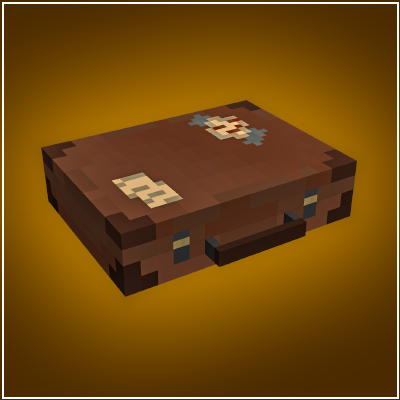
Adds a bigger on the inside suitcase.
 mod
CurseForge · Minecraft
ChatPlus Staff Tools
ChatPlus 2.7.0 with a right-click staff menu, player lookups and confirm-before-send. Unofficial fork.