Minecraft version
Back to mods 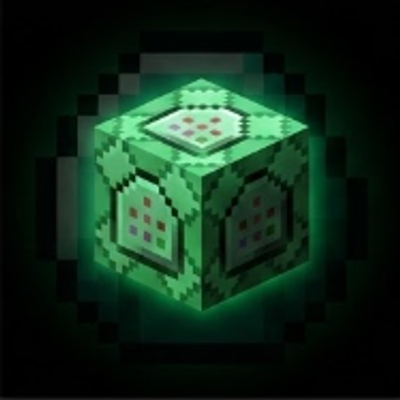
CurseForge · Minecraft mod
Helping commands
Helping commands : A troll and utility mod. Includes many commands
Choose a version Pick your version below, then grab the matching file.
Quick answer
Which Helping commands release should I use?
Latest stable file helping command 1.0.3 Fabric
Game version 1.21.8
Loader Fabric
Helping commands helping command 1.0.3 Fabric targets 1.21.8 with Fabric. The project page does not say whether this file belongs on the client, dedicated server, or both. No extra mods listed for this file.
Where it goes
Is Helping commands required on the client, server, or both?
The project page does not say whether this file belongs on the client, dedicated server, or both.
Client Source doesn’t say
Dedicated server Source doesn’t say
Loader for this release Fabric
Required install it here Optional supported, not mandatory Not supported do not install here Source doesn’t say do not assume
The source does not explicitly classify this release as client-only or server-only.
What else does Helping commands helping command 1.0.3 Fabric need?
helping command 1.0.3 Fabric. Change the file and its required mods may change too.
This file does not list any required mods. Do not add a library just because a different file uses it.
This file does not list any required or optional mods.
Before you install it
Add Helping commands without breaking your instance.
Built for Helping commands helping command 1.0.3 Fabric. Pick another file and the loader, install side or required mods may change.
- 01
Stick to this file
Use helping command 1.0.3 Fabric. It targets 1.21.8 with Fabric; another release may have different loader, side or dependency requirements.
- 02
Bring the mods it needs
This file does not list any required mods. Do not add a library just because a different file uses it.
- 03
Put it on the correct side
The project page does not say whether this file belongs on the client, dedicated server, or both.
- 04
Pick the file you checked
Use the “Get this file” button beside helping command 1.0.3 Fabric. It opens that exact file at the source.
About this project
What does Helping commands add?
Helping Command
**Helping Command** is designed to make server management easier while adding a layer of unpredictable fun. It features a mix of essential administration tools and "helpful" pranks.
🛠️ Admin Utilities (OP only):
* **/fly & /unfly** – Easily toggle flight mode in survival.
* **/day** – Instantly clear the darkness and set time to day.
* **/setspawn** – Set a new world spawn point at your feet.
🎁 "Helping" Pranks:
* **/freediamond** – Tells a player they've received diamonds, but "helps" them into a lava pit instead.
* **/anvil** – Sends a "gift" from the sky (a heavy anvil).
* **/damage [player]** – A quick way to "help" someone reset their health.
* **/idk** – For those moments when you just don't know what to do.
🛡️ Safety First:
All powerful and destructive commands are locked to **Permission Level 2 (Operators)**. Regular players cannot use dangerous selectors like @e, ensuring your server stays safe from accidental chaos.
🎨 Icon:
Features a minimalist glowing Command Block on a black background, representing the hidden power of the console.
Project description from CurseForge.
Pick your setup
Helping commands by Minecraft version and loader
Choose the version and loader you play, then open the matching release.
Minecraft version
1.21.1
1 loader buildMinecraft version
1.20.4
1 loader buildCheck the dependencies, then try the file in a copied instance before changing a world you care about.
Recent files
Helping commands versions and loaders
helping command 1.0.3 Fabric
helping command 1.0.2 Fabric.jar
25 Jun 2026
Client Source doesn’t say Server Source doesn’t say Dependencies No extras listed Listed on Release listing
Check the 1.21.8 · Fabric setup Fabric1.21.8 release
helping command 1.0.3 NeoForge
helping command 1.0.2 NeoForge 3.jar
25 Jun 2026
Client Source doesn’t say Server Source doesn’t say Dependencies No extras listed Listed on Release listing
Check the 1.20.4 · NeoForge setup 1.20.4NeoForge release
helping command 1.0.3 NeoForge
helping command 1.0.3 NeoForge 2.jar
25 Jun 2026
Client Source doesn’t say Server Source doesn’t say Dependencies No extras listed Listed on Release listing
Check the 1.21.1 · NeoForge setup 1.21.1NeoForge release
helping command 1.0.3 NeoForge
helping command 1.0.3 NeoForge.jar
25 Jun 2026
Client Source doesn’t say Server Source doesn’t say Dependencies No extras listed Listed on Release listing
Check the 1.21.8 · NeoForge setup 1.21.8NeoForge release
helping command 1.0.2 NeoForge
helping command 1.0.2 NeoForge 2.jar
3 May 2026
Client Source doesn’t say Server Source doesn’t say Dependencies No extras listed Listed on Release listing
Check the 1.21.8 · NeoForge setup 1.21.8NeoForge release
helping command 1.0.2 NeoForge
helping command 1.0.23 NeoForge.jar
3 May 2026
Client Source doesn’t say Server Source doesn’t say Dependencies No extras listed Listed on Release listing
Check the 1.21.1 · NeoForge setup 1.21.1NeoForge release
helping command 1.0.2 NeoForge
helping command 1.0.2 NeoForge.jar
3 May 2026
Client Source doesn’t say Server Source doesn’t say Dependencies No extras listed Listed on Release listing
Check the 1.20.4 · NeoForge setup 1.20.4NeoForge release
helping command 1.0.2 Fabric
helping command 1.0.2 Fabric.jar
3 May 2026
Client Source doesn’t say Server Source doesn’t say Dependencies No extras listed Listed on Release listing
Check the 1.21.8 · Fabric setup Fabric1.21.8 release
helping command 1.0.1 NeoForge
helping command 1.21.1 NeoForge.jar
30 Apr 2026
Client Source doesn’t say Server Source doesn’t say Dependencies No extras listed Listed on Release listing
Check the 1.21.1 · NeoForge setup 1.21.1NeoForge release
helping command 1.0.1 NeoForge
helping command 1.21.8 NeoForge.jar
30 Apr 2026
Client Source doesn’t say Server Source doesn’t say Dependencies No extras listed Listed on Release listing
Check the 1.21.8 · NeoForge setup 1.21.8NeoForge release
helping command 1.0.1 Fabric
helping_commands-1.0.0-fabric-1.21.8.jar
29 Apr 2026
Client Source doesn’t say Server Source doesn’t say Dependencies No extras listed Listed on Release listing
Check the 1.21.8 · Fabric setup Fabric1.21.8 release
helping command 1.0.1 Fabric
helping command.jar
28 Apr 2026
Client Source doesn’t say Server Source doesn’t say Dependencies No extras listed Listed on Release listing
Check the 1.21.8 · Fabric setup Fabric1.21.8 release
Looking for an older file? The official CurseForge project page is in Resources.
 mod
CurseForge · Minecraft
Blaze Gaming Enhanced
A client-side mod made to provide enhancements to the multiplayer experience for the Blaze Gaming Cobblemon and Pixelmon servers. Includes several fixes, optimizations and more.!
 mod
CurseForge · Minecraft
Horizon's Equipment
Curios based mod adding various more or less basic accesories.
 mod
CurseForge · Minecraft
BedWars By Joashh
Adds the bedwars gamemode as a modded form.